Это старая версия документа!
Смена ИС (Change IC)
Каждый блок схемы (Schematic block) содержит один или несколько алгоритмов, и каждый алгоритм связан с конкретным процессором DSP на вкладке «Конфигурация оборудования» (Hardware Configuration Tab). В проектах, содержащих более одного процессора, можно изменить назначение ИС для существующего алгоритма схемы.
Изменение назначения ИС:
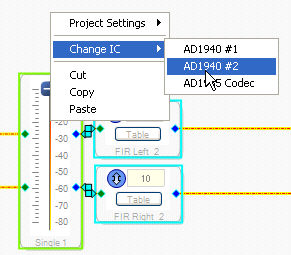
Щелкните правой кнопкой мыши по блоку и выберите Смена ИС (Change IC) во всплывающем меню. Доступные процессоры, поддерживающие данный алгоритм, будут перечислены в меню:
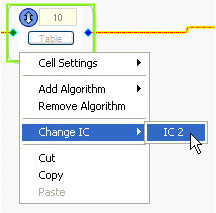
Если блок содержит несколько алгоритмов, для каждого алгоритма блока будет отдельный пункт меню «Смена ИС» (Change IC). Если вы хотите изменить назначение ИС для всех алгоритмов блока одной операцией, см. ниже.
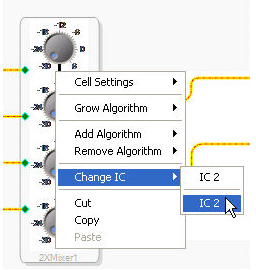
Изменение назначения ИС для всех выбранных блоков:
Можно изменить ИС для всех выбранных блоков и алгоритмов одной операцией. Сначала выберите несколько блоков, для которых требуется переназначить ИС. Затем щелкните правой кнопкой мыши в окне вкладки «Схема» (Schematic tab) и выберите Смена ИС (Change IC) в меню (будут перечислены все процессорные ИС).