This is an old revision of the document!
Table of Contents
Speaker Response: MLSSA
The Speaker Response algorithm uses the MLSSA (maximum-length-sequence system analyzer, an industry standard) loudspeaker measurement system (www.mlssa.com). To employ this block:
- Drag it into the workspace.
- Click the text area.
- Select the appropriate file and load your speaker data.
This speaker response cell serves as an informational tool only. It does not have any intelligence that attempts to correct for the frequency response of the speaker. It is up to the user to tune the frequency response as needed.
MLSSA File Format
Note: Speaker files are ASCII text in the MLSSA format, with header information
in quotes on the first two lines. Data are delimited by commas and by line. Note: SigmaStudio only accepts the MLSSA file if the 2nd line in the header of the matches the following exactly: <6 white spaces> “Hz” <2 white spaces> “Mag (dB)” <7 white spaces> “deg”
Here is an excerpt from an example MLSSA file:
30 deg OFF Axis Speaker.txt
"Sensitivity Excess Phase - dB SPL/watt (8 ohms, @0.50 meters) (High)"
"Hz"  "Mag (dB)"       "deg"
18.42571,   84.52863,  -84.71303
27.63856,   86.17458,  -106.1154
36.85141,   87.69691,  -121.8004
46.06427,   89.03174,  -131.5714
55.27712,   90.10346,  -139.7477
64.48997,   91.02969,  -145.4236
73.70283,   91.75486,  -150.4895
82.91568,   92.44266,  -154.1127
92.12853,   92.89854,  -156.9609
101.3414,   93.26881,  -159.7996
110.5542,   93.58502,  -162.1092
128.9799,   93.96911,  -166.0203
138.1928,   94.03343,  -167.4651
156.6185,   94.05841,  -170.1367
184.2571,   93.83049,  -173.6306
202.6828,   93.62083,  -175.2098
221.1085,   93.41589,  -177.1104
248.747,   93.20612,  -179.7584
276.3856,   93.04501,     178.67
313.237,   92.84193,   175.7724
...
...
Example MLSSA Files Bundled with SigmaStudio
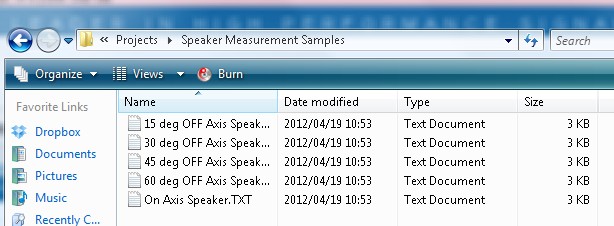
Example MLSSA files can be found in the SigmaStudio install directory's Speaker Measurements subfolder.
Viewing MLSSA Response
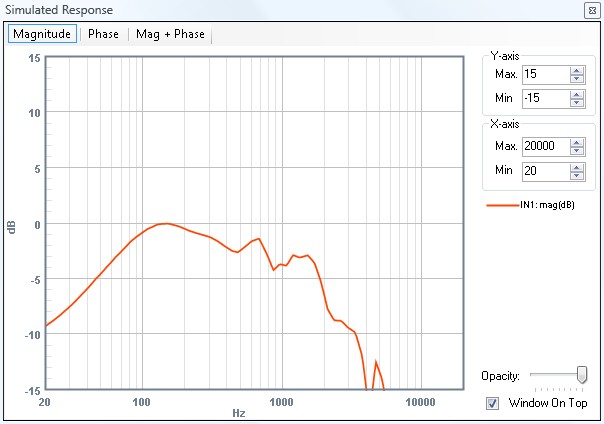
After adding an MLSSA cell to the project and selecting a response file, the response can be viewed using the Stimulus/Probe blocks.
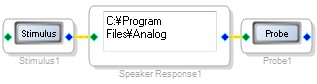 By clicking on the probe button and then the stimulus button, the response will be displayed.
Correcting the Speaker Response
To attempt to correct the speaker response, insert filters in the signal flow between the stimulus and probe, and tune them to attempt to create the desired frequency response.
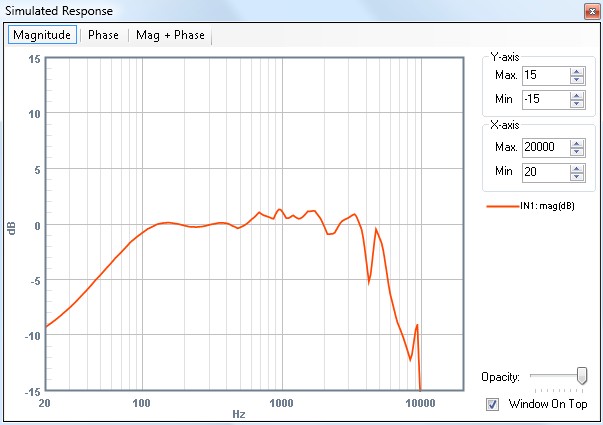
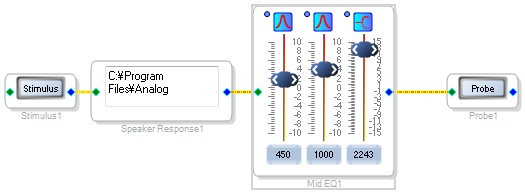 The result of this basic 3-band EQ on the 30 degree off-axis speaker response is shown here: