Loudness (Low and High)
For low levels, the Loudness (Low and High) block raises bass <60 Hz and also the treble >7kHz (but see below about the control knobs).
The boost values are derived from the well-known equal-loudness curves of Fletcher and Munson and others. This research revealed that at low levels, lows and highs need to be considerably louder in order for the tonal balance to sound correctly proportioned and the overall sound to have the same apparent loudness to the human ear.
Note that this algorithm is fixed, not dynamic: it assumes the input level is constant.
This block's parameters include the level slider, LPF and HPF knobs, and Level.
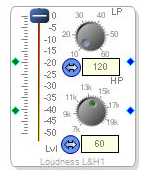
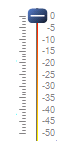
1) The level slider controls the output volume of the entire signal, but, more important, it is also the control for the loudness algorithm. At low levels, the loudness algorithm boosts the low frequencies somewhat more than it does the high frequencies. At 0dB, no matter what the input level is, there is no boost, LF or HF.
2) The LP knob lets you change the cutoff of the lowpass filter. The default value approximates the Fletcher-Munson curve. Higher-frequency values provide greater bass-bandwidth gain.

3) The HF knob let you change the cutoff frequency of the highpass filter. The default value of 7kHz approximates the Fletcher-Munson curve.
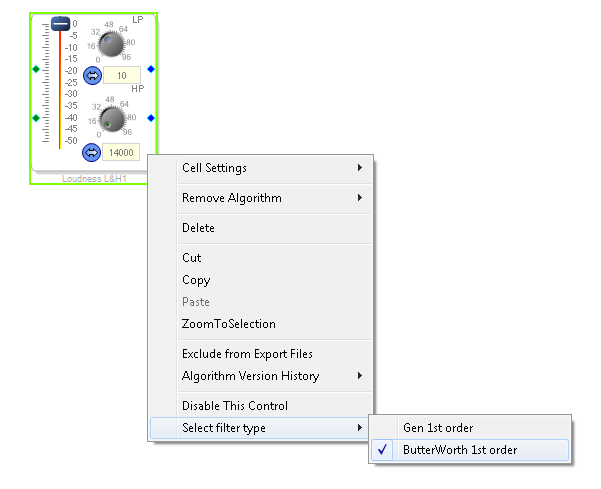
 4) In the right click context menu, An option to select the filter type is present. The option allows
selection bewteen General first order filter and Butter worth first order filter.
4) In the right click context menu, An option to select the filter type is present. The option allows
selection bewteen General first order filter and Butter worth first order filter.