Hierarchy Board
Schematic Hierarchy Boards allows you to create multiple layers within the schematic design window, providing additional schematic workspace. Hierarchy Boards are helpful for large schematic designs and for organizing design components. Hierarchy boards support Copy/Paste, schematic settings, and Undo operations. In addition Hierarchy boards can be saved to files to create reusable design components.
For more information about Hierarchy Boards, see the Hierarchy Boards topic.
To create a Hierarchy Board:
- Drag a Hierarchy Board block into the workspace. It will have no input or output pins.
- The board block is associated with a Hierarchy Tab located at the bottom of the Schematic design window. The default name is Board1, the corresponding tab will have the same name as the board block.
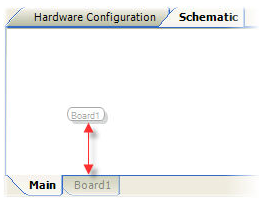
- The Hierarchy Board block provides an interface to route signals in our out of a Hierarchy board layer. To route signals into or out of the board, input and output pins must be created. See Hierarchy Input and Hierarchy Output for more information.
Hierarchy Board Name:
To change the name of hierarchy board block, double click on the block's label and type a new name. This will also change the name displayed in the associated hierarchy tab.
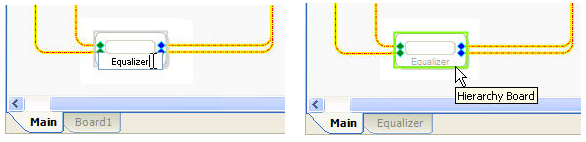
See the Hierarchy Board System Example for a sample hierarchy board design.