how to used the watchdog counter in ADAU1452
hello, I want to set the "watchdog counter" to check if an errors would occus that the program does not finish intime for the next incoming sample.
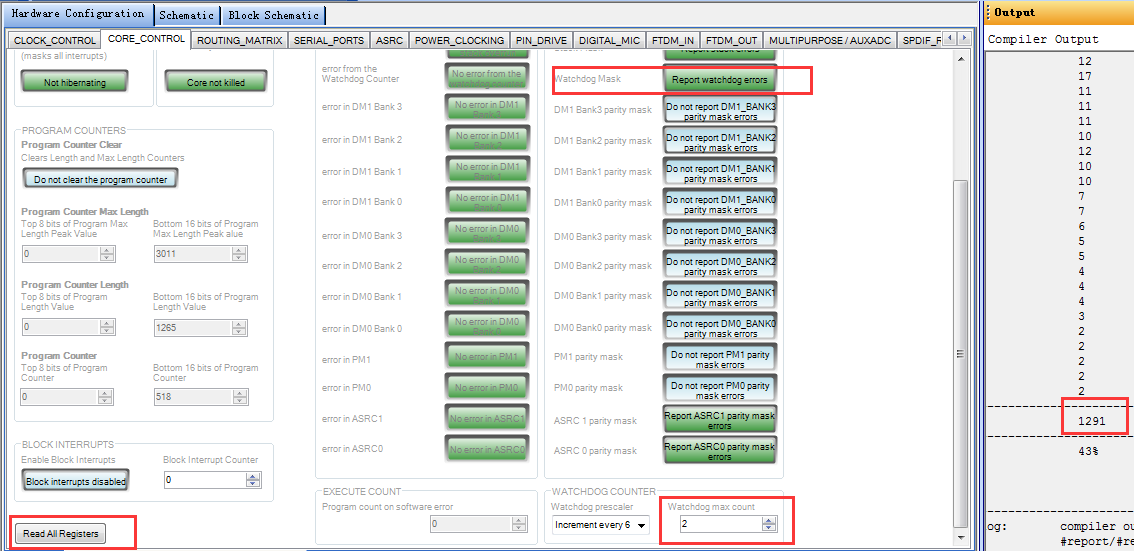
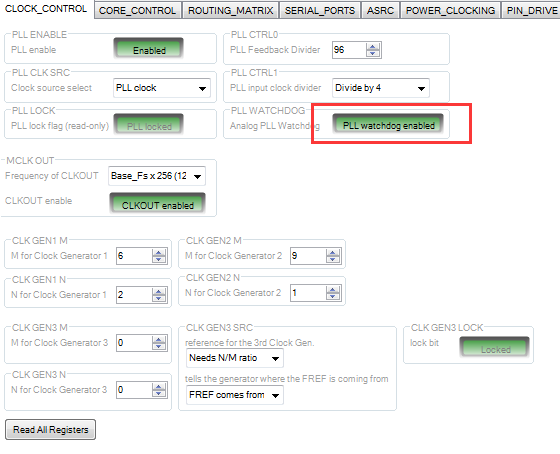
Here is my setting in SigmaStudio(V4.1):
In the datasheet of ADAU1452(rev.c), it references that the number of "watchdog maxcounter" should be sightly larger than the maximum number of instructions expected to execute in the program.
however,I find that the watchdog do not works. no matter what value of "watchdog maxcounter" I set, the watchdog error flag is not raised in the panic manager. (e.x I set "watchdog maxcounter" is "1", then compile and download the code using the USBi , and then click the button of "Read All Registers" ).
is my setting not right?
Audio Signal Processors
adau1452
SigmaDSP Audio Processors
Hello latera17,
Here is a post that explains how to use the Watchdog counter.
Now for your goal of monitoring if the program ran out of MIPS and did not finish in time. For that you should use this new feature:
Hope this helps.
Dave T
Please log in to reply.