ADAU1701 TDM Input Processors as Slave
Hello,
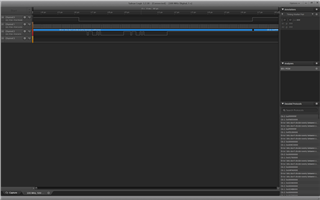
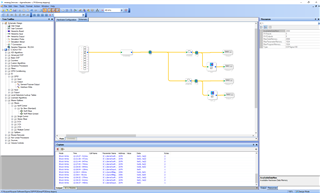
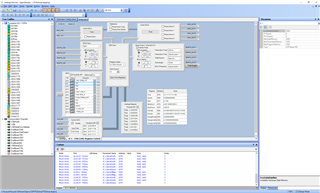
I am updating some designs and replacing a codec with an ADAU1701 and I am having a bit of an issue getting the audio Data in. I have used the ADAU1452 in some of our other projects and am familiar with the codec interface in Linux and believe at this point i have made the required modifications for this to work but still no luck. Currently i have a good bitclock and lrclock and the linux audio interface is happy on the logic analizer i get a 48khz bclk 12.288 bclk and there appears to be data coming out of the Linux processor. After reading the manual i determined that i needed to connect LRCLK and BCLK in with LRCLK and BCLK out so that the ADAU1701 can act as master. While i have done this with a white-wire and configured the gpio as shown in the screen shots i still get no audio input to the ADAU1701. Also just as a side note i have placed a signal generator in the dsp as a replacement for the input and i got the signal on my output so this is how i determined that there is an issue with input. The MCLK is being driven by a 12.288 oscillator as well so just as a side note and pll is set to 256xfs. Any help would be greatly appreciated as i am sure there is something minor i have missed.
Thanks
Ed McNicholas
Audio Signal Processors
adau1452
SigmaDSP Audio Processors
adau1701
Hello Ed,
Gee, I cannot see what you are doing wrong either. Sometimes it is an issue where the BCLK and LRCLK are not derived from the master clock but in this situation you are using the 1701 as the clock source! Try to place a meter on each of the 8 inputs to see if the signal is just not where you are expecting it to be.
You can also attach your project to the post and I can see if I can replicate it here in the lab.
You have to Zip the project file to be able to upload it into the post.
Dave T
Ok,
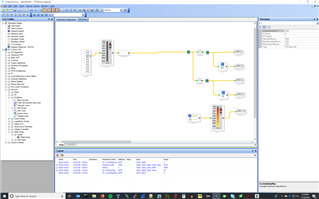
So i removed the linux processor and set the device up for loopback mp0-mp6 and have a 500hz signal on DIG0 and level detector on TDM slot 0 and i am seeing no input. I see lrclk, bclk, and data out and all are correct for tdm but no input. lrclk is connected from mp4 to mp10 and bclk is connected from mp5 to mp11.

Dave,
Here is the file. I too am trying to figure out what i did wrong but i just cant see it. i know what I messed up in the first place and i have checked the signals on the scope and they look to be on the right pins. i even did a version of this where i soldered pin to pin on the ic so i was eliminating the copper on the board. I am also including updated schematic. The 33ohm resistors are not in the circuit right now btw.
POEAmp.zip
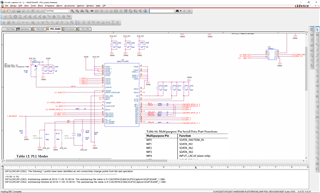
I just noticed i left the bclk at 1/16 but it should be at 1/4 which changes nothing.
Hello Ed,
That is exactly what I was going to ask you to do.
I have your program and have a bench eval board in front of me to see if I can replicate this.
BTW, I don't like the 100k resistors on the PLL_MODE pins. Usually we tie them directly to power or ground. However, it does not seem like this is a PLL issue so this should not be a cause of this issue. But, I wanted to point it out.
Get back to you soon.
Dave T
Hello Ed,
OK, I have some results. I was able to reproduce your problem on our eval board. I am not able to find why this is not working exactly. I could not see an issue in the hardware at all. So I thought that perhaps it is a corrupted SigmaStudio file. I drew up my own really simple schematic and it worked!! With your similar basic setup. So then I swapped the meters out for my favorite meters, I removed your input block, I removed all the analog outputs (To the DACs), I deleted and dropped in the osc and the input cell from the library, I basically replaced everything and it still does not work. I simplified it down to the same as mine and it does not work. So I will take your file and hand it over to the programmers tomorrow and see if they can find out what is wrong. Meanwhile, I think if you start with a new fresh file you should be good to continue.
I attached my simple project so you can see it work on your platform. You will have to change the USBi interface setting from I2C over to SPI. I had to use I2C on our eval board.
So I don't have the answer as to exactly what is wrong, I will investigate further but at least I have a working theory that it is a corrupted file. Usually I can find the offending corrupted cell but this time I was not able to do it.
Dave T
Simple Project-from DT.zip
Dave,
Thanks for the update ill be looking for your answer but i will start fresh and go from there. The other issue I am seeing is that all readback elements have the same address in the code files produced in sigmastudio and i will need to be able to read from the level elements as well as readback blocks is there a document that shows how to do this for the adau1701. I know on the adau1452 those elements were hidden and not exported bu i dont even see hidden elements in the adau1701.
Thanks
Ed
Hello Ed,
I worked a lot on this on Friday and was able to test it in the lab this morning to verify the behavior.
Somehow register 0x081C, the Core Control Register, was changed in your program. What was changed is three reserved bits were set to "1" instead of zeros. I have no idea what these reserved registers do with the exception that it will stop your program from working. Your program is setting this to 0x3FDC. Bits D9, D10 and D11 are being set to "1". So write an 0x31DC and your program will magically start working. I used the sequencer window to do this but you can also use the Read/Write window as well.
Now for speculation as to how this happened? My only guess is that at one point you either had no MCLK clock or no power to the part and tried to read all registers. Since you are using SPI it would have happily read all the values as "1"s and reset all your settings. Do you recall having to go into the register settings are redo all the settings? These reserved register bits would have no way of being reset back to the default values. So this is one guess. It would be odd that a corrupt file would only have changed these three bits.
Next, Your question about the readback cell addresses. I had a bit of a panic because I spent a couple of hours working on a response on EngineerZone on Friday and thought it was lost. But it was another user with a similar enough question. So go look at this post I put up on Friday. In this explanation is the reason why you do not see the readback cell addresses. This core is different from all of our newer cores.
Thanks,
Dave T
Please log in to reply.