EVAL-ADAU1467 I2C communication
Should it be possible to use i2c instead of spi when programming the eval board with USBi?
There are no problems using spi. However, in my final application, an mcu will program the dsp using i2c, so it would be great to test that out on the eval board. I have tried to set the dsp address in the USBi tool to i2c 0x70. Executing the program generates usb communication failure, suggesting either missing hardware, or cable failure (none of it is correct since spi works). Is there some switch on the eval-board that must be activated in order to switch from spi to i2c?
If possible, my next move would be to attach the mcu i2c lines to the Control Port header on the eval board.
Regards,
AJ
Additional info 2018-11-22:
Have successfully been able to communicate using i2c with the dsp on my eval board. Connected header J1:5,7,10 as data, clock and ground to an mcu. i2c address to use is 0x76 (probably the unused pull-ups on the spi lines). i2c lines (some times) require additional pull-ups in order to function properly. I have also an RPi connected on the same i2c lines. So far, the dsp does only respond (answer with ACK) when the RPi is turned on. Therefore, I have concluded that it's the pull-ups on the RPi i2c lines that do the "magic". I'm puzzled - have disconnected the RPi and the i2c still worked this morning.
Have used soft reset as test command. Also successfully dowloaded the firmware using default_download() (as explained in here). All delay requests were implemented with the dealy function of the mcu. Used 10ms as default delay (the PLL max lock time).
Also connected my logic analyzer to the output from the USBi. Wanted to see what the board sends when requested to use i2c in SigmaStudio (4.2). However, did not detect any signals, not even a clock on any of the lines.
Edit Notes
some additional notes about i2c
[edited by: alexjaw69 at 8:57 AM (GMT -5) on 23 Nov 2018]
Audio Signal Processors
i2c
adau1467
SigmaDSP Audio Processors
Hi,
I have a similar problem with ADAU1467. When I choose the i2c comunication the software seems to do things but any changes appears on the DSP.
I'm tried also to use a mcu on i2c lines on control port but nothing change.
I'm thinking about to use SPI also for my final application but I want to be sure if it is a problem of the board or it is my error in something.
Thanks
Regards
Alessandro
Hello AJ and Alessandro,
Can you tell me the exact revision and model number of the evaluation boards you both are using? Some of the newer ones have some more flexibility to make changes. Feel free to also insert some hi-res pictures if you like.
Dave T
Here I have a direct i2c connection to an mcu.
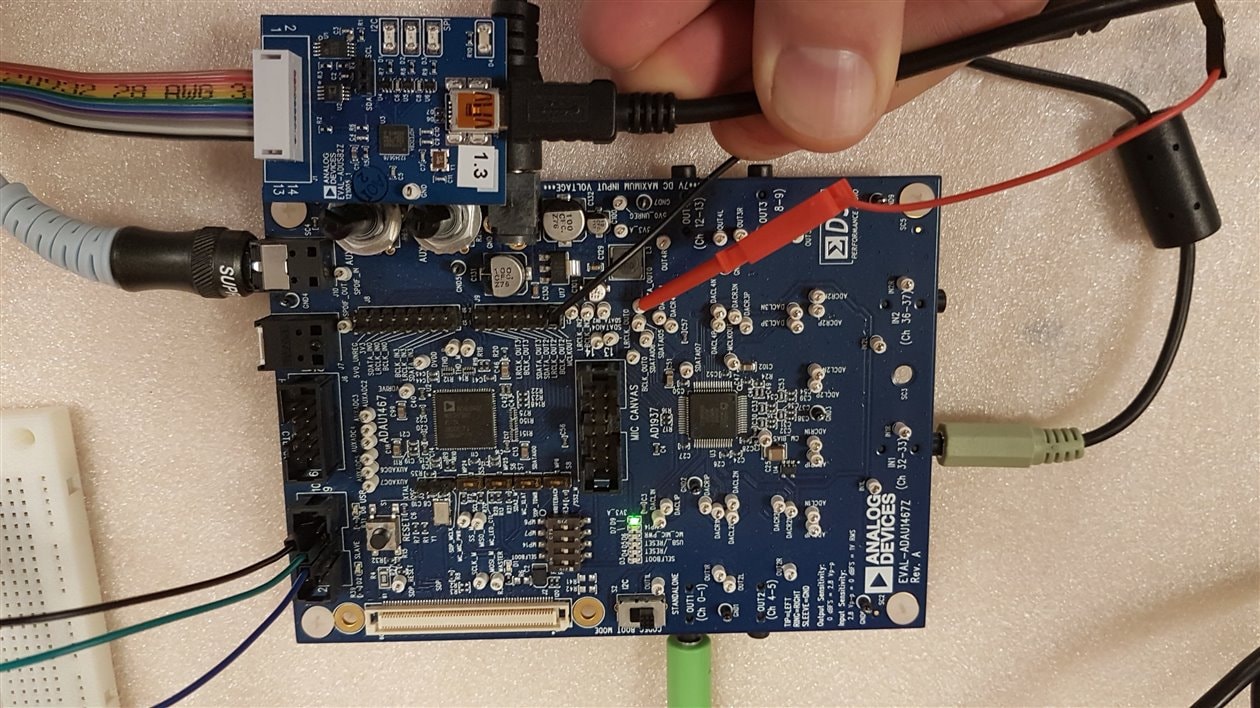
That's mine. EVAL-ADAU1467Z 08-048585 Rev. B
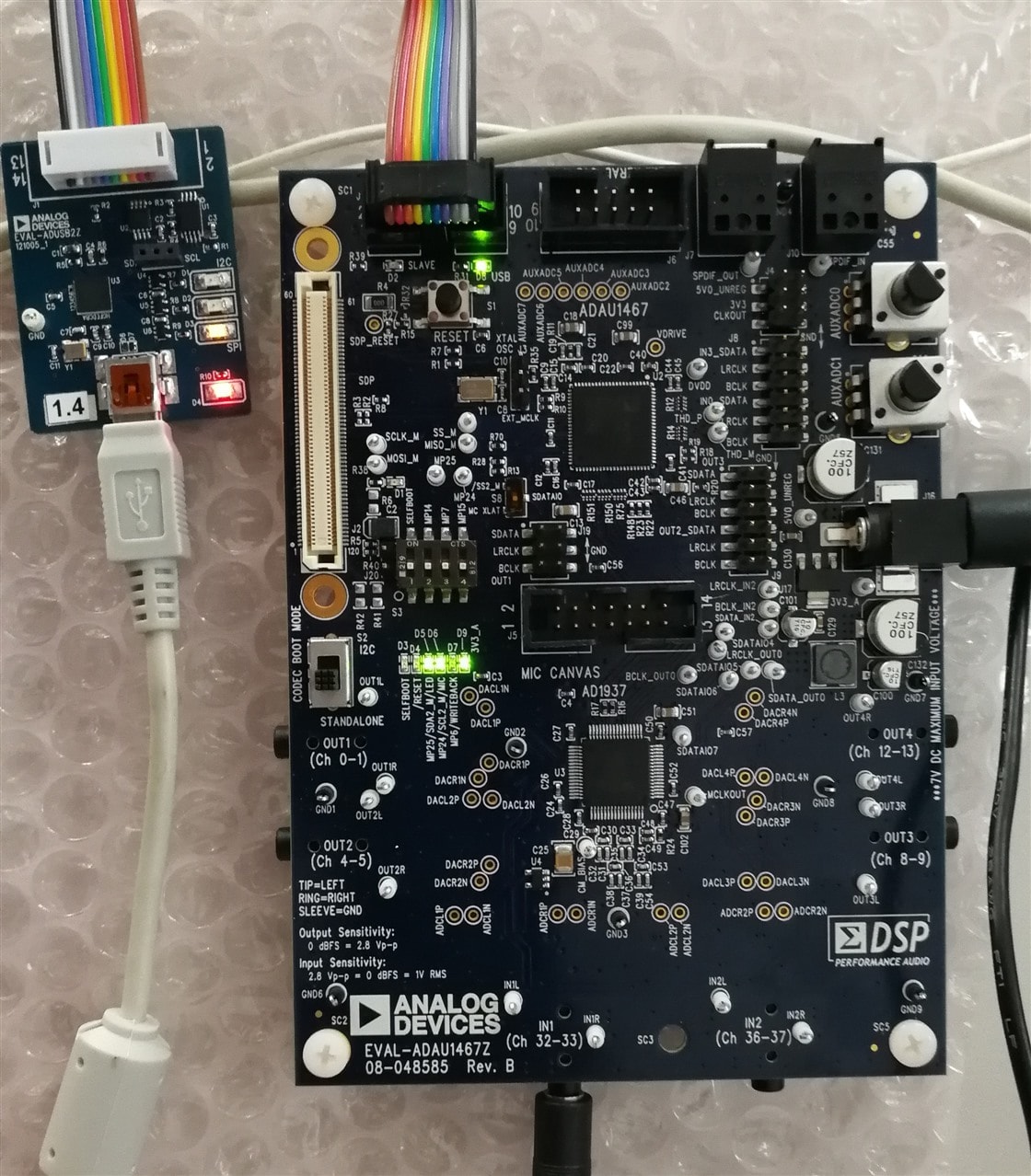
Hello Alezg22,
This is a Rev A board. Let me start here.
First thing to detail is the USBi connections. The USBi uses different pins for I2C then they do for SPI. The DSP chip shares the I2C SDA and SCL pins with the MISO and SCLK pins on the slave port. So without switching over the USBi pins the USBi will not be able to function.
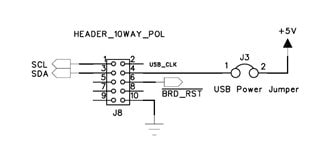
Here is a picture of the USBi when used for I2C:
Pins 1 & 2 are used for the I2C signals.
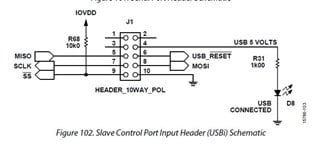
Below is the schematic for the connector when used for SPI:
You can see that pins 1 & 3 are unused.
So pin 7 needs to jumper over to pin 1
Pin 5 needs to jumper over to pin 3.
This can be done a couple of different ways. You can simply jumper over a wire on the bottom of the PCB onto the pins of the connector. Or you can do this on an external ribbon cable. I use a ribbon like this to do these kids of mods without soldering on the PCB.
Next is the important part. The /SS and MOSI lines are used as address lines for the I2C mode of operation. The /SS has a 10K pull up so this ensures that the I2C address will not be the default lowest address. So I suggest you tie both pins down to DGND. You do not have to remove the 10K pull up. Just pull the pin down to ground.
You need to pull both of these pins down when using an external MCU as well. Then you can use the address of 0x70 (0x38, 7-bit number)
You will need some I2C pull up resistors somewhere on the I2C buss. These may already be located on your MCU board. You might have to adjust the value of the pull up resistors depending on the speed of the clocks and the capacitance of the I2C buss.
Also, the three wires I see jumpered over to the eval board, I would twist those wires together so the ground wire can provide a return path and help the signal integrity. I have seen this make a difference.
Your other PCB is a Rev B. I am 99% sure that this is no different on this revision. The changes were all on the master port or elsewhere on the evaluation board.
Dave T
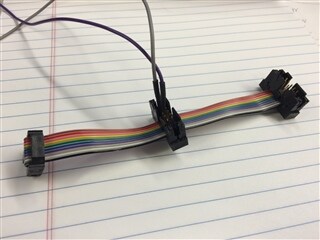
Great!
I connected pins 1,3 from USBi cable to pins 5,7 on the J1 eval-board header (address 0x76 works fine for me). Works as a charm. Will be of great value to use SigmaStudio with my real board (that only accepts i2c).
Looked again in AN-1006 to see if I had missed the information that i2c is on pins 1,3. It seems that the old header shown in fig 25 has the info if we remove pins 1,2 and 13, 14.
Please log in to reply.