ADAU1701 size program trouble
Hi Sir,
I'm using an ADAU1701 with a 24C32 eeprom.
I'm building a small program (in sigmastudiio) comprising
- 1 adc input, and 1 dac out
- 2 lowpass filter, and a volume control
- 10 logic cells (and, or), 3 timers and some T connections, driving 5 gpios
The program take around 80 words (in xxDSP_IC1.h file), and it works fine running it by pressing "Link Compile Download" button and selfbooting from eeprom.
But if I try to add some other blocks, the program can't run (nor online by sigmastudio, nor by selfboot from eeprom). There are no compiler error nor linker error, but it run casual. It seems to have filled the entire program memory, but of course it can't be possible.
Sigmastudio tells eeprom usage around 50%.
What can I check?
Hello diegobarone,
On the lower right side of the screen does it say "Active - Downloaded"?
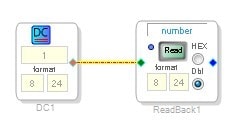
I always include a readback cell and a DC cell in my projects so I can see if I am actually communicating with the DSP.
So you click on "Read" and if it does not match what is in the DC cell then you are not actually reading the DSP. I also change the DC value then read it again to be certain that the communications are good. If this does not work then there is something wrong with the connections, or power is off on the DSP or you do not have a connection to the USBi interface.
Zip up your project and attach it to a post. I can open it up here and see if it works.
Thanks,
Dave T
Hi Dave.
Thanks for your reply.
Yes: sigmastudio says "active: doenloaded" and an online level meter is correctly working. I try to explain better.
I have an working software, compiletd, linked, downloaded and running. If I try to add some parts (even one or two more and gates) it can't run anymore, even if conpiler, linker, downloader show no error. Now, if i delete (for example) a no useful part (like a level meter) the software (with the new added parts) runs well.
It seems like when there are some limit in software downloading, so that programmer load only a small part of program and if the program is smaller than limits ... it works, but if you go ovet ... it stops to work without apparent causes.
What sample rate are you running? If for example 192K, your instruction count can’t exceed about 250. The compiler won’t necessarily flag out-of-MIPS at the higher sample rates.
Yes. 192ksample.
Is there an instruction counter or i can only count the lines in the ic.h file?
Hi,
The "Sigma 100" (AD1940, ADAU1701) compiler doesn't report instruction usage directly in the SigmaStudio window, yet it generates a text file with this. Here's how to access it:
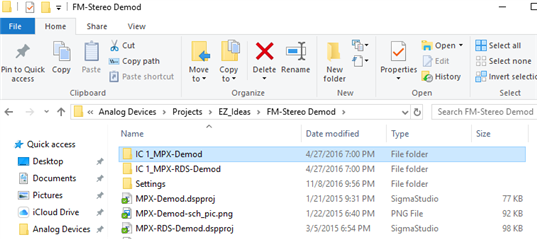
1. In your project's folder, find and open the folder named "IC1_(your project name)"
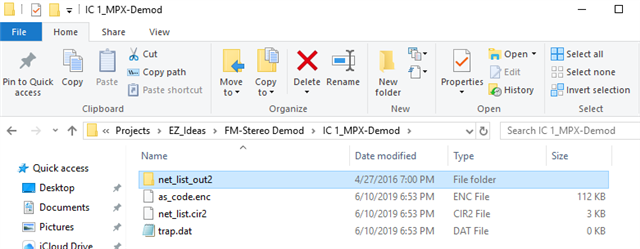
2. Open the folder, "net_list_out "
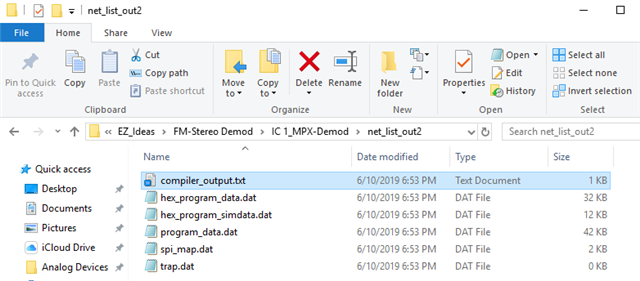
33. Open the text file, "compiler_output.txt"
You'll see the program statistics, like this:
Analog Devices Graphical Compiler Tool for Sigma DSP build date = 2008
Done Reading Nodelist ...
Done reading file,
Done Reading Parameter list ...
################## Summary ########################
(Note: Estimates are based on a 48 kHz sample rate)
Number of instructions used (out of a possible 1024 ) = 233
Data RAM used (out of a possible 2048 ) = 115
Parameter RAM used (out of a possible 1024 ) = 48
Note that your instruction limit at 192K is 1024 / 4 = 256, minus a few for overhead -- approx. 250. Limits for data and parameters remains the same as at 48K.
Best regards,
Bob
Please log in to reply.