No sound on channels 4 and 5 - EVAL-ADAU1467Z Rev. B
Dear:
First of all I would like to apologize since I am new with this type of DSPs. I recently received the EVAL-ADAU1467Z.
I have managed to input audio through channels 32 and 33 and output audio through channels 0 and 1 of the EVAL-ADAU1467Z.
But I can't get output audio through channels 4 and 5.
I think the problem may be in the Serial Outputs and SDATA_IO configurations, but I cannot achieve the correct configuration.
I enclose a schematic image.
I'm attaching a Image of the schematic.
Any help is appreciated.
Best regards.
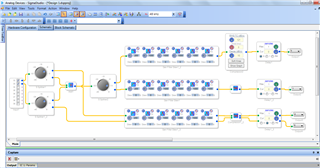
Hello SOlivera161,
The picture of your project is only a little helpful. It shows me that you are sending something out of the core on channels 4 & 5 but the settings for the serial port are in the register settings under hardware configuration. This part is actually quite complicated and to fully understand it you will need to read a lot of this rather long datasheet. In particular the sections on the serial ports and the SDATAIO multipurpose pins.
On the older parts and the 72 pin parts, the serial output ports are for either 16 channels or 8 channels. So if you are using serial output port 0 to send out a stereo signal you are only using 2 of the possible 16 channels. The other 14 outputs of the serial port, and hence the DSP, are not available for use. So when we designed these newer 88 pin parts we added the ability to use these unused channels by playing some tricks. There are still only 4 serial output ports but using the SDATAIO pins we are able to tap off of these outputs to use them. There are still some limitations but it is much better. So you have to go to the Serial Ports tab in the register settings. Then you click on the sub-tab for the SDATAIO. Here is where you configure these extra pins to be assigned to the serial input ports or the serial output ports etc. You also select how many channels you will be using and which pins are for which channels.
You will need to know which pin the codec on the board is wired to. The schematic for the board is in the user guide. In this case outputs 4-5 is using Pin 63 which is the SDATAIO pin 5. Click on the button labeled "Disable Pin Routing" and this will enable it. I know, I do not agree with the labeling. It should say. "Pin Routing Disabled". Then select which serial port, in this case it is Port 0. Then Select which channels. In this case it is channels 4-7. Internally it is using four TDM4 streams and you are only using two channels. So channels 0 & 1 you are using, 2 & 3 are unused. 4&5 you are using and 6&7 you will not be using. This is why the next available outputs on the eval board are channels 8&9 and 12&13. It is done in groups of 4 all using serial port 0 and the SDATAIO pins.
I attached a project that uses this eval board and is setup for outputs 4&5 so you can see what the register settings are.
On another note. In your project you are using signal splitters in several places. This is handy to use if you need to have a gain control on the outputs but the better way to simply split the signal is by using a "T" connection or using an alias. They both do not use any MIPS so it is a way to split a signal for "free". Since the signal splitters you used have a gain control they will use some MIPS.
Dave T
ADAU1467 Basic In and Out and Selfboot complete signal.zip
Dear Dave Thib,
Thank you so much for your answer.
I will study your answer in detail next days.
best regards.
Dear Dave
Thank you very much for your assistance.
As soon as I started studying your answer, I solved my problem in a few minutes.
Best regards.
Great news!
Hope the rest of the project goes well.
Dave T
Please log in to reply.