Unable to place USBi in SPI Mode [EVAL-ADAU1466Z]
Hello,
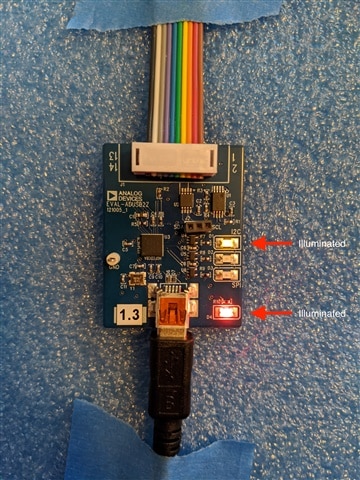
I am trying to connect the EVAL-ADAU1466Z to my Windows 8.1 computer. Per the user guide the USBi should be in SPI mode. However the D3 SPI LED on the USBi will not illuminate. The USBi is in I2C mode (D1 LED Illuminated) and D4 power LED is illuminated as well.
When I pass audio through the EVAL board I hear nothing on the output.
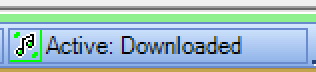
Additionally, when I click "Link, Compile, Download" SigmaDSP shows:
However several seconds later changes to:
How do I get the USBi into SPI mode for the ADAU-EVAL1466Z and get Sigma Studio to maintain a connection to the eval board?
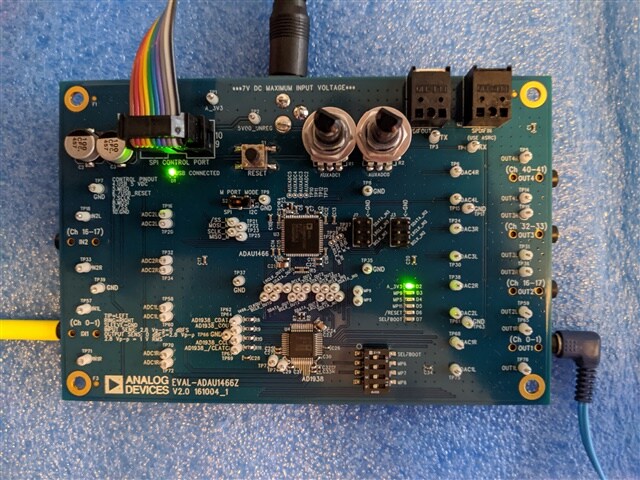
Here is my setup:
Hardware Configuration:
EVAL-ADUSB2Z v1.3
EVAL-ADAU1466Z v2.0
.dspproj file:
https://drive.google.com/file/d/1xwGj5zEkE2torMGNC7g7PxJ-8gSYEp8G/view?usp=sharing
Thank you for your help in advance!
Benjamin
spi problem
spi
usbi comm error
spi communication
usbi
eval-adau1466
Show More

Hello Benjamin,
It looks to me that you have setup everything properly.
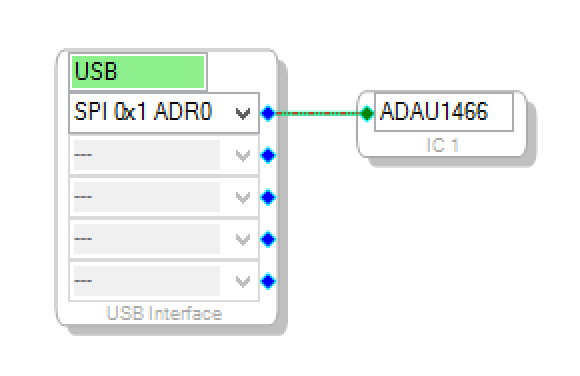
The delay in getting the Comms error and the fact that you are getting the comms error tells me that the USBi is in I2C mode and is waiting for the ACK that it will never get. You have the USB GUI setup properly for SPI so you are doing nothing wrong. I suspect that the driver is having issues with Windows 8. We never supported Windows 8 since there were too many issues with the operating system. I suspect that Microsoft also gave up on it and quickly came out with 9 and then 10.
I did download your program and it ran fine on my Windows 10 machine. It switched to SPI and programmed the eval board just fine.
I wish I had better news. I do not know of a fix for the driver since we never supported it.
Dave T
Hello Dave,
Thank you for your quick reply! I upgraded my machine to Windows 10 (v1909, Build 18363.535). I also installed Sigma Studio 4.5 (Build 0, Rev. 1779).
Here are the USBi driver details:
Unfortunately after about 9 seconds "Active Downloaded" changes to "Compiled, Comms Failed" and the I2C is still illuminated, not SPI.
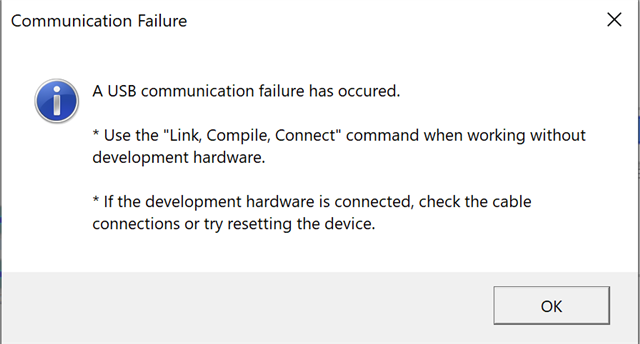
Also sometimes, but not always, I see:
Any thoughts on the above would be greatly appreciated.
Thank you!
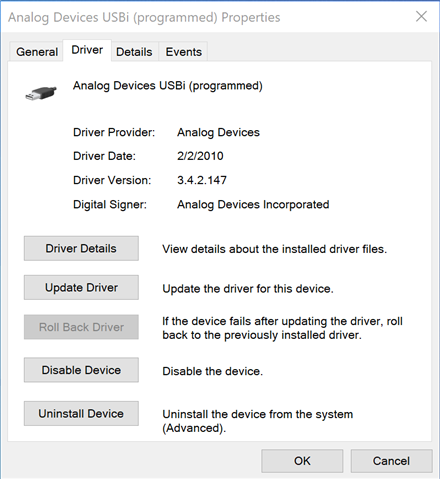
Hello Benjamin,
That driver is really old. 2010. I am using a 2019 driver. I think you need to delete the drivers in the system then rerun the install program. As an alternative, if you look on your drive, Go to the Program Files->Analog Devices->SigmaStudio 4.5->USB Drivers and you will find the newest drivers. Install those and see if that helps. I think you can just click to UpDate the driver and point it to this location on your drive. That might be the easiest.
I am not sure if you need to restart your system but it would probably be a good idea.
The project file you sent worked fine so I know it is not a corrupted project file.
Dave T
Oh! By the way. The Communication Failure dialog box you get is the timeout for the I2C. This only shows up once after opening up the program. After that you have to look in the lower right corner where you already saw it say "compiled comms failed". The programmers decided that the pop up error should only pop up once.
Hi Dave,
Thanks for the info! I found the drivers in Program Files->Analog Devices->SigmaStudio 4.5->USB Drivers->x64. I double-clicked to install as well as deleted the drivers and reinstalled as well as restarted. Unfortunately the versions number and date of the driver did not change.
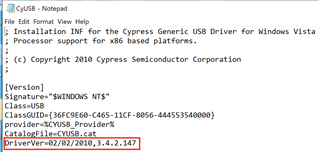
Interestingly, there's a file in there called CyUSB that contains the driver date and version. Please note I just did a clean install of Windows 10 and Sigma Studio 4.5 so there should not be drivers left over from a previous installation. Is it possible the drivers bundled with Sigma Studio are in fact 2010? Can you send me directly the 2019 driver?
Thank you in advance!
DaveThib thank you for all your assistance! I purchased a replacement USBi and it worked right away so this was a hardware issue in the end.
Hello Benjamin,
Wow! This is unusual. We do not see too many failures of the USBi boards. Thanks for taking the time to let us know.
Dave T
Please log in to reply.