Bug in Voltage Controlled (Fractional) Delay Block???
I'm seeing some unexpected behavior with the voltage-controlled fractional delay block in SigmaStudio. The processor I'm using is the ADAU1466 with a sample rate of 48kHz. The maximum delay in the block is 36000 samples (750ms at 48kHz).
When setting the input voltage to 0V using a DC source, I'm seeing a delay of roughly 615ms (should be 0ms). When setting the input voltage to 0.0625V (1/16V step size), I'm seeing a delay of roughly 662ms (should be 46.875ms) . Larger step sizes produce the expected delay. For example, 0.125V input produces 93.75ms delay, 0.250V input produces 187.5ms delay and so forth.
Can anyone else confirm this?
Thanks,
Larry Y.
Audio Signal Processors
SigmaDSP Audio Processors
adau1466
Hi Larry,
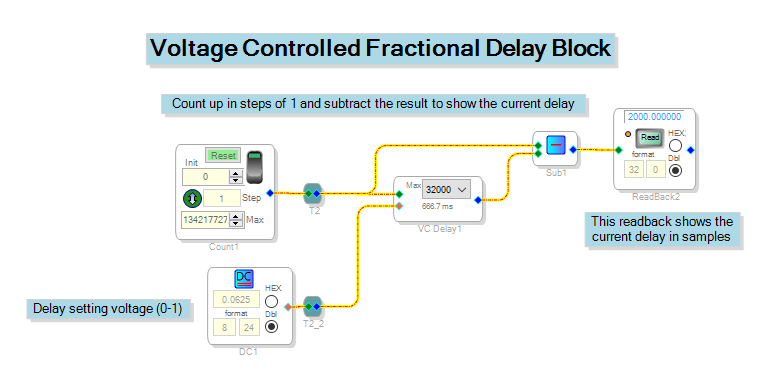
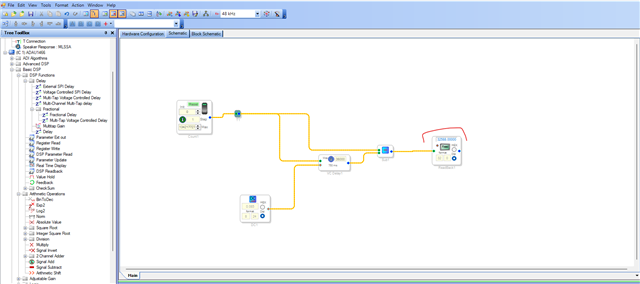
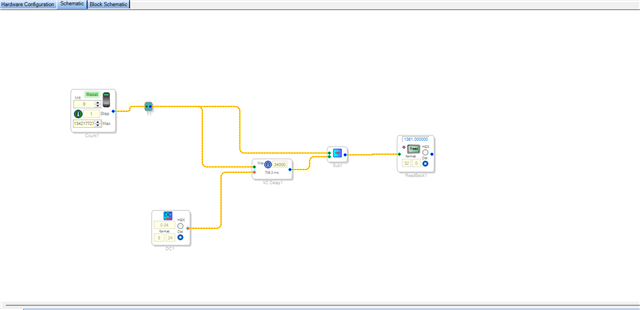
I created a small project to test this out. It works by counting up in steps of 1 (in 32.0) and subtracting the delayed value from the original value. I input various values to the delay (including 0, 1/16, 1/4, 1/2, and 1) and each value gave me the expected result.
Can you tell me more about your setup? How are you evaluating the delay block's functionality?
Joshua
Hi JoshuaB,
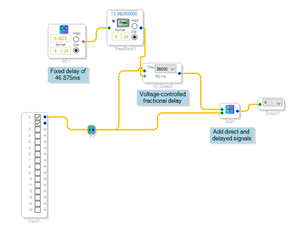
Thanks for your reply. My evaluation was done by measuring the delay between the direct and delayed paths using audio recording software. The project for the test is shown below.
Thanks,
Larry Y.
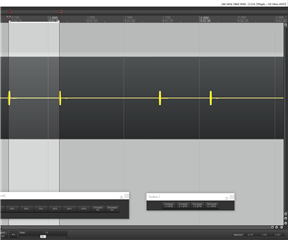
Here's another version that generates a pulsed CW tone using a 1kHz oscillator gated with a 1Hz pulse (1% duty cycle). The audio capture (Reaper software) shows a measured delay of 337ms, not the expected value of 46.875ms.
Thanks,
Larry Y.
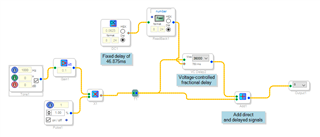
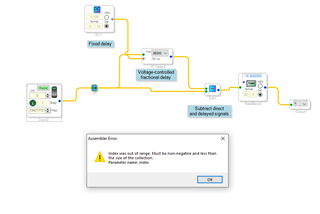
I attempted to reproduce your test but see an error upon assembling. Any ideas as to the cause?
Thanks,
Larry Y.
Hi Larry,
You are correct. There is a bug in this block and it will be reported to our programming team as soon as I finish typing this.
I’ve found that my project works properly when the delay is set to 32000, but I get an assembler error when the ‘Max Samples’ parameter is set to 36000. As for your original project with the incorrect delays, I tried recreating it but got the same compiler error. Can you attach your project file? What version of SigmaStudio are you using?
In the meantime, I tried cascading two delay blocks as shown below and this seems to work ok. Can you try that in your setup?
Joshua
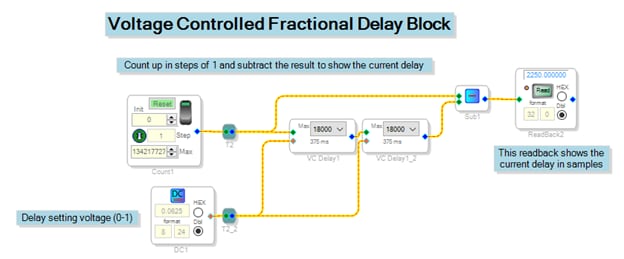
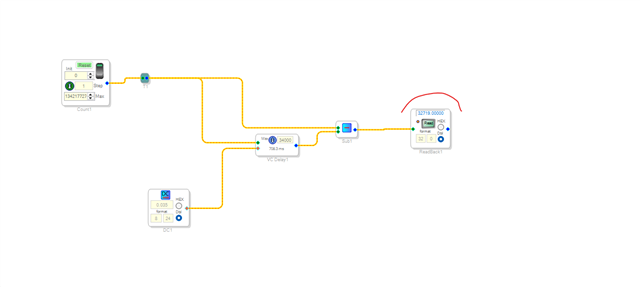
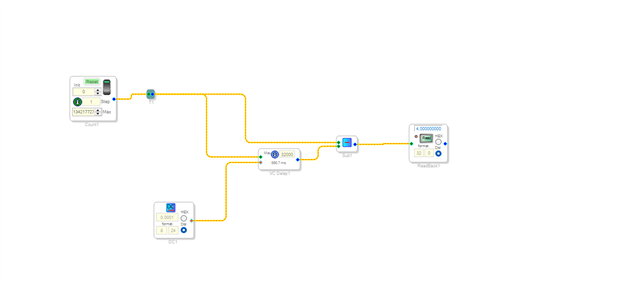
I created a simple project that mimics yours but gets around the assembler error with the built-in counter. It also shows evidence of the problem I'm claiming. Note that the delay value is set to 0.0625 and produces an actual delay of 31778 samples (it should be 2250). I tested a delay value of 0.125 and got the expected result. I'm running SigmaStudio version 4.5 Build 0, Rev 1779.
Thanks,
Larry Y.
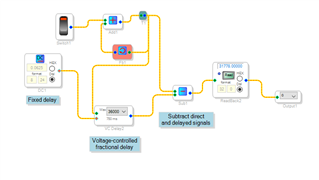
Attached is the project file.Delay_Test3.zip
I confirmed that cascading two delays, each with 1/2 the max delay seems to fix the problem. The 2nd delay shows an incorrect value for the max delay (0ms) but appears to work correctly.
Thanks,
Larry Y.
Great, thank you for confirming this. I filed a bug report for these compiler issues.
Ok. Thanks for coming up with a work around.
Larry Y.
Hi, I stumbled upon this bug in sigmastudio version 4.7, do you know if a fix exists or is planned ?
Helo JBAX,
I am not aware of a fix being developed. At the moment there is no update of Rev 4.7 being planned. All development efforts have been focused on SigmaStudioPlus. I am advocating for a new revision to fix known bugs.
Dave T
Thanks for your answer
Does that mean that the bug is fixed in Sigma Studio + ?
Thanks for your answer
Does that mean that the bug is fixed in Sigma Studio + ?
Hello JBAX,
Harish and I have not had a chance to test it.
We should be able to do this before too long.
Thanks for the reminders.
Dave T
Hello JBAX,
The issue exists in the sigma studio 4.7.
When the MAX delay is high and fractional voltage control is low, this issue exists. Below are some quick tests that I did.
When the MAX delay is 36000 samples, the fractional voltage control works well above 0.09 (8.24 number), if you go below that, let's say 0.085, then the delay module is broken.
If we reduce the MAX delay, then the fractional voltage can go a little higher.
When the MAX delay is 34000, the voltage level can work well at 0.04 and above, and at 0.035 the module is broken.
When the MAX delay is 32000, the voltage level can even work well at 0.0001.
As workaround given in the original post, when you cascade two delay blocks, you can achieve higher delay samples with lower voltage level.
As you can see in the below pic, cascading two delay blocks with 18000 samples each, you can go 0.0001 as voltage level, whereas you can't go below 0.09 with a single 36000 delay block.
Using two blocks does consume almost 20 instructions higher than using a single block, but it solves the issue. if you more MIPS available then you can go with this method.
Reg SS+,
The MAX is limited to 20480 samples, and it works expectedly when the voltage level is 0.0001
The new revision 2.4.0 also is limited to 20480 samples maximum.
But sigma studio works well with 32000 sample delay at voltage level 0.0001.
So, if you want to have max delay around 30000 samples and voltage level around 0.0001 range, then you can achieve this in sigma studio with a single block whereas SS+ will need two blocks since its maximum is limited to 20480 samples.
Hope this helps!
Regards,
Harish
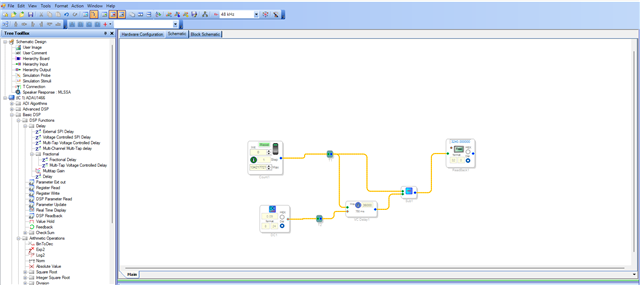
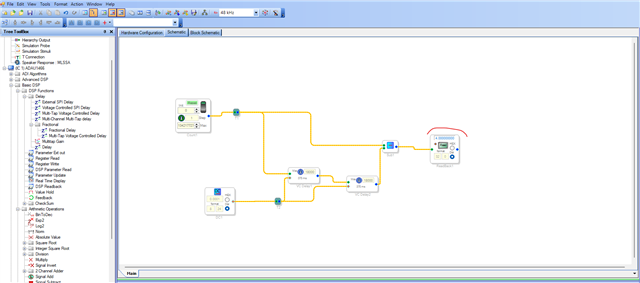
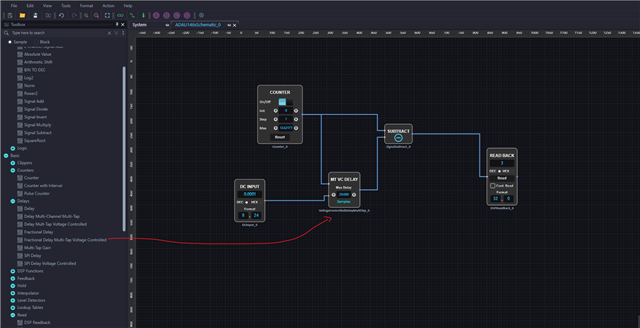
Thanks Dave and Harish for the answers
I'll stick with SS 4.7 then !
Please log in to reply.