ADAU1701 Digital Audio Ports Mapping
Hello all,
I tried to find an explanation about how to connect the digital audio inputs/outputs in sigma studio at the right order...couldn't find anything clear.
Regarding the input port - I understand that the digital input Channel 0 through Channel 7 are accessed in the input cell in Position 2 through Position 9
But there is no explanation what is the correct order in the sigma studio input cell.
Just for the sake of understanding, let's use the following example:
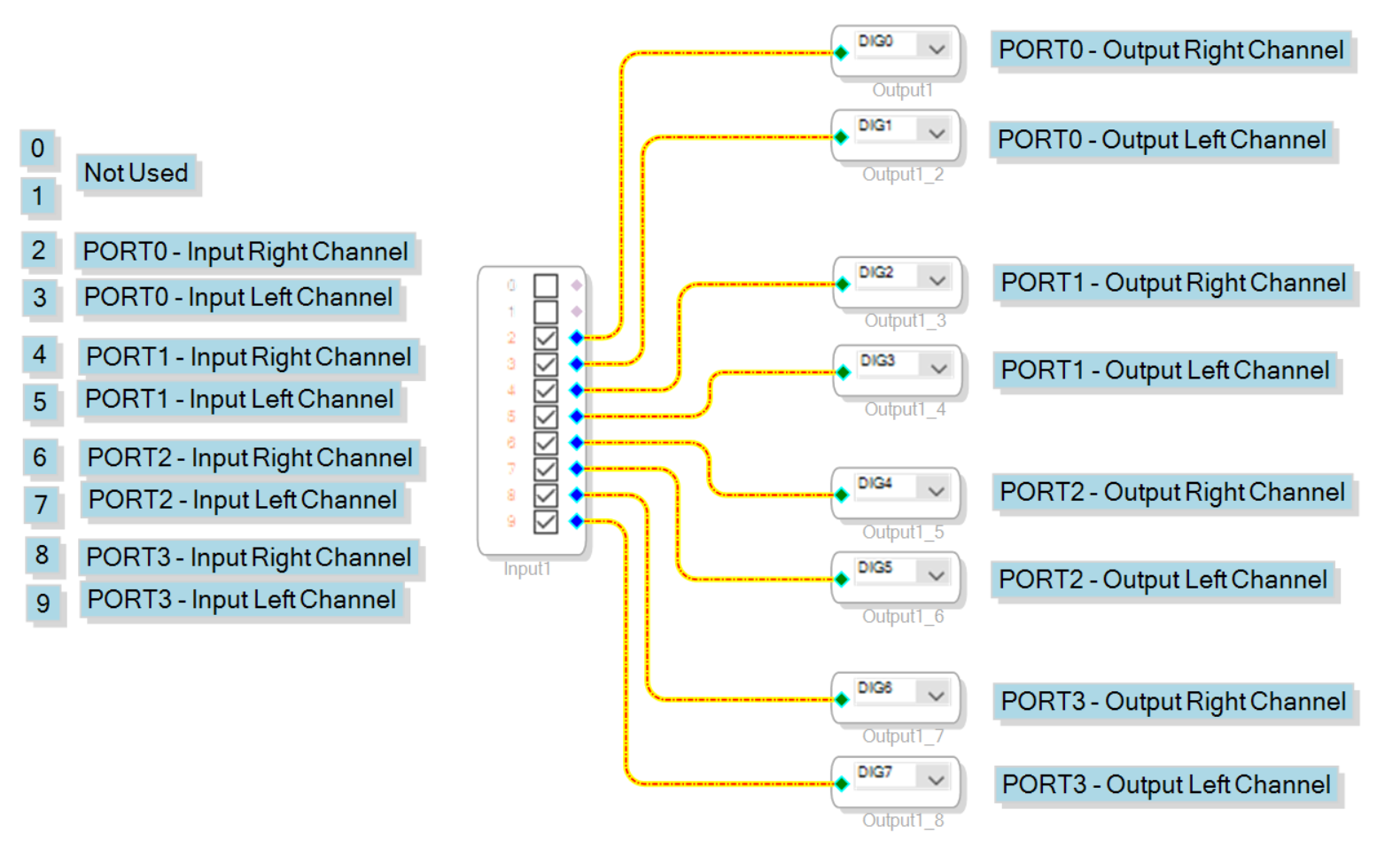
I wish to use 4 external codecs, all 4 codecs are connected to port0, port1, port2, port3
All digital inputs are connected to the digital outputs, so...for example, if I use a headset in every codec, I can speak and hear myself simultaneously
Using this example, is this the correct port mapping?
Thanks!
Best regards,
Nir
Audio Signal Processors
SigmaDSP Audio Processors
adau1701
Hello Nir,
You should help answer some of these questions by adding some objects to your project that can help you with this.
Before I get into that let me answer your questions.
Some parts implement TDM differently but in this case you are using I2S. So when the LRCLK is low it will be the left channel and when it is high it will be the right channel. Then it is up to the receiving device to be setup to receive the signals in the same way. If it is set to invert the LRCLK polarity then the left and right channels will be swapped. In your diagram all the left and rights are swapped. You have the port numbers correct just the left and right are swapped. Easy to fix with either a register setting or just swap the connections on the ports in your program. Generally, it is best to have them setup as even=left and odd=right for the both the inputs and outputs with zero being considered as even. ( Let the math professors argue that one )
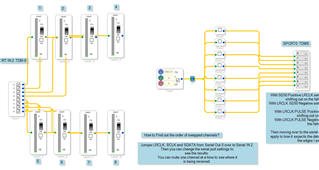
Now back to the project. Setup something like this so you can easily mute one channel at a time to see where it comes up. Then the inputs have meters on it so you can see what channel the audio comes up on. SigmaStudio is a powerful tool for troubleshooting. Use it to your advantage!
Thanks,
Dave T
Hi Dave,
You are right about the channel polarity, but the real reason that I asked this question was that I found out that the ports order is different from my attached image.
In my setup (using the EVAL-ADAU1701MINIZ) there is a mix up between MP3 and MP2, so that the ports order was a bit odd to me.
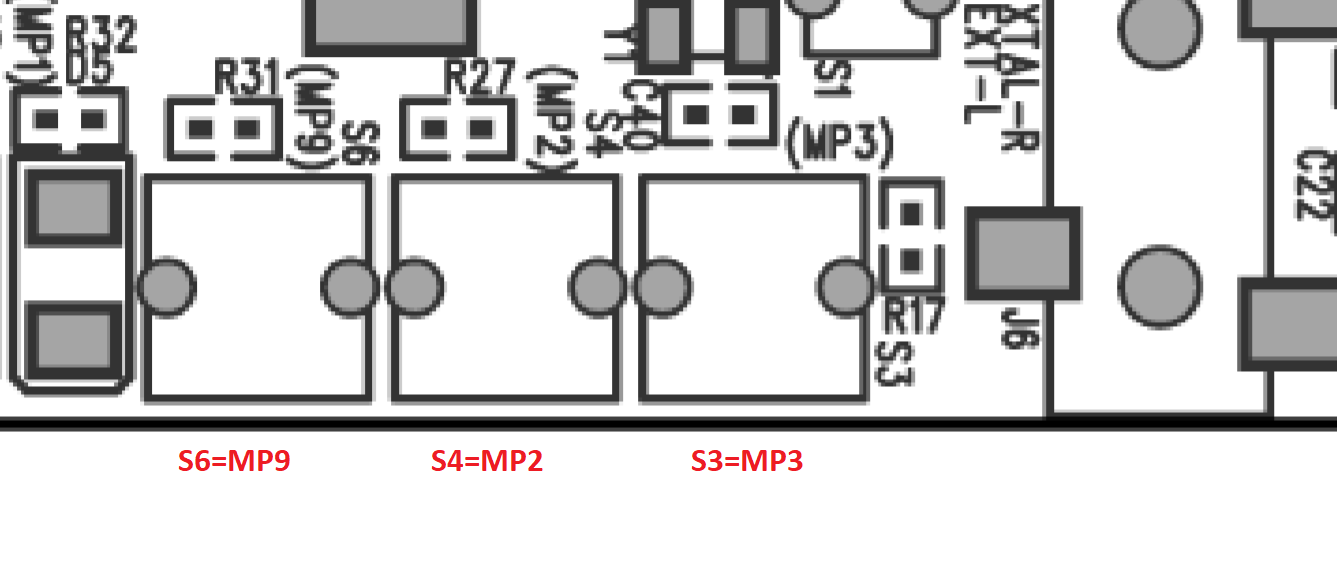
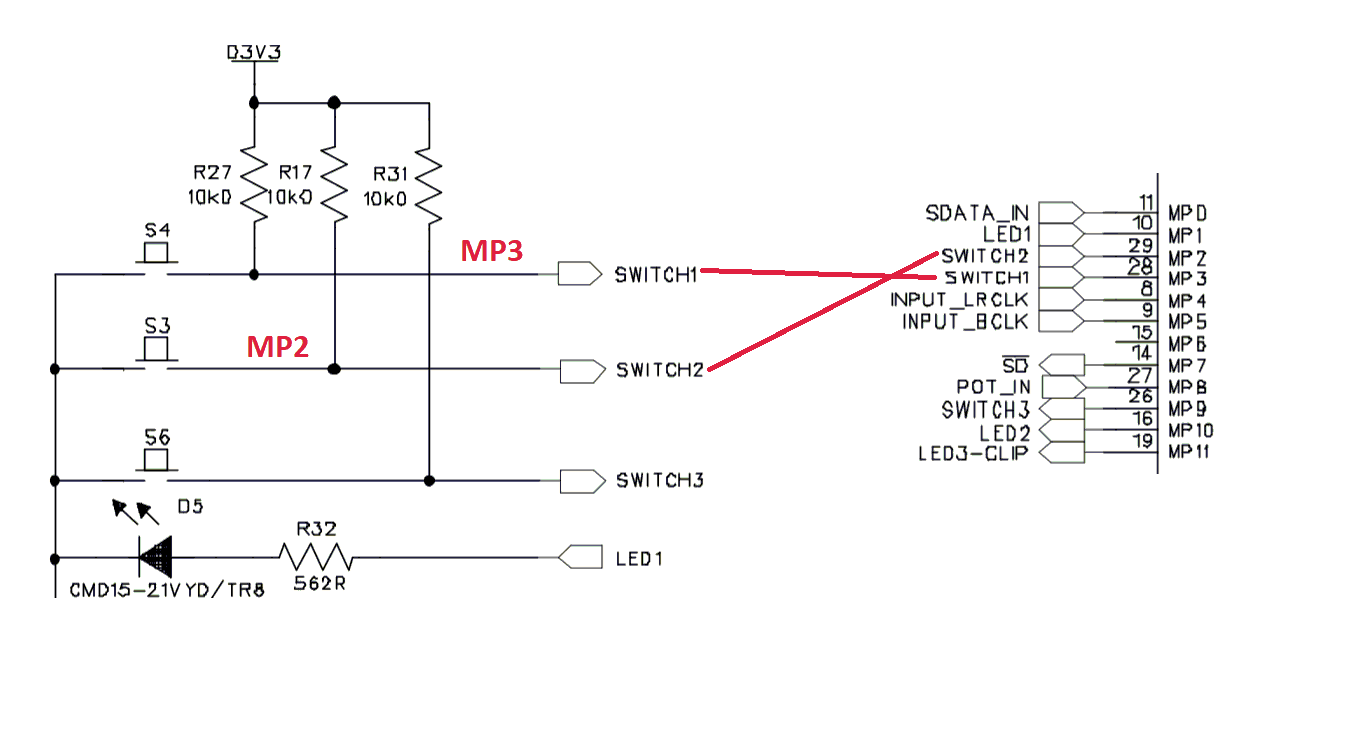
I found out that the mistake is that MP2 and MP3 markings were swooped:
In the placement view you can see that SW3 is marked as MP3, and SW4 is marked as MP2
But, in the schematic you can see that SW3 is actually connected to MP2, and SW4 to MP3
So it got me a bit confused, the ports did not seemed to have any logical order.
But now its all clear :)
Can you please confirm this?
Thanks for helping!
Nir
Hello Nir,
Confirmed.
This has been there for a very long time! I never noticed it.
Dave T
Please log in to reply.