ADAU1452 Parametric EQ pop noise.
Hello,
I found a pop noise when update parametric EQ.
My uC use SPI to communicate with DSP.
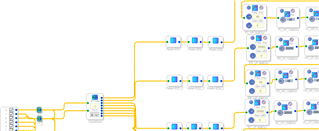
Part of my project is below,
1. use Parametric EQ have make 31 band
2. when I change Parametric EQ parameter, sometime I found little pop noise in speaker.
3. But If I enable and then disable(Bypass) a band, the noise is big, Bypass to enable is good.
4. The parameter that send to DSP like below,
ADI_REG_TYPE EQBypass_b2[4] = {0x00, 0x00, 0x00, 0x00};
ADI_REG_TYPE EQBypass_b1[4] = {0x00, 0x00, 0x00, 0x00};
ADI_REG_TYPE EQBypass_b0[4] = {0x01, 0x00, 0x00, 0x00};
ADI_REG_TYPE EQBypass_a2[4] = {0x00, 0x00, 0x00, 0x00};
ADI_REG_TYPE EQBypass_a1[4] = {0x00, 0x00, 0x00, 0x00};
5. I have check the ADI demo board, but can not found this issue.
6. I have check all the data it be send to DSP, all the same, a little is different for precision factor。
please help me , it is urgency.
Thanks,
Fish.
Audio Signal Processors
adau1452
SigmaDSP Audio Processors
Moved to the DSP forum
Hello Fish
There are two things that can cause this issue.
The first is if you are not using Safeload to load in the parameters. It is detailed in the datasheet and in other places on the forum.
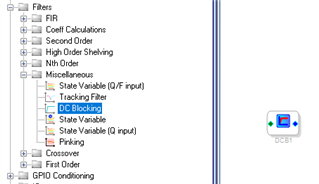
The second way is if there is a large DC offset of the incoming signal. If your signals are coming from an ADC under your control then either enable the HPF in the ADC or drop in a DC Block into your signal path. The best place to put it is right at the input of the SigmaStudio schematic.
You can find it here:
Dave T
Hello Dave,
Follow your guide, I have used Logic analyzer to monitor SigmaStudio sending, there is a difference that I can not explain.
for and ,
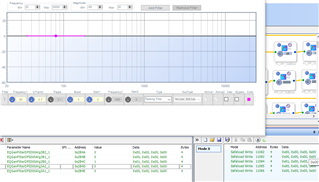
The capture window display is
But Logic analyzer is not same as it,
First, from enable to disable
why the address is 0x25A2, and the data 12 bytes is send together.
Follow the guide, it should be address + data(4 bytes)
and this also can not explain.
Second, from disable to enable
Please help to explain.
Thanks.
Fish.


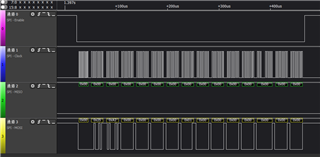

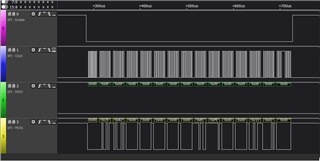
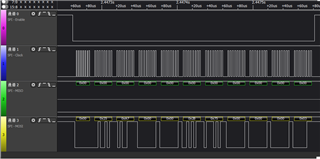
Hi Fish,
Let's back up a little. Taking a look at your logic analyzer screenshots, it looks like you might be sampling too slowly to capture all the data. The USBi's SPI clock doesn't normally drop out like this.
If you are sampling at too slow a rate, the decoded data might be incorrect. Could you increase the sample rate in your logic analyzer and see if the decoded data stays the same?
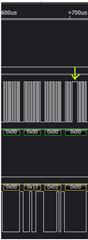
Hi JoshuaB,
Thanks for your reply.
I have get a another screenshot, please have a look at it.
my question is,
1. The first address should be 0x2B75, why it is 0x25A2.
2. I can accept the 12 bytes data send together, for the address increase one, 0x2B75, 0x2B76, 0x2B77.
3. I can not explain why there are data after first package. the data is
0x00, 0x25, 0x27, 0x00, 0x00, 0x2B, 0x75, 0x00, 0x00, 0x00, 0x03
4. For Safeload format, it is Devaddr+ Register address+data.
My uC control format is below,
0x00 + 0x2B75+ 0x00 00 00 00
0x00+ 0x2B76 + 0x00 EC FE 00
0x00 + 0x2B77+ 0x00 13 02 00
please help to check there is a wrong in uC sending data with SPI.
Thanks,
Waiting for your reply.
Fish.
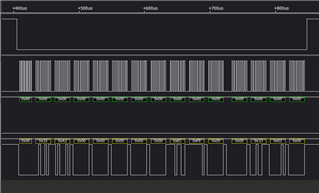
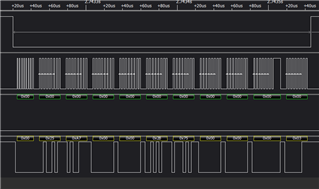
Hello Fish,
The SPI signals still do not look correct. In your earlier post you mentioned the screenshots are from the USBi but now I think you are looking at signals from your microcontroller.
We need to understand whether your logic analyzer is interpreting data correctly. Setup for this analysis involves more than connecting the probes and pushing "record".
So I will ask 2 questions:
Are these screenshots with the logic analyzer looking at SPI from the USBi or SPI from your microcontroller?
What sample rate are you using on your logic analyzer?
For reference, here is what the SPI signals should look like. My data is different but notice that the clock is very consistent. All the clock pulses are consistently timed and it is easy to understand the data that is transmitted.
After we figure this out, we can look at your control format.
Joshua
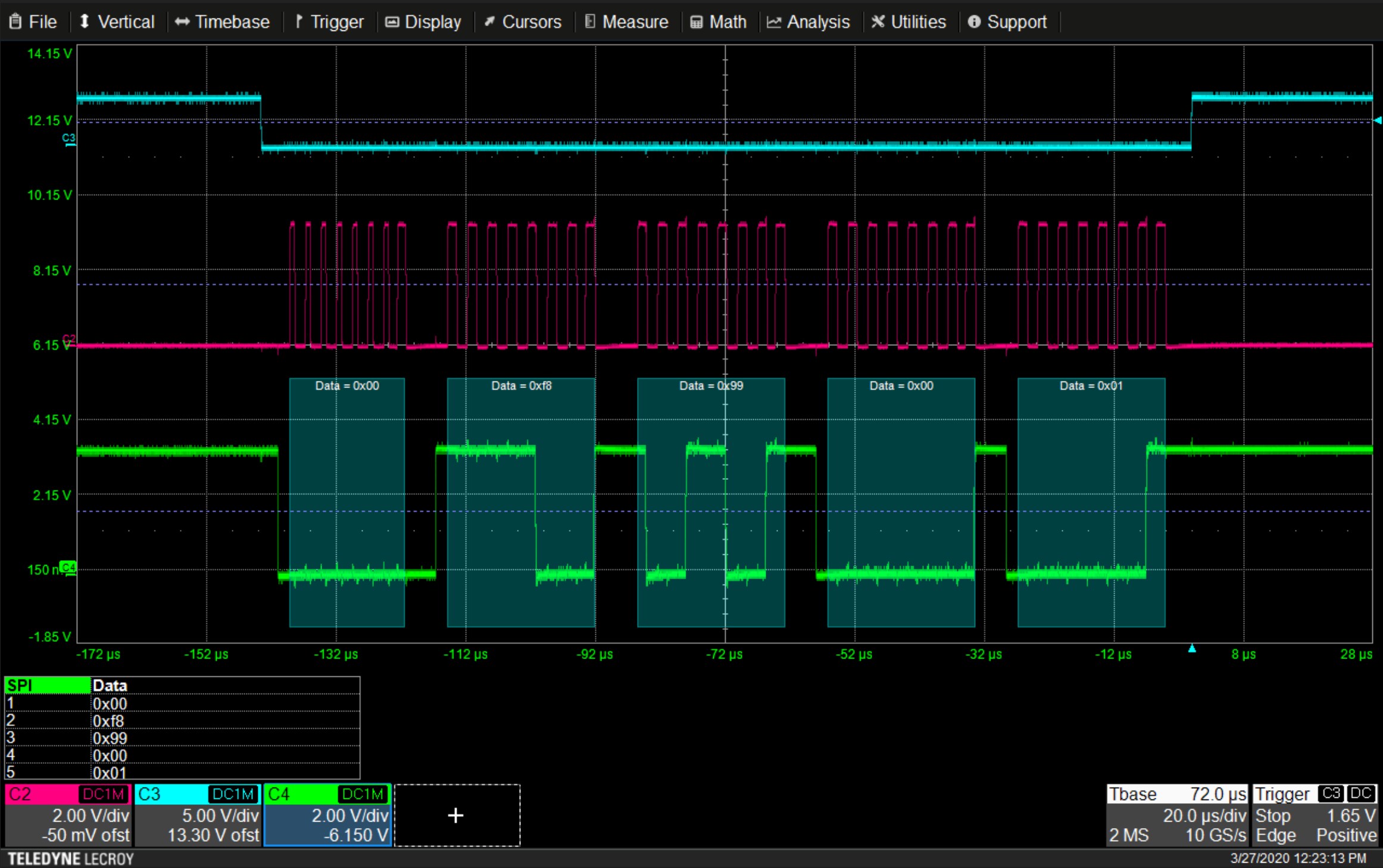
Hello Joshua,
1. The screenshots is looking at SPI from the USBi
2. The sample rate is 500mHz
Below picture is detail.
I think Logic analyzer work well, for the record for setup init data(void default_download_IC_2() )is right.
Fish.

Hello fish,
I want to add that the SPI circuits is capable of burst reading or writing. It is detailed in the datasheet. You can send the address information for the chip then send it the first address of the data. Then if you keep writing data or reading data the address will automatically increment. So for your example below:
fish said:
My uC control format is below,
0x00 + 0x2B75+ 0x00 00 00 00
0x00+ 0x2B76 + 0x00 EC FE 00
0x00 + 0x2B77+ 0x00 13 02 00
The addresses are contiguous so you can send it 0x00 + 0x2B75 then send it 12 bytes of data and it will go into these three addresses.
It saves a lot of transmission time when you have lots of data to transfer. It is smart enough to know to increment the address every two bytes when you address the 16 bit registers.
Dave T
Hello Dave,
I understand your point, but my question is the register address sending by USBi.
The filter address is 0x2B75, but USBi send it to 0x25A2+ 12bytes data, and then follow 0x00, 0x25, 0x27, 0x00, 0x00, 0x2B, 0x75, 0x00, 0x00, 0x00, 0x03.
Can you check it in your side.
Thanks.
Fish.
Hello Fish,
We can see that the filter address, 0x2B75, is inside the capture. The rest of the bytes look similar to our Safeload operation but it is not a perfect match.
I want to measure this here on an oscilloscope. Can you compress your project to a .zip file and share it with us?
Once the file is in a .zip, you can drag it into the editor and it will come through.
Thanks,
Joshua
Hello Joshua,
The attachment is my project, thanks for checking.
X95_21.zip
Fish.
Hello Fish,
The data is correct for a Safeload Write based on your project settings.
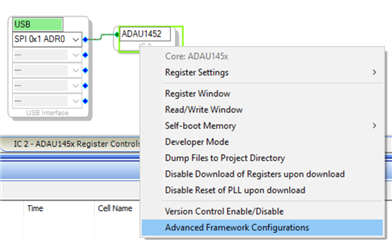
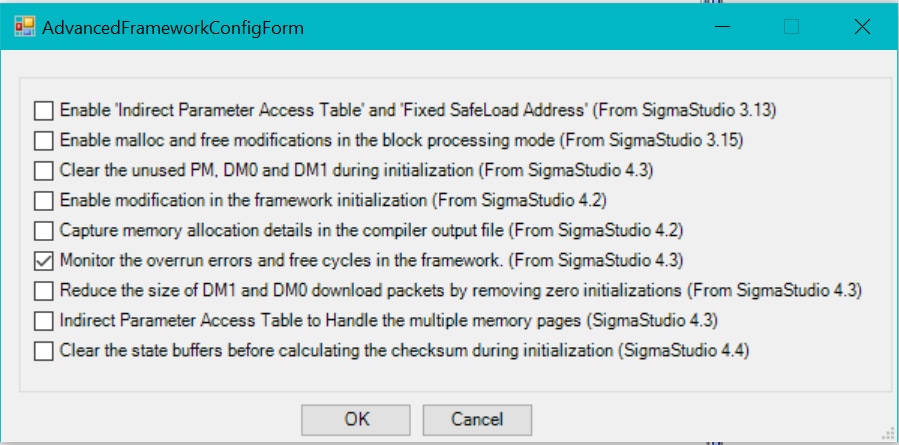
Here is the Advanced Framework Configuration for your project:
Notice that the setting "Enable 'Indirect Parameter Access Table' and 'Fixed SafeLoad Address'" is unchecked. This can happen if your project was created before SigmaStudio 3.14, or if you change it manually.
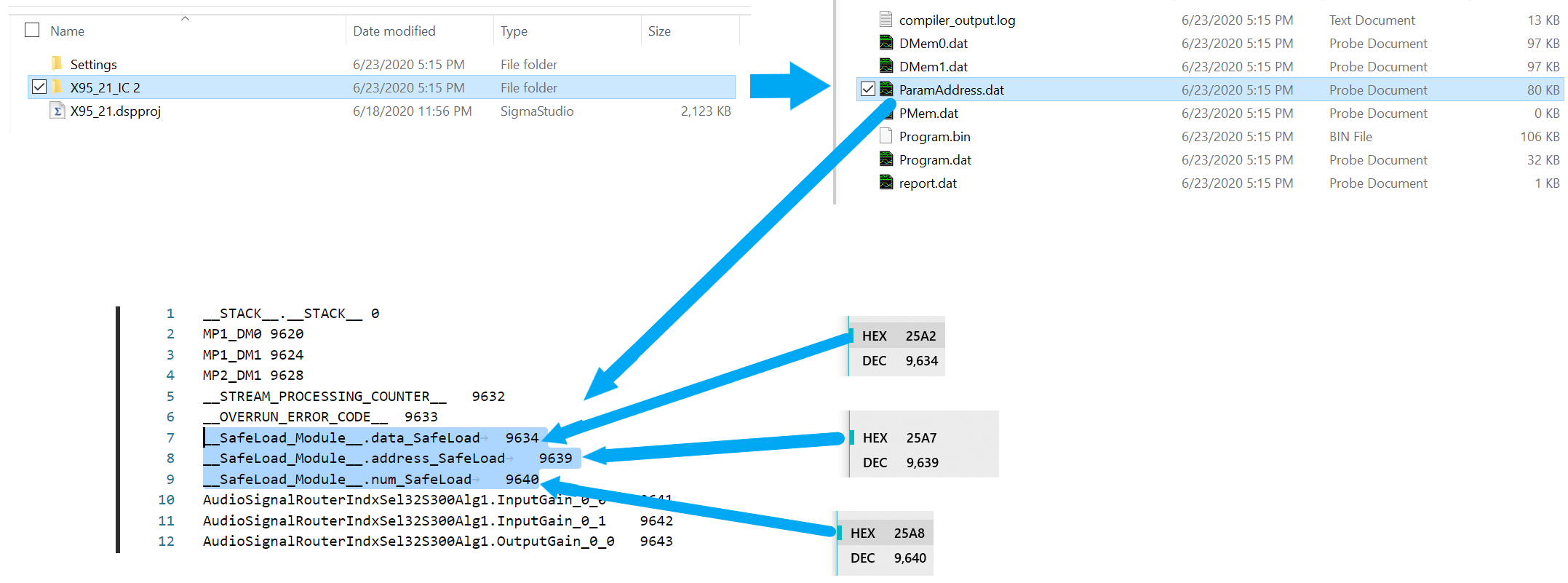
To see what the Safeload Address is, compile your project. Open the X95_21_IC 2 folder, then open ParamAddress.dat in a text editor. The information is near the start of the file as you can see below.
Notice that the data_SafeLoad address is 0x25A2. This is also the first address you captured with your logic analyzer.
Now, take a look at the Software Safeload section in the ADAU1452 datasheet. This should explain the rest.
Let me know if this answers your question.
Regards,
Joshua
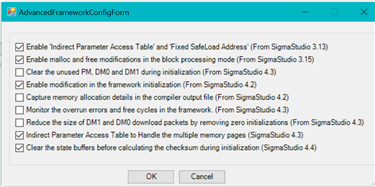
By the way - I recommend you check the box for "Enable 'Indirect Parameter Access Table' and 'Fixed SafeLoad Address'". Otherwise the safeload addresses can change when you change your SigmaStudio schematic. These are the default framework settings for a new project with ADAU1452 in SigmaStudio 4.5:
Hello Joshua,
Thank you very much, the pop noise has been solved by Safeload.
Also thanks Dave.
Thanks for your support.
There is also a issue I want to ask,
I have seen below parameter in _param.h file.
/* Module FrameWork - FrameWork*/
#define MOD_FRAMEWORK_COUNT 3
#define MOD_FRAMEWORK_DEVICE "IC2"
#define MOD_FRAMEWORK_STREAM_PROCESSING_COUNTER___ADDR 28
#define MOD_FRAMEWORK_STREAM_PROCESSING_COUNTER___FIXPT 0x00000000
#define MOD_FRAMEWORK_STREAM_PROCESSING_COUNTER___VALUE SIGMASTUDIOTYPE_INTEGER_CONVERT(0)
#define MOD_FRAMEWORK_STREAM_PROCESSING_COUNTER___TYPE SIGMASTUDIOTYPE_INTEGER
#define MOD_FRAMEWORK_OVERRUN_ERROR_CODE___ADDR 29
#define MOD_FRAMEWORK_OVERRUN_ERROR_CODE___FIXPT 0x00000000
#define MOD_FRAMEWORK_OVERRUN_ERROR_CODE___VALUE SIGMASTUDIOTYPE_INTEGER_CONVERT(0)
#define MOD_FRAMEWORK_OVERRUN_ERROR_CODE___TYPE SIGMASTUDIOTYPE_INTEGER
#define MOD_FRAMEWORK_PEAK_CYCLES_ADDR 62566
#define MOD_FRAMEWORK_PEAK_CYCLES_FIXPT 0x00000000
#define MOD_FRAMEWORK_PEAK_CYCLES_VALUE SIGMASTUDIOTYPE_INTEGER_CONVERT(0)
#define MOD_FRAMEWORK_PEAK_CYCLES_TYPE SIGMASTUDIOTYPE_INTEGER
1. Can I judge DSP work status by read the value from MOD_FRAMEWORK_OVERRUN_ERROR_CODE___ADDR ?
2. If can, what value it is when DSP worked not good, I have checked the value after read, the value always 0.
Thanks.
Best regards,
Fish.
Hello Fish,
Good to hear that the pop/click problem is solved.
Dave made a post about the Framework Overrun feature, there is a lot of information there.
You may wish to use the Core Status and Panic Manager registers to check how the DSP is doing.
The Core Status register is at 0xF405 and the Panic Manager is at 0xF422 to 0xF428.
Joshua
Please log in to reply.