How to read the level in compressor?
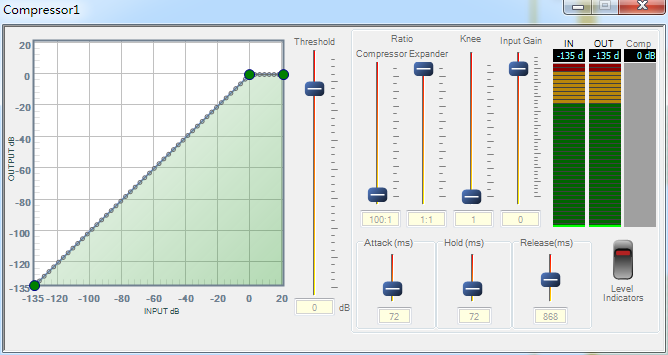
How to get the IN,OUT and Comp level in Compressor? MCU can read the values through their params addr?
Audio Signal Processors
adau1452
adau1452 + mcu
SigmaDSP Audio Processors
Hello Foster,
Have a look at this post to get a further understanding of how the compressor works:
https://ez.analog.com/dsp/sigmadsp/f/q-a/168153/compressor-formula/381349#381349
In the document that is in the other post, it shows where the level data is located. This level data is the input to the sidechain. That is the only meter data available. So to get the output level you multiply it by the final gain factor to show how much the level is reduced. Then for the gain meter you use the gain factor and convert it to dB. You can find these calculations with a web search. So all this needs to be done in your system processor.
Dave T
Hello Dave Thib,
I read the PDF and know X and X_lo hold the 64 bits audio level, but I wonder that when I read the X and X_lo values by my processor, I will get 8 bytes hex data, how to convert hex to 8.24 , in order to use it to calculate dB.
Thanks.
It is basic arithmetic.
First, your convert this hex value as a float.
To do so, simply divide your hex integer by the DSP representation of 1.000. If your DSP has a fixed representation N.M of 5.23, the DSP representation of 1.0 is 0b0000100000000000000000000000 in binary, or 2^24.
So: Value as float = X/2^(M+1)
To convert this to dBFS, you apply the dB conversion formula.
XdB = 20*log10(Value as float).
Please log in to reply.