ADAU1467 evaluation board: How to change the sample frequency?
I modified the rate from 8 khz to 192 khz in the menue header with no measureable effect. For the test i used the analog input and output. It seems that the cut off frequency remained at about 21 khz.
Audio Signal Processors
adau1467
SigmaDSP Audio Processors
Hello ,
Sorry for the delayed response.
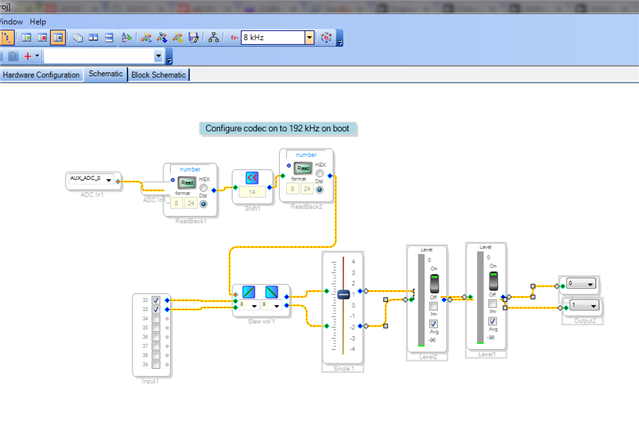
We suggest you to refer the attached project and please follow the below steps:
Programming the CODEC:-
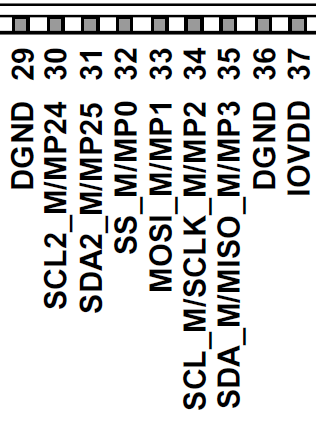
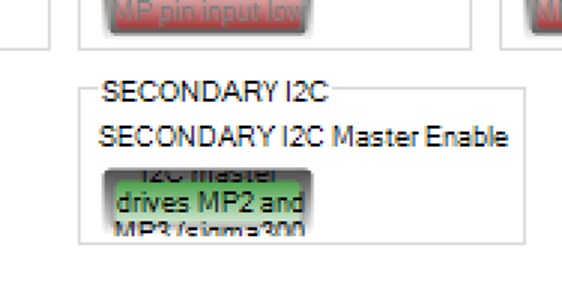
The AD1937 CODEC on the ’67 evaluation board is connected to the secondary I2C master port. The primary master port appears on pins 32-35 and may be configured as either SPI or I2C. Since it needs to be connected to peripheral, such as a boot EEPROM, that are one or the other, it is usually not possible to utilize the port as both in the same system. However, the 88-pin parts have the capability of splitting the I2C portion of the master port from the SPI and moving it to pin 30-31. This allows, as on the eval board, an SPI device to be connected to the primary pins and an I2C device to be connected to the secondary pin. This secondary function is enable by the button at the bottom of the MULTIPURPOSE1 tab.
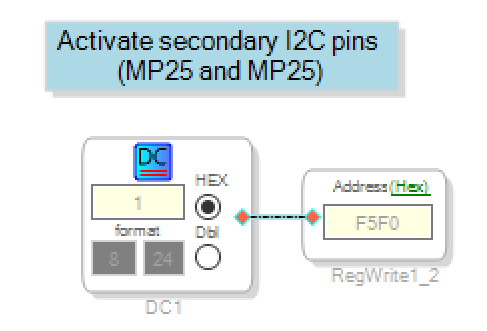
This gets a little confusing if you want to write a program using this functionality to a selfboot EEPROM because you need to switch back and forth. The solution is to disable the secondary I2C in the register setting (as above), then write the register to enable it once the program is running. This is done as follows:
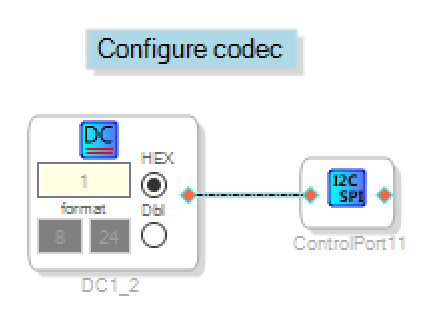
Once the secondary I2C port is active, you can write to the CODEC:
The single input is a write trigger. By tying it high (DC input of 1), the write occurs once as soon as the program starts. The XML file with the register setting is included. In this example, the sample rate is set to 192 kHz.
This code fragment is something that I use frequently for debug. It just shows visually that the USBi is connected properly, and the core is up and running.
The rest of the code in the example generates tones on the output. The knobs (pots) on the board control amplitude and the frequency up to Fs/2 so you can check Fs on a scope.
Hope this helps.
Regards,
Lalitha.S
4338.SigmaDSP Programming CODEC via I2C to 192 kHz.zip

Please log in to reply.