I cannot get the drivers for my ADSP21469 Evaluation board to work. Can anyone help?
I can get it to work properly with Sigma Studio for Sharc using the USBi board, but cannot get it to work with Crosscore Embedded Studio if I use the standard mini USB jack on the bottom of the board. Please help!
Hi,
Please check that the driver is installed properly by checking their computer 'Device Manager'. You should find the EZ-Board listed under 'CrossCore Tools'. Double-click on it to show the driver properties and ensure there are no issues listed.
If the EZ-Board is not listed,then problems with the drivers, Please try reinstalling the drivers. The driver may be found in the "Emu_Drivers" directory in the top directory of the CCES installation. By default this is located at the following path:
<install_dir>\CrossCore Embedded Studio 2.x.x\Setup\Emu_Drivers\
Also please refer "Installing and Troubleshooting Drivers" in below Troubleshooting Guide:
http://www.analog.com/media/en/technical-documentation/application-notes/EE356.pdf
In order to accurately determine the cause of issue, can I please ask you to answer the following questions –
Does the ICE Test utility run successfully or does it fail at any point? If the Test fails, please provide us with a screenshot showing the ICE Test results.
Please confirm that you are using SADA/Emulator?Please let us know the OS you are working with.
Please check that you are you connecting to the EZ-KIT via a USB port native to your PC, if you are using a USB hub, can you try connecting the USB cable from the EZ-KIT directly to the PC. If you are connecting directly to a USB port then try connecting to a different USB port.
Do you have another target board you can use to connect? Does the target board still behave the same way? Do you still encounter the same error?Please share the screenshots for the same.
Please read through our Emulator Troubleshooting Guide and let us know the results of the troubleshooting steps it advises.
Please refer to the below EE note for CCES.
http://www.analog.com/static/imported-files/application_notes/EE356.pdf
Regards,
Kader
Hi Kader,
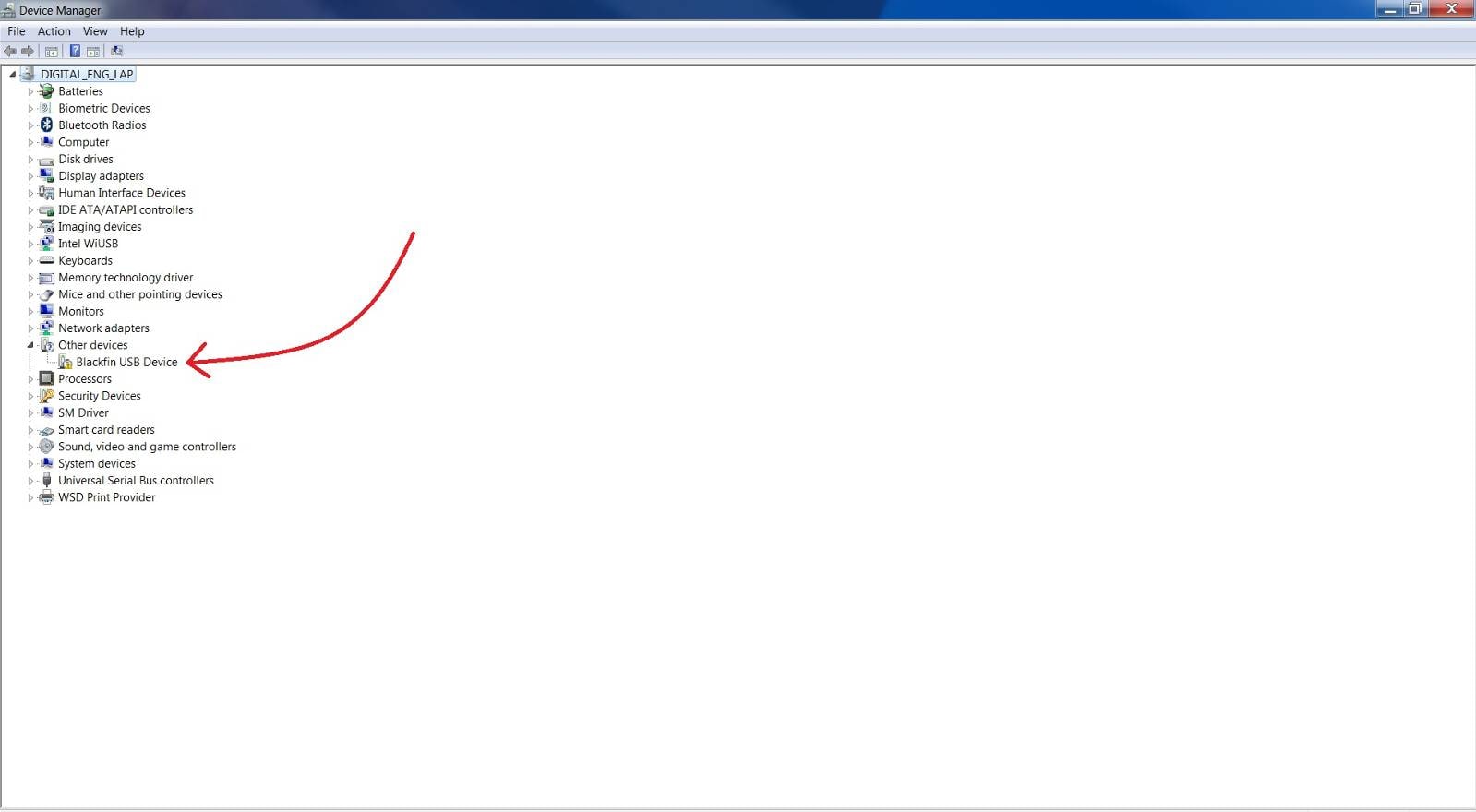
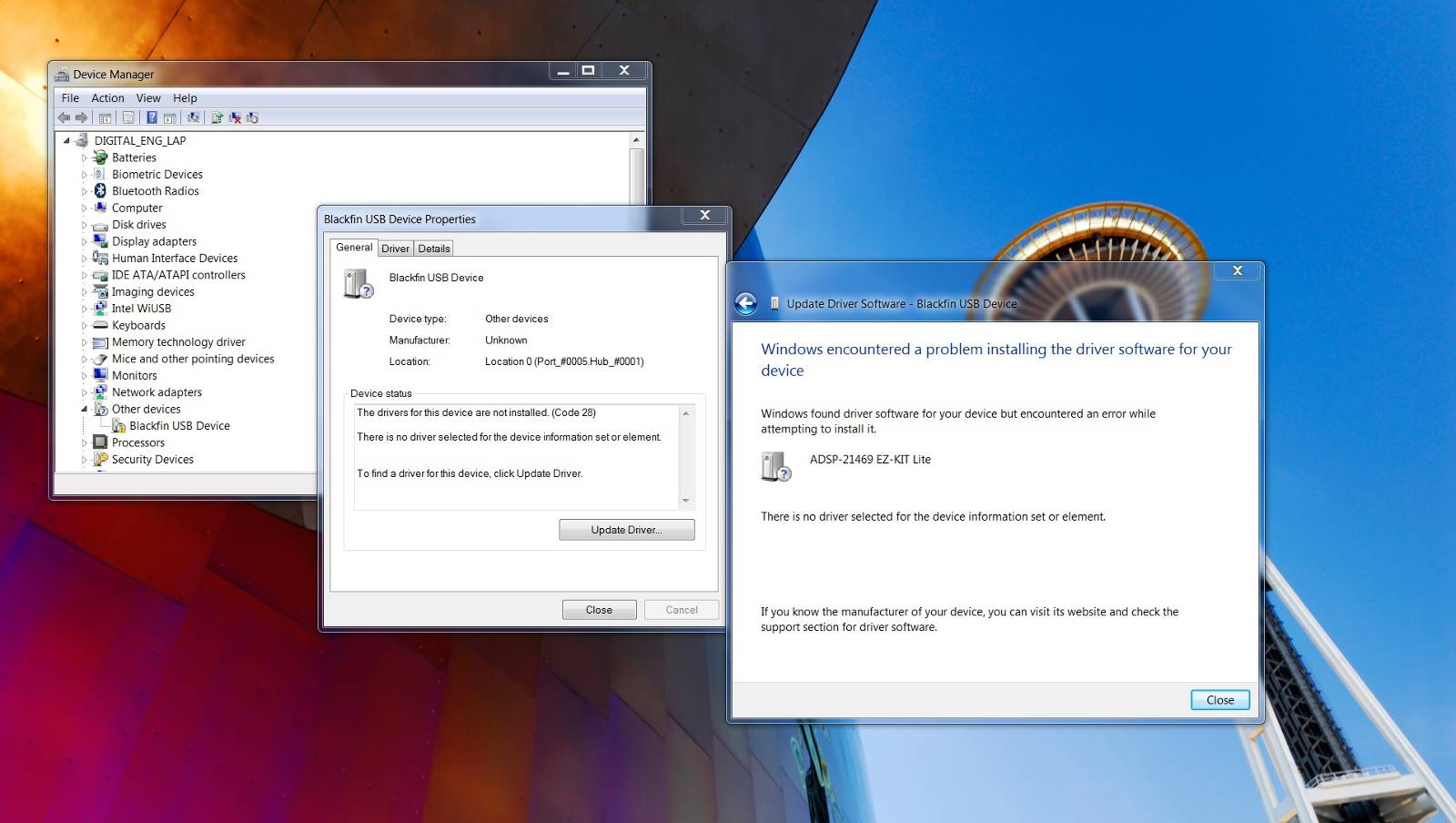
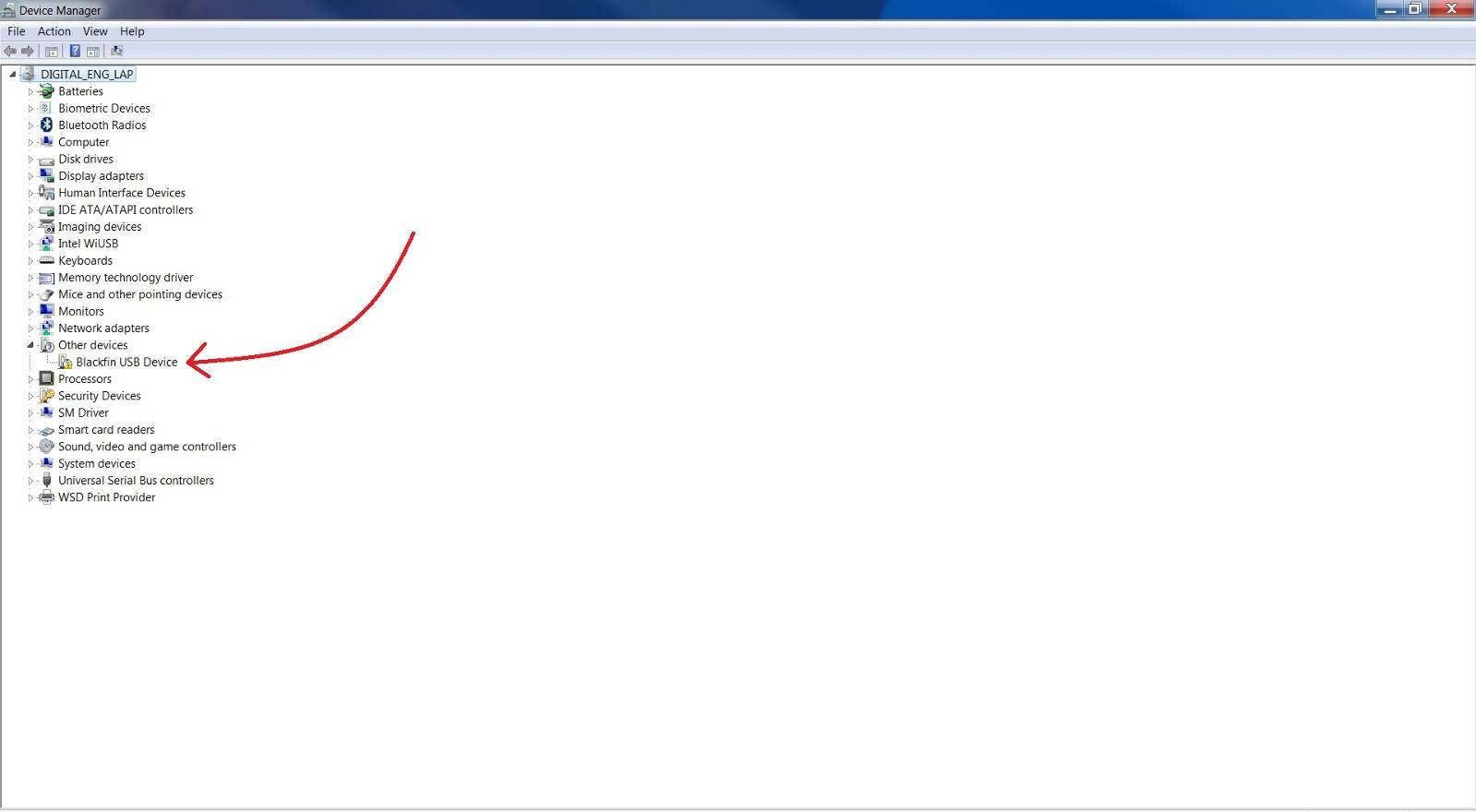
1) The EZ board does not appear on the device manager, nor does the "CrossCore Tools". The only thing it displays is a Blackfin USB Device.
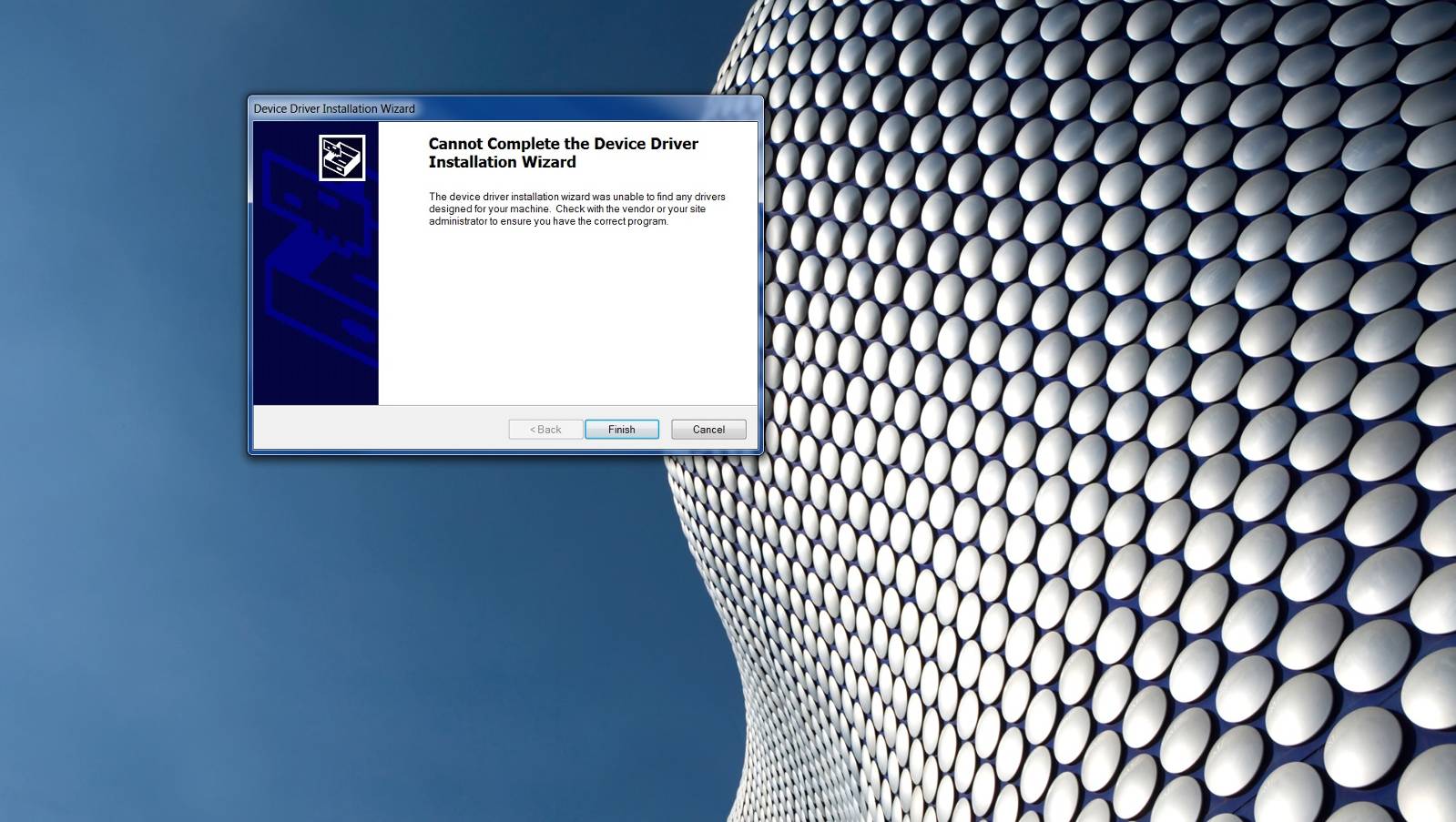
2) I tried to install the drivers located in the "Emu_Drivers", but I am unsuccessful. I keep getting the following error message:
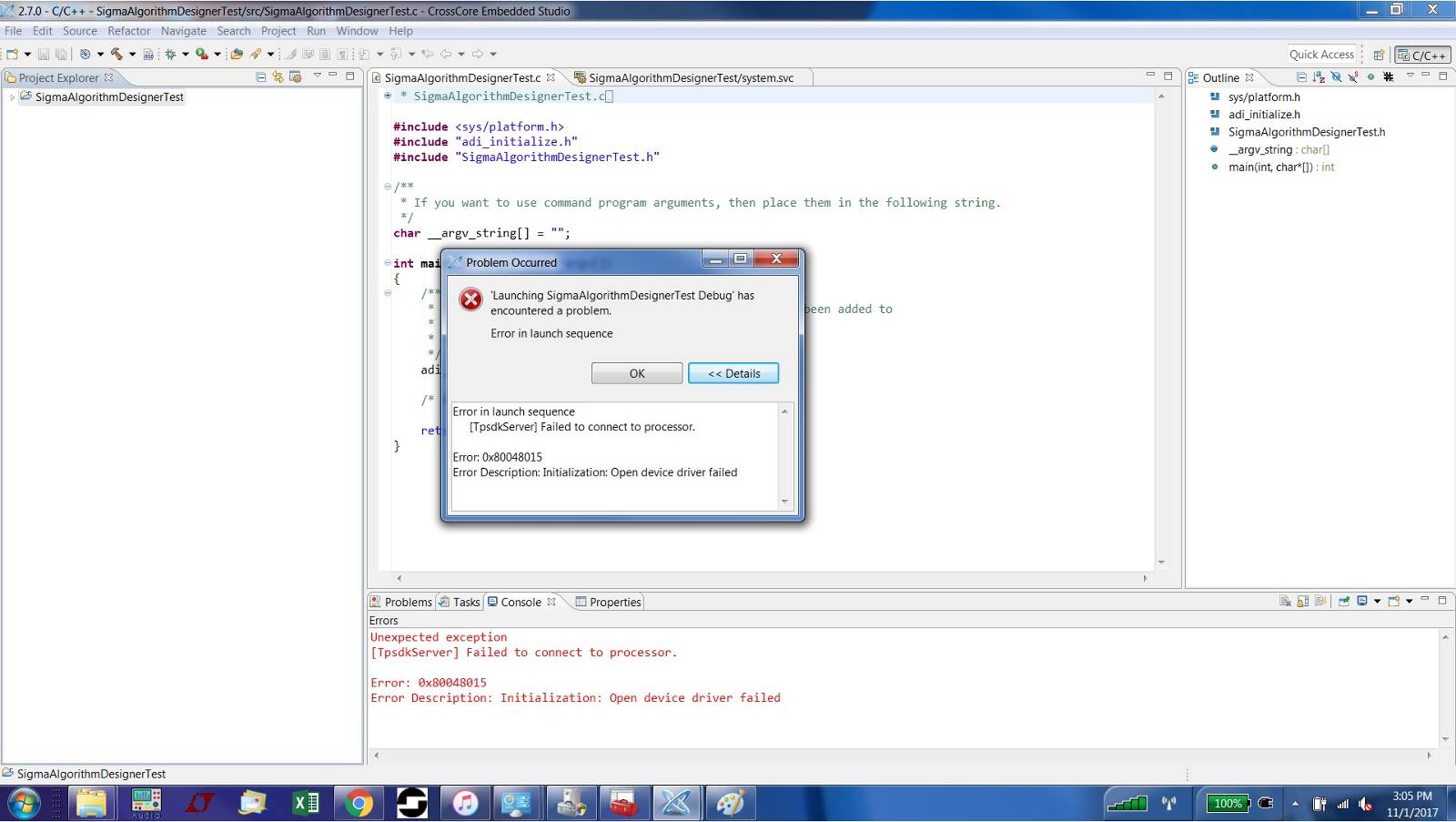
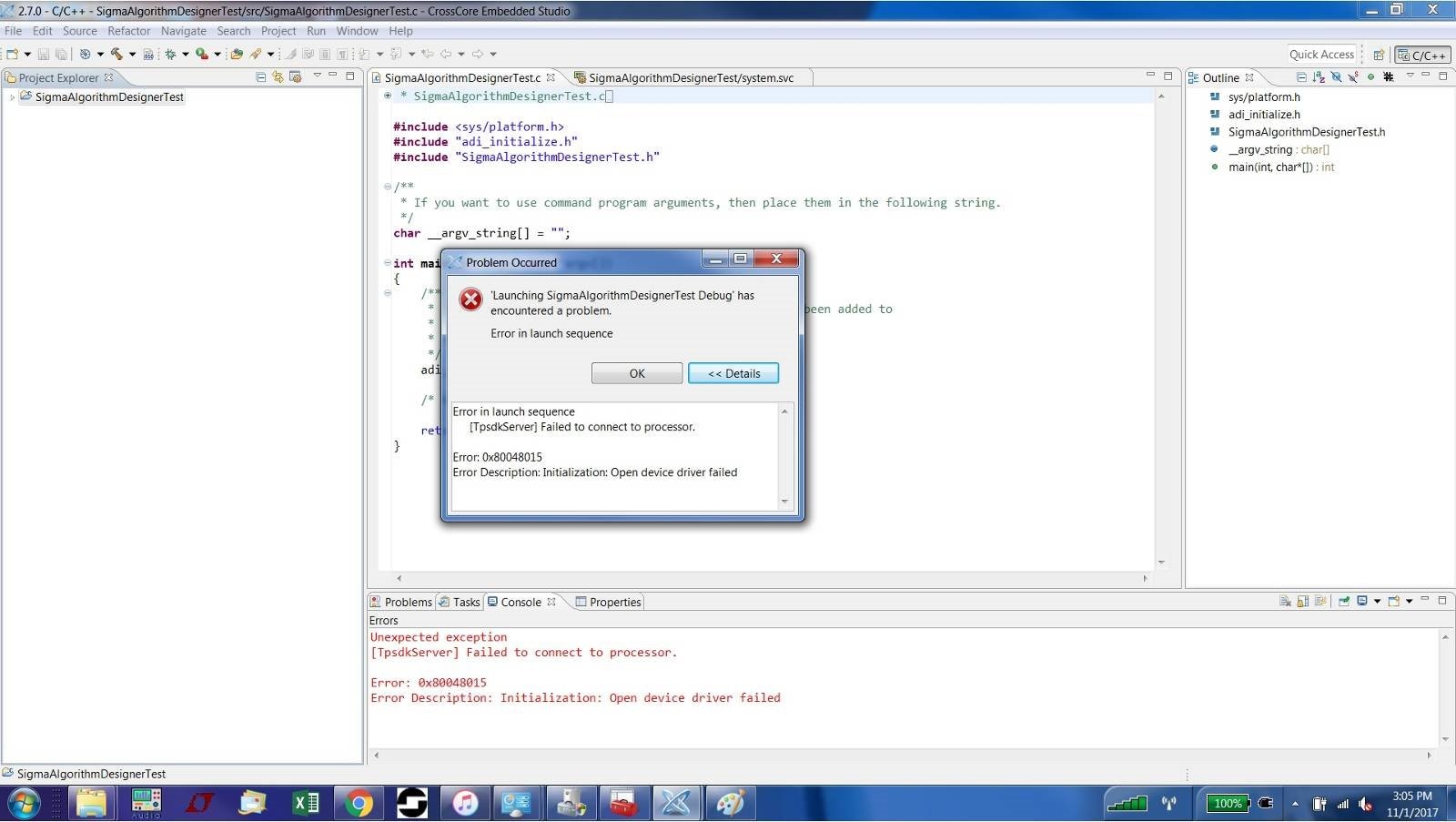
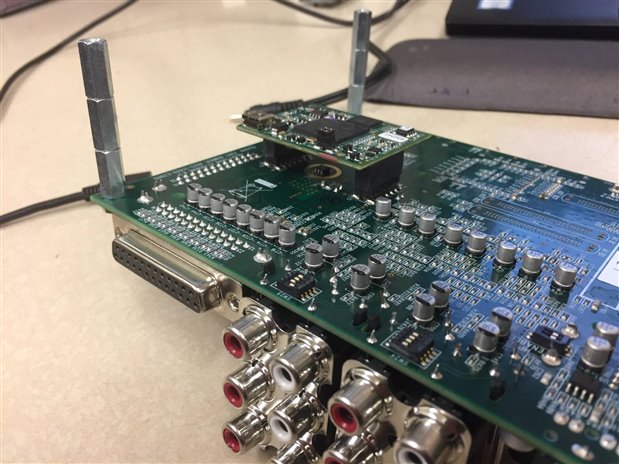
3) The ICE Test fails immediately. I have attached a photo showing the error message.
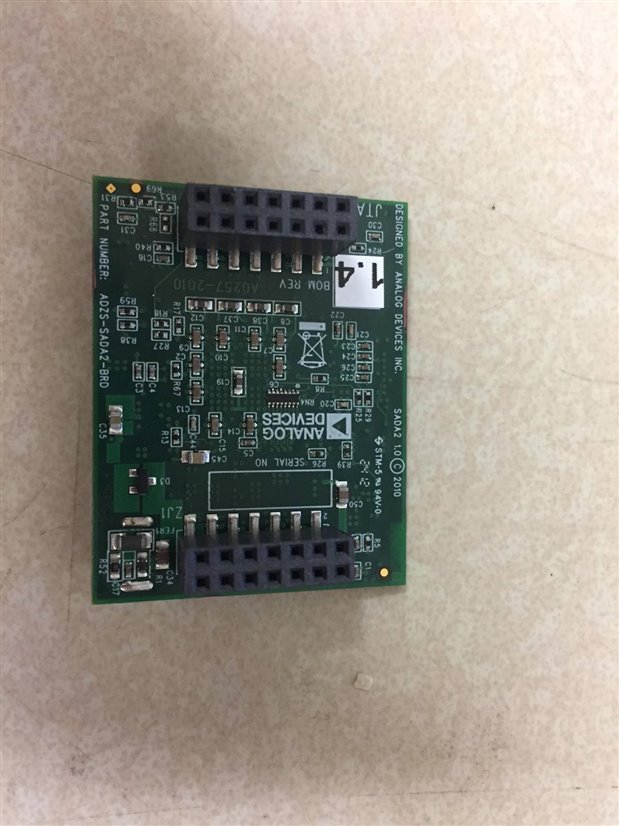
4) The kit comes with the ADZS-SADA2-BRD rev. 1.4. I am working with Windows 7 Professional, 64-bit.
5) I tried multiple USB ports directly on my laptop (Lenovo P50 Thinkpad). It fails in each port. I have also tried different USB cables.
6) I do not have another target board to test. Perhaps I need to purchase a new one?
7) Once again, I can get the drivers to work if i use the USBi adapter to use Sigma Studio for Sharc. However, it will not work if I connect to the SADA2 JTAG.

Hi,
We would recommend you try and reinstall the driver for the EZ-Kit. To do this, please follow the procedure below -
1. Disconnect power cable from the EZ-Kit and disconnect the USB cable from the EZ-Kit.
2. Power down, then reboot the PC.
3. Connect power to EZ-Kit board.
4. Connect USB to the EZ-Kit.
5. Go to Windows Device manager and uninstall the driver for the Emulator from the CrossCore Tools, if it shows up there.
6. Go to Windows\system32 folder and delete the WmUsbIce.sys and WmUsbIce.sys files.
7. Go to Windows\inf folder (note this may be hidden) and search or grep for "89982A59-5EEA-45aa-AF97-52EC351018C2", delete all files which contain this string. Note: searching for files containing this string should return several files named "oem**.inf", all of which are Analog Devices inf files, and must be deleted to ensure that your system does not pick up the existing drivers.
8. Disconnect power from the EZ-Kit board.
9. Disconnect USB cable from the EZ-Kit board.
10. Power down, then reboot the PC.
11. Connect power to the EZ-Kit board.
12. Connect USB cable to the EZ-Kit. At this point Windows should detect the new hardware.
13. Choose "Install from a Specific Location", 'Next'.
14. Choose "Don't search, I will choose the driver to install", 'Next'.
15. Select 'Have Disk' and browse to the location of the "WmUsbIce.inf" and "WmUsbIce.sys" (by default these can be found <install_dir>\CrossCore Embedded Studio 2.x.x\Setup\Emu_Drivers)
If you are still encountering problems please post the following information -
Does the EZ-Kit still appear as an 'Unknown Device' in your computers Device Manager?
Has this emulator ever worked successfully in the past?
Do you encounter this behavior on different machines?
Regards,
Kader
Hi Kader,
I went through the process described above, and I still cannot get a driver to work on my computer.
1) The EZ Kit still appears under "Other devices" as "Blackfin USB Device".
2) This emulator has worked in the past on my previous computer (Dell Desktop). However, it has not yet run successfully on my laptop. It is a Lenovo Thinkpad P50 model, running Windows 7 Professional, 64-bit.
3) When I connect to my coworker's Dell Desktop, the drivers work fine. I am only encountering the problem on my laptop. We need a mobile workstation to develop the Sharc, which is why we purchased the Thinkpad.
4) I tried running the "dpinst64.exe" application located in the "\CrossCore Embedded Studio 2.7.0\Setup" folder. It gives me the error message: "The device driver installation wizard was unable to find any drivers designed for your machine. Check with the vendor or your site administrator to ensure you have the correct program." I am not sure that I have a driver on my laptop that will work for this evaluation board. Are there any other users who have used this kit with the Thinkpad?
Thanks for all of your help. Your customer service is top notch!
-Justin
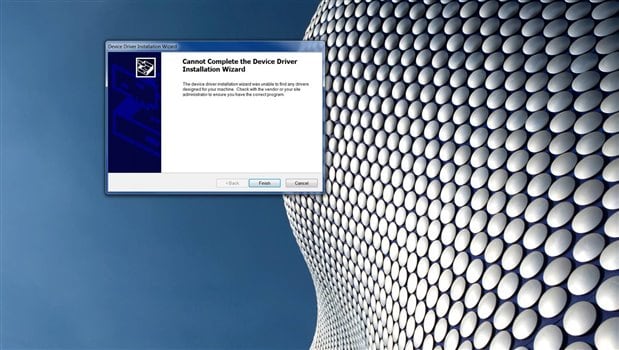
Hi Kader,
This morning I tried to install the driver on another Thinkpad (P51 model, Windows 10 professional) and it couldn't download the driver either. It seems the drivers will not install on any of our Thinkpad Laptops.
Hi,
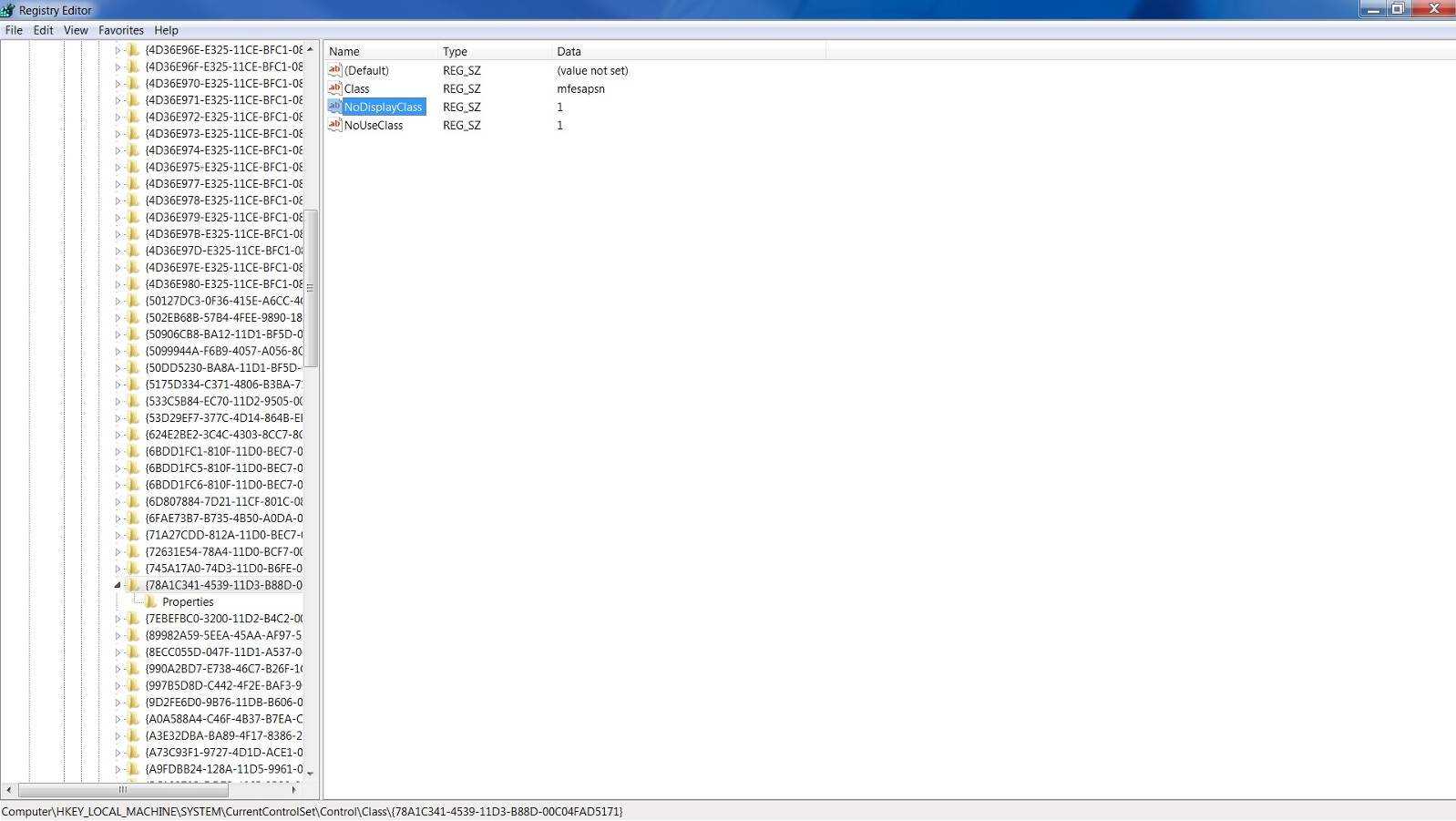
Could you please check to see if the following key exists in your Windows registry? If so, could you please take screen shots of the key values and any subkey values (such as "0000", "0001", etc.)? We would like to see what driver is registered for this entry. Values include items such as "Class", "ClassDesc", etc. and subkey values may include items such as "DevLoader", "DriverDesc", "DriverVer", etc.
HKEY_LOCAL_MACHINE\SYSTEM\CurrentControlSet\Control\Class\{78A1C341-4539-11D3-B88D-00C04FAD5171}
This may help us figure out why the driver is not loading. Thank you very much for your help.
Regards,
Kader
Hi Kader,
Here is a screenshot of the Windows registry as you have requested.
The values included are "(Default)", "Class", "NoDisplayClass", and "NoUseClass". There are no subkeys included in this folder.
Thanks!
Hello,
We believe the problem is that your machine has McAfee Web Advisor which happens to use the same ClassGUID as our CrossCore Tools USB driver. We have updated the ClassGUID so there is no longer a clash. Please follow these steps to install the new drivers.
If possible, attempt to uninstall the existing Blackfin USB device by right-clicking on it in Device Manager and choose “uninstall”.
First backup the existing files, then unzip and drop these two attached files into your <install_dir>\CrossCore Embedded Studio 2.x.x\Setup\Emu_Drivers\ folder
Plug in your USB cable to the board.
When attempting to install or update the drivers tell Windows you want to browse the computer.
Point to the folder with the new files.
Windows should install the new drivers files successfully.
Please let us know how you make out with these steps.
Regards,
Chad
Hi Chad,
I apologize for the late response - I've been out of town on a business trip and just got back in the office today.
I used the files you attached and was able to get my computer to recognize the board! The drivers work! Thanks for all of your help. I am now able to develop using CCES .
- Justin
This question has been assumed as answered either offline via email or with a multi-part answer. This question has now been closed out. If you have an inquiry related to this topic please post a new question in the applicable product forum.
Thank you,
EZ Admin
Please log in to reply.