Automatic EQ Overflow?
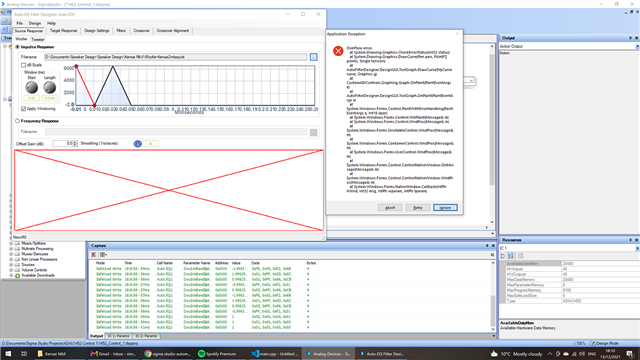
Any tips on why I am getting overflow errors any time I try to load an impulse file in the automatic EQ block?
The DSP is ADAU1452. The file was recorded at 48KHz and exported from ARTA as an MLSSA ASCII file.
Image here: https://ibb.co/3rWfxK3
Woofer-Kensai2-mlssa.txt
Edit Notes
Image link issue
[edited by: ssashton at 6:18 PM (GMT -5) on 13 Dec 2021]
Audio Signal Processors
adau1452
SigmaDSP Audio Processors
Hi there,
Could you please check your text file once. The MLSSA file should match the format given in the wiki page below
Speaker Response: MLSSA [Analog Devices Wiki]
And we also recommend you to use frequency response instead of impulse response and then the values you have mentioned are huge.The processor might be expecting a decimal value.
Kindly do check once and revert us.
Regards,
Harish
Thanks for the link. I exported frequency response and phase rather than impulse. Then I had to change the header info as per the link. Works now!
I've asked the author of Room EQ Wizard if he can add a export option that directly works with Sigma Studio.
Please log in to reply.