Cannot Get Shelf Filter to Match
Hi,
I'm using ADAU1466 and cannot get my shelf filters to match my simulation tool.
Simulation tool is VituixCad running generic (RBJ) DSP system at 48 kHz
I have a 2nd order high shelf filter (12.920 kHz, Q = 2.49, +3.28 dB)
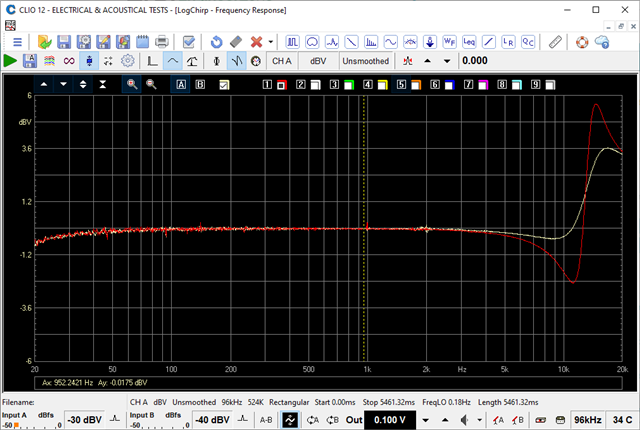
The measured response out of the ADAU1466 seems to have a Q of around half of what it should be (pink curve is measured response out of ADAU1466).
I have checked other filters (HP, LP, Peaking) and they all match just fine.
Additionally I have verified VituixCad is matching RBJ shelf filters.
Is there some setting I am missing or maybe using the wrong filter type?
Thanks!
Edit Notes
Fixed typo on frequency.
[edited by: Greg_Flanagan at 1:48 PM (GMT -5) on 25 Jan 2022]
Audio Signal Processors
SigmaDSP Audio Processors
adau1466
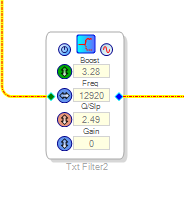

Hello Greg_Flanagan,
Could you please tell us about the revision of Sigmastudio that you are using?
If possible kindly attach your project and filter coefficients. So we will have a look and revert you.
Regards,
Harish
Hi Harishgowtham,
My version of Sigmastudio is Version 4.6. Build 0, Rev 1812 12/23/2020
In the attached project file I have the filter in question on the "woofer" channel.
Best regards,
GregRevo SS ADAU VCad testing sample rate.dspproj
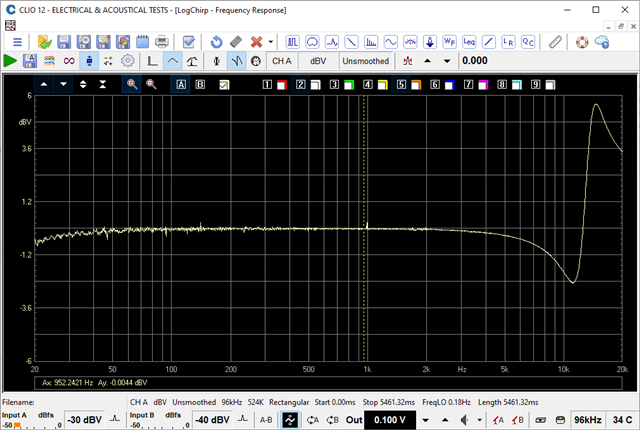
See attached image. ADAU1466 response looks correct, compares exactly to the Matlab plot. Matlab:
[B,A] = designShelvingEQ(3.3,2.5,12920/(Fs/2),'hi');
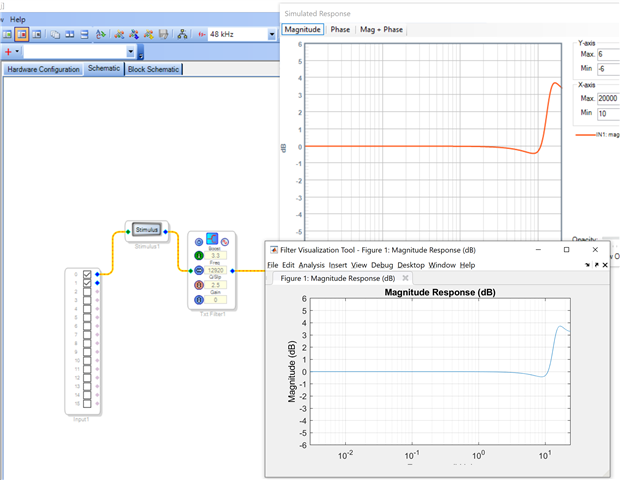
Still not clear where the difference is.
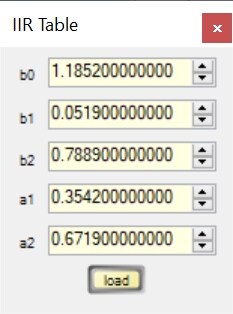
If I calculate in MATLAB the High Shelf RBJ filter I get these coefficients:
% highShelf: H(s) = A * (A*s^2 + (sqrt(A)/Q)*s + 1)/(s^2 + (sqrt(A)/Q)*s + A)
HIGH SHELF RBJ @ 12920.0 Hz & Q = 2.5 & 3.3 dB Gain
1.1852
0.0519
0.7889
1.0000
0.3542
0.6719
If I then import the table to SigmaStudio and measure the electrical transfer function I get a response the same as my MATLAB calculation.
If I use the filter block as in your above example I get a different response (white curve in below plot)
Is maybe your "designShelvingEQ" formula different than the RBJ formula?
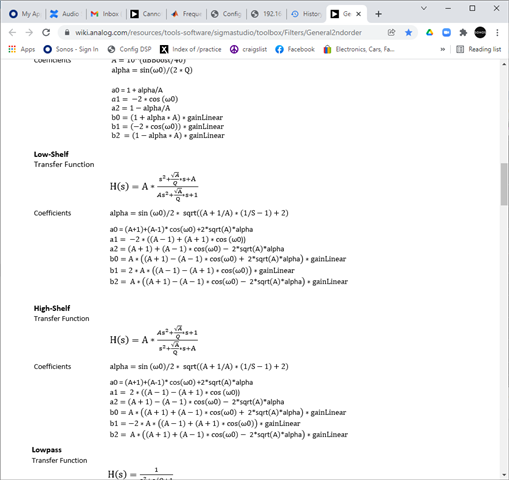
Below is from the general filters documentation page:
Best regards,
Greg
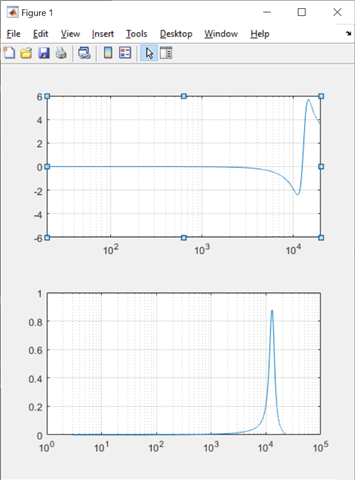
Hello,
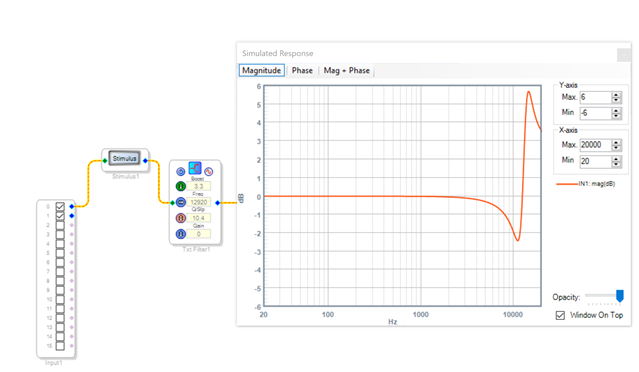
Looks like the confusion is using Slope vs. Q. The SigmaStudio module is using Slope=2.5 notQ, so the Q = 1/sqrt((A+1/A)*(1/Slope-1)+2) = 1.13 where A=10^(dbgain/40), dbgain=3.3
Note that, for Slope=1, Q=0.707
For Q=2.5 you need a Slope=10.4, see attached image
Thanks for the clarification. That seems to be it!
Please log in to reply.