request information about sigmadsp (adau1467)
dear
When I was using adau1467, I found a problem,
it is about acoustic echo canceller module,just as below:
##### Compile Started: Saturday, January 29, 2022 5:46:48 PM #####
error (242,RES low): Label 'end_12' is already defined in the current context in module RESTrialAlg1 (1822)
error (242,RES low): Assembler internal error: label mismatch in module RESTrialAlg1 (1822,0)
error (242,RES low): Label 'end_12' is already defined in the current context in module RESTrialAlg1 (1822)
error (242,RES low): Assembler internal error: label mismatch in module RESTrialAlg1 (1822,0)
i cannot fine error,please....
Audio Signal Processors
label defined
adau1467
SigmaDSP Audio Processors

Hello Zanezheng,
If possible, Could you please send us your project? So that we will have a look and revert you.
Regards,
Harish
hi Harish
happy chinese new year!
Please refer to the appendix ---- AEC project
thaks for your reply,look forward to your guidance!
best wishes!
AEC.dspproj
hi Harish
the project about "aec.dspproj",i have other problem.
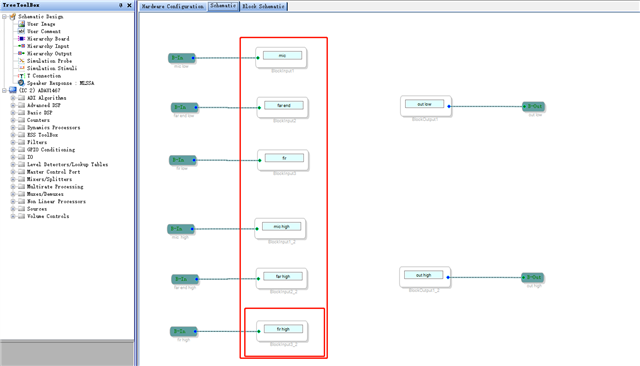
1).In the figure, i can only see the connection to the block, but i don't know where to set the size of the block?
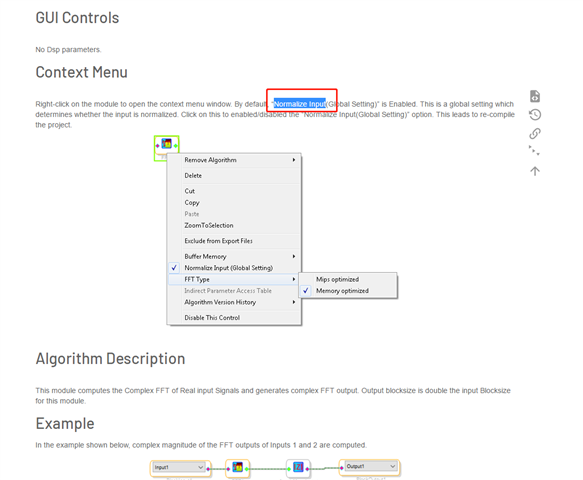
2).For the Normalize Input of FFT, how to set the FFT size
just as the Screenshot.
thaks
Hi Zenezheng,
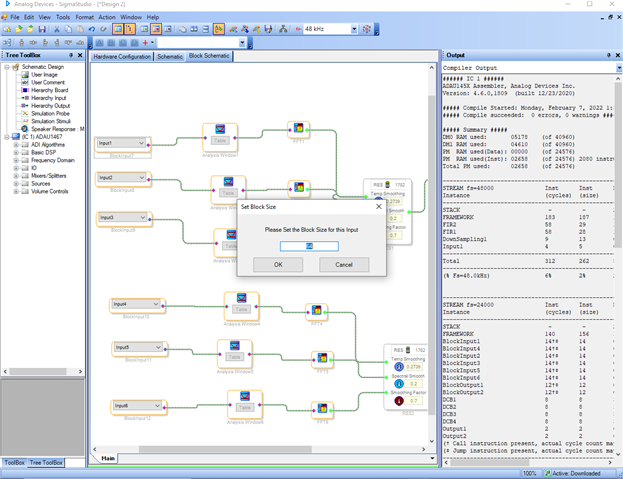
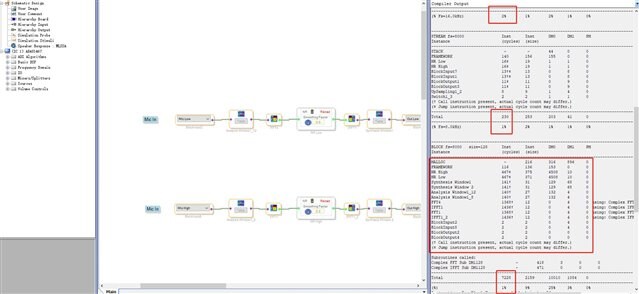
I have attached a screenshot, kindly refer it. You can change the block size by right clicking each block inputs (In Screenshot ex. BlockInput7 ) and click "set bock size". In that way you can change the block size.
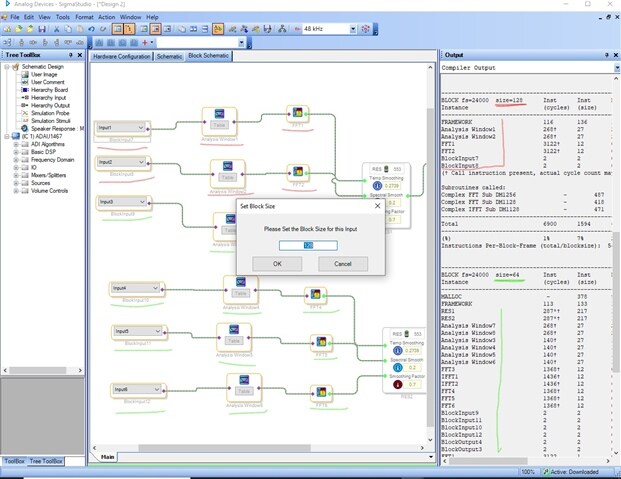
For the second screenshot,
You can see the marking in the window. I have set the block size as 128 for BlockInput7 and BlockInput8 (In red color).
And rest of BlockInputs are set as 64 as default. (In green color)
Please refer the output window, It separates the modules(Analysis window, FFT) that are in 128 and 64 as a size.
I hope this will give you an idea. If not then kindly revert us with more information in your question.
Sorry for the delay. I will answer your first question in a while.
Regards,
Harish
hi Harish
thanks for your reply.
about the Output information bar ,i have another problem
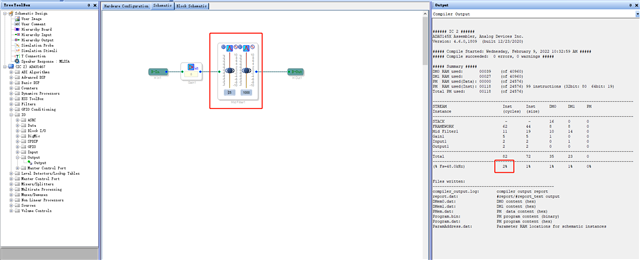
the cycles percentage of each part of the program, is it equal to the main frequency consumption of the program?
For example, NR noise reduction accounts for 1%,ADAU1467 cpu = 295M hat is, noise reduction is only 2.5M?
about EQ,two biquad IIR acount for 2%? 5M?
thanks
Hi Zenezheng,
Your point seems correct , that is 2% for this project which has 82 instructions.
The system clock divided by the core sampling rate gives you the number of instructions that can be executed per sample.
In your case it is 6144 (As 294.912/48000).
if your project takes 82 instructions mean then 82/6144. It gives you around 1.3% and it is rounded off as 2% that is shown in your compiler output window.
It is not with the biquad.
I hope you have seen page.32 in the datasheet for the relation between system clock and number of instructions per sample.
If you have anything, kindly revert us with a detailed question.
Regards,
Harish
Hi Zanezheng,
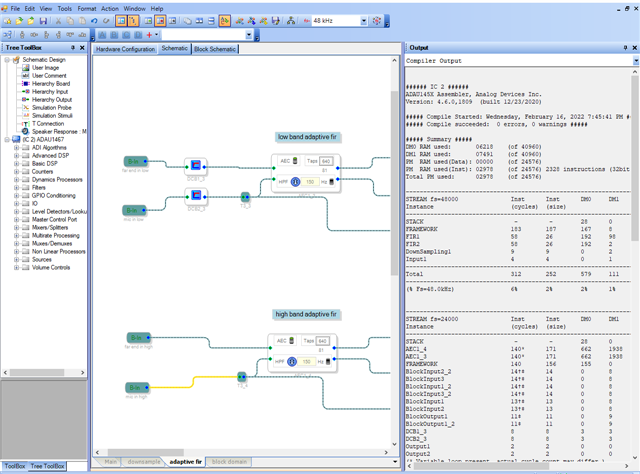
For this project, there is no mandatory of using DC blocking filter before High band adaptive filter.It must be present for the low band. So I have made some changes and I removed the Dc blocks which is present before the high band as shown in the screenshot below.
You can see that , In wiki example of AEC here , The Dc blocking filter was used only for low band .So that you can use this way.
The attached project was compiled fine.So you can use it. I hope this will solve your issue.
I have attached the project here. Kindly refer it.AEC compiled.dspproj
Kindly revert us if any clarification needed.
Regards,
Harish
Hello Harish,
We are currently experimenting with the AEC trial on ADAU146x hardware and experiencing the same error when we add more AEC channels. As you suggest the error is gone when we remove the DC blocking filter. But even if we try to add a simple "mute" the error returns.
The question is, why do we get this error in the first place, there are more than enough free resources? Even switching from ADAU1462 to ADAU1466 with more resources doesn't fix the issue. This also means that the project can not expand anymore in the future.
Thanks for your support!
Regards,
Jo
Hello JoD,
This is an issue in the compiler and it has been reported to SS developing team and we will get back to you once it is resolved.
Please log in to reply.