USBi not recognized but was in the past
I am testing codecs on several eval boards we purchased. ADAU1702MINIZ, ADAU1401AEZB, ADAU1772, and ADAU1787.
I was successful testing all but the ADAU1401AEZB. The USBi would not become recognized and the blue LED would stay on.
I then installed V4.7 to see if it would help. Nope.
I had terrible organization of the project files (.dspproj) and attempted to move them to a new location. This was a bad idea as the .dspproj files were outside of the project folder and were not seen by the loader. Stuff got so messed up. Luckily my projects are just connecting inputs to outputs with nothing inbetween - so I could rebuild them.
I then uninstalled V4.6 to end confusion of where files were ending up/found.
This killed recognition of the USBi device for any of the eval boards. Dead in the water.
So I uninstalled V4.7. Rebooted the machine and reloaded 4.7.
Still the USBi's are not recognized.
Is there a registry cleaner or something that gets USB driver support back to normal so an install of 4.7 would go normally and hopefully see all my eval boards?
Once this is resolved I'd like advice on how to contain and move project files to desired locations without this trouble.
Barry
I spent several hours messing with this and managed to get newly created projects recognized and the USBi working with them. The ADAU1401A however still has the issue - blue LED on the USBi constantly on.
Hello Barry,
Thanks for doing a good investigation. The Blue LED is an error LED and usually if you see that you need to disconnect the USB cable and plug it back in.
The ADAU1401A eval board is very different. You can setup this board to be SPI or I2C and it required external power. All the others can operate using only USB power.
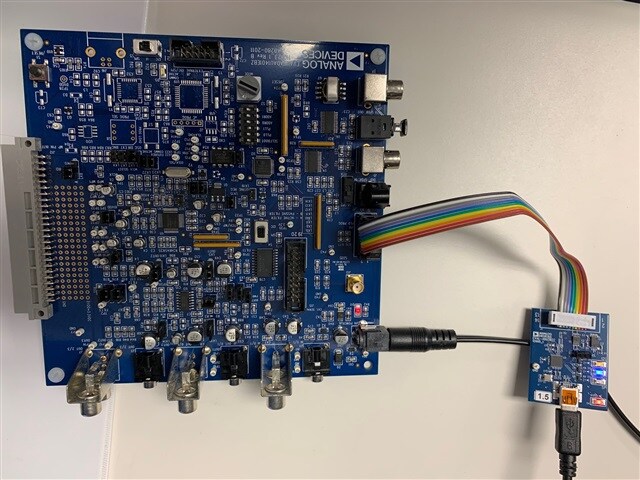
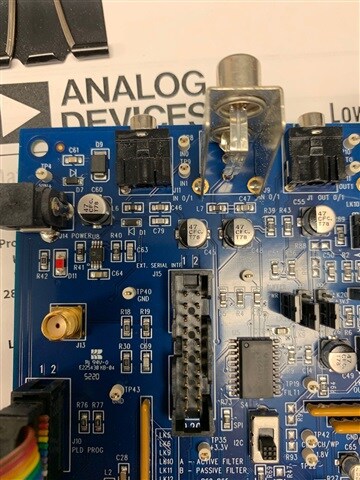
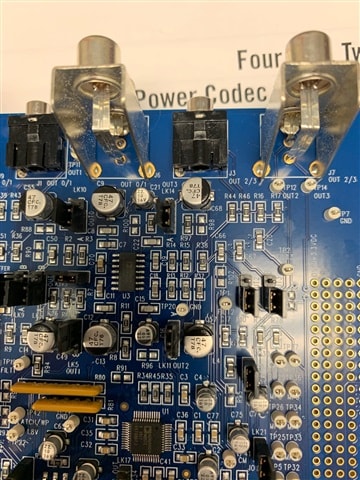
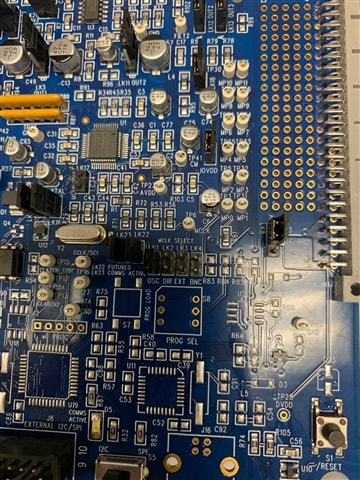
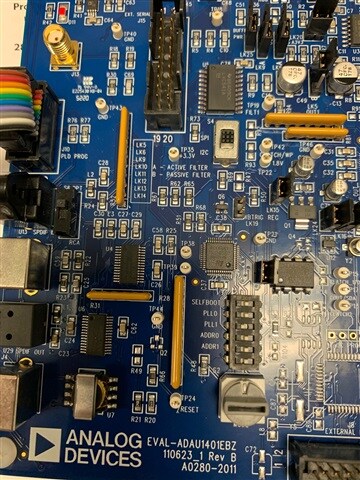
So let's focus on that eval board. Send a picture of your setup and a closeup of the eval board. Several closeups would be good. There are a lot of jumpers and switches.
Dave T
Hi Dave,
I noticed the rotary switch was set to one so I set it to zero like in the diagram - no change in behavior. Also there is a write protect jumper installed at LK7. No difference if I remove it.
Hello Barry,
Pictures are worth a thousand words for sure! You are plugged into the wrong programming port. You are connected to the PLD programming port. Use this one:
Hopefully, nothing is damaged.
Dave T
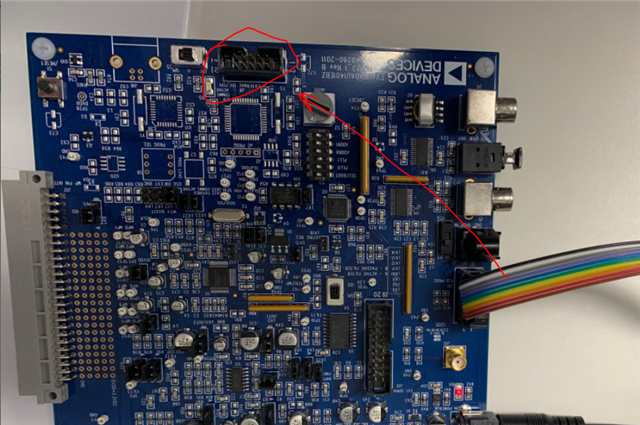
Ha! My boss came by earlier and noticed the same thing! Sorry to take your time. Seems to be working ok.
Please log in to reply.