What is actual sample rate of ADAU1701
Hello,
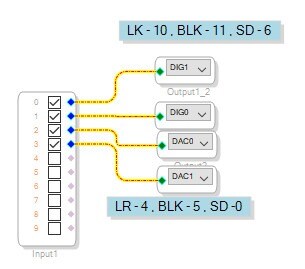
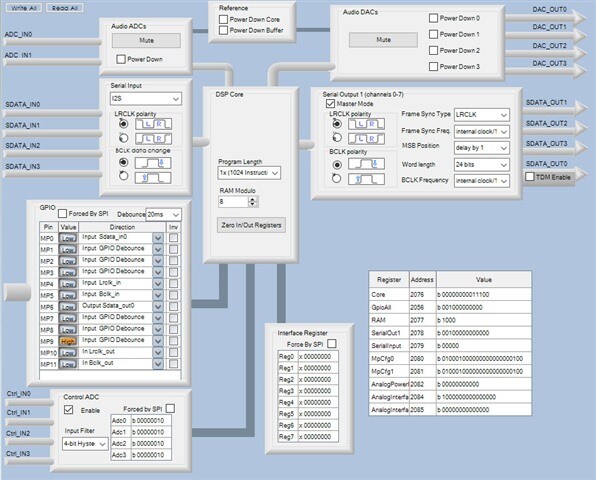
I made simple loop-back circuit:
ADC -> DIG -> DAC
and observe correct behavior. The circuit works at 48 kHz.
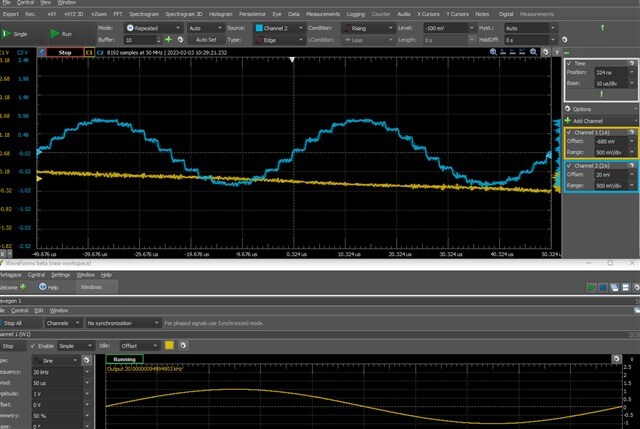
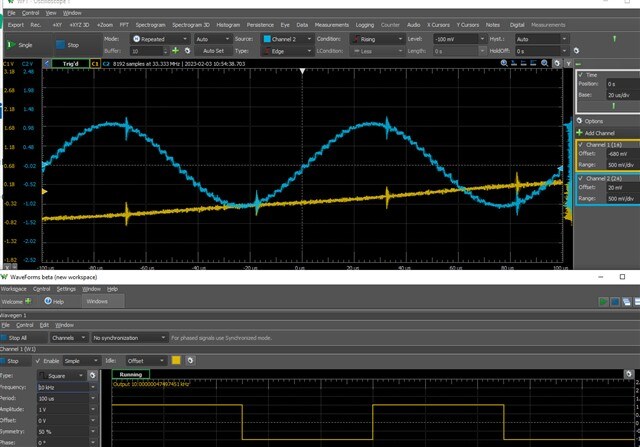
But when I connect input to 20 kHz input sinus I see more steps then expected.
It is 19 steps per 20kHz period. 20*19 = 380. I.e., actual sample rate is 384 kHz.
When I change sample rate to any other value - nothing changes.
Could anybody explain the phenomena?
Audio Signal Processors
hardware
4.7
SigmaDSP Audio Processors
adau1701
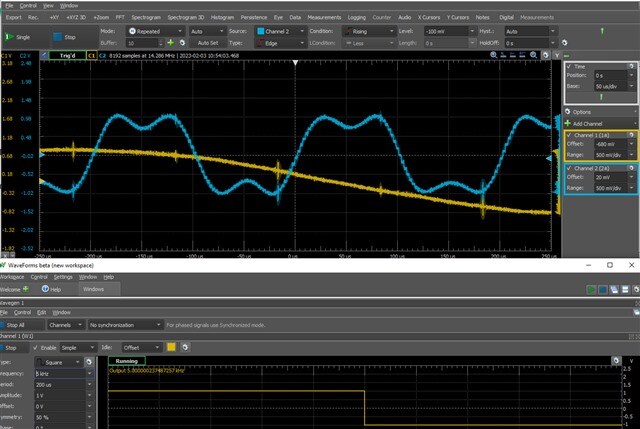
More even interesting pics. Square waves:

Hello,
You've got some really nice clean pictures of the DAC output. What you're looking at is not the 48K sample rate within the -1701's DSP, but the much higher interpolated sample rate of its Sigma-Delta DAC. The ADAU1701's DACs use an oversampled digital reconstruction filter to re-create the output analog signal. This moves the output signal's ripple and noise to a frequency band way past 48K. Thus you don't need a 20 KHz brick-wall analog filter to reconstruct the audio, as were inside the earliest CD players -- instead, a simple RC filter at 50KHz will do. Changing the DSP sample rate doesn't affect this reconstruction filter.
The ADAU1701's core clock always runs at 49.152 MHz (just under 50 MIPS) regardless of the 48/96/192K sample rate. Instead, the number of instructions allowed per sample goes inversely with increased sample rates. For example, at 48K you get 1024 instructions, and 1024 x 48KHz = 49.152 MHz. At 96K you get 512 instructions, etc. Overhead reduces the number of usable instructions by about 8-10 in all cases.
Best regards,
Bob
Please log in to reply.