I2C Comms Failure ADAU1467
Attempting to configure ADAU1467 with SigmaStudio using I2C, getting "Comms Failure" result. Using SigmaStudio with SPI works fine, only I2C gets a comms failure result.
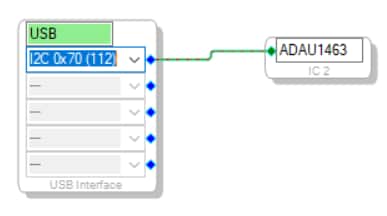
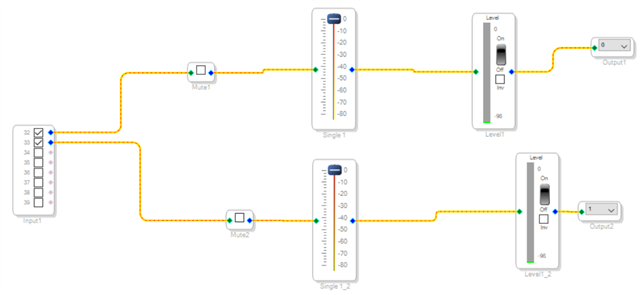
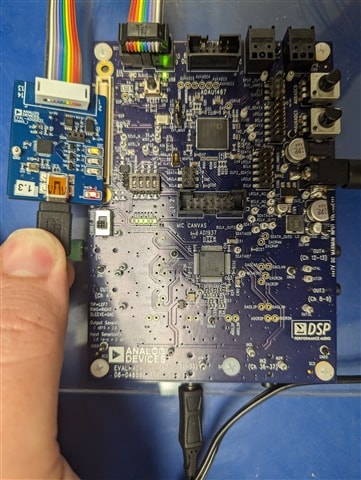
I'm using Windows 10, Sigma Studio 4.7, and the ADUSB2Z USBi connector to program the board. SigmaStudio schematic and board configuration down below.
None of the valid I2C addresses work, all result in "Comms Failure" error. Switching to SPI works, but unfortunately I need to get this schematic working with I2C.
Why does the board work with SPI but not with I2C? How can I get it to work with I2C? Is this a board problem, a software problem, or something else?
Audio Signal Processors
software
adau1467
sigma studio 4.7
SigmaDSP Audio Processors
Hello LTav,
It is not really a "problem" with anything. The board is designed to use SPI for the USBi interface. I2C would require pull-up resistors be added and the two address lines be tied to the desired I2C address.
So if you need for this board to work with I2C then you will need to somehow add two pull-up resistors to IOVDD Then ground pins 40 and 41 to set it to the address 00. The only problem is that the SS pin already has a 10K pull up on it so that would need to be removed or just use that address bit as a high rather than a low.
The user guide has the schematics for this board so consult the schematics.
Dave T
Please log in to reply.