ADAU1452 + CODEC CS42448 is not working
I can not make the ADAU1452 with CS42448 working.
I tried the small program provided bij ADI : RE: Using an external Audio Codec (cs42448) with ADAU1452
But it is not working. I dont know how to use the small debug function which is included.
File can be downloaded correctly. I dont get any error msg.
I connect 1 analog 3.5jack input and output for the moment.
Edit Notes
add info
[edited by: BartLuyckx at 2:49 PM (GMT -5) on 16 Dec 2023]
Audio Signal Processors
adau1452
Audio Products
software
cs42448
sigmaStudio 4.7
SigmaDSP Audio Processors
Show More
I apologize for the delayed reply.
To try helping you even more, could you please provide your hardware schematic?
Regards,
Harish
Like many i bought it from Aliexpress. Nvarcher shop. Looking at DIYaudio forum many try to make it work but struggle with it.
Nvarcher ADAU1452 - CS42448
TThis is the information I can find.
TFrom the previous mentioned program : When adding level meters to the in and output, the input level meters on input 1 follow the input signal. I Dont get any output signal and also doesnt work on input 2 and 3
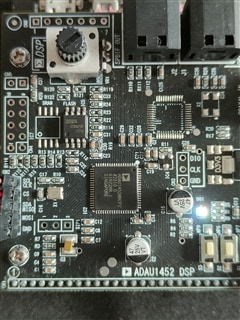
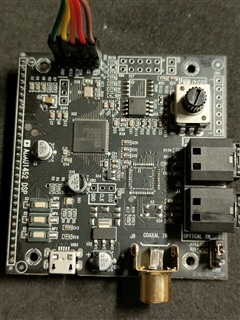

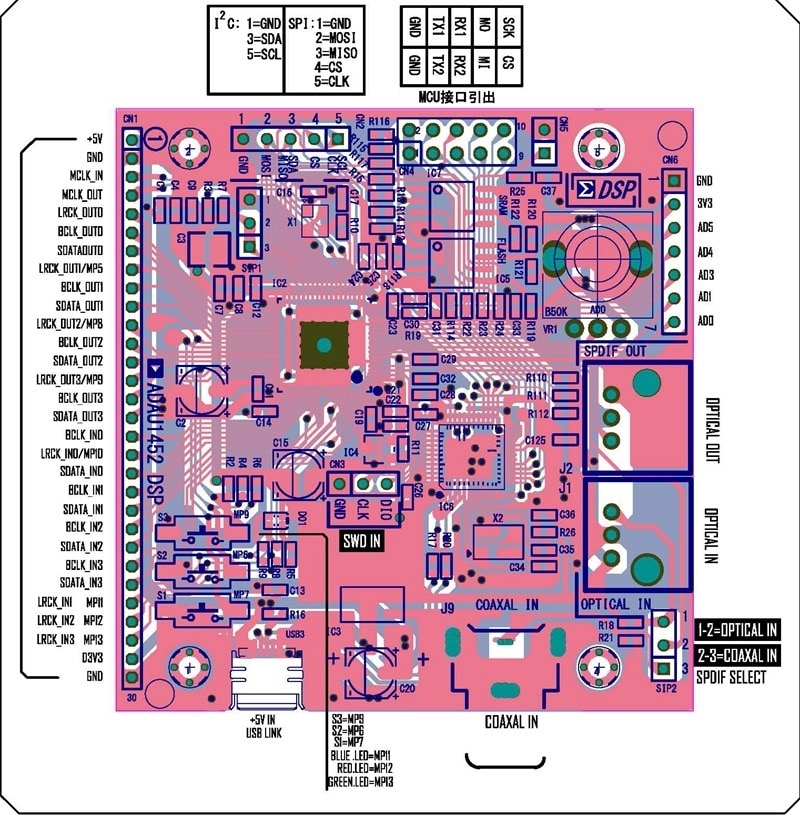
Hi BartLuyckx,
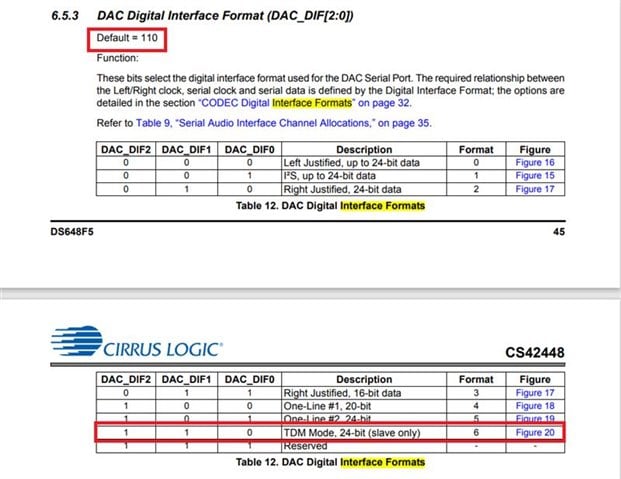
With respect to your hardware picture attached above, I assume that you run your codec in standalone mode.
In standalone mode, the codec CS42448 runs only in TDM8 (slave) mode.
If you want to run the codec in I2S, LJ mode then you need to program the codec as per that datasheet.
Here I have attached the TDM8 audio passthru program for ADAU1452.
audio passthrough.dspproj
Kindly get back to us, if you need further clarification.
Regards,
Harish
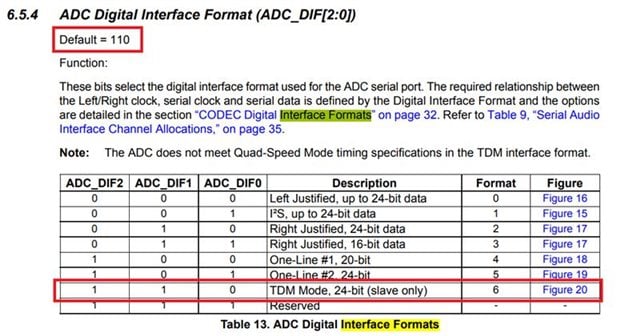
I tried the program but it didn't work.
The LED light softly on all colors. When I download the program the led goes on off short and light softly again after.
How can I check if the DSP or CODEC is defect?
Hello,
Just try some basic program with a DC cell and readback like below. If you read the correct value from the readback cell, then you can be sure that the DSP is running and communication between the DSP and USBi is good.
Just verify the DSP and we will come to codec after this.
Regards,
Harish
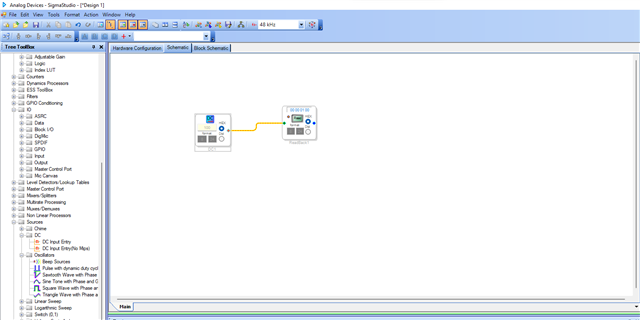
The program reading the DC value seems to work OK
Hello BartLuyckx,
If you have a CRO, could you please probe the serial output port pins, this way we can verify that the data is coming out of the DSP and we may have a problem with the connection between the DSP and CODEC which can be seen furtherly with your hardware schematic.
If you verified that the data is coming out of the DSP then please also check that Codec data pins. we may have a problem with codec config or codec connections. we can eliminate the scenario one by one, after your scope shots.
Try the example project that we sent, it was configured for TDM8 and serial port clock and everything was already configured. Here DSP is the master since your Codec's default state is a TDM8 slave.
Regards,
Harish
I measured the pins before.
These signals I had on the different pins.
Pin 4 : 12Mhz
Pin 5,8,11,14,18,26,27,28 : 48Khz
Pin 6,9,12,15,17,20,24 : 3Mhz
Pin 22 : 1,5Mhz
I also wonder how to upload to the eeprom.
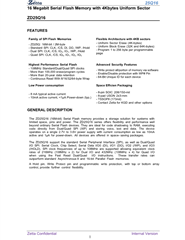
Is a 2Mbyte module : ZD25Q16.
What are the correct settings for this Eeprom?
The WP pin should be high or low to write?
Kind regards
Bart PDF
Hello Bart,
I guess you measured the clocks with the project which you already have. which is only set for I2S.
Please try the project that I have attached which is set for TDM8, when you measured the clock then the BCLK would be 12.288MHz at 48KHz sample rate. Please try this and get back to us.
Reg the EEPROM,
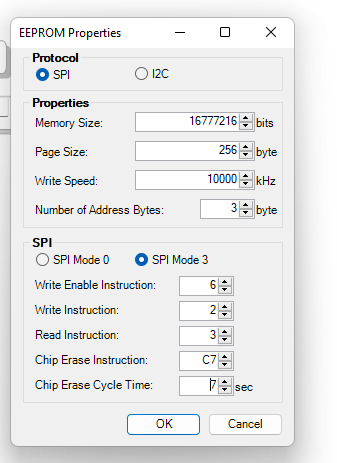
Try the below settings,
The /WP pin is an active LOW signal, so it should be in HIGH state for writing.
Regards,
Harish
H
Could you please tell me if you have successfully written the data to the EEPROM via Sigma Studio for this board?
I've spent quite a bit of time trying but still haven't been able to resolve it.
Thank you
Hello CLB865,
We would appreciate if you can create a new thread with some information on,
What is your issue and what are you trying to do?
What DSP you are using and are you using an Eval board or Custom board?
Please share hardware schematics if custom board and Sigma studio project.
If you trying to do the self-boot procedure, make sure the self-boot pin is set 'LOW' while writing to the EEPROM.
What EEPROM you are using?
Make sure the CS pin has a pull-up resistor.
Make sure the EEPROM properties window parameter values are correct, you can refer the User guide for that guide.
Regards,
Harish
I am using china evk.
The eeprom is: ZD25Q16.
I set self-boot pin before writing to the EEPROM,
I checked that the cs pin was not pulled low during the EEPROM write process, even though no errors were reported during the EEPROM write.
This is my eeprom's configuration
Please help me to solve this problem.
Thank you!
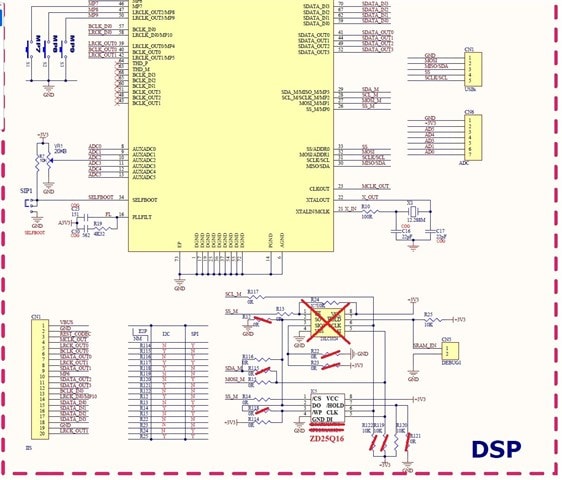
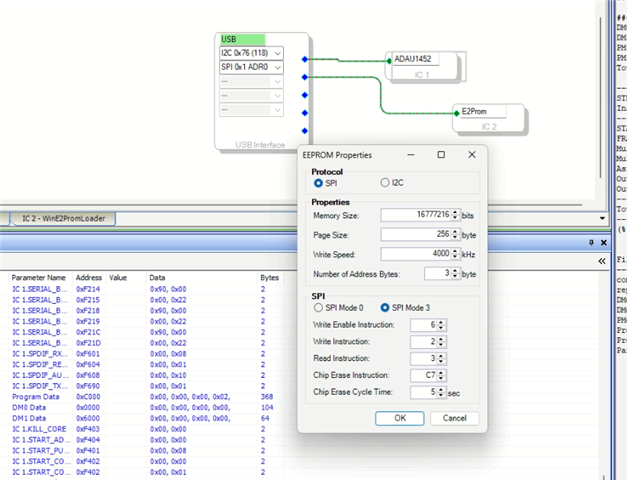
Hello CLB865,
I do not understand why you have all those parts crossed off in the schematic. you need ground!!!
Then you show the setup of the EEPROM in sigmaStudio. The USBi is connected to the slave port of the ADAU1452. the EEPROM is connected to the Master port on the ADAU1452. So the USBi has NO connection directly to the actual EEPROM. The purpose of the connection shown in SigmaStudio has to do with simply "telling" SigmaStudio what the EEPROM details are like size etc. Then it will load in code to write to the EEPROM through the DSP by loading a data pass-thru program!!
So I assume you are looking to program the EEPROM so the DSP will selfboot?
I am not sure if any of my videos on my YouTube channel go over this?...
I know there are posts and documents that go over this but I am not able to find it right this minute.
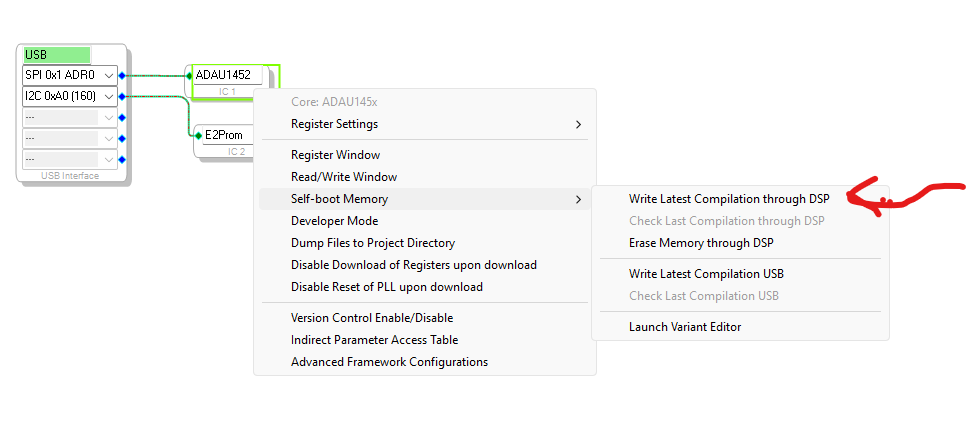
After you have compiled the project. Just right click on the ADAU1452 icon and choose this menu item:
Dave T
Please log in to reply.