SigmaStudioPlus buggy capture window - can't make Data field wider
In the capture window the data field only shows the first byte of multibyte data. Trying to make the field wider fails, it does some really weird stuff that I can only describe by showing this video:
Hello Brewster,
Thanks for taking the time to report this. I will pass it on to the programming team.
Dave T
Hi
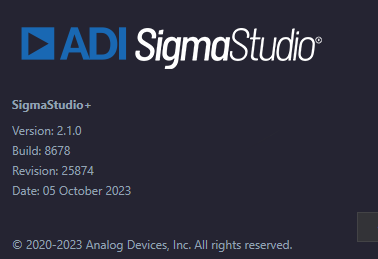
Could you please share the Build and Revision details (Go to Help Menu=>Click on About button) of SigmaStudioPlus 2.1.0.
We are able to view all the data and also resize the data columns.
Thanks

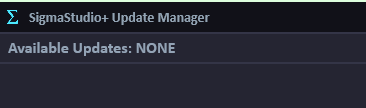
Says it's the latest.
Couple more pieces of information that could be helpful:
My setup is Win10 with two 4K monitors plus my laptop display.
I have noticed then SS+ starts up it tries to spread itself across one 4K monitor and part of the laptop screen, though the part on the laptop screen is just the window frame, no contents.
Grabbing SS+ by the title bar and moving it makes it snap back to just one monitor.
I did not report this bug as it seemed minor and I figured it wouldn't affect anything. But now that there's some sort of weird thing going on with the data window, as well as my other reported problem about not being able to control font sizes for block labels (they are way too small on a 4K monitor) maybe these things are related.
Hi,
We inquired with our internal development team, and the one-byte issue is addressed in SS+ 2.2.0.
It is natural that the font sizes will be small when the resolution increases (on a 4K monitor). In such cases, it is recommended to increase the DPI scaling in window display settings.
Thanks
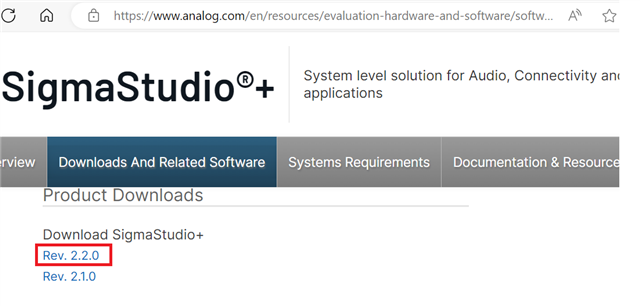
Odd, 2.1.0 thinks it's the latest:
I'll try 2.2.0 and update this thread.
On the font thing I'm going to politely disagree; I realize this is being decided further up the chain but there has to be some improvement here.
My DPI is fine for everything else. IMHO it's a combination of the forced color choice and font that make it not user friendly.
Any reasonable "schematic" capture program gives good user control over the graphical/textual elements to allow designers to improve the readability/show design intent based on the needs of the design in question.
SS+ provides no control over anything.
Hi
ChiruPalle ,
2.2 fixed up the multibyte display, though the column width control is still wonky. Doesn't stop it from being used though.
Hi,
sorry for the delay and thanks for your feedback. We will investigate and suggest to internal team for required improvements in capture window. We hope this issue not blocking your design activity.
Thanks
Not a problem at all, just want to see SS+ get better as I count on it a lot. Thanks looking in to this.
Please log in to reply.