Sigmastudio+ 2.2 errors with filters
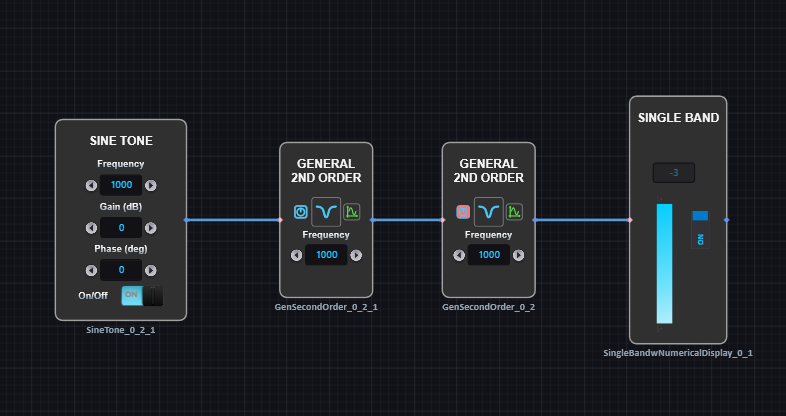
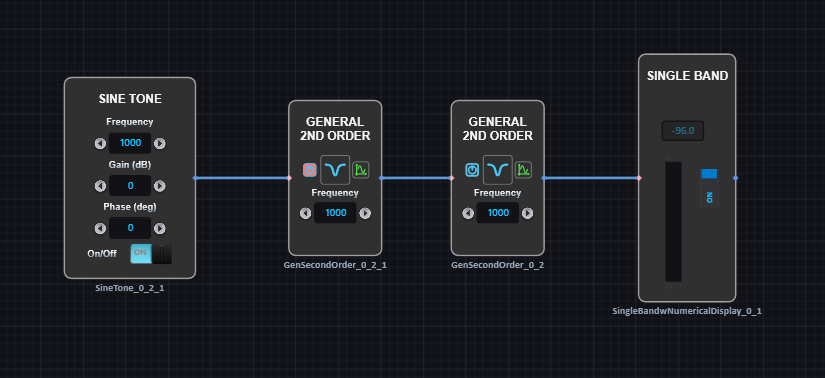
I experience unpredictable results using filters in SigmaStudio+. Below is shown two identical schematics. Each having two identical 2nd order bandstop filters, where one of them is muted. The output level is expected to be -96 in both cases, but the top schematic reading is -3. Any idea what is causing this? The problem is not isolated to this filter function or layout. I'm having this issue in my target application as well. Re-compile/download doesn't help.
software
filters
SigmaStudio+ 2.0
2.2
Sigmastudio+
Hello Michael,
Thanks for taking the time to report this. I will pass this on to the programmers.
If you do not mind could you attach the two programs? One labeled working and one not working? I know the first thing the programmers will ask for is the program so they can see what is corrupted or why it is not properly compiling.
If it is proprietary then send it to me in a PM but also make sure to send me a friend request so I can respond.
Also, which processor are you using?
Thanks,
Dave T
Thanks Dave
I located the issue and it happens when I copy/paste one filter block from the one already in the schematic. Compile/download does not help, but save to file and reload the project does solve the problem. If the 2nd filter block is deleted and a new is placed by copy/paste from the other filter block, the issue can be reproduced.
Onedrive link
SigmaStudioPlus_2_2 Filter test works.ssprj
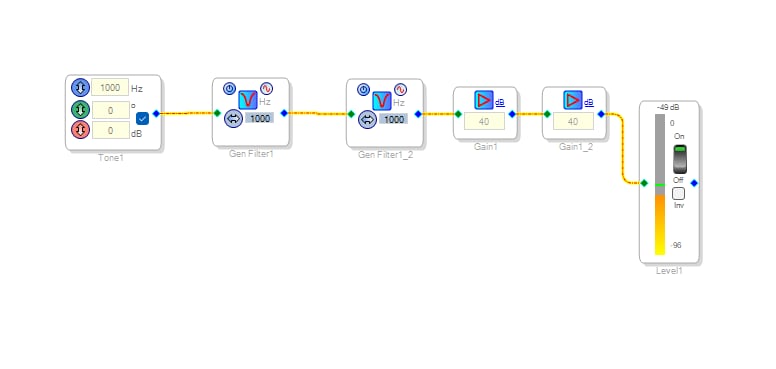
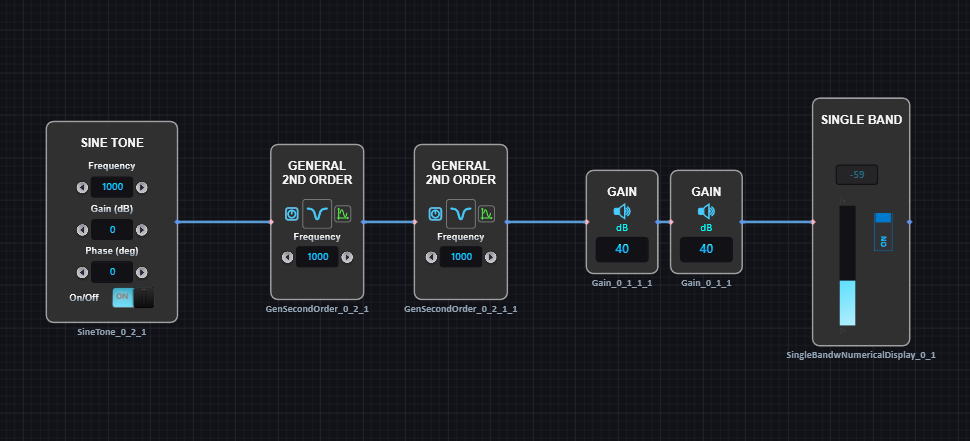
BTW. I tested the copy/paste of filters using the same workflow in the old SigmaStudio 4.7 and it works fine here. However I noted that the level meter show a 10dB difference from SigmaStudioPlus v2.2. See attached.
Hello Michael,
Could you please share either SigmaStudio or SigmaStudio+ schematic used for the above comparison?
Regards,
John
Hello Michael88,
We are trying to look into what is happening here but we are having trouble replicating this issue. The SigmaStudio schematic you attached is different from the screenshot you show in the post and when we try to do what you suggest we have no problems.
If you can send over a project and then provide the steps to walk us through what you do to reproduce the problem using that exact project that would help.
Thanks,
Dave T
Please log in to reply.