Microphone -20 dB stop
Hello, I'm looking for a block that doesn't allow a sound of -20db to pass through until it reaches -22db. I need it for a microphone because I use it for announcements and you can always hear the clinking of money quietly, for example
thank you greatings from Germany
Audio Signal Processors
software
microphone
adau
adau1467
Newest
SigmaDSP Audio Processors
Wisper
limiters
Show More
Hello Lorenzo,
It sounds like you need a noise gate -- an algorithm which allows signals above a fixed threshold to pass through, while gating OFF signals below that threshold. In SigmaDSP there's often many ways to implement a given task, and this application is no exception.
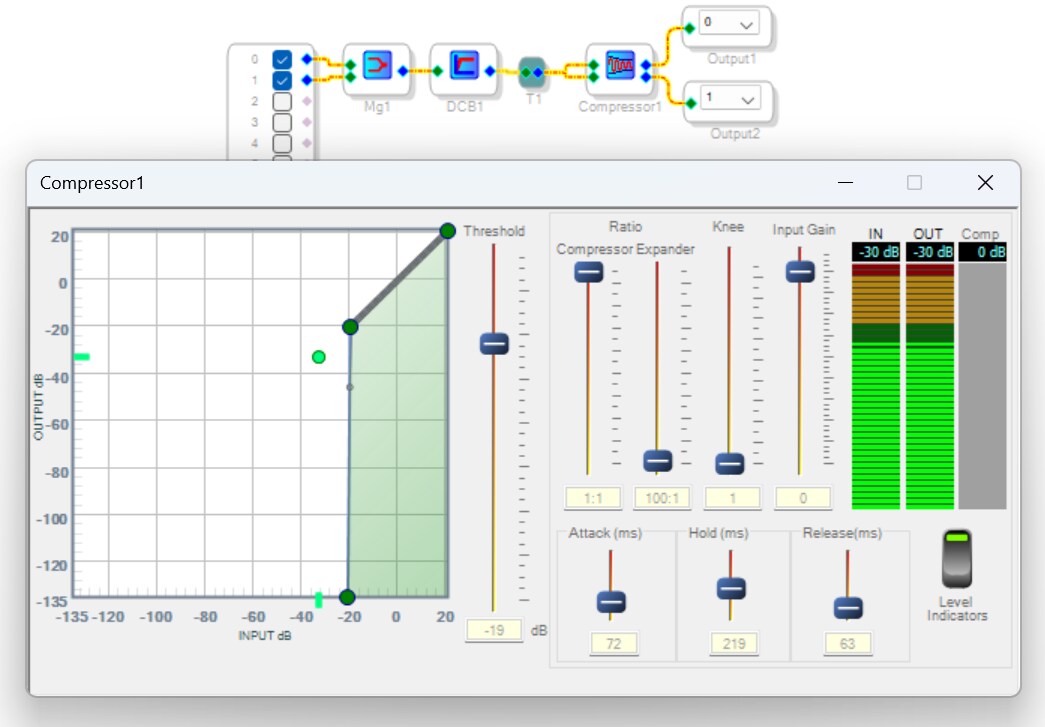
Perhaps the simplest method presses a stock compressor into service, as shown below:
Setting it as shown creates an expander whose output is essentially muted for inputs below -20 dB. Unfortunately, I could not get it to function as expected. It let through signals well below -20 dB -- for example, we see here that the input and output levels are identical at -30 dB. I tried various settings for attack / hold / delay without success. Perhaps I'm doing something wrong...
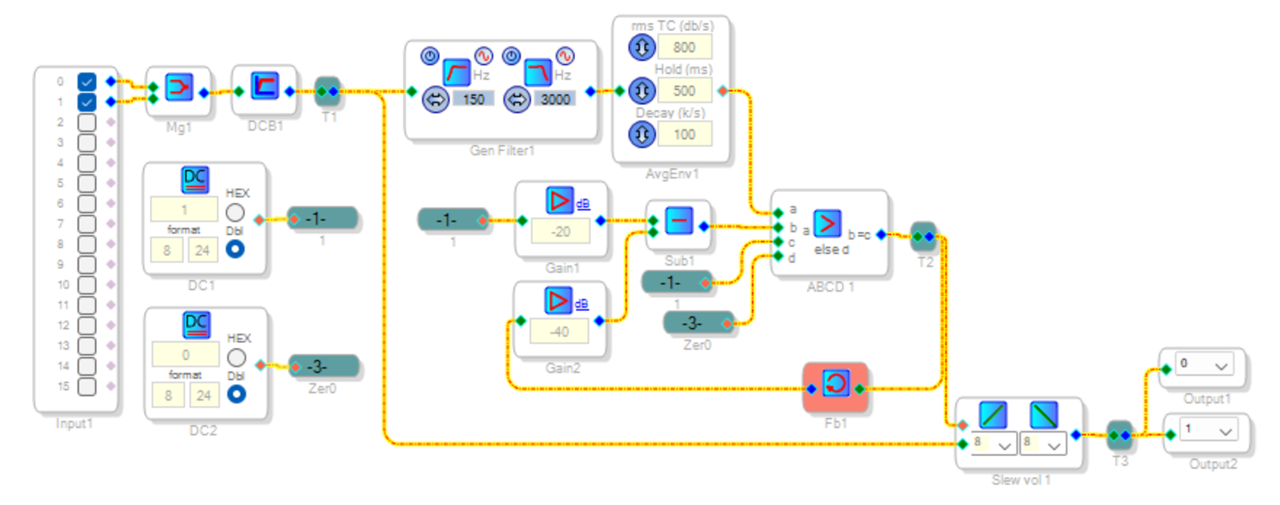
Another possibility is to make a noise gate from discrete blocks, like this one shown below.
First, DCB1 removes any DC from the signal to prevent level errors. The General Filter is optional -- it might tune the noise gate to frequencies in the vocal range. AvgEnv1 measures the sound level, this is also where you can vary the attack / hold / decay times. When the measured sound exceeds the threshold set by Gain1, comparator ABCD1 outputs 1.0, otherwise it outputs zero. This controls Slew vol 1 to gate the input sound. Gain2 and Sub1 adds a little hysteresis to help the noise gate stay open during the entire speech time. Setting Gain2 to about 20 dB below Gain1 provides 10% hysteresis.
The project is attached below.
Best regards,
Bob
Noise-Gate-discrete_1467.zip
Hello Lorenzo and Bob,
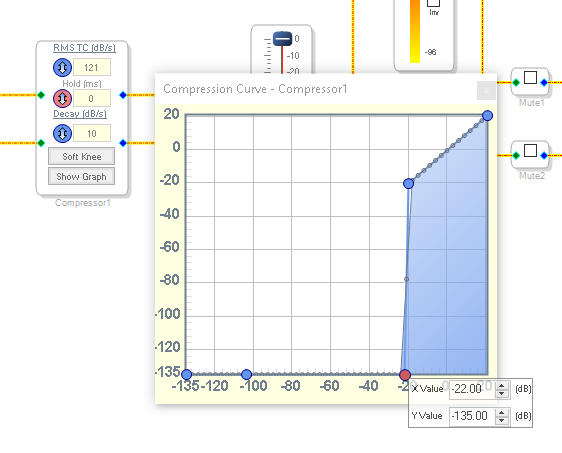
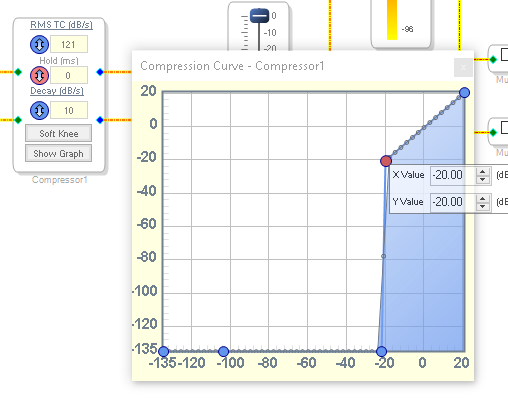
I looked into the RMS compressor issue you mentioned in your post Bob and there is a bug in how the compressor curve parameters are calculated and written to parameter RAM. It is very wrong and I am surprised none of us has run across this yet. It is not placing the threshold at the correct place.
If you use the older version it functions correctly and works as expected. It is also full range so I guess it is better to use anyway.
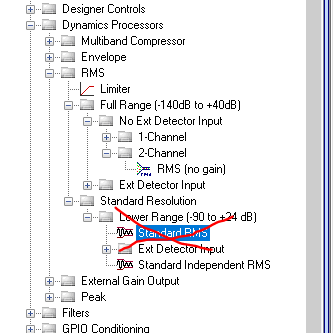
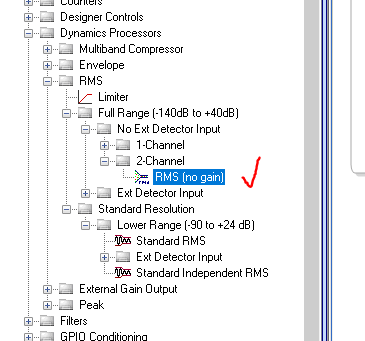
Here are some screenshots for which one to use and which one not to use.
Do NOT use this one:
Use this one shown below:
This is what the curve I set looked like and the point values:
If you right-click on the points you can set the value directly and accurately. Sometimes it is a bit touchy to find the exact spot to right click on.
Dave T
Please log in to reply.