super bass alway make bass clip, how to control it?
final.dspproj
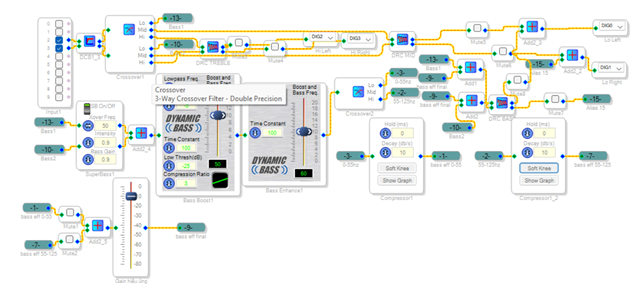
I use the superbass function on the ADAU1401. I combined several mute ports to identify parts causing signal clipping. I ensured that the input and output gain on the ADAU1401 chip were equal. Additionally, I used an opamp to increase the gain after the ADAU1401, with the output amplification set to x10. I carefully checked the gain levels that cause clipping as the signal goes into the power amplifier and limited it using a signal compressor.
I thoroughly tested everything before writing to the ADAU1401's ROM. The software indicated a successful write, but when I power off and on again, the signal still clips. As you can see in the diagram, I used many mute ports to check for clipping across different frequency bands.
Is there a better way to control the superbass? Additionally, I’m encountering an issue where there seems to be a discrepancy between using 'Link Compile Download' and 'Write Latest Compilation to EEPROM'. Despite successfully writing the configuration to the EEPROM, the signal still clips after powering off and on again. Could this be due to a difference in how the two methods handle the signal processing or memory storage? Any insights or suggestions from the experts on this would be greatly appreciated. Thank you very much.
Audio Signal Processors
software
adau1401
SigmaDSP Audio Processors
Hello vietvuong,
Sorry for the delay. I have been travelling out of the country and will not return until the middle of next week.
I will respond when I return and can do some more investigation.
It would be good to have your actual project to look at.
Dave T
Hi Dave,
His project final.dspproj is attached just below his screenshot. In it, the SuperBass block is after the crossover, in the subwoofer path. Since SuperBass is a stereo block, I suspect that it's designed for use in the main signal path.
Best regards,
Bob
Hello vietvuong,
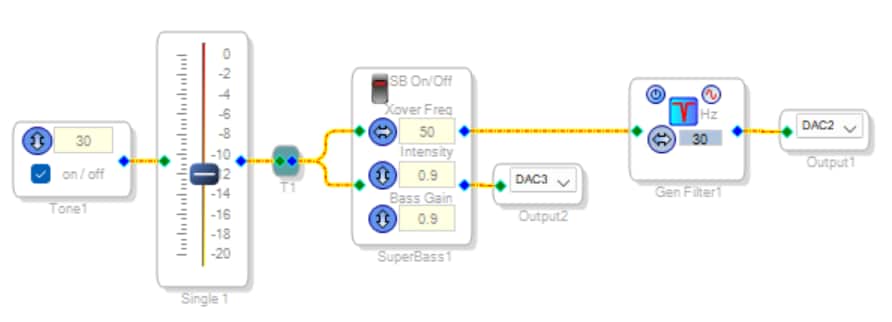
The test shown below yielded these results:
The first strange result is, I couldn't find the SuperBass block in the Sigma100 (ADAU1701 / 1401) toolbox, and its Wiki entry says it's only for Sigma300 (ADAU1452 etc.). Instead, I copied and pasted it from your example project.
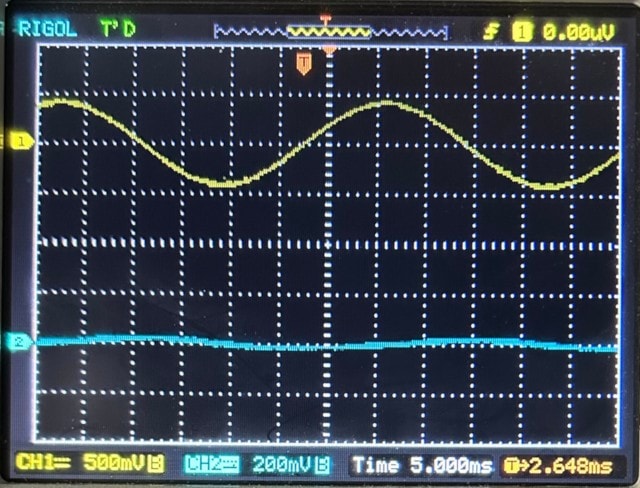
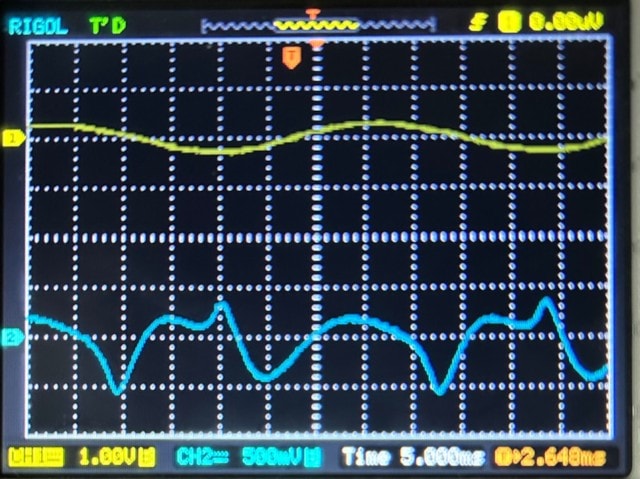
In each of the following photos, the top trace is the SuperBass output, while the lower trace has been notch filtered to show only the generated harmonics. With the input set to -12 dB and SuperBass switched off, the result is as expected:
Switching SuperBass ON attenuates the output, as seen in the top trace. The lower trace comes alive with harmonics. No clipping is yet evident:
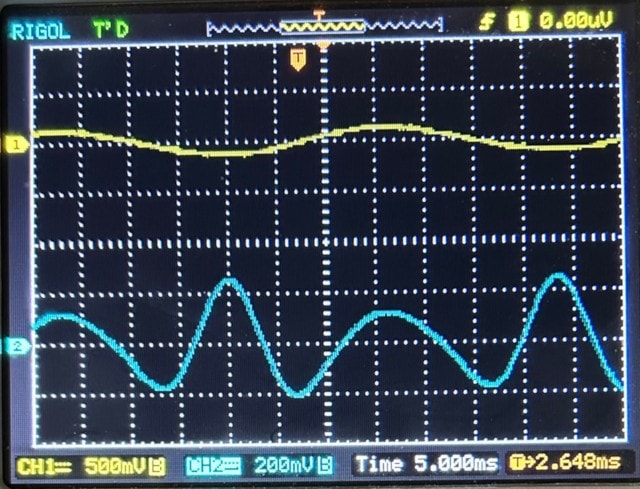
Repeating this test with a full-scale input provides a distorted output:
Thus, if too much signal is applied to the input of the SuperBass block, its output becomes clipped or distorted. The cure for this problem is the punch line to the old joke, "Doctor, it hurts when I do this." Attenuate the input and the problem goes away. If you need more output, place some gain after the SuperBass block.
Edit: Even better than fixed attenuation before and fixed gain afterward is to place dynamic blocks to compress before and expand after -- see this thread.
Best regards,
Bob
Please log in to reply.