Self Boot from external EEPROM using SigmaStudio+
Hi,
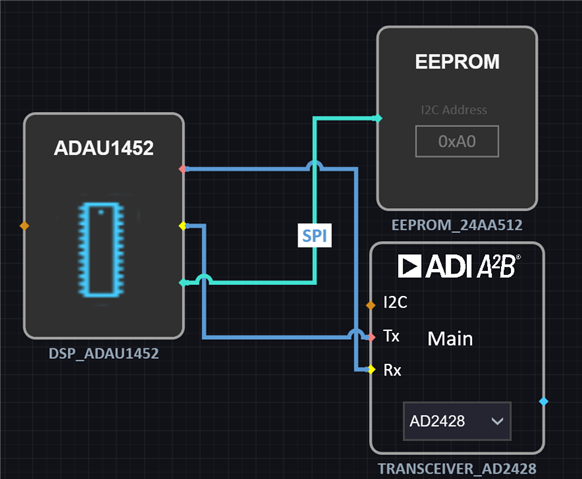
I'm using the EVAL-2428WD1BZ board (rev. 1.1) along with SigmaStudio+ (ver. 2.2.0).
I've been trying to configure ADAU1452 so that it boots from an external EEPROM (24AA512) but to no avail.
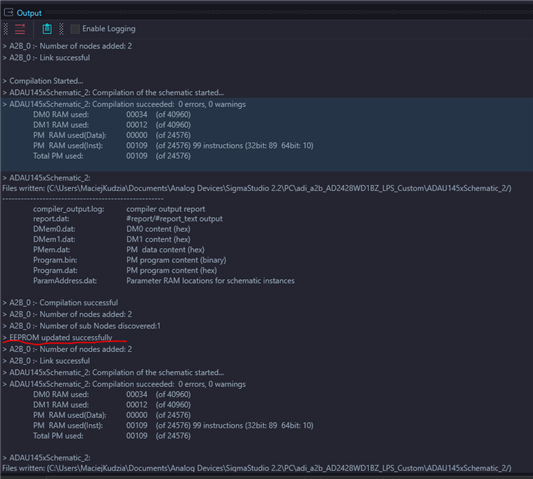
I can flash the memory (via the Write Latest Compilation Through DSP command) but I cannot boot the DSP.
Once flashing is completed, I power off the board, unplug the JP4 jumper and disconnect the USB-I2C bridge (EVAL-ADUSB2Z).
After powering it on, it looks like the DSP fails to boot.
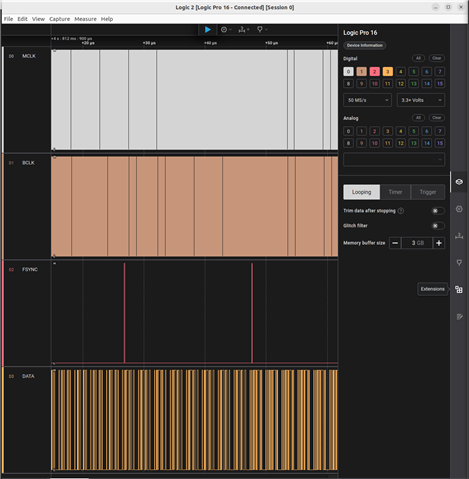
I could see both the clock signals and data while uploading my program directly to RAM but it's no longer the case after switching to Self Boot:
I'm wondering what configuration step I'm missing.
Please find attached my project:
a2b-test-project.zip
Could you please help me on that?
Please log in to reply.