Problem with using EVAL - ADAU1787Z
Hi,
We purchased one evaluation board for the ADAU1787.
I've been working on the evaluation board using the relevant guide and trying to make it work. so far unsuccessfully.
I connected a microphone to J22, headphones to J23 as well as the usbi.
I've downloaded the sigmastudio software and tried to work according to instructions.
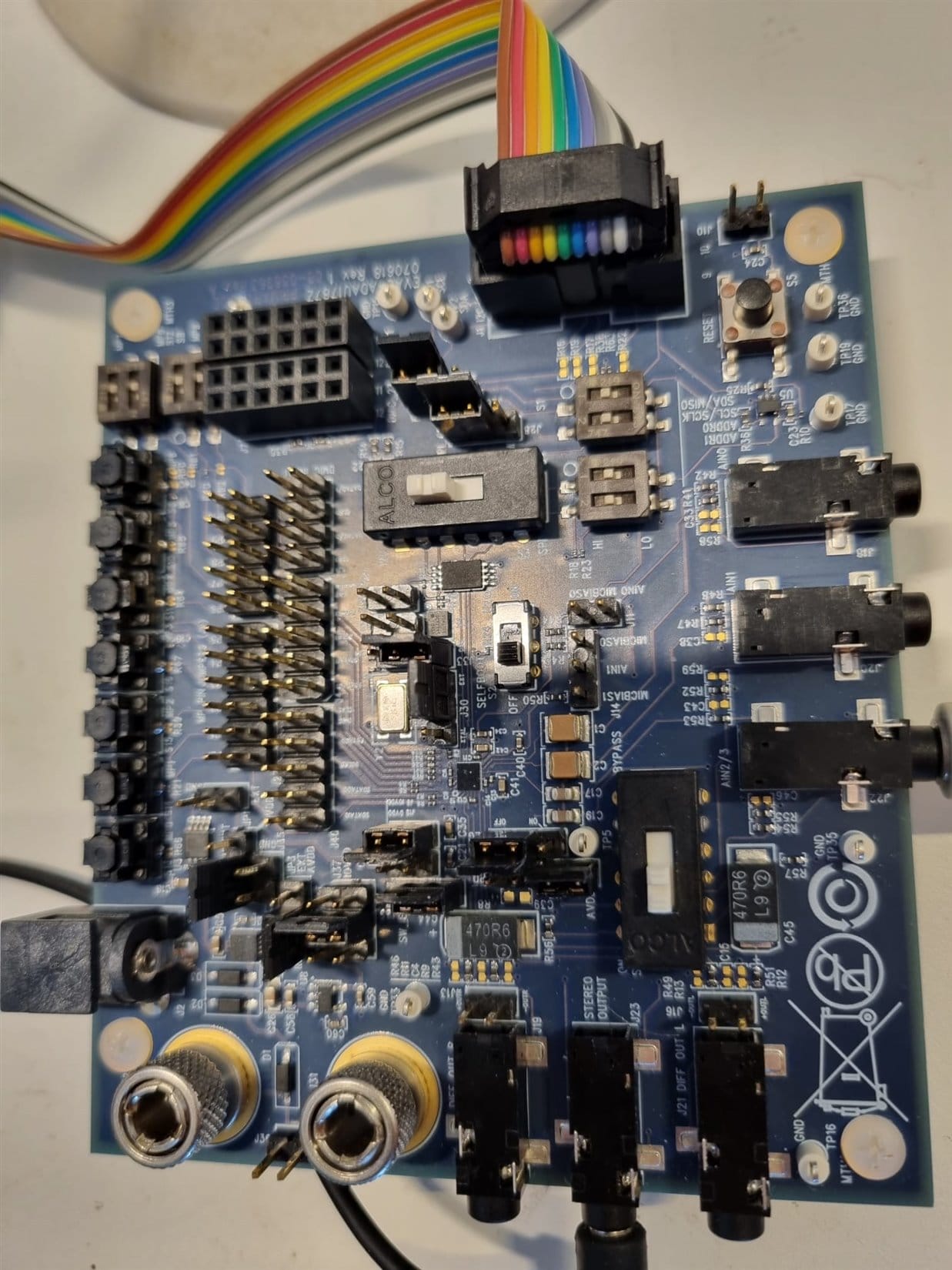
I have left the jumpers as shown in the guide, and tried to compile via the link-compile-download button.
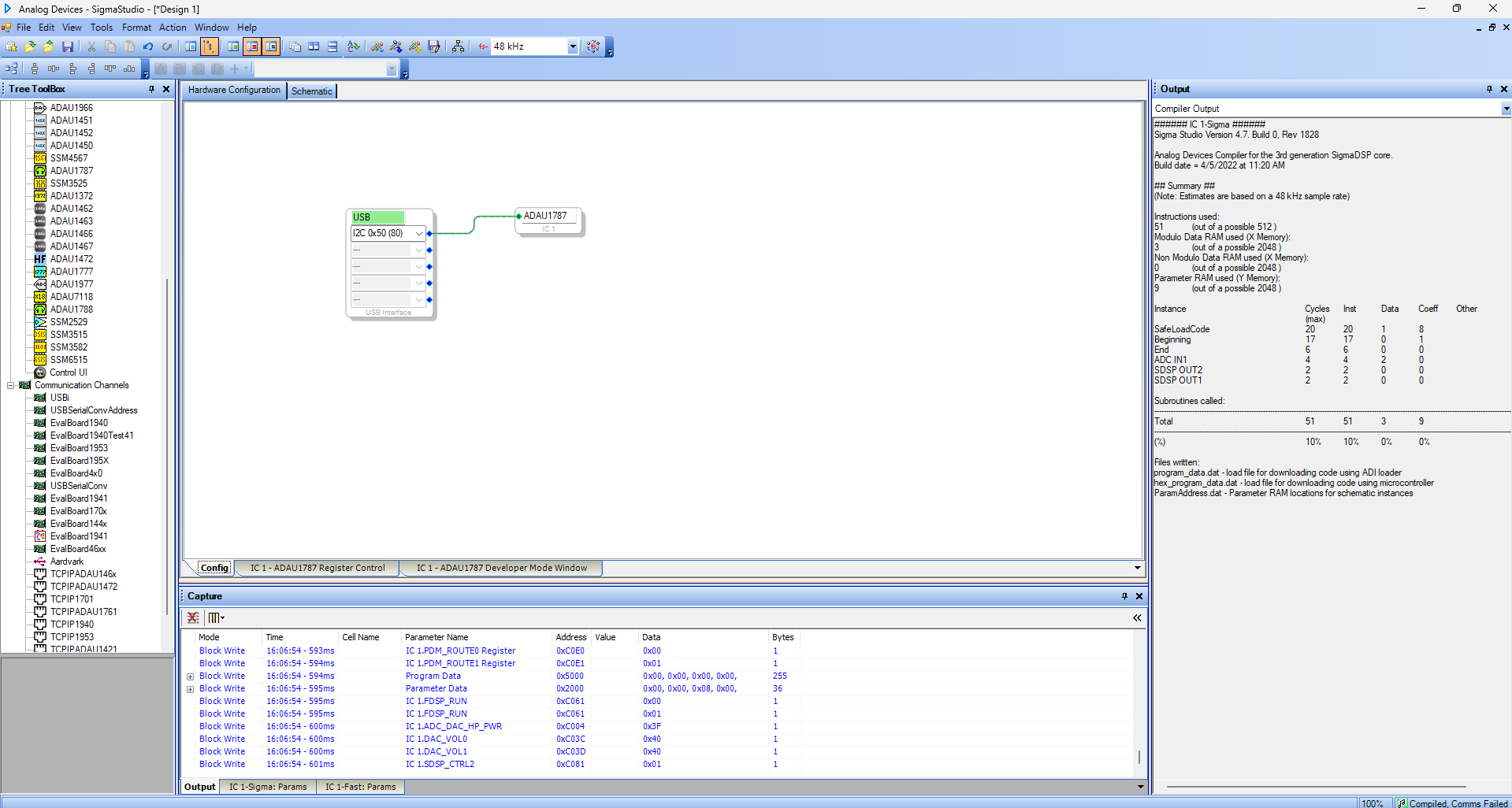
I get the following:
supposedly it's compiled but the comms have failed.
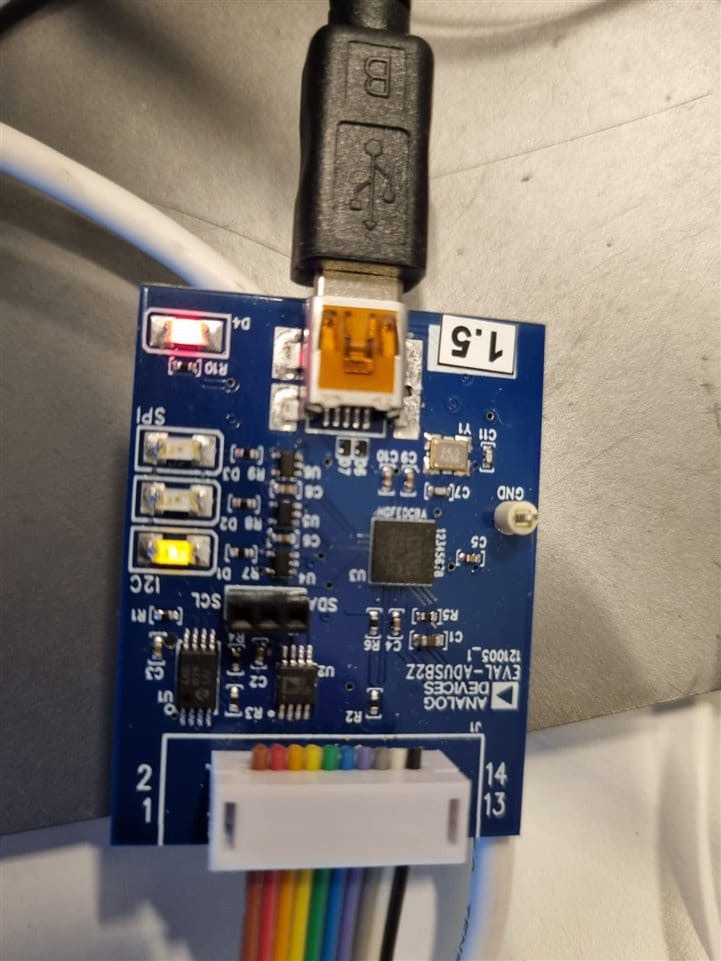
here are pictures of the board and the usbi:
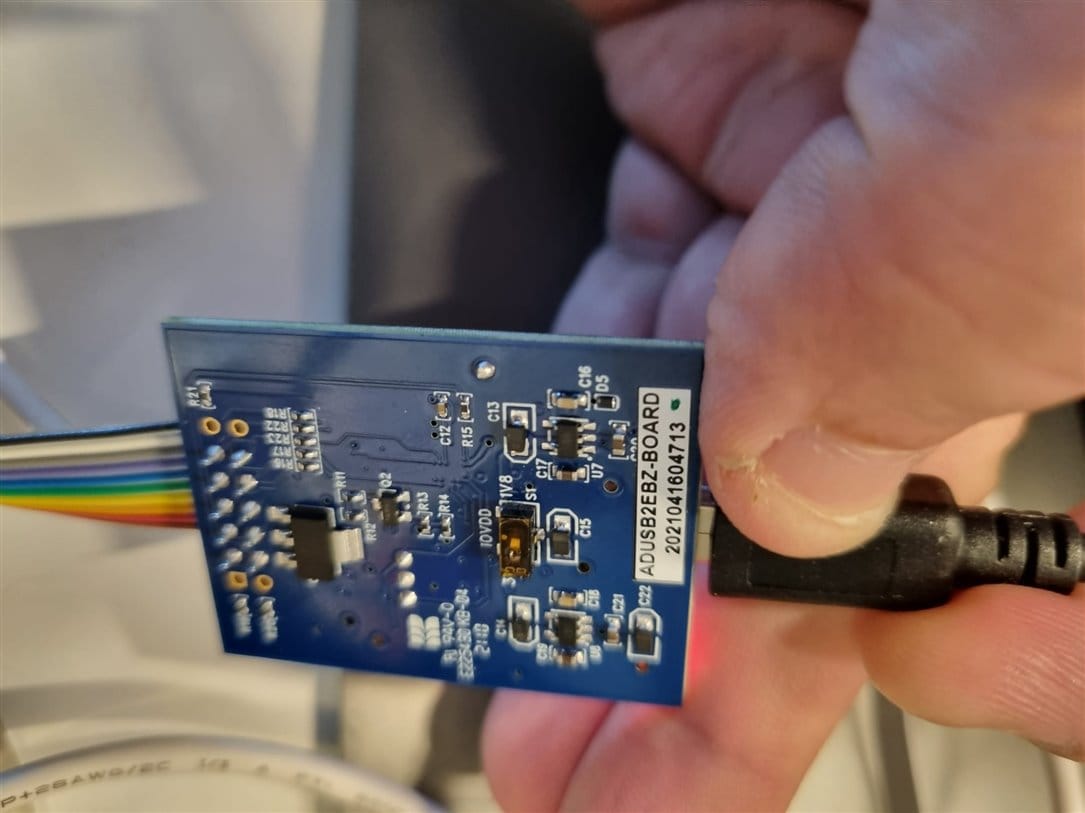
I've seen mentions of a switch on the usbi that switches from 3.3v to 1.8v, but I can't find such a switch anywhere...? assuming that is even the issue...
not sure what I'm doing wrong here, would appreciate help with this.
Best Regards,
Roi.
hardware
EVAL - ADAU1787Z
Integrated/Special Purpose A/D Converters
SigmaDSP Audio Processors
Audio CODECs
Hello Roi,
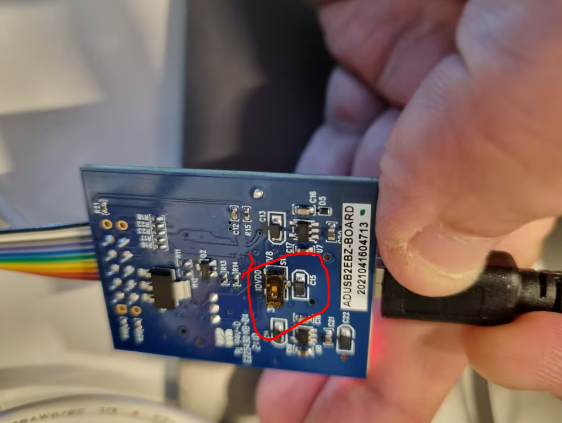
You have to switch the USBi to 1.8V or you risk damaging the board. There are resistors in series so it will tolerate it for a little while.
I took a screenshot of your picture to show you where the switch is. I can see it is not changed because the tape covering it up is still there. The tape is so that the switch will survive when the PCB is cleaned with water.
Dave T
Hi Dave,
Thanks for the information.
I've taken off the tape, incidentally the switch appeared to have already been on 1.8v.
In any case i tried again the link-compile-download button, doesn't seem to be any change.
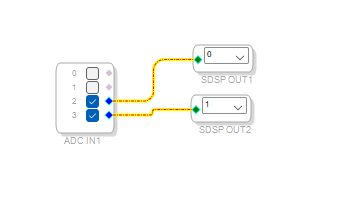
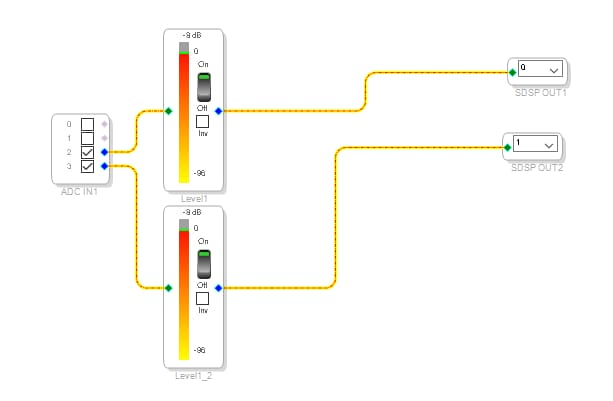
here's my schematic:
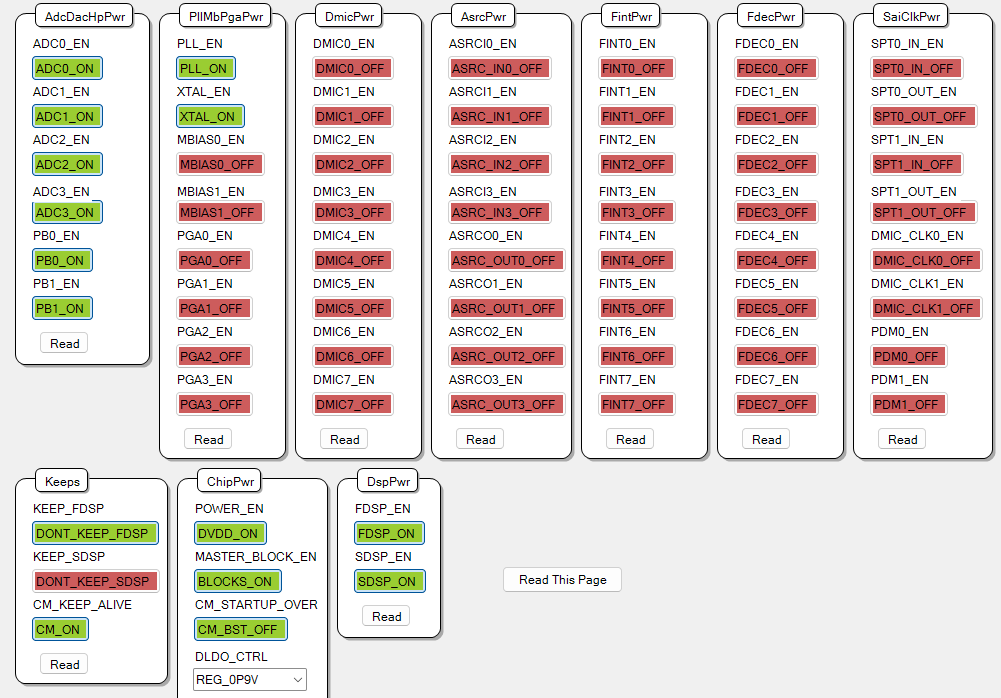
And here's my power control view:
Any more ideas to try?
Hello Roi,
Can you attach your project?
Thanks
Dave T
Hi Dave,
this is a link to my project: my current sigma project
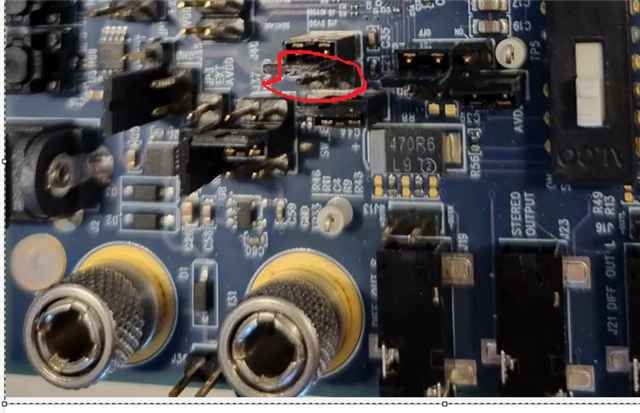
As an update, I've been successful in compiling and downloading the project, it appears that the board I was working with was not working properly (tried a new one), in addition it seems that adding a jumper to the place marked in red in the picture was necessary.
I still don't hear anything on the earplugs.
Please also take into consideration that eventually when using the actual board in our device, i will have two input flows and one output,
the first input flow will be an i2s input, the second one I'm not sure yet what type of input will be, and the output will probably by an analog loudspeaker.
I'd really like to be able to make this work, along with understanding how to configure the inputs and outputs.
I will also need a little further down the road two more "features", one is to be able to disable/enable each of the input flows separately and the other is to be able to add noise cancellation.
Any help will be much appreciated.
Thanks.
Hello robiren,
Thanks for the project.
I am going to write a somewhat stream of consciousness post here detailing what I am doing to get this to work.
The first I want to say is that you have a powerful troubleshooting tool at your fingertips. It is called sigmaStudio.
The project you shared is just like the picture you posted earlier which is just the input block from the ADCs to the DAC outputs.
Loaded up your project. Connected the Audio Precision and I hear audio just fine.
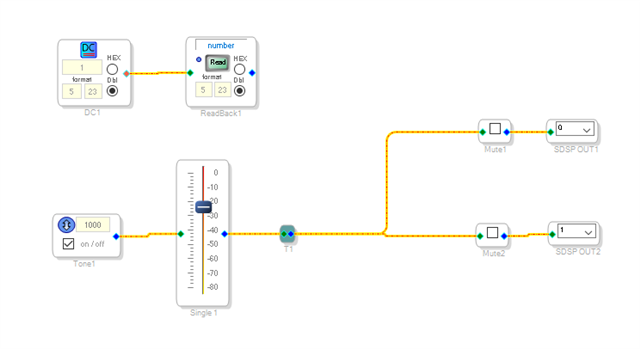
Well, the first you should do is split this problem in two. Is the audio getting into the DSP core? So I added meters so I could see if the signal was getting to the core to determine is the problem is going in or going out?
This is what I did:
Low and behold, I have audio getting into the core! I am sending in a -10dBV signal and it is reading a level of -9dB in the core. So no need to look at the input side.
Then to test the other half you can also do this:
Note the readback and DC cell for testing comms between the board and SigmaStudio.
I do not know if you have found my YouTube channel but I have a video about troubleshooting using SigmaStudio:
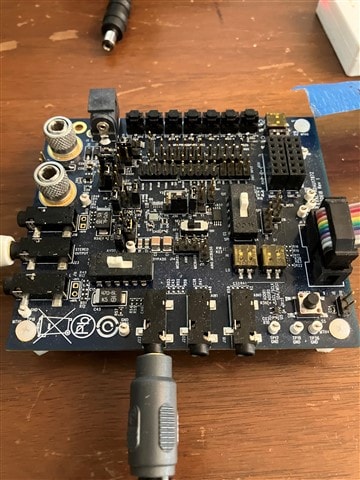
I will attach the multiple pictures of my eval board that is working.
This is what I was asking for.
Have a look and compare to your board and hopefully you can find the issue.
Dave T


Hi Dave,
I've just been watching your video.
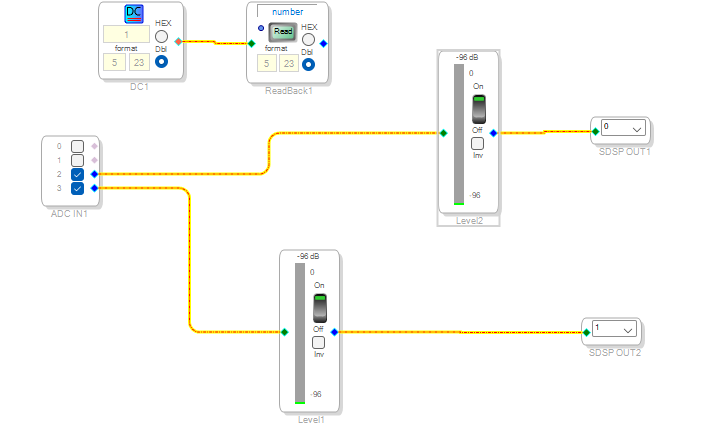
I've tried adding the meters as requested to see if anything is coming in from the microphone, and for now it doesn't look like it, but I'm not clear why.
I've tried the microphone on my laptop directly and it works (same goes for the earphones).
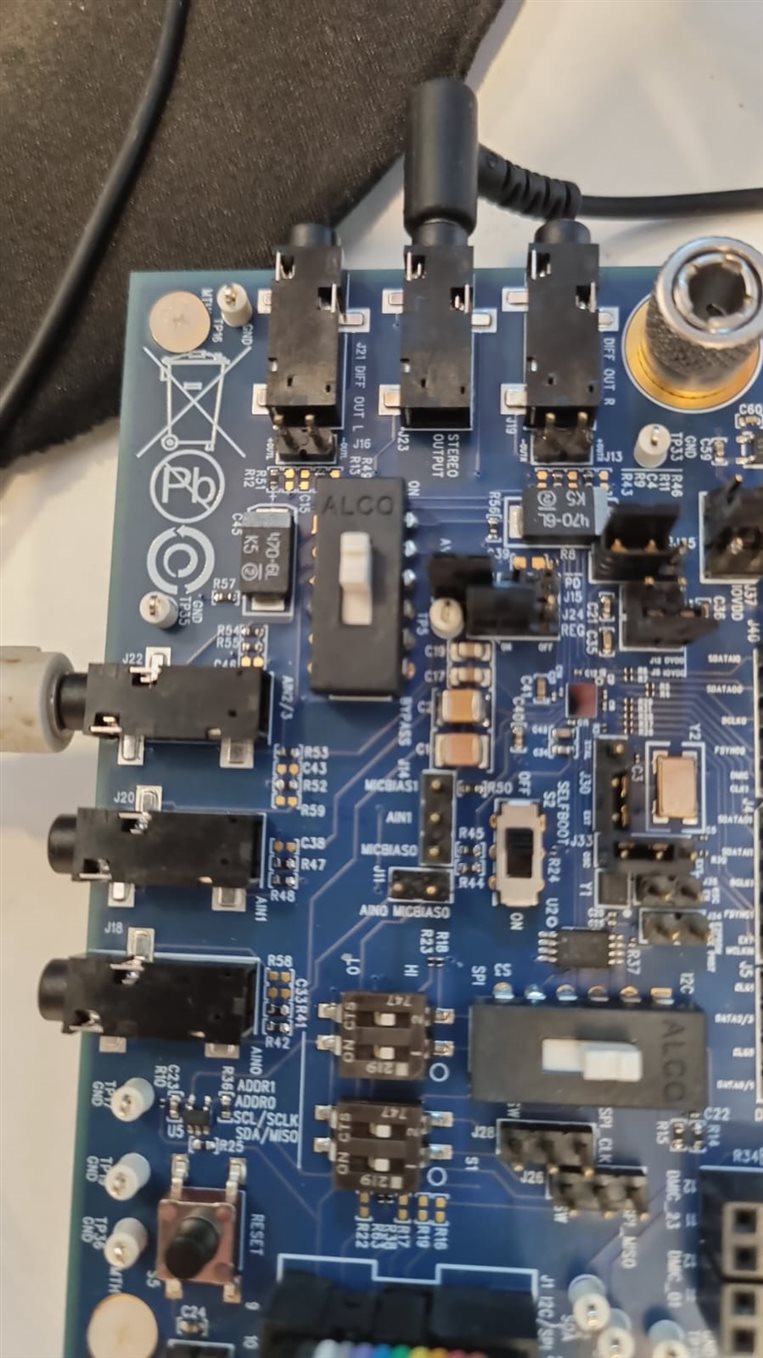
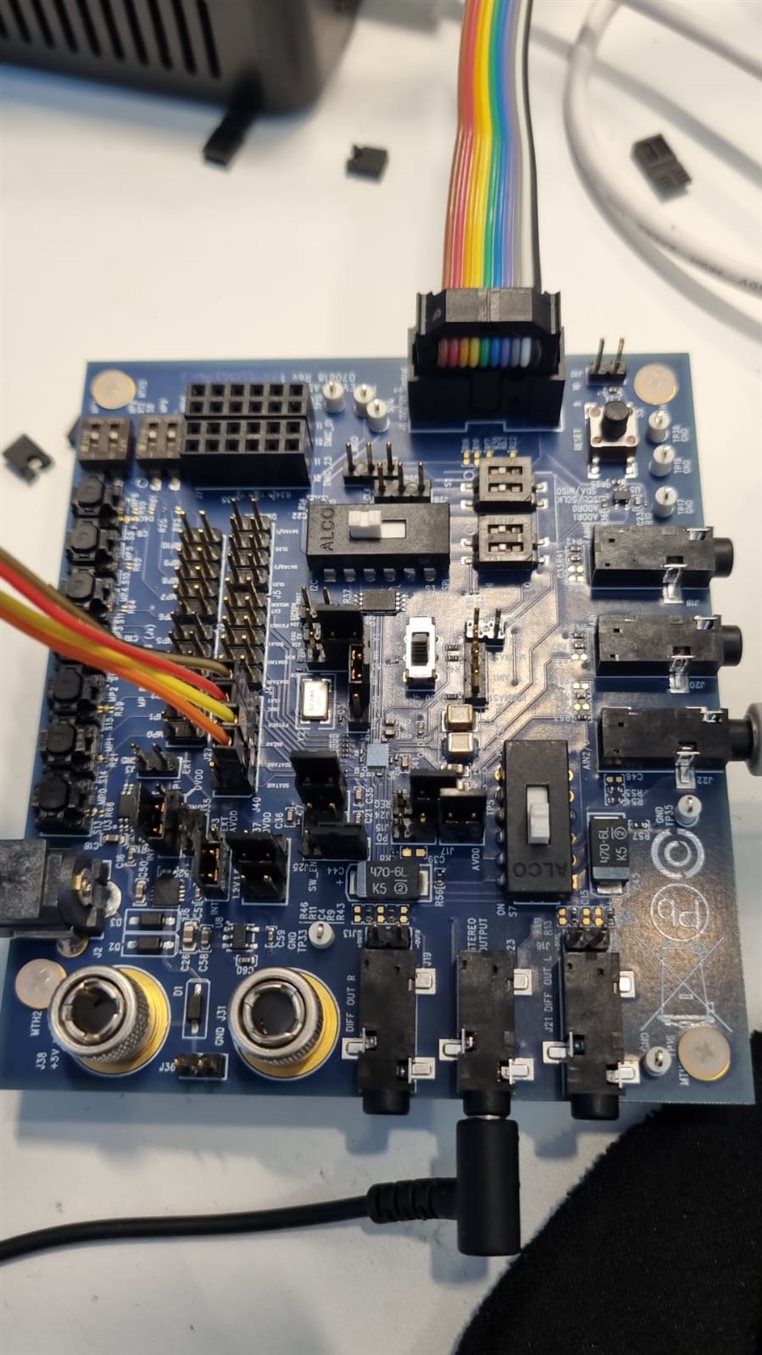
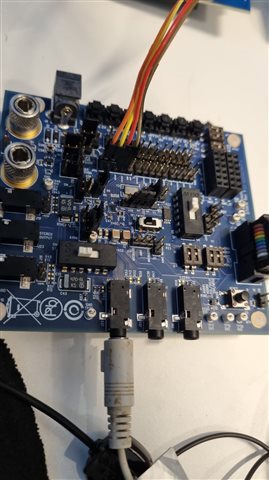
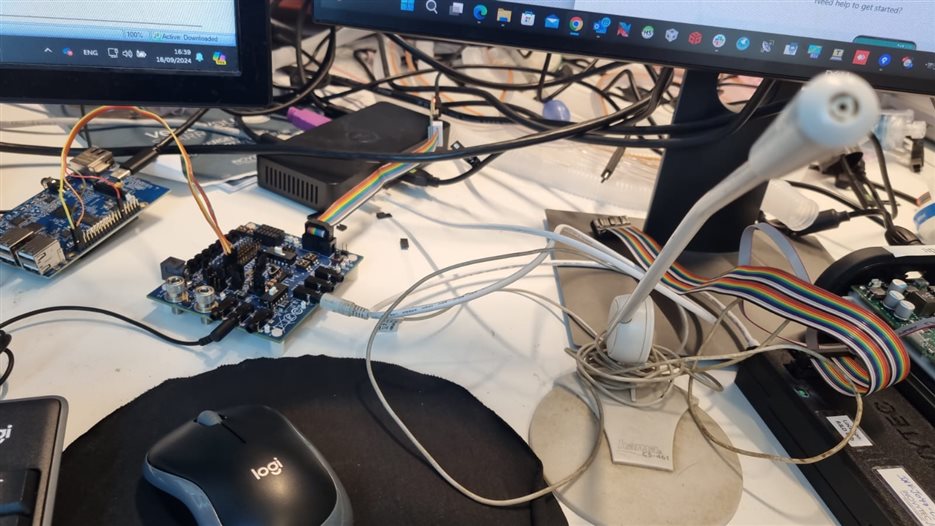
here are the pictures of my current setup:
As you can see the meter seems to see -96dB, speaking into the mic doesn't seem to have any effect.
I did notice that after compilation the value is around -50db, and it goes down to around -96 after pressing the reset button on the board, however speaking into the mic before or after the reset doesn't seem to change the values.
Since this part doesn't seem to work yet, I didn't see a point to go further yet.
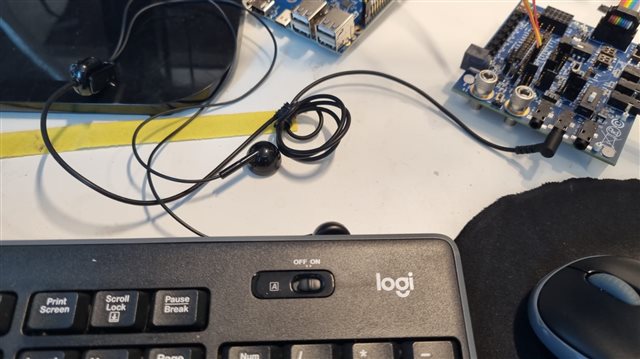
I'm attaching the other pictures i have of the board and the mic and the earphones.
do you see any reason for not seeing any change in the input flows?
Hello robiren,
Thanks for the pictures.
The microphone you are using is probably the issue. I am guessing it has a TRRS jack and requires power. Since there are different ways microphones in the market are wired and powered we do not have an input for an actual mic with a TRRS jack. Your computer does. Anyhow, you will have to build an adapter cable of some sort.
For now, take a standard 3.5mm TRS male to TRS male and plug it into the line output of your laptop. Then play a sound file from somewhere. Then see if you get audio through the board.
The line output of the laptop will be correctly wired for the AIN2/3 input on the eval board.
So all you need is a standard 3.5mm male to male cable.
See how that goes.
Dave T
Hi Dave,
I got me a TRS 3.5mm male to male cable, as you recommended, and presto i have sound!
So thank you very much for that.
Now, I need to move along to the next step of the process.
Since in reality the input will not come from a microphone or my laptop, but rather from an mcu board with an i2s output, I'd like to know how to configure sigma studio for such an input.
thanks in advance,
Roi
Hello robrien,
Great. Glad you got it working.
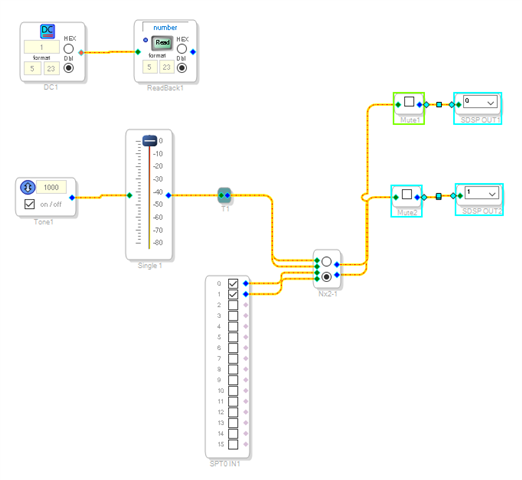
Here is a project that takes the audio from serial port 0.
Dave T
ADAU1787 - SDSP Osc and SPT In to Output 0 and 1.dspproj
Hi Dave,
Thanks for the project.
I'm still working on setting up the i2s on our device's side, but could you please explain a little more about the schematic of the project you sent?
Thanks,
Roi.
Hello robiren,
What do you want me to explain? It is about as simple of a project as I can get.
It sends audio to the two DAC outputs from the SigmaDSP outputs 0 and1.
The audio source has two choices with a switch. One is an oscillator to use for testing with a known good signal at a known level. The other is from serial port 0. The first two audio channels of the serial port.
Then I have my usual DC cell and Readback for testing Comms. If you have watched any of my videos on YouTube you will see I always include that so I can test if the comms are working correctly.
This is the entire project.
Dave T
Hi Dave,
I'm working on the same project Roi (roiben) was working on (we work at the same team). I used your file as a start and I was able to transmit the sound files via the serial port (I2S). However I'm still having some issues with the sound and I think it might have something to do with the configuration of the codec.
Some info before describing the problem:
1. I changed the SPT0_BCLK_SRC and the SPT0_LRCLK_SRC to "slave" since our device should work in "master mode" and initiate the transmission.
2. We are only using 3 lines for the I2Scommunication: Bclk (SCK), Data (SD), and LR clock (WS). We are not connecting MCLK line.
The issue I've encountered is that The Right channel of sound is very noisy and hardly resembles the actual audio file. On the other channel (Left) sound is played correctly but still a little noisy.
I'm attaching my project file. I will greatly appreciate your assistance.
Thanks.
Einat
ADAU1787 - SDSP Osc and SPT In to Output 0 and 1-Slave.dspproj
Hello Einat,
This part is very flexible and has a ton of features but this makes it rather complicated to use at times.
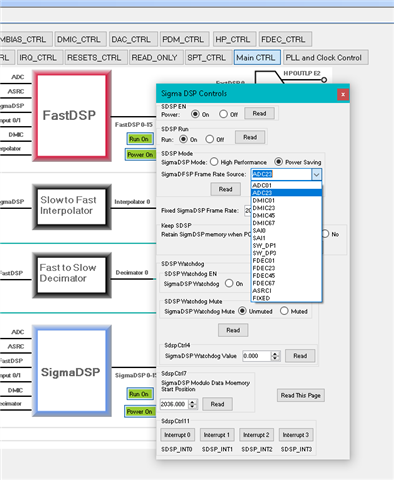
I just finished responding to a post for the 1761 with a similar issue. The sample rate of the SigmaDSP core is not running at the rate of the serial input port because they are not both operating off of the same master clock. So you can change the DSP core to run at the serial port rate. Here is where you do it. I clocked on the blue square "SigmaDSP" to get this menu.
So you can have the core run at the serial port rate. However, if I read between the lines you will need to also use the ADCs and the DACs. You have to have everything synced to the same clocks. If everything is coming in on the serial port and just going to the DAC then you will run into that problem. You can solve all of this if there is a master clock associated with the serial port source. Then send that into the 1787 as its master clock and you should be good.
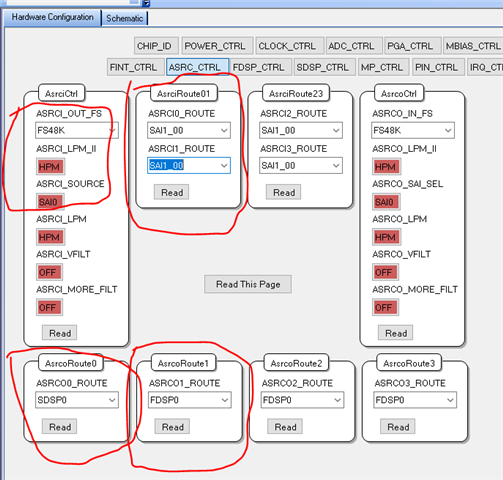
But, if it is not available then the easiest way is to just use the sample rate converter between the serial input port and the DSP core. Let the core run at the same internal rate as the DAC is using.
There is a lot to setup.
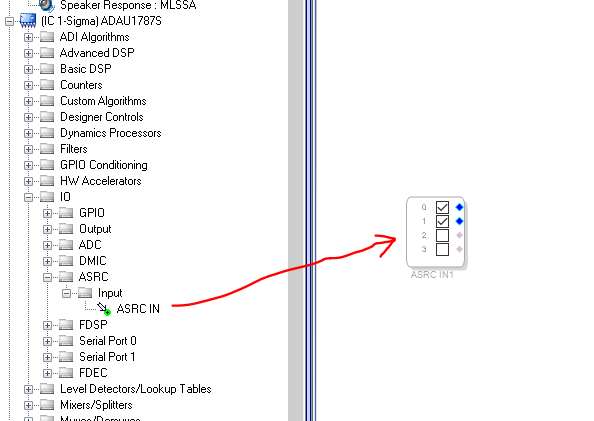
Set up the ASRC to capture the correct serial port and use the first two ASRC.s There are four channels of ASRC.
Then you have to pick up the data in the core with this block:
You can see the four channels. 0,1,2,3
If you are always operating using the serial port signals then you might want to consider using the master clock from the USB. But, if the USB goes away then the part will be a brick and do nothing. If you have a system controller you could recover by having a switch and a crystal and switch it over to the crystal. It gets complicated...
Many of these questions goes to your product definition and how you want it to function. I do not know enough to make these decisions.
Dave T
Hi Dave,
Thank you very much your reply solved my problem. I used the ASRC and the noises disappeared.
I'm now trying to export the configuration from the SigmaStudio and having some problems understanding how to use the files exported.
In our product, the ADAU1787 is connected via I2C and should be configured from there at startup.
As I understand, I need to write the *.Hex file generated to the ADAU1787 via the I2C port. However, the *.HEX file generated contains only zeros. What am I missing? can you direct me to some more information regarding how to use the exported files from SigmaStudio?
Thanks,
Einat
Please log in to reply.