Using ASRC and not getting audio output from analogue connector
Hi there,
Sorry, I've browsed a couple of other solutions for "similar" problems to mine, but I can't seem to put my finger on why my system isn't working. I put together a test project (attached) to try and understand how to properly use ASRCs in the EVAL-ADAU1452 board, and whilst I see decent metering and control of sources on the incoming TDM8 bus, I can't seem to then get audio from ASRC -> DSP -> Serial Output 0 (headphone output on eval board). In my file I have a little white noise source that I switch to the output for validation and I get audio as expected. So why am I getting silence when I select my ASRC0 source? Thanks for your assistance.Dante_TDM8_Input_Test.dspproj
Audio Signal Processors
adau1452
hardware
adau1452 sigmastudio
asrc tdm
SigmaDSP Audio Processors
Show More
Hello,
I tried your project and brought in a TDM8 via serial input port 2 (slave), Incoming TDM8 has 2 audio channels and 6 sine tones from another Eval board. I route first 4 channels thru ASRC to the core, you can see in the schematic, and it seems fine.
Now coming to your problem, I can see a few things there.
1) You have set the DAC as well as the serial output port 0 as slave. So, there are no clocks here between these two parts, hence you didn't get anything.
2) You have set the DAC in stereo mode and your serial port 0 is set for TDM8.
I just did one change in your project to make it work (to hear output at OUT1), I set the serial out port 0 as master and in stereo mode.
I assume you want your DAC in stereo mode, if you want any specific configuration then let me know.
Here is the updated project. Dante_TDM8_Input_Test_upd.dspproj
I have just corrected your project just to work; I have no idea what your entire requirement is with programming codec etc. So, explain a little about your requirement if you need further assistance.
Regards,
Harish


Hmmmm, just silence when I run this. I can see the signals metering fine, and tracking external volume control. but just not getting audio out...
I cleaned up my original file to focus on a simplified case. All I want to do is listen to the output of the ASRC0 source to confirm the ASRC is working and I can get my asynchronous source into the DSP for manipulation. Really just verifying through listening to the DAC output.
Dante_TDM8_Input_Test v2.dspproj
Thank you!
Hello,
Your project does work for me without any modification done. All I did was changing the source in the router, so your project works fine.
If you can see the signal in the core (using meters), then have a look if the DAC registers are properly configured. If possible, probe the serial out port 0 and see if signals are going out.
I have no problem running your project, so have a close look at what's happening in your end.
Regards,
Harish
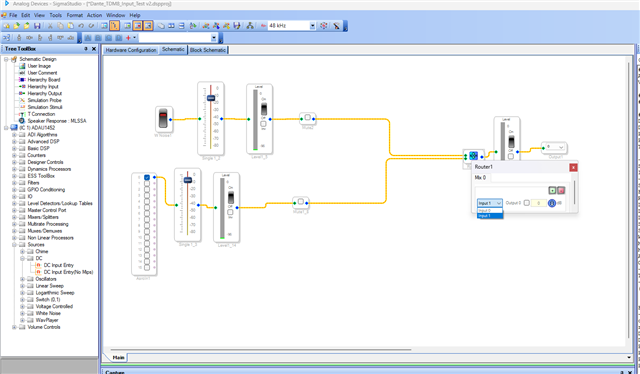
That is very strange.... In my project I have the DAC registers exposed (since I have modified my eval board to have control over the Codec), do you think my settings for the codec are correct in the file I sent you? I'll see if I can probe the serial port. Thank you!
Hello MDThommo81,
So which exact eval board do you have? Feel free to take a picture. What modification did you do? Is it the one I detailed in the user guide that connects the USBi directly to the codec?
Dave T
Hi David,
I have the EVAL-ADAU1452REVBZ, see attached images. Yes, I made the mods as per your guide in the manual.
Thanks. Mark.
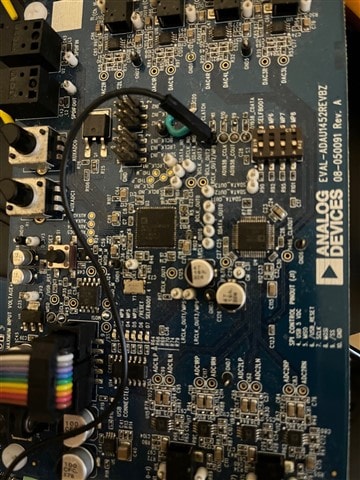
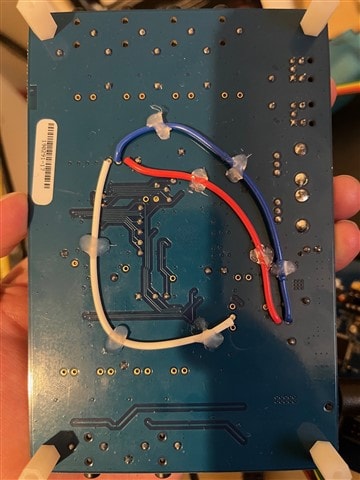
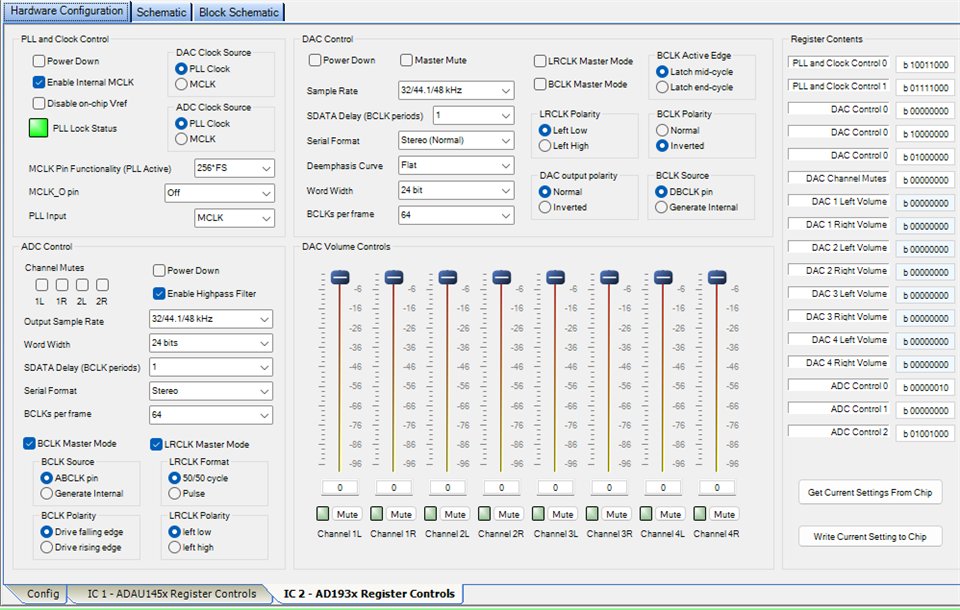
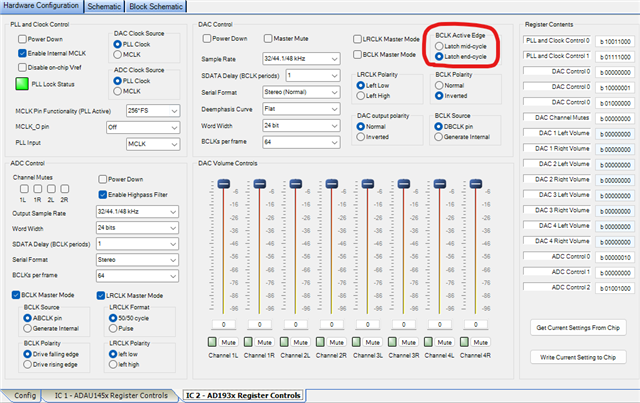
In reading my own post to you just now, something looked off... I changed my codec setting BCLK Active Edge back to "Latch end-cycle" as per following image, and now it all works fine. So thank you Harishgowtham and DaveThib !
Can I ask. Is there a whitepaper, or some publication/video, that explains all of these different settings you can apply? I mean, I randomly click through them until something works (normally). Understanding what they all actually mean and how they impact the signal tx/rx process would be great, and result in less requests for support from you guys! But, until then, I'm happy to learn through doing, and failing a few times...
Please log in to reply.