pink noise generator
Hi Sir
I can't find Pink Noise Generator in Sigma Studio Plus.
Would you help me to use Pink Noise Generator on Sigma Studio Plus?
thanks
Audio Signal Processors
software
adau1467
SigmaDSP Audio Processors
sigma studio plus 2.3.0.3
Hello gine,
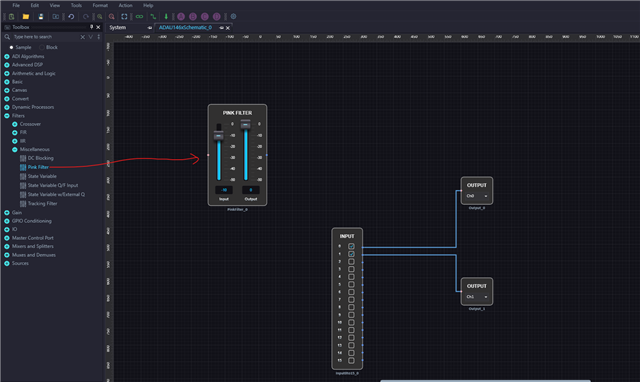
Below is where you can find pink filter.
Regards,
Harish
Hi
Harish
thanks you very much for quick reply!
Hi Harish
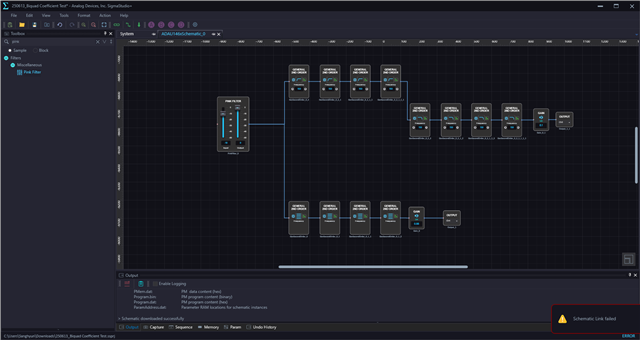
with Pink filter, error occured " Schematic :Link failed.
pleaes help
Hello gine,
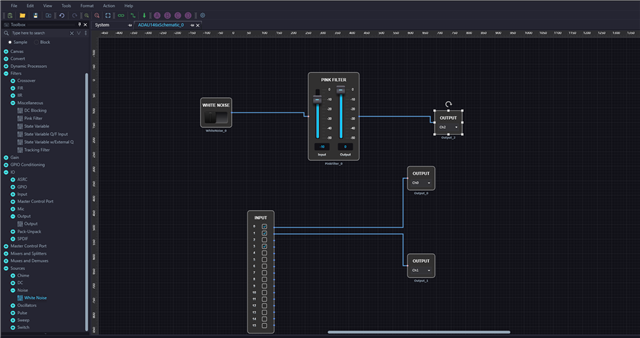
You will have to feed an input to this block to get it compiled. Any block's input pin shouldn't be left unconnected, otherwise you will get an error.
Regards,
Harish
Hi Harish
thank you so much.
I have one more question.
I am trying 2nd order filter using IIR coefficient.
General 2nd order filter(IIR coefficeint) works well as high pass filter.
but, it is not working as lowpass filter.
Low pass filter coeffient for 95hz Butterworth 2nd, is
0.0000383227647783784
0.0000766455295567569
0.0000383227647783784
1.98241403570329
-0.982567326762402
but when I put it,
filter doen't work as low pass filter.
would you help?
Hello gine,
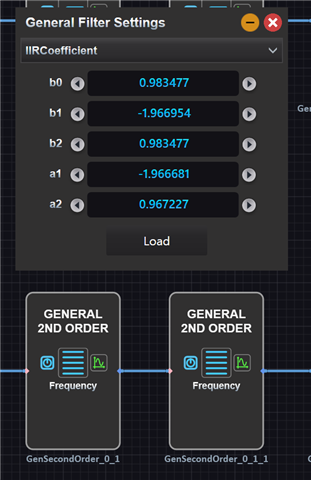
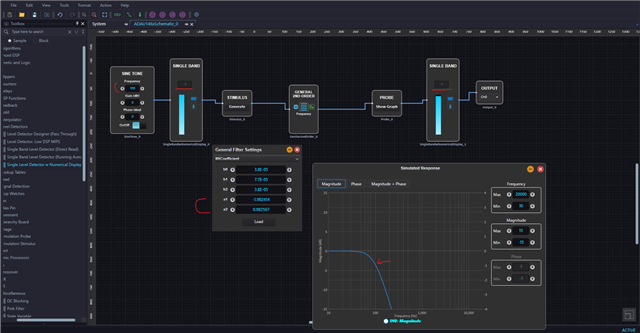
It works as expected LPF for me. I used the attached coefficients and entered, make sure that you entered the signs of A1 and A2 coefficients correctly like below.
You can see, I'm feeding a 100Hz signal to the filter and the filter curve is at -3dB at 100Hz. since the meter shows RMS level, it's oscillating between -6dB and -7dB. which is an expected result.
Regards,
Harish
Hi Harish
will test it on Monday and get back to you.
thank you very much!
Hi Harish
biquad coeffient works well with the general filter. thanks
but I found something wrong.
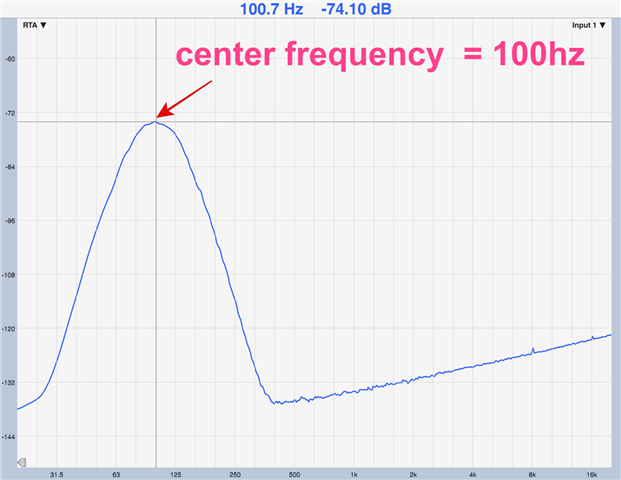
in this file, highpass frequency is 90hz, Lowpass filter is 110hz,
so, center frequency is 100hz.
bandpass test.ssprj
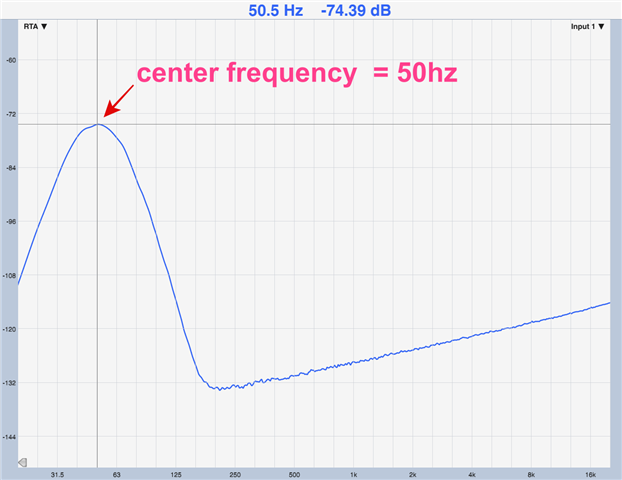
but I measure audio output,
it shows center frequency is 50hz (half of filter design center frequency).
it is because of normalization?
How can I fix it?
(same design with sigma studio 4.7, it works Normal)
thanks
Hello gine,
It can be due to mismatches in the sample rate. The sigma studio sample rate and DSP sample rate (start pulse register) must be the same.
Your sigma studio sample rate is at 48KHz, and your start pulse register is set for Base_fs of CG1 and CG1's ratio N/M=1/6. This setting will produce 48KHz, only if your MCLK_IN is 24.576MHz, because I can see that your clock divider is set for '8'.
If your MCLK_IN is 12.288MHz and the divider value is '8' then the calculation will be wrong. CG1 will only produce 24KHz which will effectively be the DSP sample rate. You can see the mismatch here; this will cause the filter curve to be at wrong place.
For 12.288MHz MCLK, you have to set the divider value as '4' to get 48KHz clock as CG1's output (CG1 x 1 output).
For 24.576MHz MCLK, you have to set the divider value as '8' to get 48KHz clock as CG1's output (CG1 x 1 output).
For both cases, feedback divider should be '96' and CG1's N/M = 1/6 which is correctly set in your project.
Please check if the MCLK input and divider values are correct in your project.
Regards,
Harish
hi Harish
thank you so much!
Please log in to reply.