Using MP16 as SDATAIO input pin
Hi,
I have a custom PCB that uses 3x AD1939, connected into an ADAU1467 via the serial data pins. I have all inputs using the dedicated SDATA_INx working correctly in I2s operation, however I'm struggling to work out the sigma studio configuration to enable SDATAIO/MP16 as another I2S serial input port.
I think I have worked out the sigma studio mapping correctly, but I can't seem to get this input working. I'm not sure if there is a schematic issue, or if I am configuring the input incorrectly?
I've included my sigma studio file also. I am routing the inputs 4 and 5 to outputs 16 and 17 (these work as expected when driven from a tone source.
If you could have a look at the screenshots and file attached and let me know what you think, that'd be much appreciated! Thanks!
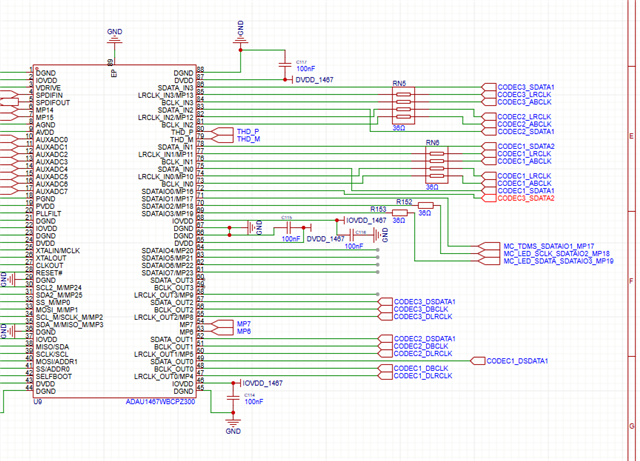
ADAU1467 Schematic snippet
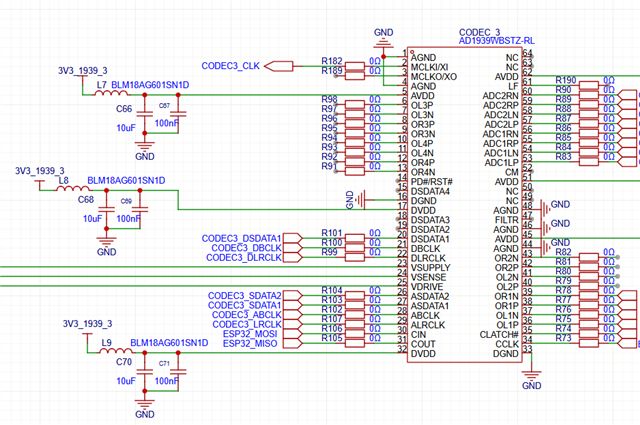
AD1939 Schematic Snippet
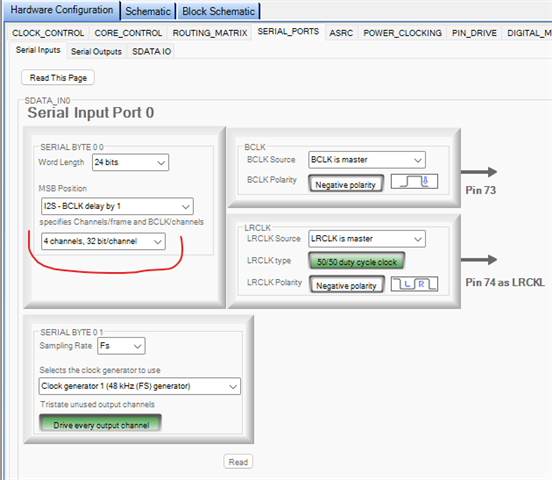
Hardware configuration tab, enabling 4 serial inputs to SDATAIN_0
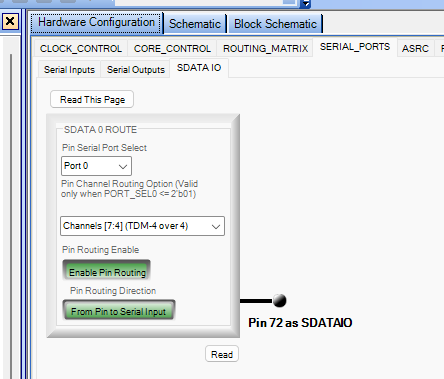
SDATA IO tab
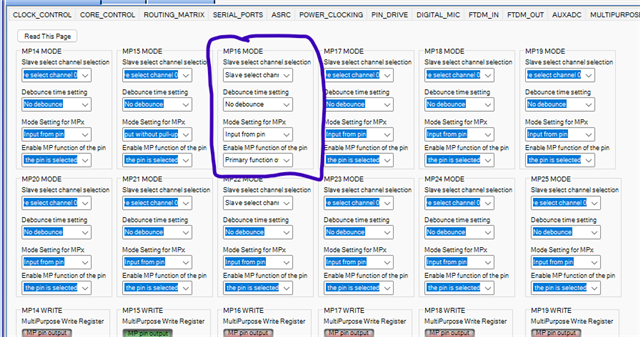
Multipurpose pin configuration of MP16
.
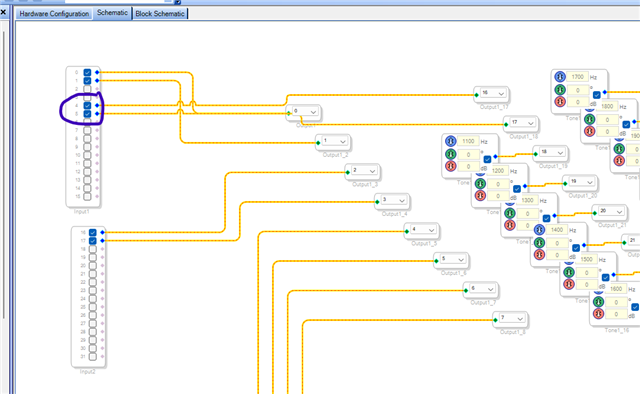
Input Pins 4 & 5 routed to outputs 16, 17 in sigma studio. These outputs work correctly when driven from a tone source, I am using these to debug the issue.
Sigma Studio Project:
ADAU1467_output1_TDM V001.dspproj
Audio Signal Processors
hardware
adau1467
Integrated/Special Purpose A/D Converters
SigmaDSP Audio Processors
Audio CODECs
Show More

Hello Epipe,
You almost configured everything correctly, but there is one register setting that you missed which will let you get going!
It was correctly set in the screenshot you attached above but the project isn't updated with that register.
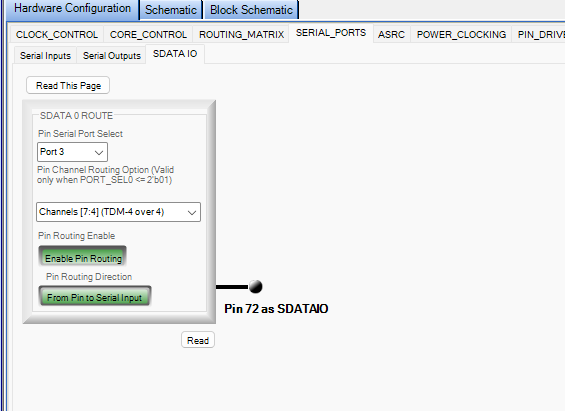
You will have to set the port as TDM4 for SDATAIOx inputs (it's a known little bug, but the output side is completely fine). Please set the port like below.
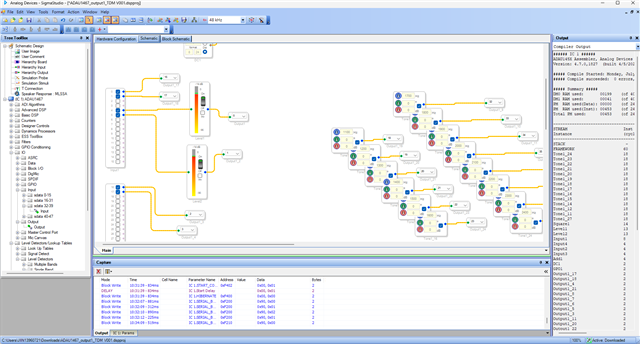
Once I have changed this setting in your project, it works completely fine. Please have a look at the below screenshot. (I changed the output channels to test in my eval board)
Please change this and try, feel free to reach out if you have any further questions.
Regards,
Harish
Thanks for getting back to me so quickly, I tried this before and it didn’t seem to work.
Have I got the LR and ABCLK wired to the correct inputs for MP16 in the first screenshot? Nets “CODEC3_LRCLK” and “CODEC3_ABCLK”. They are currently wired to pins 85 and 84 respectively. For the other codec inputs they are wired to more than one set of pins for the serial port?
Hello Epipe,
Sorry, I didn't have a decent look at your clocking before.
Now, you connected CODEC3 with input port 3 (BCLK, LRCLK, DATA1) and DATA2 pin of CODEC3 is connected to SDATAIO0 which is fine. But you are referring that pin to input port 0 in the schematic. The serial clock to the CODEC is sent from input port 3 (I2S clocks) and this pin is referenced to port 0 clocks (TDM4).
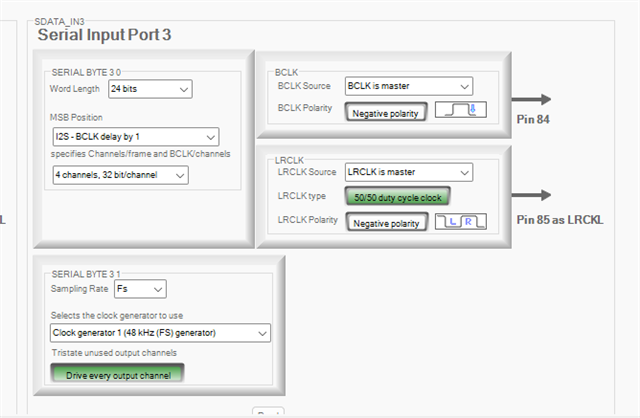
So, you will have to set input port 0 and input port 3 to be TDM4 then it will work fine but now it depends on two ports. I don't think you need to complicate things.
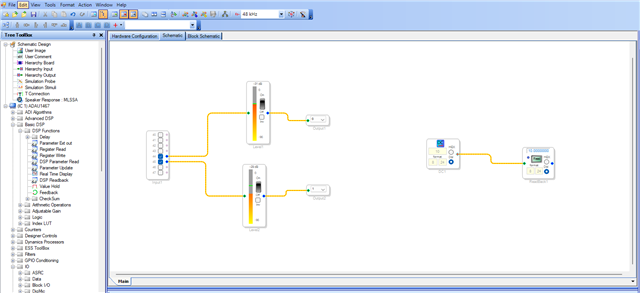
The easiest way will be referring the SDATAIO0 pin to input port 3 and set the serial input port 3 to be TDM4 and let the serial input port 0 to be on its own setting.
The below setting will work fine.
Regards,
Harish
Please log in to reply.