ADAU1466: Issues getting PLL Locked
Hi,
I have made a custom board using the ADAU1466 chip. But i am having a hardtime getting this working properly, the PLL wont lock for some reason. I am using a 24.576mhz TCXO Oscillator, verified on osciloscope it have correct output. From the datasheet specification it should work fine with this oscilator? Could it be some of my settings in sigmastudio maybe? I have communication with the chip. I have attached both schematic and sigma project file, anyone that could help?
The schematic also allows for MediaWorks ADAU1466 board to be attached instead of running chip directly on the board - and this works actually, but not preferable solution.
StianPDF5861.Design 1.dspproj
Audio Signal Processors
hardware
SigmaDSP Audio Processors
adau1466
Hello Stian,
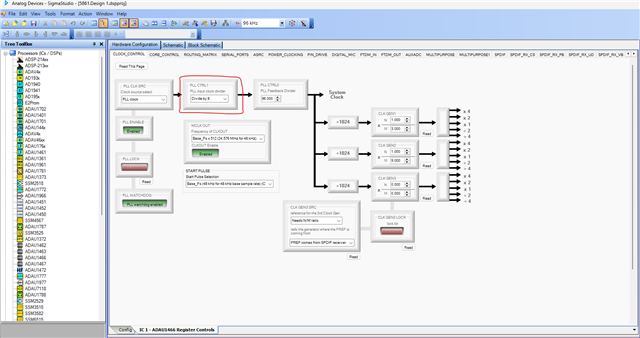
I have quickly noticed that your PLL CTRL1 register is set for divide by 4, but since your MCLKIN is 24.576MHz, you will have to change the 'PLL input clock divider (PLL CTRL1)' to divide by 8. This will be correct PLL register setting for 24.576MHz clock, please have a look at the correct setting below.
Kindly let us know if it works after the changes.
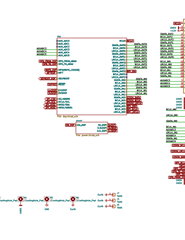
and every MCLK part in your schematic is crossed out, so where is the MCLK to the DSP coming from?
Regards,
Harish
Hi Harish,
Thanks for the reply. Not sure why, but probably i have not saved the file before i uploaded it, but i am using PLL CTRL1 with divide by 8 for this board actually, the ohterboard with mediaworks i use divide by 4.
The DSP gets its MCLK/XTALIN from X2 - maybe its not so greatly visible but they are connected through labels on the schematic.
Stian
Hello Stian,
If you are using SPI, then use SPI speed like 1MHz and don't go above that and also make sure that you are using SPI mode 3.
Try probing the CLKOUT pin and see if you are getting any clock output.
Do you have a USBi module, if you have then try programming directly from SS via USBi.
Regards,
Harish
Hello Stian,
Recently, I designed a custom board and encountered the same issue. I was able to communicate with the chip, but the project only worked when "PLL CLK SRC = Direct from MCLK pin" was selected — meaning it used the crystal frequency directly.
I tried many different configurations in SigmaStudio, but the PLL simply wouldn't lock.
Eventually, I discovered that the capacitors in the PLL filter were swapped. In your case, based on the symptoms you're describing, it's possible that capacitors C1 and C3 on your board might be reversed as well. I'd recommend checking their placement just to be sure.
Regards,
David
Hello Harish,
Correct, i am using SPI, and the speed is currently 1MHz and in SPI Mode 3. There is no output on CLKOUT pin.
I will try to attach the USBi module directly, as i have that option on the board.
Stian
Thanks, David, i will check if those capacitors are swapped, or even the resistor are incorrect - it is like you say highly likely that there is something wrong with the PLL filter.
Stian
Please log in to reply.