ADAU1452 script question
Hello Support Team Guys,
I used the following script to run unfortuantely. The schematic is empty. Would you please have a look if I have missed anything?
// #LANGUAGE# C#
sigmastudio.ProjectNew();
sigmastudio.ObjectInsert( "USBi" );
sigmastudio.ObjectInsert( "ADAU1452" );
sigmastudio.ObjectConnect( "USB Interface", 0, "IC 1", 0 );
sigmastudio.ObjectInsert( "Input" );
sigmastudio.ObjectInsert( "Output" );
sigmastudio.ObjectConnect( "Input1", 0, "Output1", 0 );
sigmastudio.ProjectLinkCompileDownload();
sigmastudio.ProjectSaveAs( @"D:\test\SampleScript2.dspproj" );
sigmastudio.ProjectClose();
Audio Signal Processors
adau1452
software
4.7
script
SigmaDSP Audio Processors
Show More

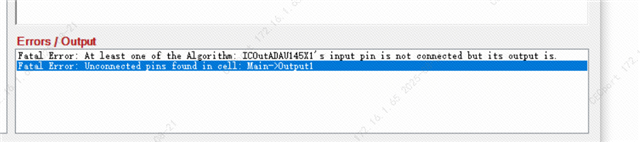
Hello,
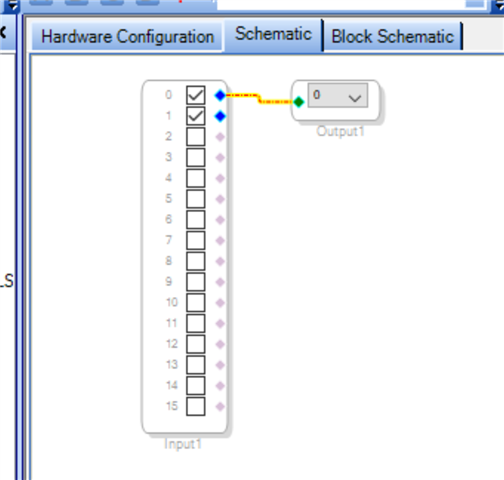
After you insert Input you need to assign the pins:
sigmastudio.ObjectInsert( "Input" );
sigmastudio.ObjectSetProperties("addAlgorithm","Input1","IC 1","ADAU145x Inputs 0-15");
Please log in to reply.