Compile error when using T Connection to drive pin 1 of multiple Tracking Filters
If I use a T Connection to drive pin 1 (Normalized Center Frequency) of more than one Tracking Filter I get a compile error e.g. "error (8,Filter 1R): A variable named 'Link31' is already defined in this scope (784,0)"
Am I doing something wrong, or is there a reason why I can't drive two Tracking Filters from the same T Connection?
(I wouldn't need to do this if there was a stereo version of the Tracking Filter but I can't find one. I have worked around the problem by using a Splitter in place of the T Connection, but that is a waste of cycles etc).
Thanks in advance
software
sigmaStudio 4.7
Tracking Filter
Hello GrahamL,
It would be really great if you could attach your project. It saves our time in assuming which DSP and which module you are exactly talking about. we have so many DSPs and a lot of blocks, it's very difficult for us to simulate your issue unless we know these details.
Please attach your project, we are happy to have a look.
Regards,
Harish
dacdsp-digital-filter-slave-96 bug.dspproj
Hello GrahamL,
Thanks for attaching your project.
It does seem like a bug in the code. I have tried a few ways, but it doesn't let a way to work around it. So, your choice of using a splitter is a good choice for now.
It only happens with the tracking filter alone. I will see if I can find any way around it.
SS+ seems fine and this issue only exists with SS versions.
Regards,
Harish
Hello GrahamL,
There seems to be a workaround but it's partial.
By adding a readback cell in-between makes us compile the project, but readback also consumes few cycles.
Your original concern was wasted cycles by using a splitter. The splitter (no slew) consumes 6 cycles but gives you gain adjusting options, whereas the readback cell consumes 3 cycles and it displays the current value in the flow which can be used for debugging.
So, you can make use of any one of it, based on your needs.
Regards,
Harish
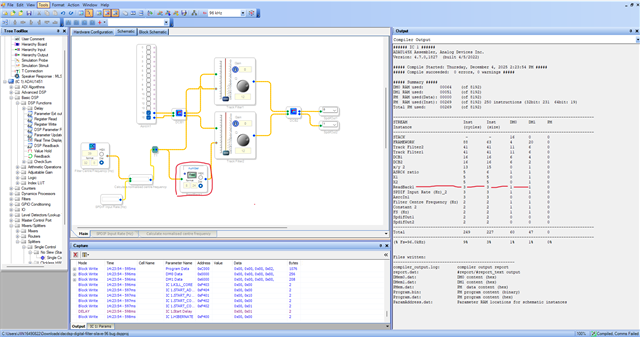
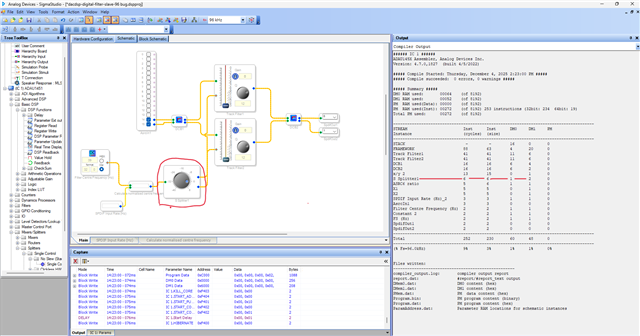
Hello Harish
Thank you for confirming that there does appear to be a bug in the code and it is not just me.
Thank you also for your suggested alternative work-around. In some respects I prefer your alternative as it doesn't introduce a spurious gain control. That said, your solution doesn't scale as well as the splitter option when adding outputs - your option consumes 3 cycles per additional output whereas the splitter option only consumes 1.
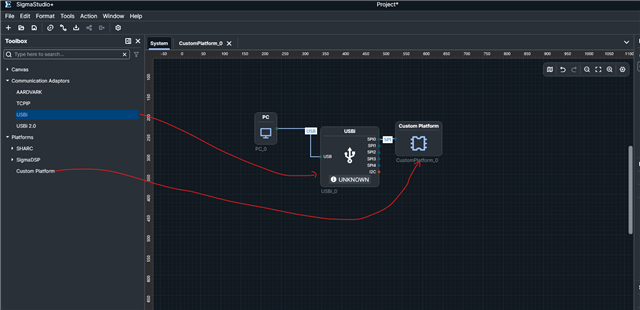
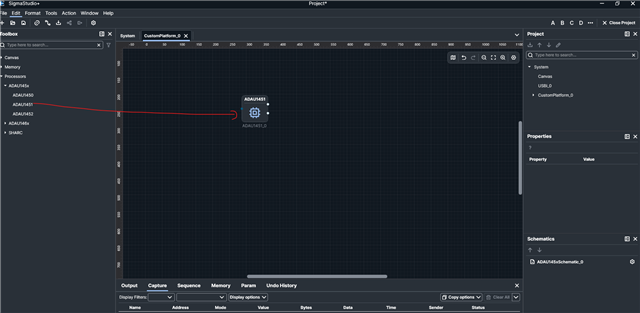
I note that in your earlier message you say that this problem appears to only exist in SS and not SS+. Other than the fact that I am used to using SS, is there any reason why I could not use SS+ instead of SS?
Thanks
Graham
Hello Graham,
There are no particular reasons for you not to use SS+ except the fact that we (many old customers) all are used to using SS and its GUI and if you are using any SigmaDSP family other than sigma300/350 (ADAU145X/ADAU146X), then your only option is SS. Because SS+ only supports Sigma300/350 cores.
So, Sigma100 (1701,1401 etc) and Sigma200 (1761,1787 etc) customers are with SS.
SS+ is really improving day by day and many bugs have been fixed and features are added, so you can definitely try SS+ latest version 2.4.0. Since you are using Sigma300 core. SS+ team is working hard to make it better.
There are a few bugs that have been reported recently and if your application doesn't fall into those areas then you can surely try it. Those bugs will be fixed in the next revision. Just search the forum with 'SS+ bugs' you will find some posts related to the bugs and if you are fine with that, then try SS+.
It's basically your convenience, if you are comfortable with SS then go ahead with that workaround, if you want to try SS+ then feel free to give it a try.
Regards,
Harish
Please log in to reply.