source selection using adc potentiometer
Hi,
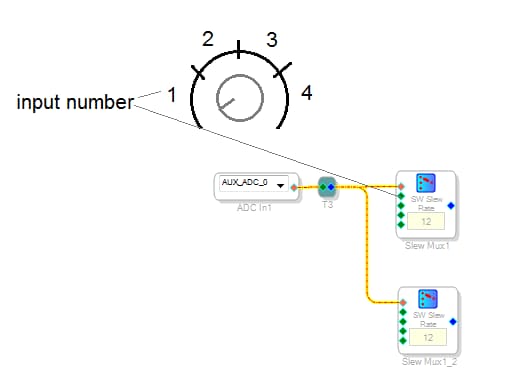
Is there a way to select one of several inputs using an analog potentiometer connected to the auxiliary ADC on the adau1701?
Just like in the attached image.
Thanks for your reply. Regards.
Audio Signal Processors
software
SigmaDSP Audio Processors
Hello Kuba-s,
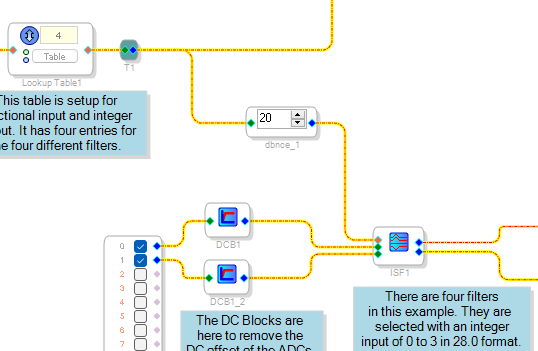
I have this example project which is selecting an index selectable filter but you can use the same process to select an input MUX.
Dave T
1261.ADAU1701 AUXADC Index Selectable Filter.dspproj
Thank you very much. The program is very clearly described.
If I understand correctly, the value supplied directly from the auxiliary ADC input is 0...1 in 5.23 format.
I have one more question. Will this circuit be resistant to transients at the edge of the ranges?
Maybe I need to implement hysteresis?
Hello Kuba-s,
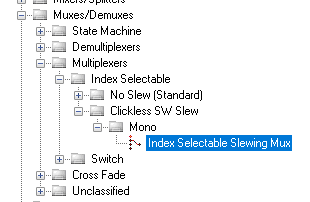
If you use a MUX with Slew, then you are covered. It will start to change then change back.
It can get really complicated if you try to setup windows and hysteresis. Yes, there is a lot you can do but perhaps a better effort would be to come up with a mechanical solution with detents or something to prevent people from leaving the pot right on the edge between two settings?
A rotary switch with different resistors would be great but cost more.
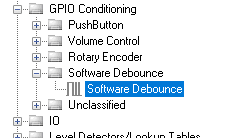
We do have a Software Debounce block that might be helpful if you have enough available instructions.
Dave T
Cześć DaveT,
używam płytki Wondom JAB4 i nie mogę jej zbytnio modyfikować.
Gdybym miał projektować sprzęt od podstaw, zdecydowanie zrobiłbym to inaczej.
Mam jeszcze jedno pytanie, ponieważ przetestowałem Twój układ w praktyce i niestety nie działa. Jestem pewien, że dane z potencjometru są wprowadzane, ponieważ kiedy używam go z blokiem regulacji głośności, wszystko działa.
Symulacja pokazana na poniższym obrazku również nie działa. Brak sygnału. Ciekawe dlaczego?
(Sigmastudio v4.6)
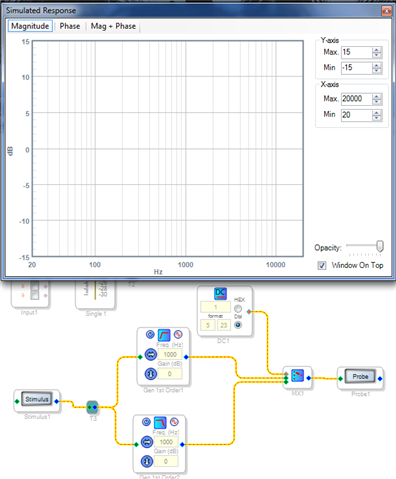
What you showed in the examples above doesn't work. The switches must have an input format of 28.0.
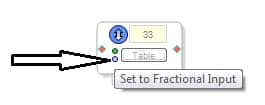
There's a problem with the table; I don't know how they work.
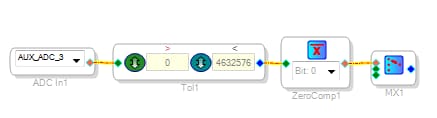
However, I came up with another way to create a double-pole switch (because that's all I need for now).
I've attached a working example below.
Hello all,
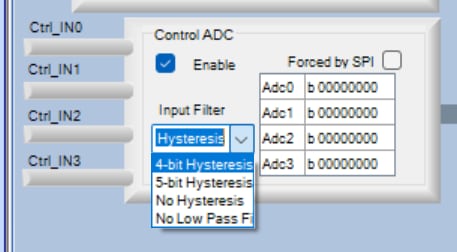
The -1701's Auxiliary ADCs include built-in hysteresis which helps prevent undesired changes in what they control. Four-bit hysteresis plus a low-pass filter is standard; you can select three other options with register settings in the Register Settings window:
The Aux ADCs are covered on Page 45 of the
ADAU1701 Data Sheet. There may be some confusion as to the labeling of these settings -- see this link:
ADAU1701 Aux ADC Hysteresis Settings
Hi everyone,
I now understand the problem with the table. This block has two tiny buttons that select the input and output data formats. They need to be set correctly. The ADC input format is fractional, and the output format is integer.
Anyway, as Dave wrote, this solution limits us to 16 possibilities. The 5.23 format allows for 16 integers.
Is there a simple and elegant way to convert a 5.23 format number from 0.01 to 0.99 to a 28.0 format number from 0 to 100? Incrementing by 1.
Hi Kuba-s
Try on a paper to do a few numbers binary in both formats 0.01, 0.02, 0.03 then it will become clear to you ;-)
All the best
John
Thanks. Good way to learn.
If I'm not mistaken, it will look like this:
Actually, the range isn't 0..100, but up to 128, but that's okay.
In that case, I need to zero out the 16 lowest bits and shift 16 bits to the right.
Is there such an option in sigmastudio?
I heard that the divide function doesn't work very efficiently in adau1701.
Sorry for such basic questions.
edit:
It seems I can use multiplication by the reciprocal. Instead of dividing by 2^16 = 65536, multiply by 1 / 65536 = 0.0000152588, which is 128 in 28.0 format. I wonder if that will work. I'll check when I have access to the hardware. :-)
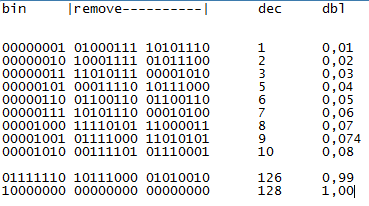
In theory, it works, but in practice, I get this:
Why is the resolution so low, when the ADC input itself offers much higher accuracy?
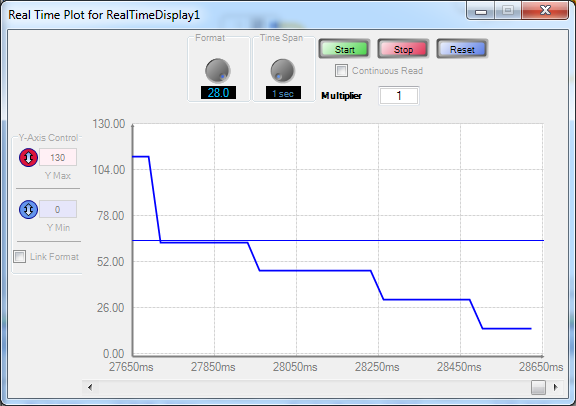
SigmaStudio's Real Time Display gets its data from the DSP's Readback register. Unfortunately, the -1701 Readback register truncates its lowest four bits. This causes the plot's low resolution.
Best regards,
Bob
Okay, thanks for the reply.
Indeed, the device works in a real circuit.
It seems that to convert a 5.23 format number, simply multiply it by 1 for the 28.0 format, or a multiple thereof if you want to multiply it.
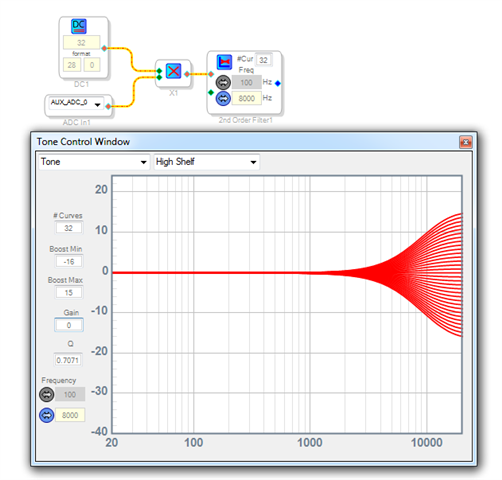
In my example, I used a potentiometer to adjust the tone. It works.
Please log in to reply.