ADAU1466 DSP code evaluation possibilities in 'ADAU1452 processor' based Hardware
Need to confirm, possibilities of evaluating the ADAU1466 complied code in ADAU1452 processor-based Hardware.
Considering the ADAU1466 processor has more program memory and data/parameter RAM memory when compared to ADAU1452.
1) If the Memory on the ADAU1466 exceeded the ADAU1452’s memory mapping, we understand memory error could be observed and code executed not properly.
2) Even if the memory consumption in ADAU1466 is within the available memory of ADAU1452, we understand address locations may differ based on Memory paging concept. Hence, we understand ADAU1466 build binary, while loading to a ADAU1452 will write to incorrect addresses, memory conflict may occur. Feedback in this will be supportive.
Audio Signal Processors
software
sigma studio 4.7
processors and dsp
SigmaDSP Audio Processors
Processors and Microcontrollers
Show More
Hello KS2021,
So based on your post I take it you have an ADAU1466 in the SigmaStudio project and on the hardware you have installed an ADAU1452 is that correct?
KS2021 said:
1) If the Memory on the ADAU1466 exceeded the ADAU1452’s memory mapping, we understand memory error could be observed and code executed not properly.
Yes, there is no upper memory in the ADAU1452. There is not even a register for the memory page. So SigmaStudio will try to load stuff into the upper memory but it will not work. No error message just nothing happens. So then the program will try to write or read from a memory address that does not exist. So again, nothing will happen. I assume you will read zeros or 0xFF but nothing will write to memory that does not exist.
I know that sometimes we develop parts and then close off parts of the silicon die so make different variants. In this case the ADAU1452 family was designed and then we had several large customers ask for more memory and pins for serial ports and to be able to split off the master comms port so we developed the ADAU1467 well after the ADAU1452 was released. We tried to make them somewhat compatible but if you try to use memory that simply is not there you get nothing.
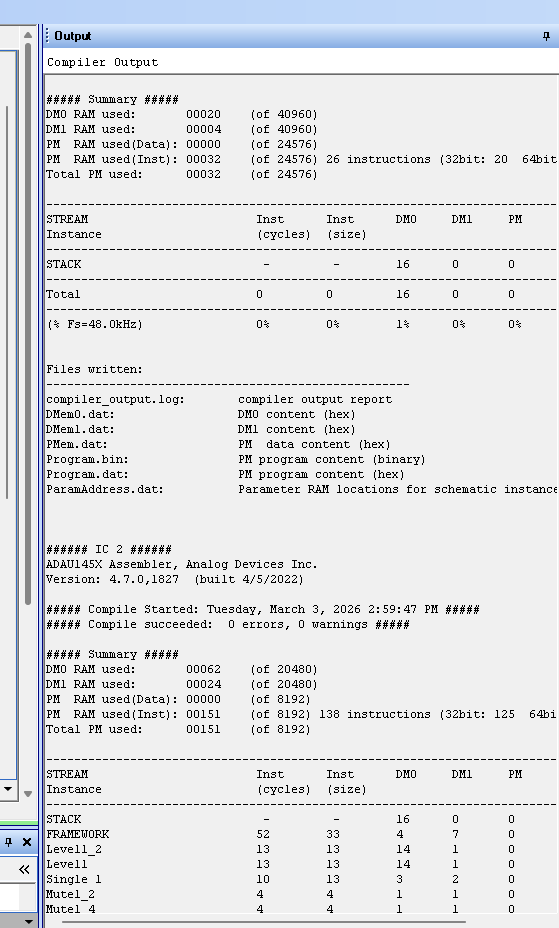
I wish the SigmaStudio Output report window would report which parameters were on the upper page and which were on the lower page but it does not. You have to dig deeper to find that info. The compiler will generally use the lower pages until they are full so seeing the size of the usage is a clue.
KS2021 said:
2) Even if the memory consumption in ADAU1466 is within the available memory of ADAU1452, we understand address locations may differ based on Memory paging concept. Hence, we understand ADAU1466 build binary, while loading to a ADAU1452 will write to incorrect addresses, memory conflict may occur. Feedback in this will be supportive.
I sort of mentioned this above. The compiler does tend to use the lower pages of DM0 and DM1 first but I do not know the compiler programming well enough to know 100% that it will not use the upper page. It is a risk.
I suggest you drop in an ADAU1452 into your project then convert everything over to using that DSP and then delete the other.
I wish I had a video of this on my YouTube channel but I do not. I just made a note on my video wish list...
OK, let me see if I can quickly explain this...
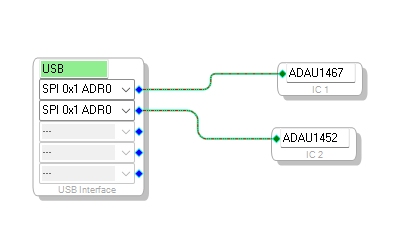
On the Config page just drag out an ADAU1452 out of the toolbox and connect it up. It will most likely be assigned IC2 as a number.
There are a few little hassles to deal with. The first is that all the input and output cells need to be deleted from the project.
Here is the project I started with:
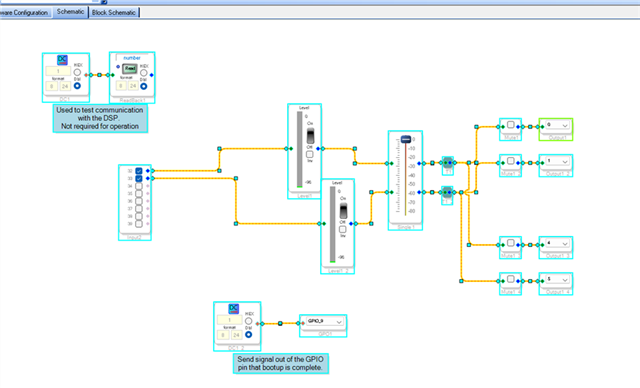
Here is where I deleted the IO blocks.
Then switch to the schematic page and hit CTRL-A to select the entire project.
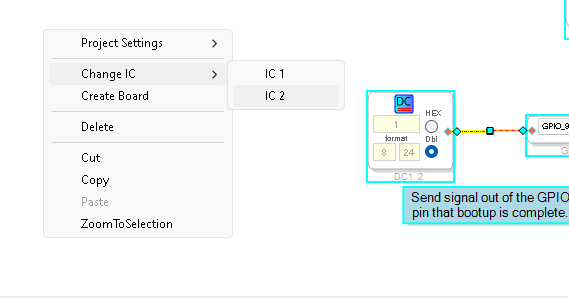
Then right click on an open spot on the page and select "Change IC" and select IC2
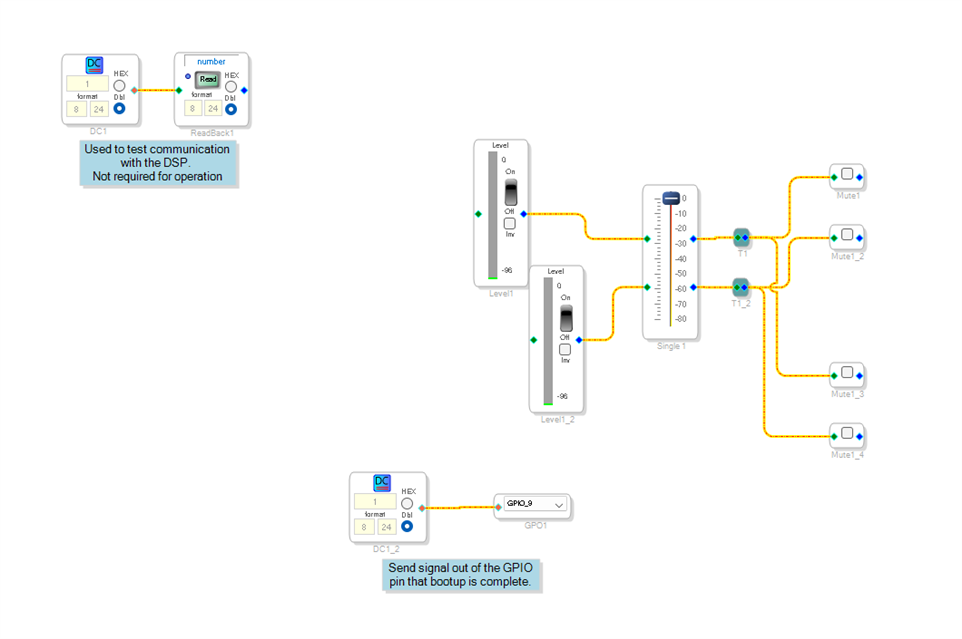
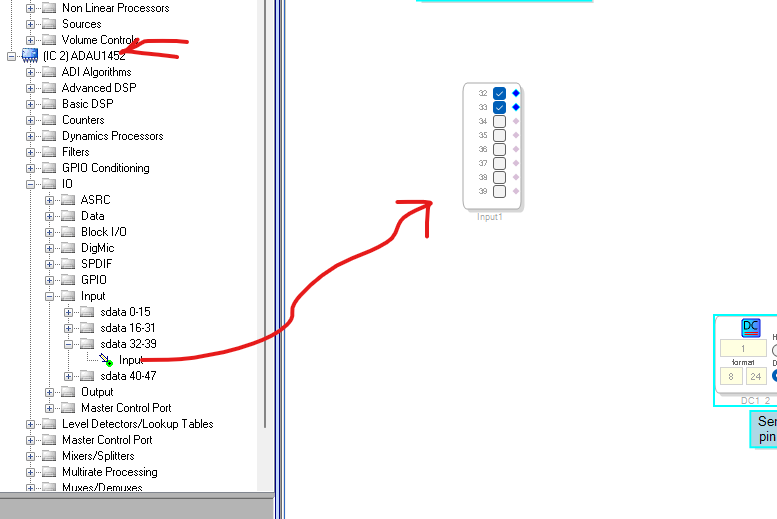
Then in the ToolBox you will see the two DSPs listed. Go to the ADAU1452 and pull in the input block you need and the outputs. I am only showing the input on this screenshot.
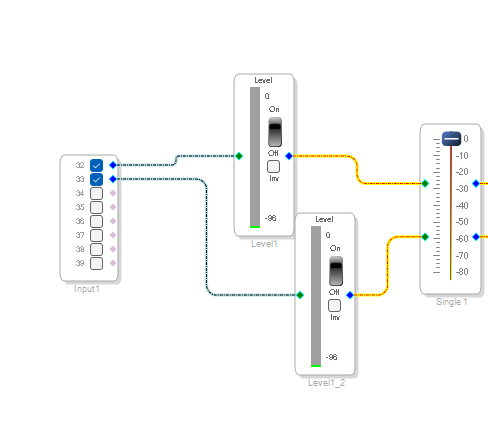
Then make the connections. By the way, the wire colors will be different and there is a small bug because when you changed the IC earlier, all of the wires should have changed colors but not a big deal.
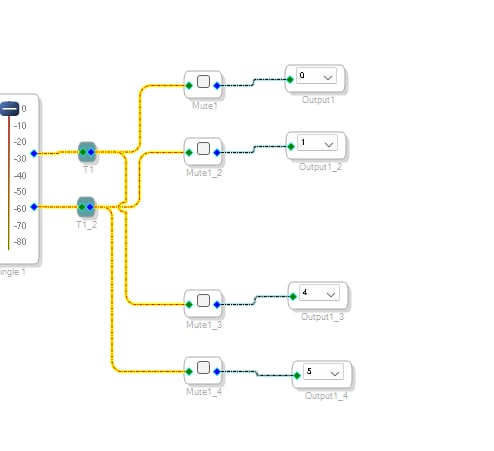
Here are the outputs:
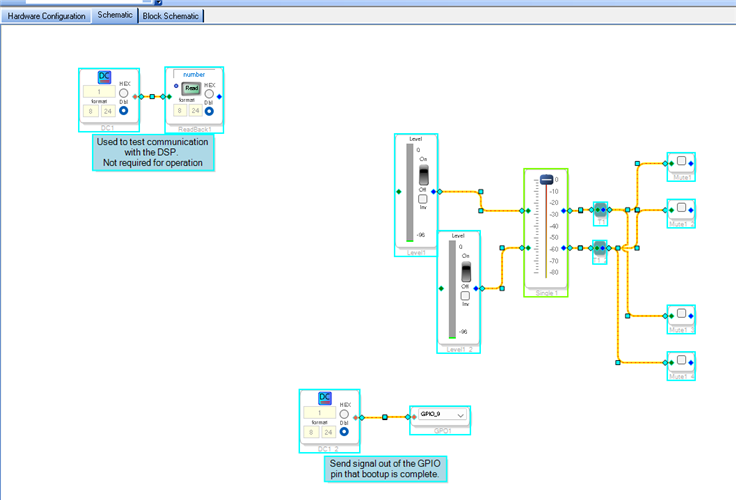
Then I compiled the project and you will see the two DSP cores listed and no usage of the 1467 and only the 1452.
Then you can delete IC1 from the project.
You will also must likely have to go through the register settings to set the TDM modes and MP pins and other non-default settings you may need. Because, when you drag in the new DSP it just uses default register values.
So this is a bit of work but it saves you totally recreating the project from scratch.
I would save the old project of course. Do a Save-As and use that file for this work.
Dave T
DaveThib said:
right click on an open spot on the page and select "Change IC" and select IC2
Thanks for spelling out the process to: add the new processor, remove I/O, select all with Ctrl-A, and then right click to change the IC. This will save me a lot of time as I switch between the EVAL_ADAU1452REVBZ and my own ADAU1463 board.
Hello SoundConsulting,
If you develop the code on the ADAU1452REVBZ board, then you do not need to change a thing to run it on the ADAU1463 board. It will load and run fine. You just will not have access to the extra memory in the 1463.
Dave T
DaveThib said:
If you develop the code on the ADAU1452REVBZ board, then you do not need to change a thing to run it on the ADAU1463 board. It will load and run fine. You just will not have access to the extra memory in the 1463.
Good point.
In my case, I'm using the extra I2C pins on the ADAU1463, so I assumed that I needed to change the 'schematic' so I would have access to the additional settings.
Yes, you will need to use the 1463 from the library if you want to use advanced functions that were added to the 1463. So this is a detail that I understand. It is part of the fun process of developing a product and things can get tricky. I guess it would make sense to do most of the audio development on the 1452 eval board but once you move over to your board with the 1463 I guess you will have to keep it there and do not go back to the eval board at that point. Then you can take the time to change the part in the schematic from the 1452 over to the 1463 which takes some effort.
Dave T
Please log in to reply.