ADAU1452 + AD1938 Setting I/O problem
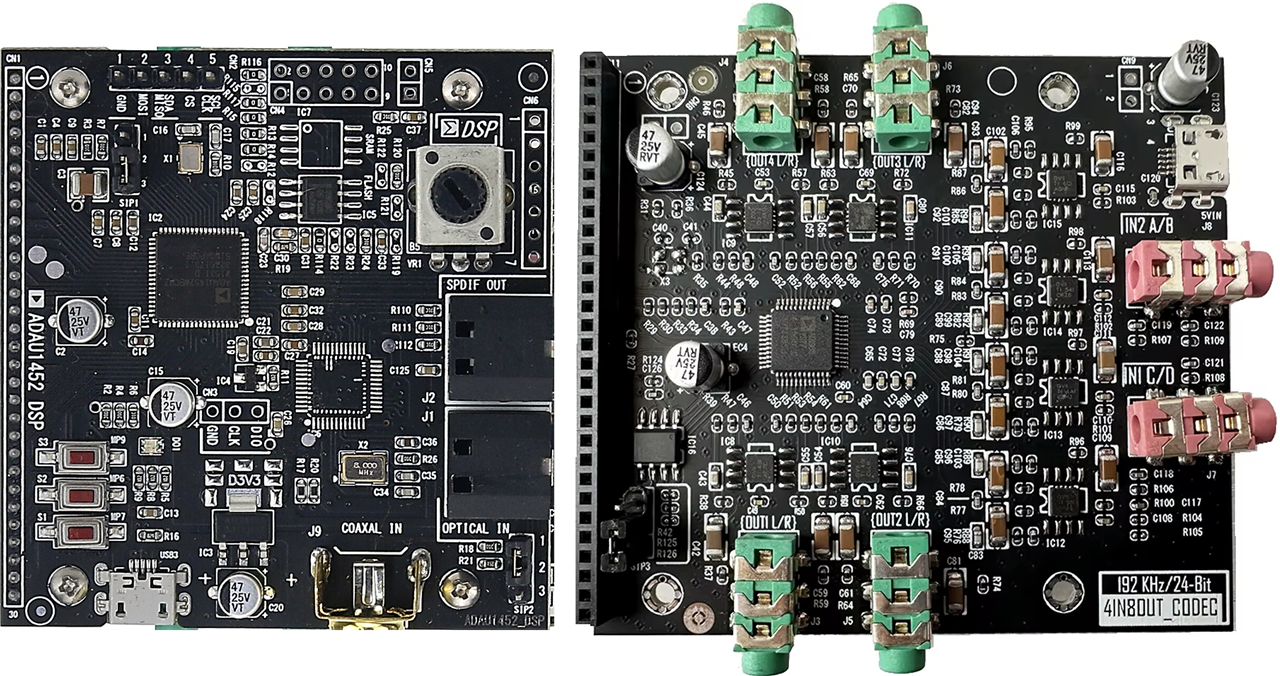
Hello, I bought a two-board set consisting of an ADAU1452 DSP and an AD1938 codec. I managed to get it up and running using a modified '192i2s.dspproj' test file. The sound quality is excellent.
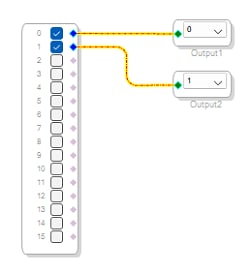
In my schematic, I have one stereo input and one stereo output. The audio line comes into the Jack IN1 input, while IN2 is inactive. Based on the schematic layout, I expected only one output jack to be active. However, all four output jacks are playing the exact same line signal in parallel. It seems as if the processor is cloning that single output across all other channels.
How can I resolve this issue? Thank you
software
sigma studio 4.7
AD1938 ADAU1452
processors and dsp
ADAU1452 + AD1938
Processors and Microcontrollers
Audio A/D Converters
Show More
Hello,
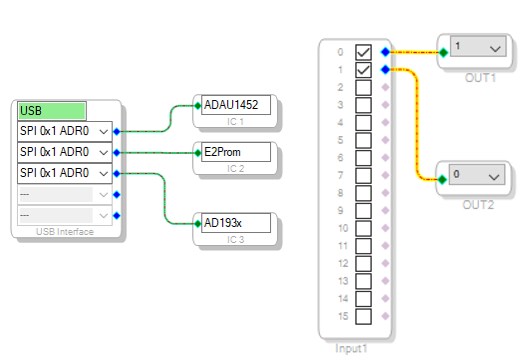
Please attach your hardware schematic and Sigma studio project, without them it's hard to say what's connected to the DAC inputs and how signals are routed in sigma studio.
It's going to be something simple, but we need resources.
Regards,
Harish
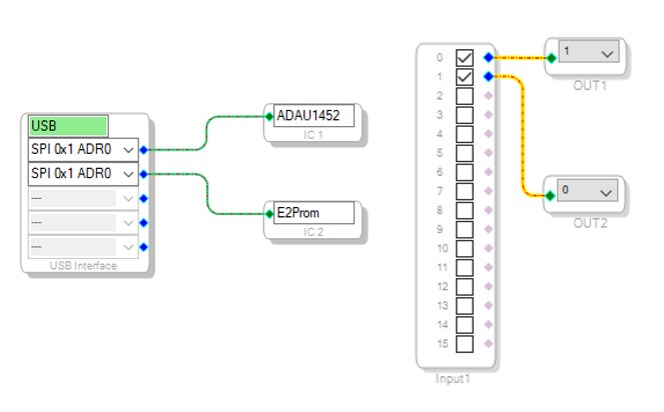
It plays very well this way, but all 4 output jacks simultaneously, both screens with the 192-I2S program
Hello,
I agree with Harish,
We need the hardware schematic and your SigmaStudio project file to have a look at how to fix this.
Dave T
Hello, Sorry I managed to get it up and running. I found the right file. The codec isn't controlled by the DSP, it has its own microcontroller and jumper setting.
But now I have a different dilemma. There are 8 op-amps on the codec board, which use a single 5V supply. Pin 4 (-) goes to GND, pin 8 (+) goes to 5V. The board is clearly designed for 5.5V rail-to-rail op-amps. That's why I was surprised to find out that all the op-amps on the board are OPA1612 (marked OVII). These are quite unsuitable for this application. Shouldn't I replace them with OPA2365?"
Have you looked at the data sheet for the OPA161x from Texas Instruments? It says the supply can either be 5V or 10V, and the connections you describe are valid. It's also designated rail-to-rail output, although it doesn't mention the input being rail-to-rail (i.e. it's not RRIO).
2x2,25=4,5V. 5V from USB is critically low for OPA1612. I have verified that with unbalanced 5V power supply, it distorts strongly even with very low gain.

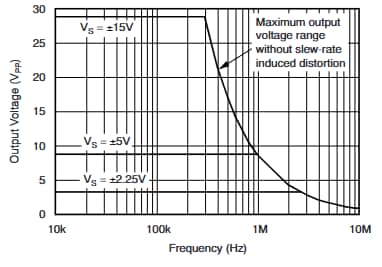
Oh, yes. "5V" from USB is not always 5V. It may start out as 5V at the Host, but after passing through an unpowered hub, the Device may see only 4.02V and this is perfectly legal according to the USB specifications. You can only depend on 3.3V regulated from USB "5V" - if you need 5.0V ±10% then you will need a boost regulator that can increase the voltage from "5V" to 5V.
However, I assume that changing to another op-amp will not solve the USB power issue. It's likely that you will continue to get distortion unless there is a boost regulator that can guarantee 5.0V output from only 4.0V input VUSB.
Please log in to reply.