ADAU1466 Serial Port 2 Configuration
I am looking for assistance with setting up Serial Input Port 2 as an I2S input using SigmaStudio 3.17. I have created a project with a Input block with channels 32-33 selected. This connects to a two channel volume control and then to two outputs. The project link, compiles and downloads without problem and the volume control is working. However, instead of Serial Port 2 accepting I2S signals as inputs, it is sending out Bclk and LRclk clock signals. Looking at the ADAU1466 data sheet, pins 65-67 (Serial Port 2 pins) are bidirectional and must be configured. Obviously, the project I have desinged with SigmaStudio is not properly configuring these pins.
Audio Signal Processors
adau1466 ser. port 2 configuration with sigmstudio 3.17
SigmaDSP Audio Processors
adau1466
Hello Mystic12,
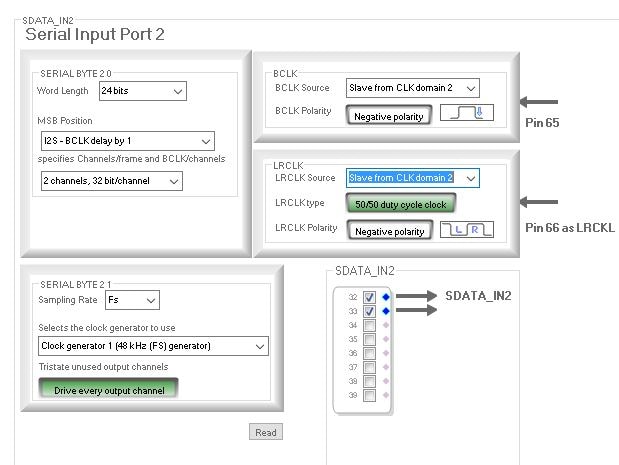
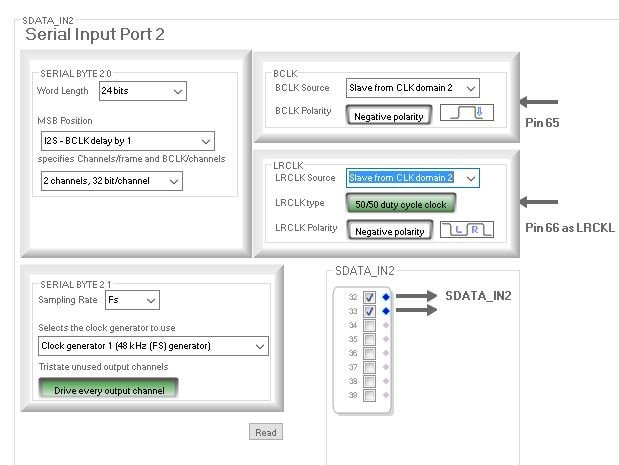
You need to set up those pins to be slaves not masters. You have a choice as far as which of the four output pots pins it is slaving to. I will assume you have the external device connected to the LRCLK and BCLK pins for serial output port 2. So then you need to click on the pull down box and select clock domain 2.
This is located on the hardware register settings tab under the Serial Port sub-tab.
Here is a screenshot.
You have to set this on both the LRCLK and BCLK panels.
Dave T
Dave,
Thank you for the reply to my question. I can see from the screens that you included and your description of what I need to do that you understand my question and know the answer. Frustratingly, however, I have searched all over SigmaStudio 3.17 and I cannot find the "hardware register settings tab under the Serial Port sub-tab" that you reference. I apologize for my ignorance, but after checking everywhere on the screen, the Toolbox, and after checking the options and settings for the cell in my design "Input1" (which has channel 32-33), I cannot find what you are talking about. I also went back through everything I could find in the toolbox to see if there is such a thing as "Serial Input Port 2", but all I can find as a possible "input" in the toolbox is "I/O", "Input", "Sdata 32-39", "Input". I am using this as the input in my schematic (as you can see from the project I attached). Resigned to my embarrassment when shown the "answer", I must "give up" and ask for further explanation as to how you locate the items you reference. Lol.
Thank you!
Patrick
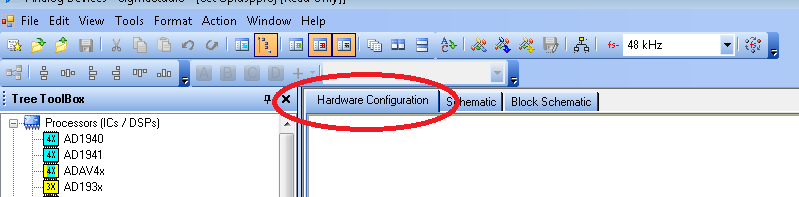
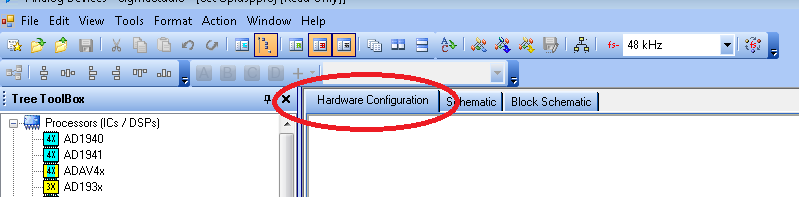
Hi. To get to the window to set the registers that Dave described, Click on the "Hardware Configuration" tab at the top of the main window:
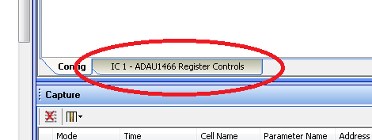
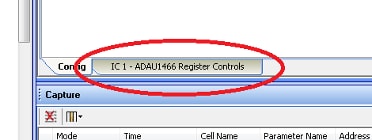
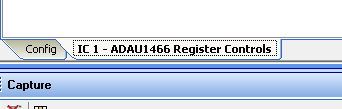
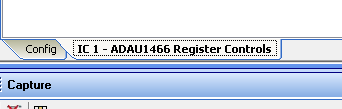
Then, at the bottom of that window, click on the tab for the IC that you want to configure. In this case, it is the "IC 1 - ADAU1466 Register Controls" tab:
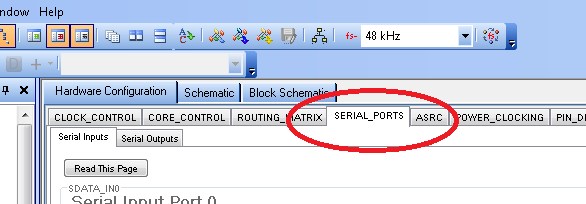
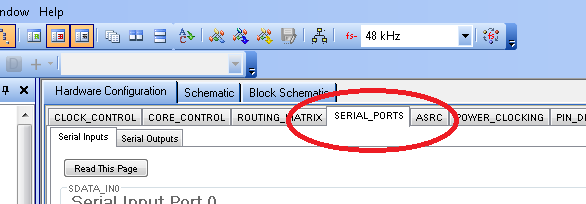
Going back up to the top of the window, you'll see a set of tabs that show the register setting for each section of the processor. You want the Serial Ports:
Hope this helps,
Ken
Hi Dave,
I notice that the serial input port and serial output port both have the menu selection" slave from CLK domain x". what makes me confuse is that if I configure both the serial input port0 and serial output port0 to the "slave from CLK domain 0", are they slave to the same CLK domain?
what should I understand the CLK domain here?
B.R.
Yosen
Hi Yosen,
"CLK domain 0" on the serial inputs is NOT the same as "CLK domain 0" on the serial outputs.
Although the serial ports on the ADAU1466 are very flexible, one of their limitations is that you cannot easily share clock domains between input and output ports. You can get around this most easily by wiring LRCLK and BCLK to both the input and output clock pins on the DSP.
For example, let's say that I am using Serial Input Port 2 as clock slave to another source. I also want Serial Output Port 2 to be a slave to that same source.
In this case, I need to connect LRCLK_IN2 and BCLK_IN2 to the clock master and set the LRCLK and BCLK source to "Slave from CLK domain 2" for the input port. I also need to connect LRCLK_OUT2 and BCLK_OUT2 to the clock master and set the LRCLK and BCLK source to "Slave from CLK domain 2" for the output port.
Does that answer your question?
Joshua
Thanks Joshua. It really helps me. And I have further questions about the SigmaDSP clock tree and synchronization problems.
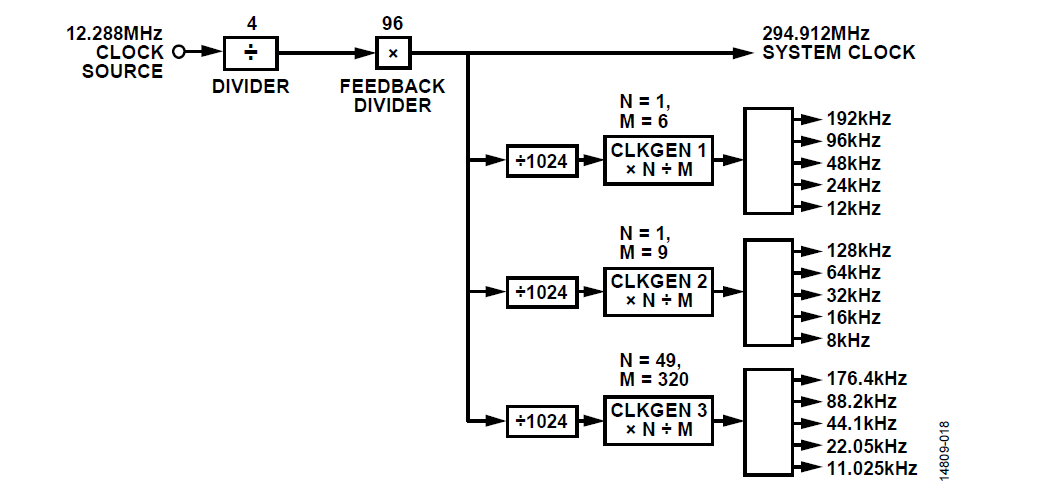
Here is the clock block diagram from ADAU1467's datasheet. And there is a similar diagram in the SigmaStudio ADAU1467's hardware configuration page.
My first question is that, if the serial port are configured as master, what is the relation with the three CLKGENs and the serial port CLK(LRCLK and BLCK)? Since there are totally 8 serial ports(4 input and 4 output), dose each serial port connect to the Fs frequency I configure automatically? or I need to configure it manually in sigma Studio. If it is manually, how should I configure it in SigmaStudio.
in addition, is that ok to shared the clock domain internally in the serial ports? e.g. The serial input port 0 is configured as a slave to the ADC. if I need the serial input port1 share the same clock sources with serial input port0, I just need simply configure the Serial Input Port 1 'Slave to the Clock domain 0' and I don't need to wire BCLK and LRCLK of these two ports on the PCB hardware. Is my understand correct?
My second question is about the synchronization.
If the Fs is the same frequency, does the serial port will sync the clock automatically? I suppose there are asynchronous FIFO in the DSP, if the Fs is the same, I don't need to worry about the synchronization problems. is that correct?
e.g. All the Fs is 48K. The Serial Input Port 0 is the slave to the ADC while the serial output port 0 is the master to the DAC. Do I need to use ASRC to sync the clock or they are actually in the same clock domain?
B.R.
Yosen
Hi Yosen,
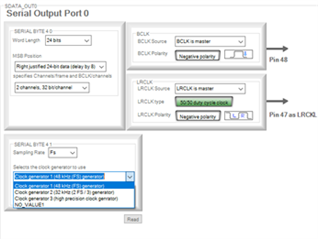
If a serial port is configured as clock master, you can choose which CLKGEN to use for the port. The drop-down menu where you can specify this is shown below.
I’m not sure what you mean by connecting to the Fs you configure automatically. Can you elaborate on what you mean by this?
Your next question is about sharing clock domains. Your understanding is correct. If you would like Serial Input Port 1 to share an external clock source with Serial Input Port 0, you can wire the LRCLK and BCLK from the external clock source to LRCLK_IN0 and BCLK_IN0. You would then choose “Slave from Clock Domain 0” under LRCLK Source and BCLK Source for BOTH Serial Input Port 0 and Serial Input Port 1. LRCLK_IN1 and BCLK_IN1 would be left floating; no need to wire the clocks to them.
Finally, synchronization between devices depends on how the rest of the system is clocked. In your example, Serial Output Port 0 is the clock master of your DAC. So, your DAC is sampled from the same clock as the DSP core. As long as the DAC is receiving the same MCLK as the DSP (or deriving MCLK from BCLK/LRCLK), there should not be synchronization problems.
Whether you need to use and ASRC for the ADC input depends on where MCLK is coming from. If the ADC is sharing the same MCLK source as the DSP, you do not need to use the ASRC. If the ADC is NOT using the same MCLK as the DSP, you should use an ASRC. If the ADC is NOT sharing the same MCLK and you do not use the ASRC, there will be doubled or lost samples as the clocks drift from each other.
Thanks Joshua!
your explanations are quiet clear to me!
B.R.
Yosen
Please log in to reply.