SigmaStudio script and Visual Basic
I would like to import data from the registers of an evaluation board to an excel spreadsheet via Visual Basic and the SS scripting language. I'm not an experienced VB user and would appreciate a tutorial or steps to accomplish this.
Thank you.
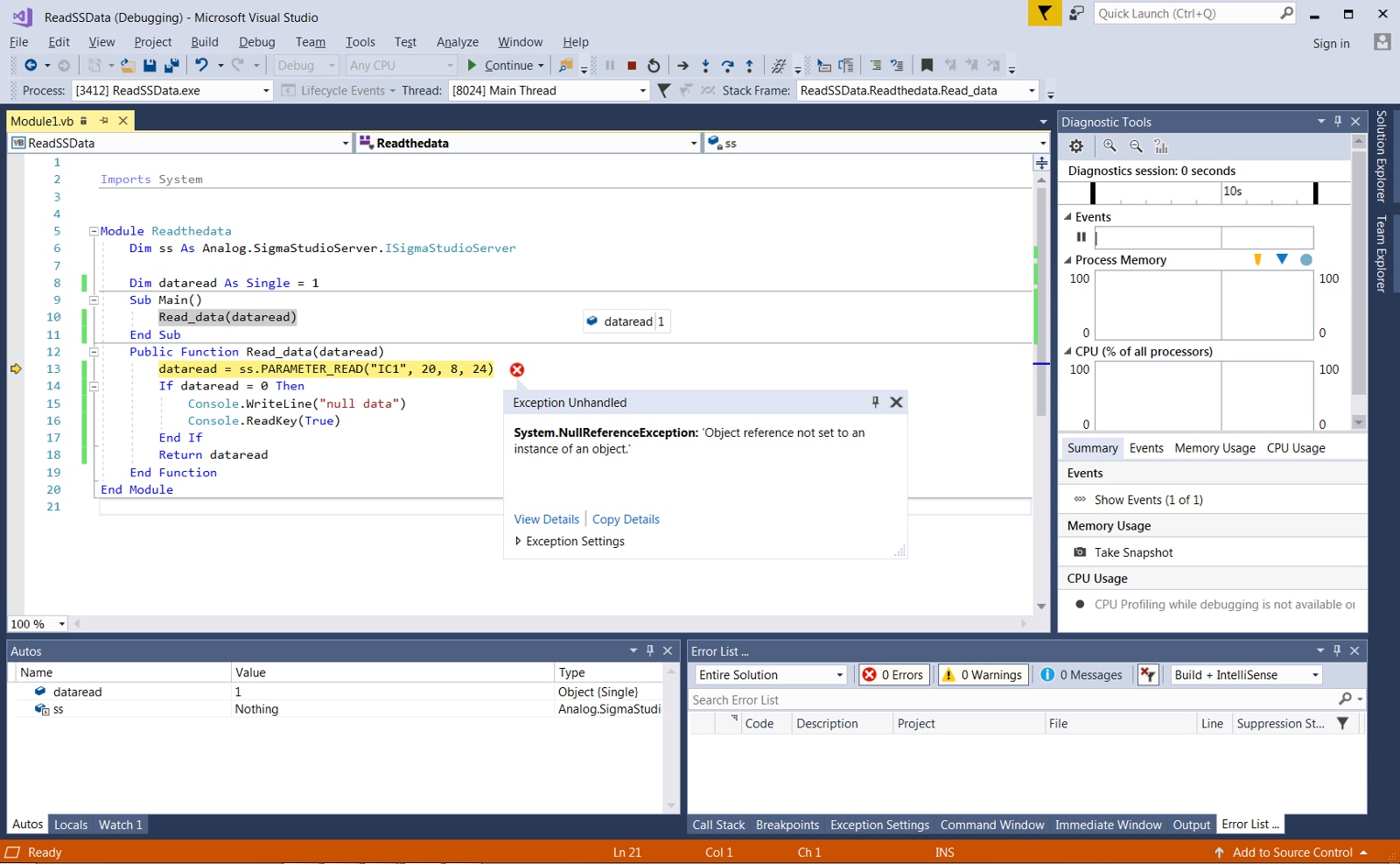
After pounding through Visual Basic and the SS server command structure, I have to assume that the connection between the two applications doesn't work, even though Visual Studio accepts the SigmaStudioServer as a reference for the project. I keep getting a "Object Reference not set to an instance of an object" error.
I have a simple setup with a ADAU1452 eval board. The project has a read back block connected to an envelope detector which is attached to an input. The VB module is trying to read that register block and write the value to the console.
This is the module:
Public Function Read_data(dataread)
dataread = ss.REGISTER_READ("ReadBack1", 20, 4)
Return dataread
End Function
It builds fine, but hangs on execution because any attempt to interact with the sigmastudioserver returns a null character. I tried different methods from the server functions, and they all fail.
Does anyone have experience with this?
Thanks
Hello,
Have you tried changing this:
dataread = ss.REGISTER_READ("ReadBack1", 20, 4)
to this:
dataread = ss.PARAMETER_READ("IC 1", XX, 8, 24)
Where "XX" is the parameter address (in decimal) for the ReadBack1 output. To determine this address, click the "Read" button in the ReadBack1 cell, and note the address that appears in the capture tab for the read request. Then, convert that address to decimal.
In the above example, 8 and 24 correspond to the 8.24 fixed-point decimal format of the output.
Regards,
Tyler
Hi,
I appreciate your reply.
Unfortunately any of the SS server functions give in the same error when VB tries to execute that line of code.
Do I have to initialize something to use the functions?
Regards,
Gordon
Hi Gordon,
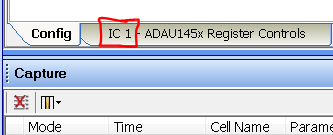
It looks like you are initializing correctly. Try putting a space in "IC 1" (the way it's displayed in the tab in SigmaStudio).
Regards,
Tyler
Hi Tyler,
Sorry, tried that, same result.
Regards,
Gordon
ok, assuming you have added the reference to the project, here's the code you need in VB. I found the reference in the SigmaStudio install folder.
My example just sets an oscillator register but it works with other options as well.
Imports System
Public Class Form1
Dim ss As Analog.SigmaStudioServer.ISigmaStudioServer
Private Sub Button1_Click(sender As Object, e As EventArgs) Handles Button1.Click
Dim sigmastudio As Analog.SigmaStudioServer.SigmaStudioServer
sigmastudio = New Analog.SigmaStudioServer.SigmaStudioServer()
sigmastudio.REGISTER_WRITE("IC 1", 6, 4, &H0)
sigmastudio.REGISTER_WRITE("IC 1", 1, 4, &HA894)
sigmastudio.REGISTER_WRITE("IC 1", 4, 4, &H16536)
sigmastudio.DELAY_SCRIPT(250)
sigmastudio.REGISTER_WRITE("IC 1", 6, 4, &H0)
sigmastudio.REGISTER_WRITE("IC 1", 6, 4, &H800000)
sigmastudio.REGISTER_WRITE("IC 1", 1, 4, &HA894)
sigmastudio.REGISTER_WRITE("IC 1", 4, 4, &H190F5)
sigmastudio.DELAY_SCRIPT(250)
sigmastudio.REGISTER_WRITE("IC 1", 6, 4, &H0)
End Sub
End Class
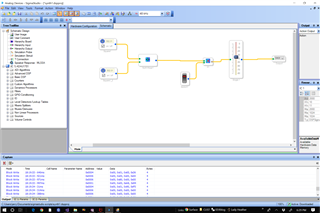
Here's the simple project I am testing:
Works like a charm.
Good luck, send a PM if this system has it.
Jerry
Please log in to reply.