No sound on ADAU1467 eval board
Hello,
I just received my eval board ADAU1467 but i can't have any sound. Maybe i forget something.
I connected Audio in ch 32-33, USBi to my computer to a USB 3 port, and a speaker on out Ch 0-1.
When i plug usbi and power only 1 led is iluminated : D9
Then i plug USBi and D8 is iluminated, in sigma studio USB (config hardware) is green.
Link, compile and download seem to be OK, status is "active : downloaded" but no sound.
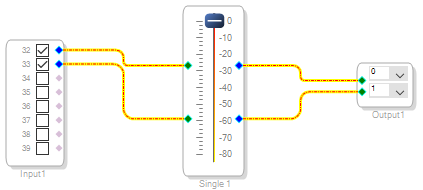
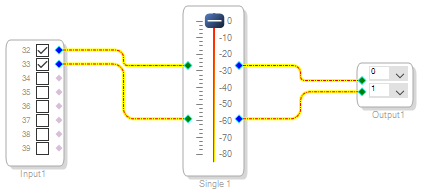
I try this shematic...
The level move well, i tried with ch 4-5 but still no sound with a amplifier or a headset.
Thanks for your help
JC
Audio Signal Processors
adau1467
SigmaDSP Audio Processors
Hello JC,
OK, it is good that you put a meter in the project. So you can see the audio on the meter? When you start and stop the audio the meter should follow the music correct? So therefore you are getting into the DSP.
So now focus on the output side.
The serial output port 0 in the hardware configuration tab on the serial port tab should be set to be a master for BCLK, and LRCLK. That usually defaults to that but check it.
So what kind of cable are you using to connect to the external speaker?
You can plug a headphone directly into the output jack to see if it is something with the external speaker.
There are test points where you can use a scope to see if there is a signal coming out of the DAC.
If you still do not find the problem then please attach your project so we can see all the settings. You need to use the Advanced Editor on the forum, the button is on the upper right of the window where it says "used advanced editor". Then you can attach the project to the post that way.
Thanks,
Dave T
Dave,
Thanks for your quick anwser.
I tried several cables and headsets without mic input on the jack. Simple stéréo mini jackjack and i check my headset too...
And i can see the audio on the meter and also check serial output in the hardware configuration table.
Without scope, i use a voltmeter... I found arround 3 volts on input and nothing on the output ch 0-1...
Thanks
Jc
Hello JC,
Attaching your project helped a lot.
There are a couple of things I want to mention about the project but first I will discuss the problem.
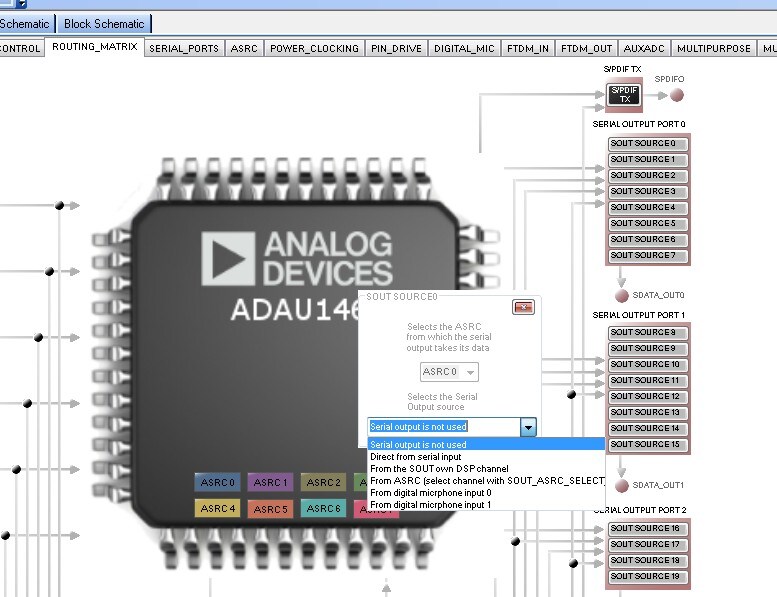
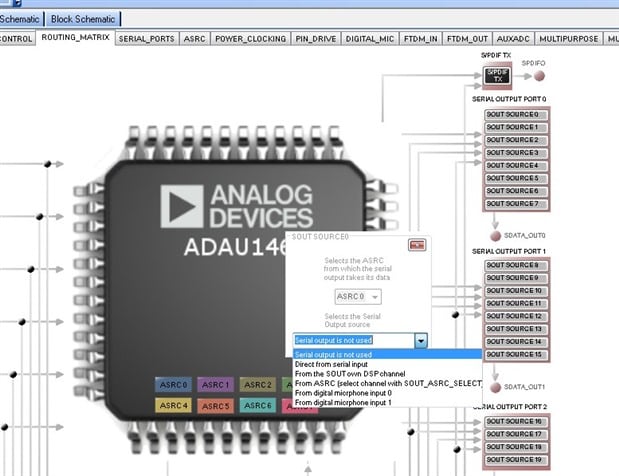
The serial port 0 was set to "off" in the signal routing page of the Hardware Config. Here is a screenshot:
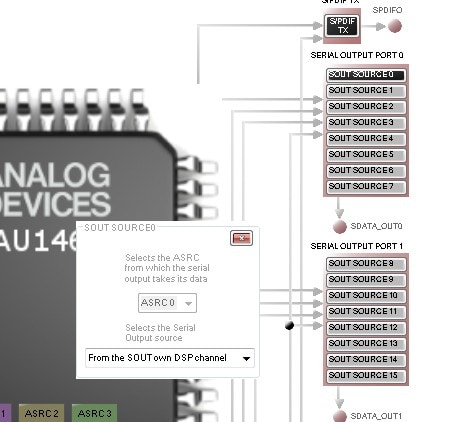
I had clicked on the Serial Output Port 0--> SOUT SOURCE 0 button and the selection window pops up.
As you see it was set to "Not Used:
It worked once I changed it to take the signal from the DSP.
This fixes your problem.
Now I changed your project a little so I could send some audio out. I do not have anything to send into inputs 31 and 32. So I put in a switch and an oscillator.
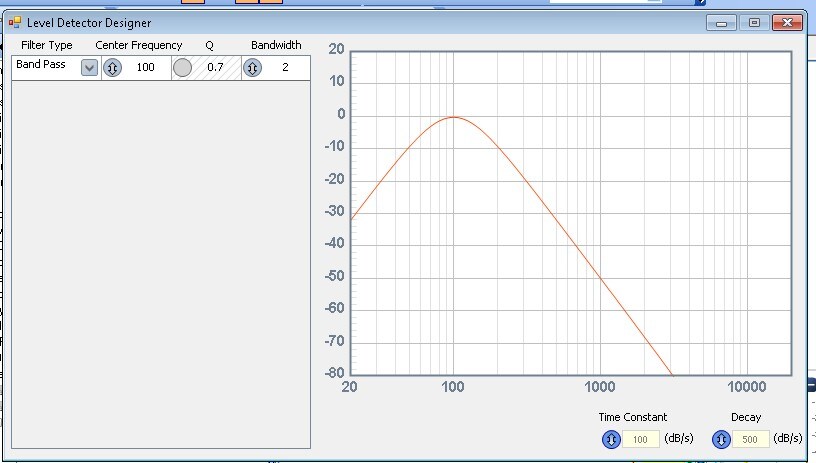
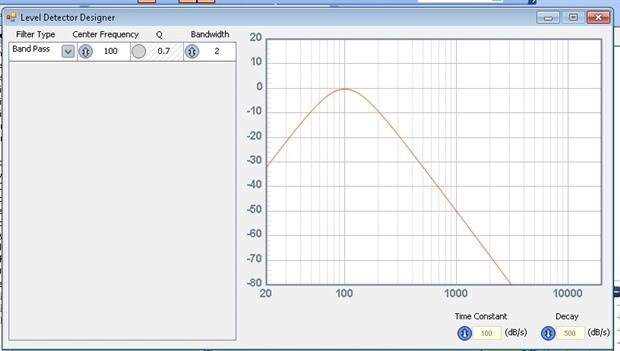
So when I turned it on I was getting very little level shown on the level meter. It appears you used an RTA meter designer where you can design what frequencies it will meter. It was set to only show low frequencies. Here is the curve it was set to:
This window opens up when you click on the small red "X" button on the lower left of the meter GUI.
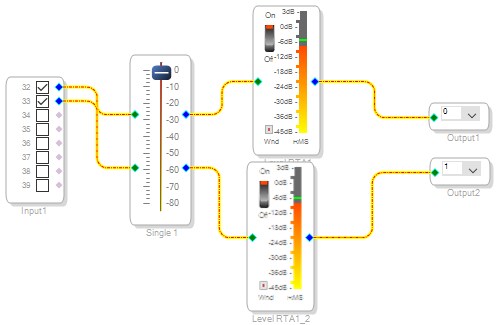
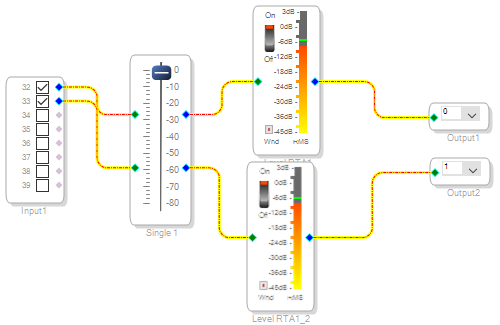
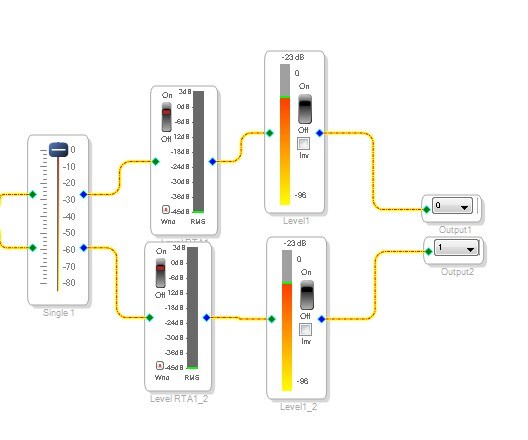
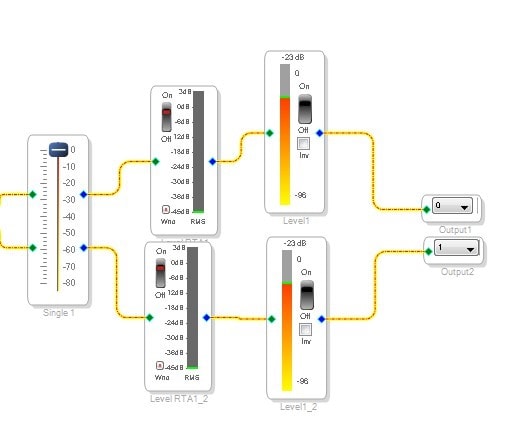
Here is the schematic showing the meter you had in the project on the left and the meter I put in on the right. They are both metering the same 500Hz signal from the oscillator. So use the "Single Level Detector w Numerical Display". This is the best meter to use for testing levels.
I attached the project I edited.
Thanks,
Dave T
Dave,
It works fine now. I have a lot of work to well manage SigmaStudio and this DSP...lol
Thanks for yours advices.
Regards
JC
Hello JC,
Great to hear.
Most people pick up the SigmaStudio concepts rather quickly. The issue here is that this DSP is very powerful and has a lot of features and settings.
What is your basic application? I have a number of example files I could send to you that would help you get started more quickly.
Also let me know if you plan to control internal DSP functions using GPIO or AUXADC inputs. I have examples for many of those as well.
Dave T
Hello Dave,
I can't talk here about my projects. But the purpose of my work is to choice the "good architecture" and check sigma studio efficiency (time to market).
Right now, i think i will use gpio. But I'm going to study all examples you can give me.
I ll send you a private mail.
Regards
Hallo Dave,
I am starting with the 1467 evalboard too.
In my case I am also missing different examples for a quick start.
Can you provide your examples mentioned?
In my application I aim for digital crossover for loudspeakers.
Thanks
M
Dave T said, Most people pick up the SigmaStudio concepts rather quickly. The issue here is that this DSP is very powerful and has a lot of features and settings.
Absolutely. Those just starting out with SigmaStudio are often well-served cutting their teeth on a ADAU1701. It's easy to learn and a hobbyist's dream. For many analog-in, analog-out applications it may be all you need -- and if not, you'll know what to look for as well as how to work with a more advanced chip.
Best regards,
(Bob)

Please log in to reply.