how to limit upper value of index up/dw counter
I've found no way to limit the up/dw index upper value. The LUT that follows will limit but the counter continue to go up. If you turn the encoder clockwise, over the accepted value, you need to turn back much more steps than required. There's some way to stop, say to 25 the count?
Thanks in advance,
Charlie.
Hello Charlie,
I would love to help you. Can you let us know what processor you are using? Show us what cells you are using? The best would be to upload your program.
Thanks,
Dave T
Hi, sorrry to have forgotten the whole data...
DSP adau1701
sigmastudio 3.16
Hi, sorry to have forgotten the whole data...
DSP adau1701
sigmastudio 3.16
Hello Charlie,
Sorry this took so long.
You can use the up/down counter that has a lookup table. This cell will not go beyond the number of elements in the table. The only little detail is that it is a little difficult to input a number that is an unsigned integer that is required for some control inputs. This project shows you how to do that and you can export the table.
This project is attached.
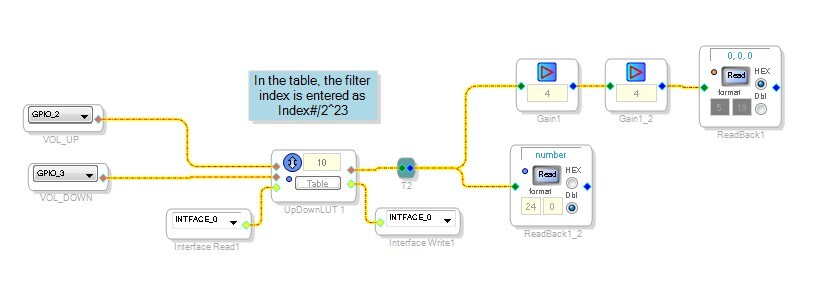
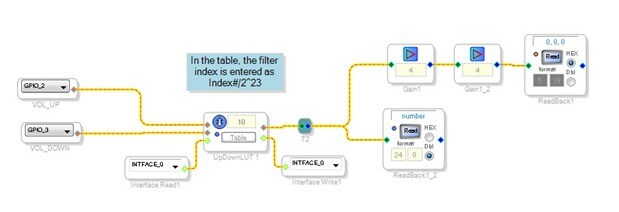
Hi Dave, I've well understood the conversion issue. Could you please convert for me a simple table (attached) having index 2^23 ? Or better link me to some app that makes the task?
Thanks in advance.
Hoping some day to help you...
Charlie.
Hello Charlie,
I have this Excel spread sheet set up and it is really easy to do with the windows scientific calculator.
Type in the index number, then hit divide then type in a 2 and hit the x^y key and type in 23 then the equal key. Then you can hit CTRL-C and copy the result and paste it into the table.
If you have a lot then using the spreadsheet and copying it to a txt file and importing it into the table is a quick way to do it.
Please log in to reply.