ADAU1467 SDATA IO not working
We are using the ADAU1467 with the additional SDATA input lines for our ADCs but we cannot get a working configuration for the IOs.
Is this feature even yet implemented?
Sigma Studio 3.16B1R1744 in use
Audio Signal Processors
adau1467
SigmaDSP Audio Processors
Hello fbalk,
Yes, this feature is very integral to this part and is working and has been tested. Can you attach your project along with an explanation of the serial port configuration you require? There is probably a small detail missed in a register setting and we would have a long list of guesses so looking at it will speed up this process.
Thanks,
Dave T
Hi Dave,
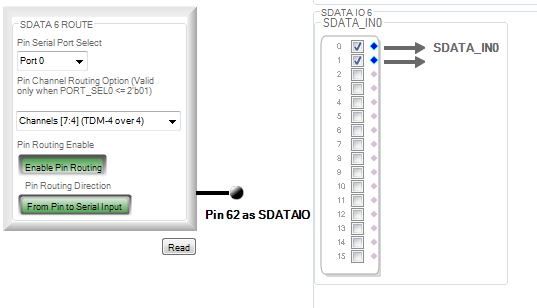
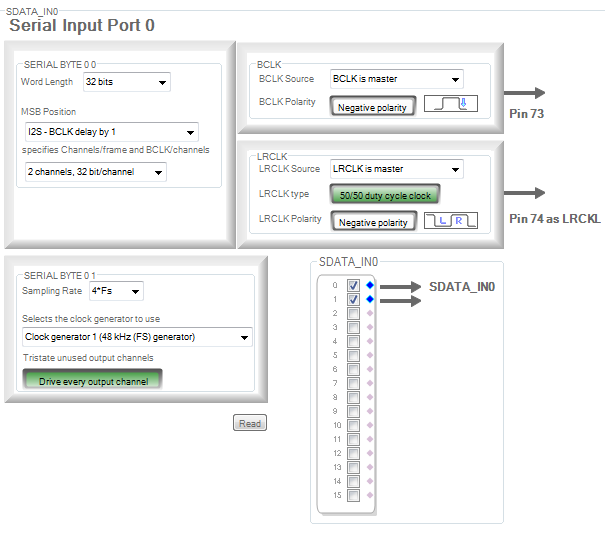
I cannot provide a full file, but here is the configuration of the serial input.
All converters are running in i2s stereo mode, 192kHz 32Bits. The two channels running into Serial Input Port 0 are working (0,1) but the two additional on PIN SDATA6 are not working (4,5).
Are there more settings we have to take care of?
best regards,
Florian


Hi Dave,
I am troubled with the same problem.
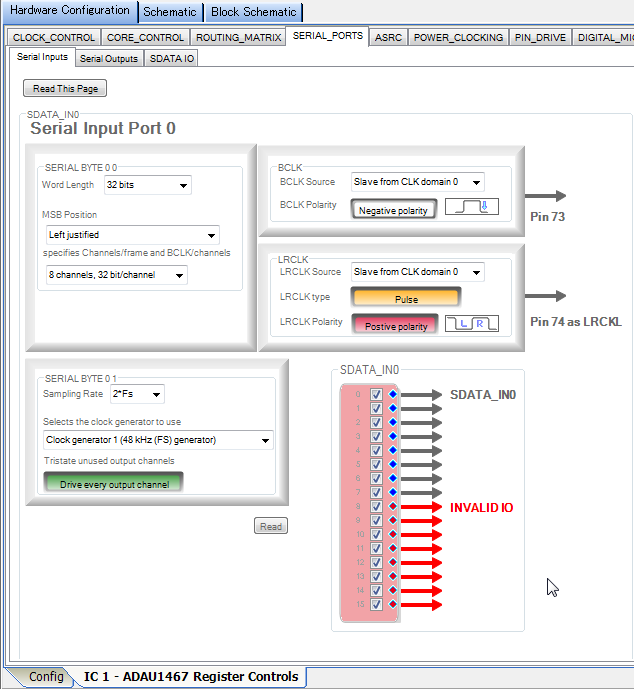
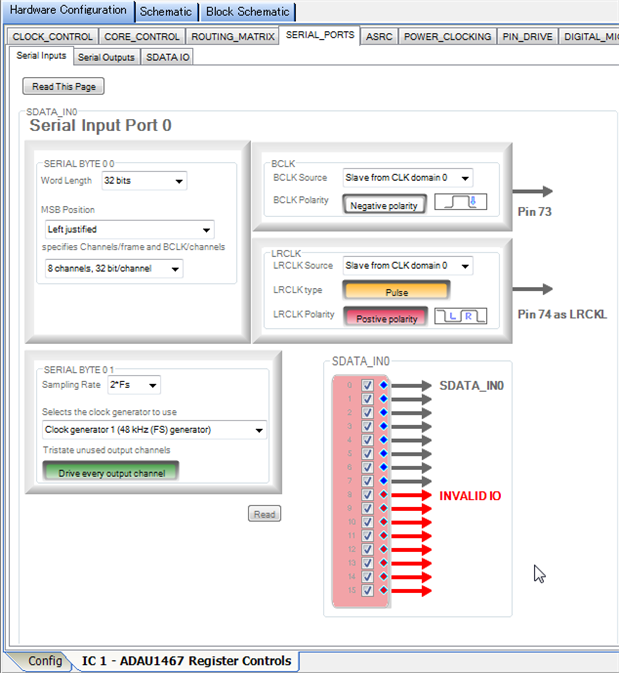
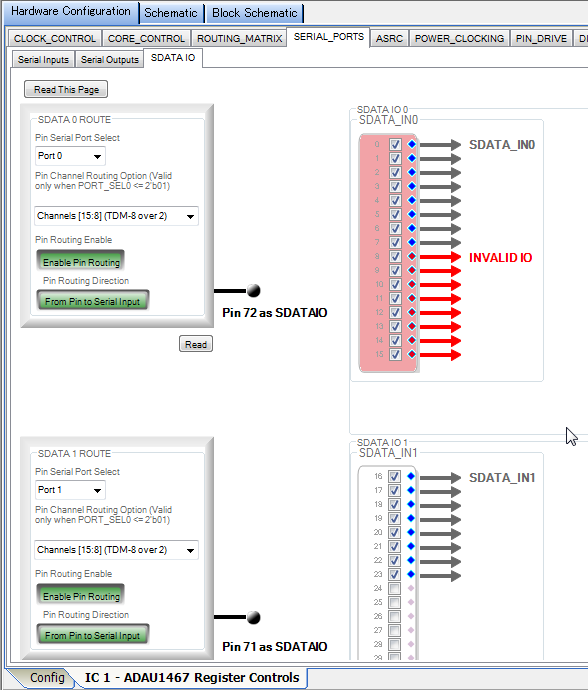
When SDATA 0 is added to PORT 0 in TDM 8, INVALID IO is displayed.
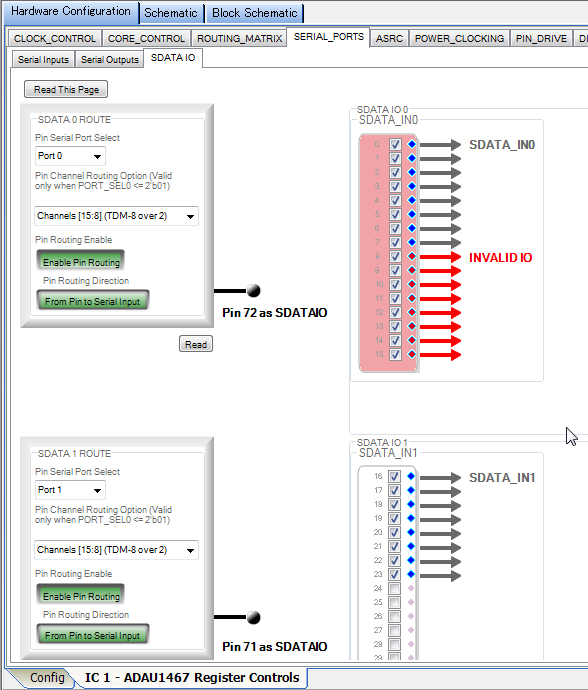
When TDM 8 adds SDATA 1 to PORT 1, nothing is added.
Every version(Rev3.16/Rev3.16.1beta(32bitOS&64bitOS)/Rev3.15(32bitOS)) will fail.
Hi,
There are, obviously, bugs in the graphics for SDATAIO configuration.
Much more importantly, we have discovered a bug in the configuration bits for one specific serial input use case. Note that this is an error in the configuration bit-fields only. There are no issues with the actual functionality.
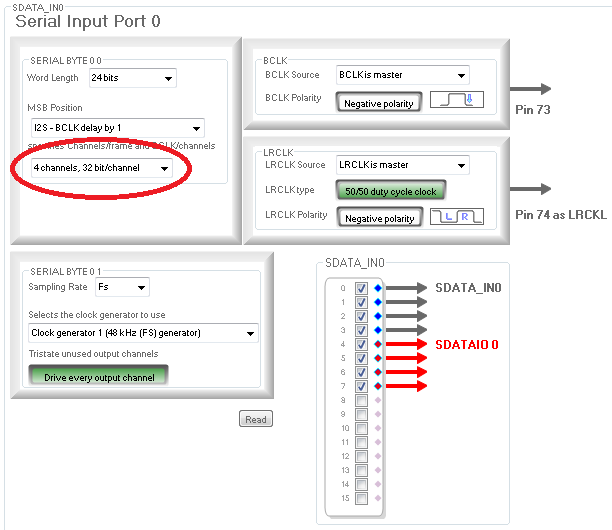
If you are receiving multiple stereo data input streams (I2S or any other two-channel format), and you are using the SDATAIOx pins to receive these additional channels, you must set the Channels/frame and BCLKs/channel menu selection to "4 channels, 32 bit/channel."
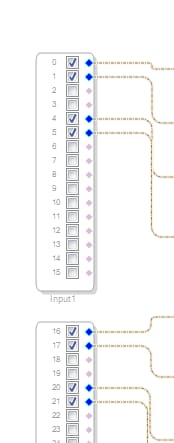
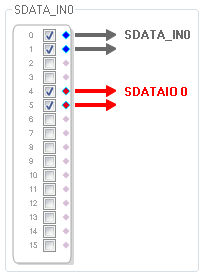
Graphically, if what you are trying to achieve is this:
...then you must select four channel mode rather than two channel mode.
The input port configuration on the "Serial Inputs" tab should look like this:
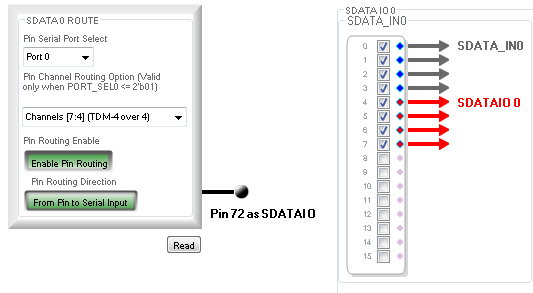
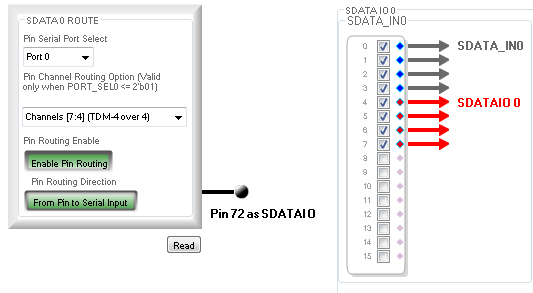
The configuration of additional stereo inputs on the "SDATAIO" tab should look like this:
In your schematic, there will be no signal present on channels 2/3, 6/7, 10/11, etc.
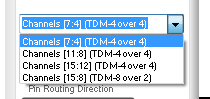
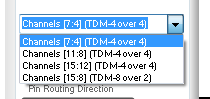
One the SDATAIO page, use the table below to select the appropriate channel from the pin channel routing option menu:
Serial Port
Audio Channels
Menu Selection
Input 0
4 & 5
Channels [7:4] TDM-4 over 4
Input 0
8 & 9
Channels [11:8] TDM-4 over 4
Input 0
12 & 13
Channels [15:12] TDM-4 over 4
Input 1
20 & 21
Channels [7:4] TDM-4 over 4
Input 1
24 & 25
Channels [11:8] TDM-4 over 4
Input 1
28 & 29
Channels [15:12] TDM-4 over 4
Input 2
36 & 37
Channels [7:4] TDM-4 over 4
Input 3
44 & 45
Channels [7:4] TDM-4 over 4
Note that is only applies to serial inputs. Output channel configuration is as documented.
We apologize for the inconvenience.
Ken
Hi Ken,
How do I do in the TDM8 mode I pointed out?
Is the function to expand 8 channels to 16 channels in TDM 8 mode normal? or Bug?
Hi,
Is it not possible to use the additional input just as i2s 2 channel inputs?
If I configure the Serial input to 4 channel, the bitclock also get doubled (like for TDM4). Our ADC is not able to handle this.
This is a very unfortunate bug. The only mode that is affected is I2S input. The output port work as expected.
For input ports in bit clock slave mode, the workaround is simply to select TDM4 mode. LRCLK may be either a master or slave, and changing to TDM4 mode will not change the signal output.
In bit clock master mode, the workaround to output the correct BCLK requires is more complicated. If the required signals appear elsewhere in the system (e.g. the bit clock is being generated by one of the serial output port), the simplest solution is to connect that to both the BCLK of the ADC and the serial input port.
If there are no other serial ports that are generating 64 BCLK/LRCLK, the workaround is to set the clock speed for the serial input port to Fs/2 (i.e. half the core rate). If the serial input port is set to TDM4 mode (as required to use the SDATAIOx pins in I2S mode), then the BCLK output will be correct, but the LRCLK will be at half the required rate. In almost all systems, all serial ports (input or output) in LRCLK master mode will generate the correct signal regardless of the TDM mode, so the LRCLK from another port can be input to both the ADC and the serial port.
Graphically, here are the two options. If any output port is in I2S mode (or another input port is running in I2S mode without using any SDATAIOx pins), use the BCLK output from the other port:
Alternately, use an LRCLK output from another port:
In the second example, the sampling rate of in input port is set to Fs/2 (rather than Fs) as follows:
Note that many ADC will clock a frame of data out on the first 64 bit clocks even of they are not evenly spaced in the sample frame. The LRCLK dictates the sample rate and must be very stable and free of jitter., In contrast, the BCLK is simply used to latch out the most recent data stored in a serial buffer. This is true of all ADI ADCs that I have tested.
Please let me know if you have further problems,
Ken
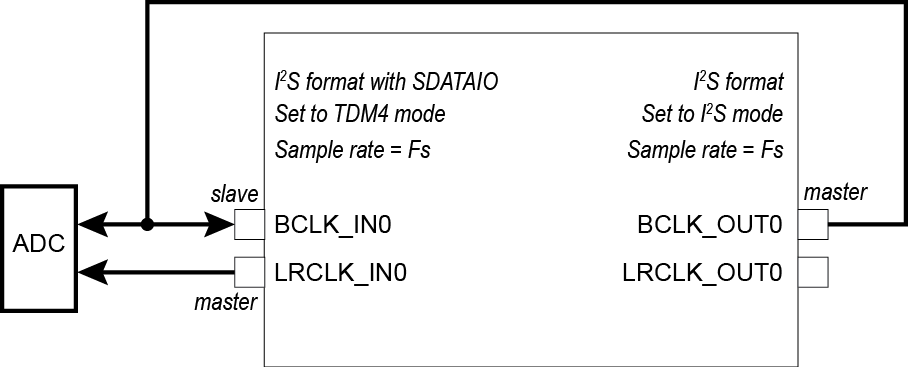
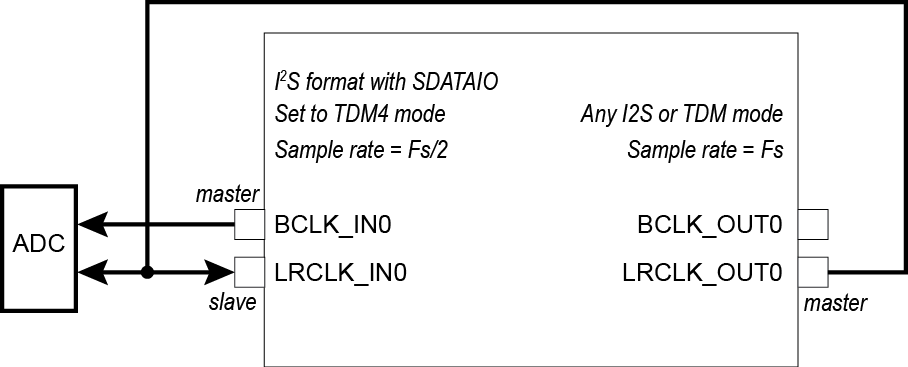
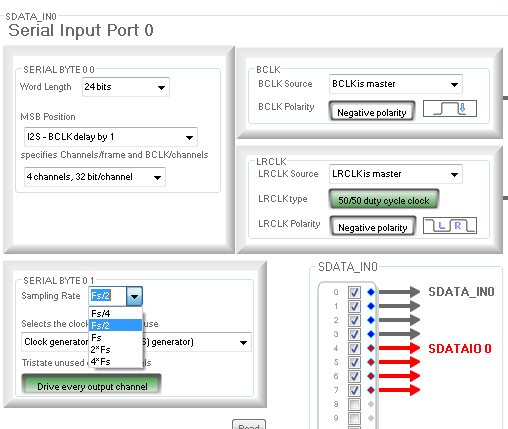
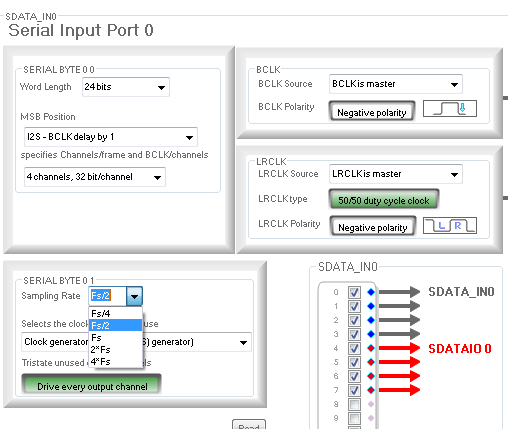
There has been some confusion about my answers above, so I will try to summarize:
There is only one use-case that requires a hardware workaround, and it is when all of the following are true
The serial port is an input
The port is in stereo mode (I2S, LJ or RJ)
The SDATAIO pins are being used to receive additional stereo input on the same port
The port is operating as a BCLK clock master
If all of these are true, then either the BCLK or the LRCLK must be generated from another pin.
If 1, 2, and 3 are true, but the stereo input port is operating as a clock slave, select TDM4 mode instead of stereo mode, and everything will work as expected.
All other modes, including stereo modes on the outputs and TDM8, work as described in the data sheet.
gotoh: You are seeing a user interface bug in version 3.16 of SigmaStudio. The mode you need works with no problems on the silicon. The GUI should not show that this is an invalid mode. If you have any problems making this work, please let me know.
Ken
This is a bug in SigmaStudio 3.16. Receiving 16 channels on port 0 (or 1) in TDM8 mode, where half are on the primary data pin and half are on an SDATAIO pin, works with no problems even though the GUI show that it is an invalid combination in the graphic above. You have configured it correctly, and it should work without problems.
Ken
3.17 still same bug. Want to have port 0 and port 1 TDM8, port 2 and port 3 each two I2S. Total 2 TDM8 and 4 I2S.
0..7 TDM8 port 0
16..23 TDM8 port 1
32/33 I2S port2 36/37 I2S SDATA IO 0/1
40/41 I2S port 3 44/45 I2S SDATA IO 2/3
Not possible to configure. Anyone knows when fixed or how to work around?
To add additional clarification, please note that if the following are true:
The serial input is receiving stereo data (I2S, LJ, or RJ)
The serial input port is a clock slave
LRCLK is a 50/50 duty cycle clock
The serial input port must be configured as a TDM4 input, and data will appear on even numbered channels (0/2/4/6/8/10, etc). No data will be lost as a result of this change.
Additionally, if the external clock master is functioning exactly as the DSP is configured, you may change the "LRCLK Type" to Pulse (even though it's actually being received as 50/50) and data will appear on the standard channels (0/1/4/5/8/9, etc) and can be passed through ASRCs in stereo pairs.
Please see this post for more detail:
https://ez.analog.com/audio/f/q-a/122099/sdataio-is-not-working-correctly-of-adau1463/363509#363509
Joshua
Hi Ken,
is this bug fixed in the SigmaStudio4.5?
B.R
Yosen
Hello Yosen,
The GUI bug has been fixed as of SigmaStudio 4.2. The silicon anomaly, however, remains, and the workarounds are as Ken discusses above when the DSP is a clock master on the input port, and as I detailed in the other thread when the DSP is a clock slave on the input port.
Joshua
Sentosa,
Are all the streams that you describe above inputs?
Ken
@Ken: All are input and outputs.
Problems I've found using evaluation board EVAL-ADAU1467Z out of the box are, because of this routing bug:
a) Analog Input 2 - IN2 (ch 36-37) doesn't work in the software meaning there's no signal going into channels 36-37 when input source is connected.
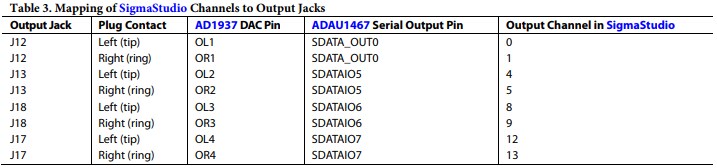
b) Analog Outputs 2 (Ch 4-5), 3 (Ch 8-9), 4 (Ch 12-13) don't receive the signal.
To solve it and get fully functioning board you need to change following settings in Hardware Configuration "Register Control":
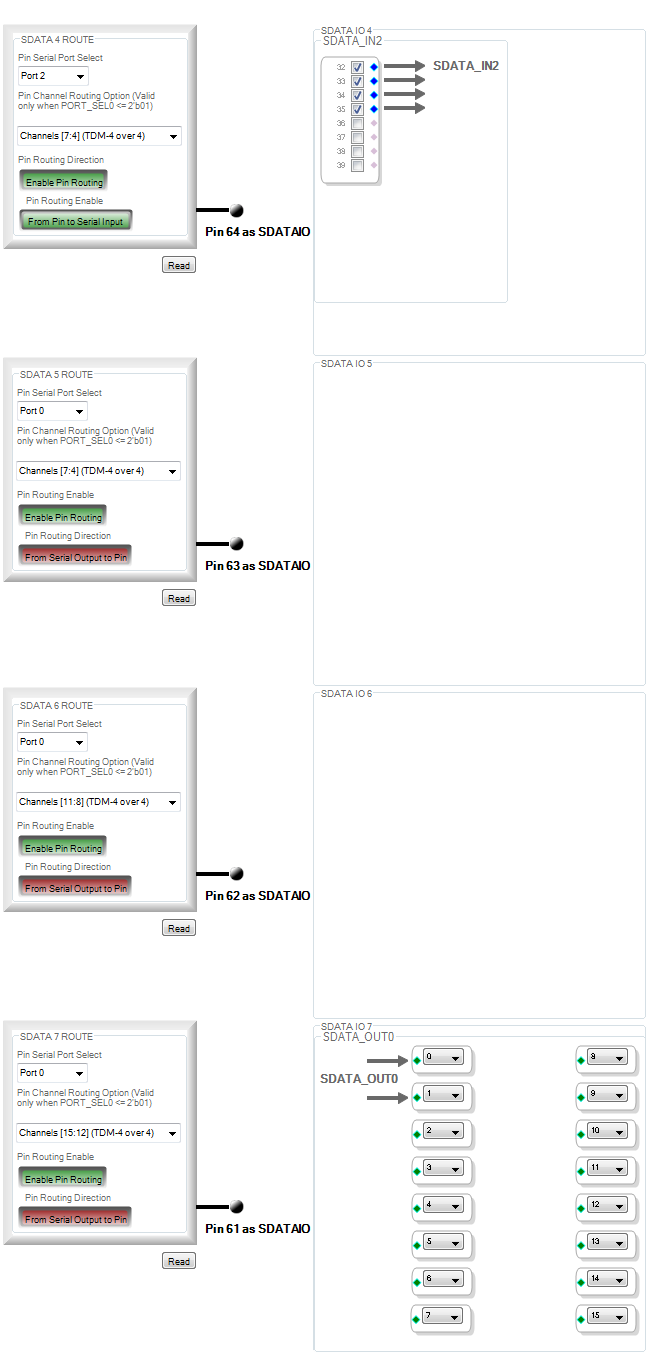
1. In Serial_Ports tab -> Serial Inputs, under Serial Input Port 2 select the number of channels to be "4 channels, 32bit/channel" instead of the default 2 channels.
2. In SDATA IO tab find the section as shown in the image below and change the settings as following:
That's it, you should be ready to use Analog Input IN2 (ch36-37) (J15) as your analog signal input as well as Analog Outputs 2 (J13) ,3 (J18), 4 (J17) as your Analog Outputs !
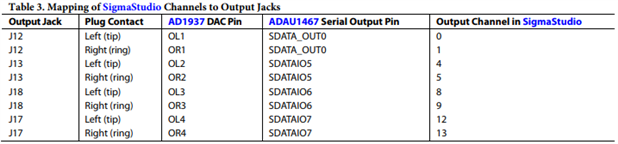
This has to do with the mapping tables from manual:
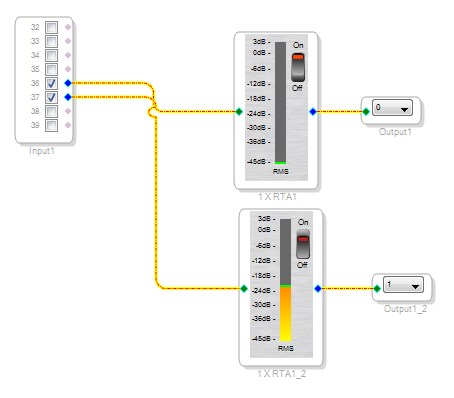
Below you can find very simple schematic that will route your analog input signal from (Analog) IN2 to (Analog) OUT1 on ADAU 1467 Evaluation Board when using Sigma Studio 3.16 or 3.17. You can play with sending signal to other analog outputs as well.
I attached the basic .dsproj file of this schematic with settings already configured so that you're ready to go !

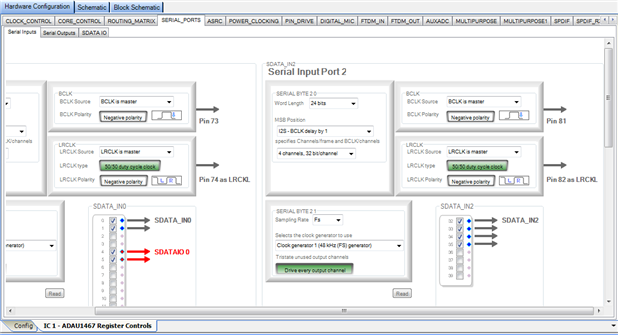
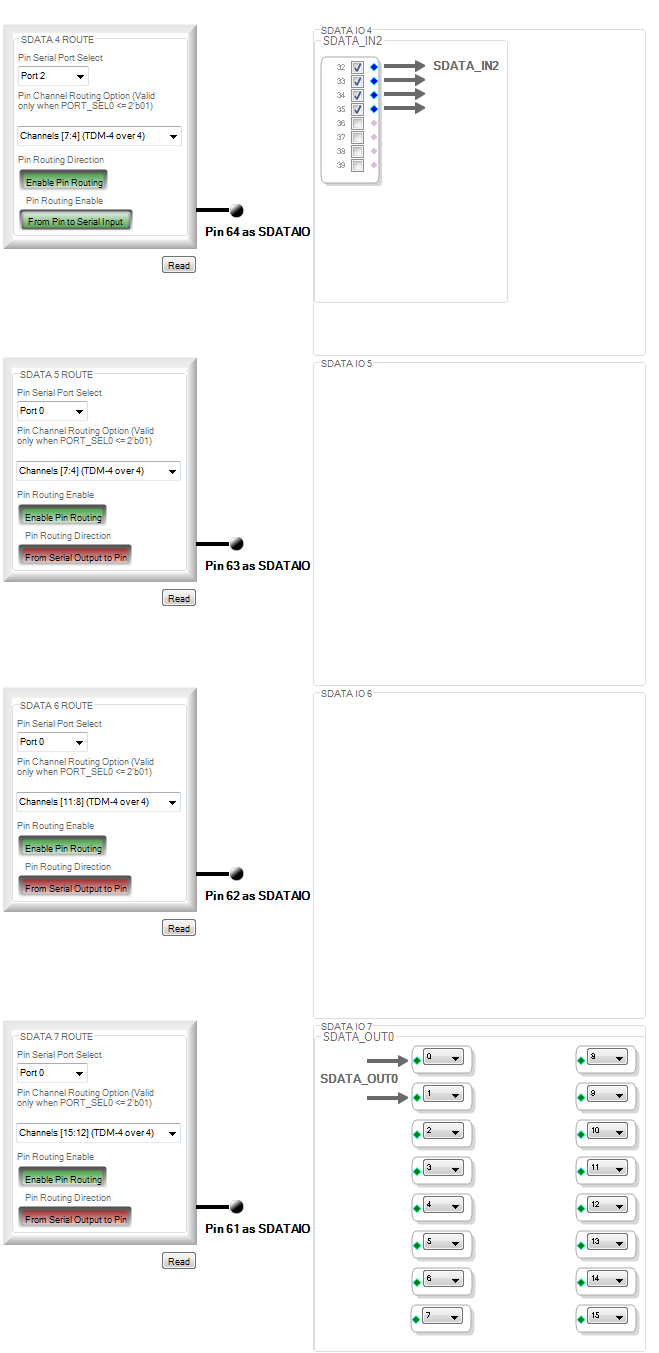



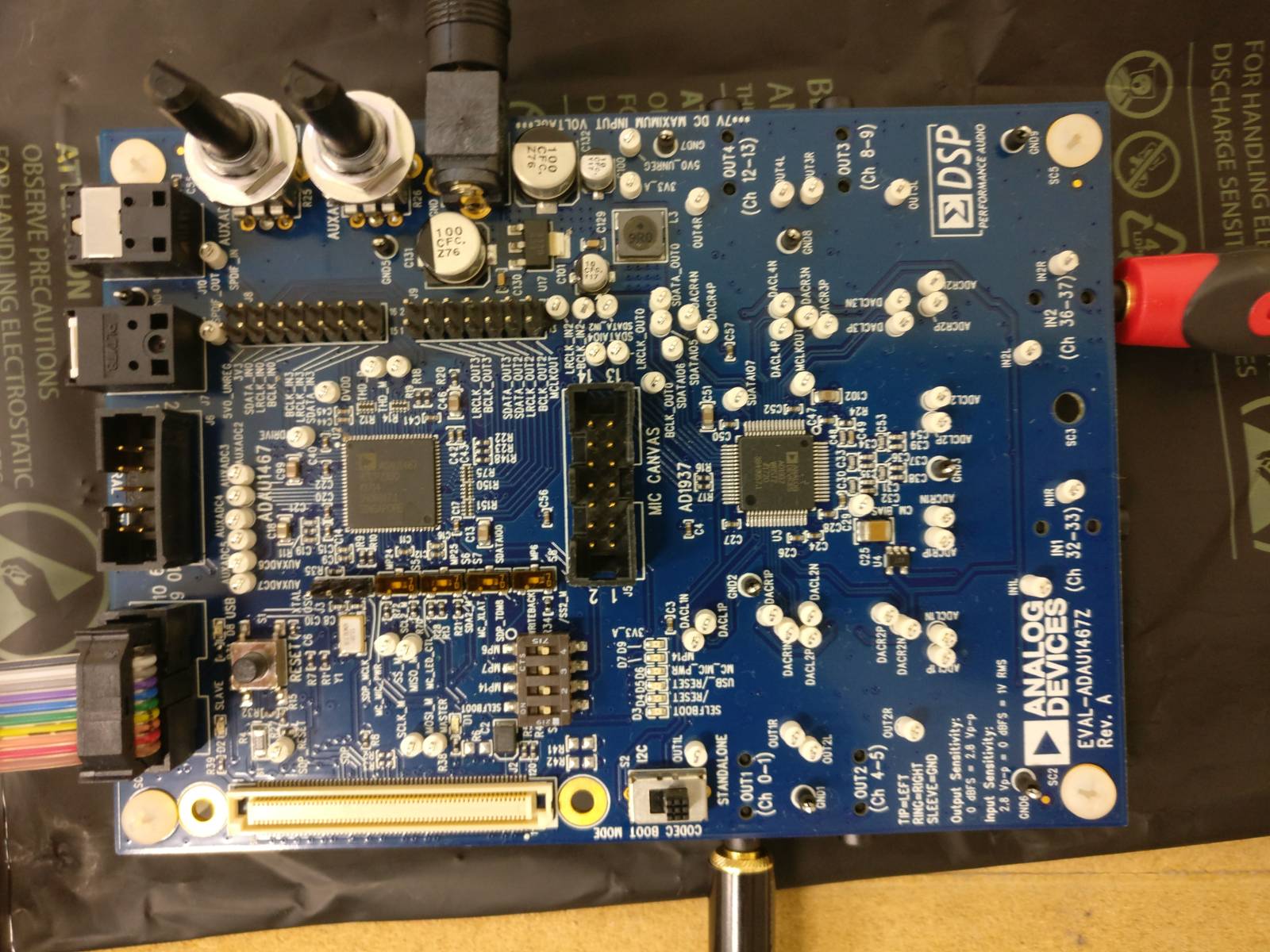
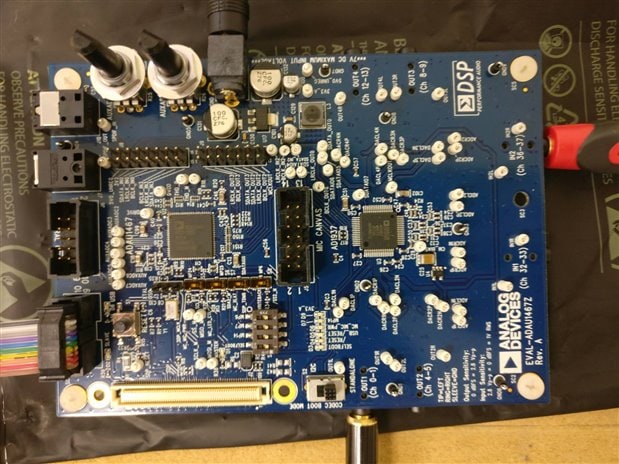
Does this also work for the revB board? I can't get the analog inputs working.
kr
Pieter
Hello Pieter,
The Rev B is very similar. You are just trying to use the board only with the on-board codec using the 3.5mm jacks?
Can you Zip up and attach your project?
Dave T
problem solved, the relation between Bclk and Wclk is not correctDOCX
Please log in to reply.