ADAU1452 Rotary encoder not working
Hello,
I got some trouble with the ADAU1452 and a rotary encoder. It's not working either on my own design or the demo board.
I tried it with a really simply small demo program which you can find attached to this post.
Rotary encoder is a regular one from alps. I already used this encoder with ADAU1701 without any problems. The hardware looks ok so far, I also checked the gray code on my scope and looks how it should look like.
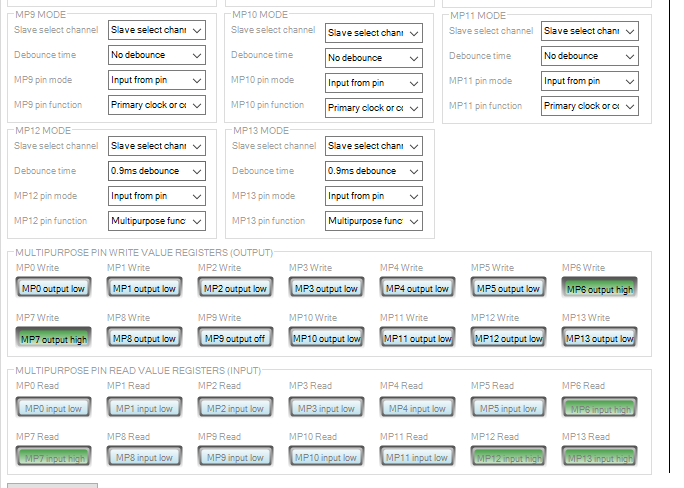
I'm using MP12 and MP13 as well as interface 0.
The same setup works perfect with my ADAU1701 setup but does nothing with my ADAU1452. I'm really confused... there must be something really stupid.
If I readback MP12 and MP13 the levels are changing from high to low when I move the encoder.
Can you please have a look at it? This really blows my mind and the customer is waiting for this "easy" task...
Btw: where can I readback my interface registers? I remember it from ADAU1701 Gui where I simply saw the values from interface registers. I couldn't find this info in ADAU1452 Gui.
My SigmaStudio Version is 3.15 but I also tested it with 3.16 Beta.
Thanks so far for your help.
Regards
Bernhard
Audio Signal Processors
adau1452
processors and dsp
rotary encoder
SigmaDSP Audio Processors
Processors and Microcontrollers
adau1701
Show More

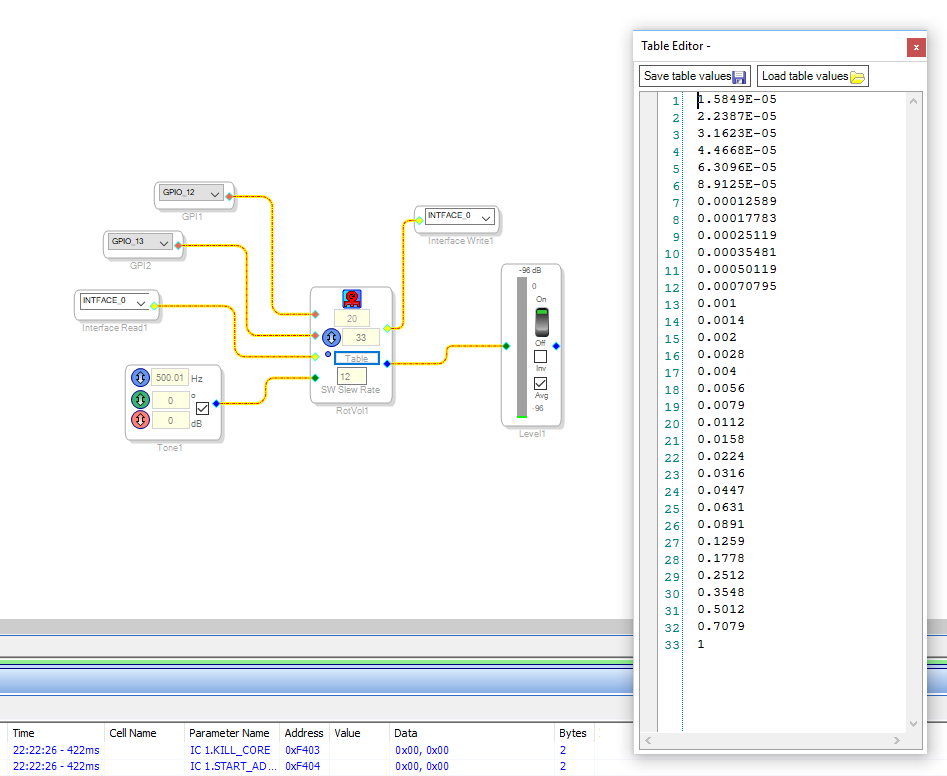

Hello Bernhard,
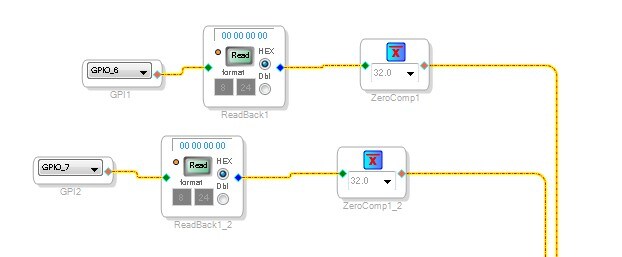
I apologize that I cannot easily setup a rotary encoder to try using your software. I can do it in the morning. I did look over your project and I think you need to invert the signals coming into the GPIO. The easiest way to do that is to use a zero comparator. It is in the library under Basic DSP--> Logic --> Invert
Set it up like this and I think this may work. May I also suggest you put a ReadBack on the Interface Write pin between the Rotary Encoder cell and the Interface Write. This will tell you what table index is active.
The rest of your settings seem to be correct.
Give it a try then let me know right away. If it is still a problem then I will rig up an encoder from a GPIO expander PCB and test it myself.
Dave T
Hello Dave!
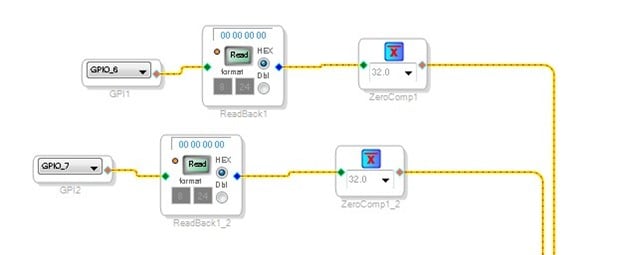
I really appreciate your fast and professional answer!! It works with a zero comparator set up to 8.24.
You safed my night!
Thanks!
Regards
Bernhard
Hello Dave,
thanks so much, this helped me also getting my volume control working!
great job
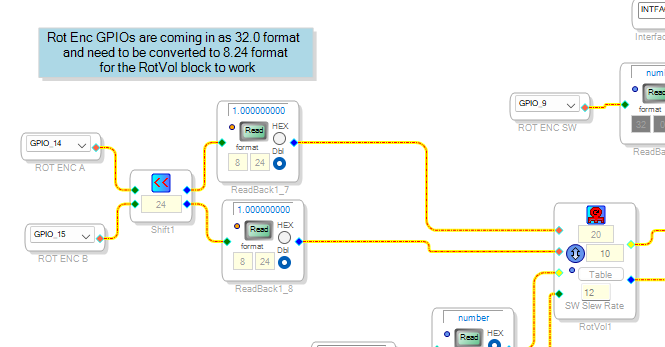
Years later, I have been battling with the same issue. In fact my issue has been that the rotary encoder block did not understand my GPIO inputs (using the ADAU1467). I also looked at this other thread Rotary encoder on ADAU1467 Eval board and build the rotary encoder simulator which worked. So I finally realized what was needed to make it work on my part: the GPIOs inputs with the encoder signals are coming into the core as 32.0 format, but they need to be 8.24 format for the rotary encoder block to process them correctly. The solution? Bitshift left by 24 before they enter the rotary encoder block.
What had me confused about this thread was the 32.0 zero comparator mentioned.
Thank you all for the posts and replies. It really helped me.
Please log in to reply.