Register fixing
There is a way to fix the register address? If a modify a project every time the address of the previous registers is changes so I need to change in in the define of the microcontroller.
Please tell us what SigmaDSP processor you are using!
Dave T
HI robyf:
The latest version of SigmaStudio contains a "Fixed Parameter Tables" design to assist you to fix a finite number of registers @ a fixed address while the speaker can be updated. This is implemented on the 145x and 146x processors. We are planning to port this functionality to the 144x, 176x and next generation DSPs.
Miguel
We are using Adau1452
Inviato da smartphone Samsung Galaxy.
Hi MiguelWe are using adau1452 so we can download the latest sigmastudio best regards
Inviato da smartphone Samsung Galaxy.
Hey.
We have the same problem: If a modify a project every time the address of the previous registers is changes so I need to change in the definition of the microcontroller.
Particleboard also Adau1452.
You say that the problem can be solved with the Fixed Parameter Table option. But I can not find this option anywhere.
Tell me how to use this option.
Thank you.
Hi all:
You can find this option by right clicking the DSP on the Hardware Configuration Tab.
Regards
Miguel
I use SigmaStudio 3.16.
It has not this option. Which version should be used?
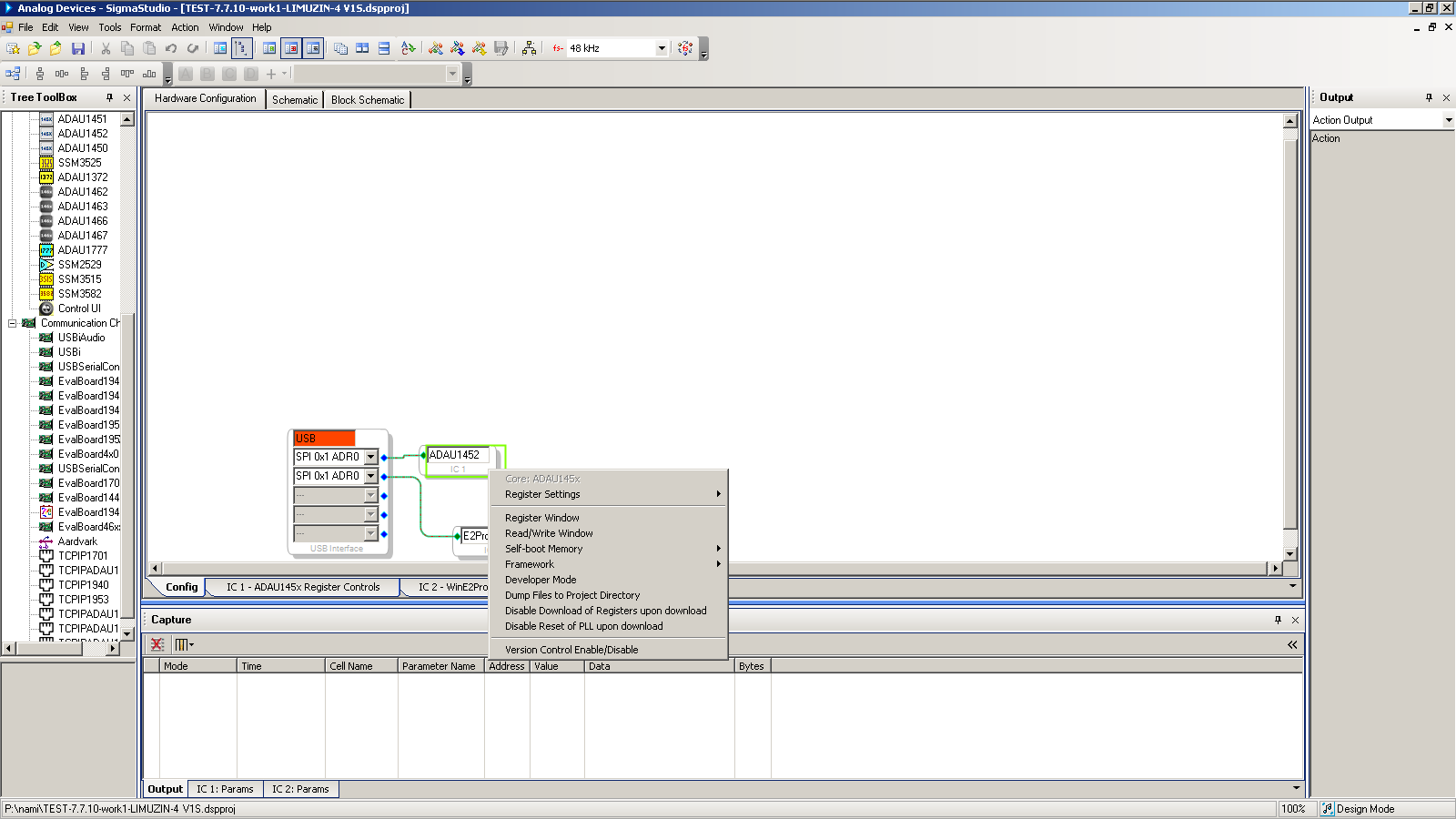
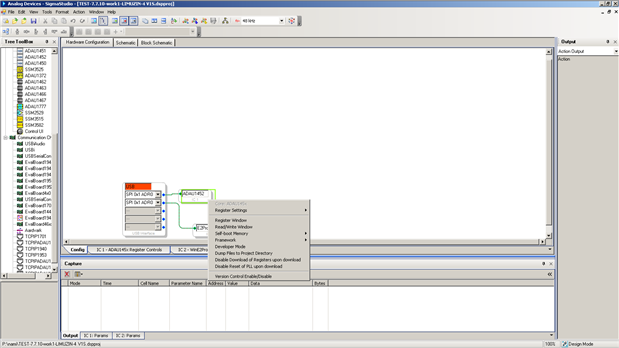
Hi, Miguel.
Could you please tell us how to use this option in detail?
Maybe you will make a screenshot or describe a sequence of actions for fixing the addresses of variables in SigmaStudio?
Thank you.
Hello,
Here is the address of the Wiki help file on this subject. It is rather detailed so it should get you going.
There is one little detail, if you do not see the option for the indirect parameter table when you right click on the ADAU1452 GIU, then you have an older project that needs to be updated to bring the feature back. This is a safety feature where if you bring in an older project it will compile exactly the same in the newer revision of SigmaStudio. This is important for the same reasons you want to fix the addresses now. So if you do not see this option then let me know.
Here is the link:
https://wiki.analog.com/resources/tools-software/sigmastudio/usingsigmastudio/indirectparamaccess
Dave T
Hello ArtemGromac,
Sorry, I just read your earlier post again and I see that the option did not appear in the menu.
This is what I do to fix this issue.
1) Drag over a new instance of the processor and hook it up to the USBi interface. It should give it the name "IC3"
2) Switch over to the schematic tab.
3) Go to the Edit menu and click on "Select All". This will select every cell in the project.
4) The on an open section of the schematic window you right-click and select "Change IC" and select IC3.
You will get an error message saying that not all objects are supports with the new IC. This is because the I/O cells cannot be changed and have to be done manually.
5) Drag in new input and output cells. Make certain you are grabbing them from the IC3 section of the Tree Toolbox. There are a couple of irritating little bugs when you do this.
The first time you drag in the input cell, it will complain and say that there are not enough resources. Just delete the little cell it inserted and then do it a second time. This time it will insert the cell with no errors. Then transfer the connections from the old input cell to the new one.
The second little bug has to do with the output cells. When you insert the output cells it will enumerate as if the existing output cells are for the same IC but they are not. So insert the new cell, delete the old one then set the new cell to the output channel of the old cell. Once you have done thus then you can delete the old IC1 and you will see the Indirect Parameter table is now available with IC3.
Now one other comment with using the parameter table.
There used to be a 100 item limit but I think it has now been expanded. However, if you have a large number of objects it will use up a lot of memory. If you are running short on memory then you can save some space by only using the table to store the first parameter of an object. Then the other parameters will be offset from the first parameter by the same amount in every instance. So if you have several Mux switches, then the address of the first switch is all you need to store for each instance of the switch. Then in your controller software you can use the address of the first parameter and then calculate the address using the offset. You will have to use the standard SafeLoad to change it instead of the indirect parameter table. You only need to do this if memory is an issue with your project.
Dave T
Hello, Dave T.
I followed steps 1-5 of your instructions to fix the bug. Then I deleted the inputs and outputs of IC1 and connected the circuit to the inputs and outputs of IC3. The wires are of a different color (not yellow but green). Does it matter?
Then I deleted IC1 and renamed IC3 in IC1.
After compilation, the firmware turned out different. Should not it have turned out the same thing? For example, the address of the safeload_data has changed (from 0x0060 to 0x6000). Does it matter?
Thank you.
Hello ArtemGromak,
This is the reason why the table is not available for older projects. So if you have a product that you designed a few years ago and you only want to make a small change in parameters and then other things change that cause you to have to go back into your controller code is a very bad situation.
In your case you are still in the design cycle so you can adapt to these changes once and then it will be stable after this.
So the safeload address explanation: In the past it was located often at the beginning of DM0 but it was movable by the compiler. So this caused issues for customers with controllers having to deal with those changes. So we made a change where all new projects you start will have the safeload area permanently at the start of DM1. So after this change you made it will no longer move and it will be in the same place for all revisions and for all new projects.
Then the new feature you are trying to setup, the Index Parameter Table, allows you to be able to find an object no matter where it is moved in memory by the compiler. So any parameters you put into the table, your MCU will be able to address. The safeload feature by itself does not do that because you have to know the location of the object in memory. This table stores the address of the object for each table index. The table itself will never move and so your MCU code does not need to change and does not need to know the actual location of the object.
When you have two or more ICs in a SigmaStudio design, it will assign a new color to the wires to help you know which processor the cells are for. In this case since you changed them the wires that were already run did not change color. It is not a problem for your code.
Dave T
Hello, Dave T.
Thanks for the answer.
There were more questions.
1. How fast is the data updated from an indirect address to a real address?
It depends on Samlpe Rate DSP?
2. What order of byte is used when writing to indirect addresses? The high byte is the first (as well as when writing to direct addresses)?
3. Is there any description on the use of table functions?
For example, the project uses the Mute component. He has several parametres: mute, slew_mode and gain. How to properly turn the sound on and off?
Is it enough to write 0 or 1 to an indirect address in a mute or do need to set all 3 values?
4. How to correctly control the components that used the safeload?
In project used Mono swith 1x3 (Mono HW Slew). It have parameters - vol1/vol2/vol3 and cur0/cur1/cur3/cur4.
What means volx? Volume?
What means curx?
Why are there four? There are only three channels.
Thank you.
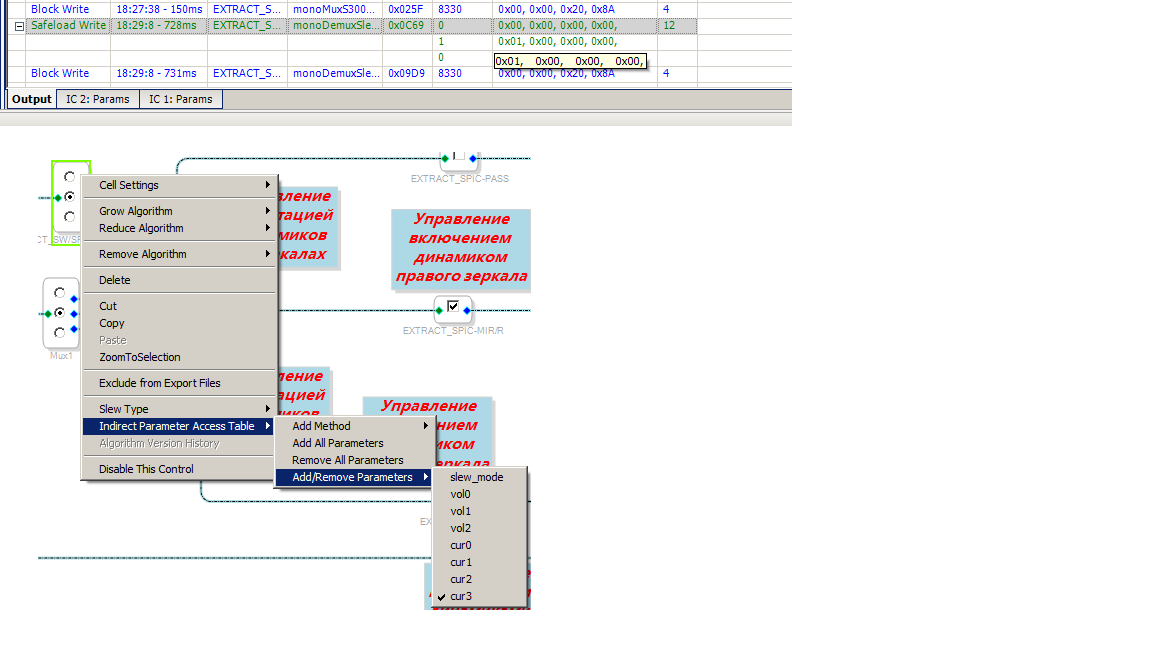
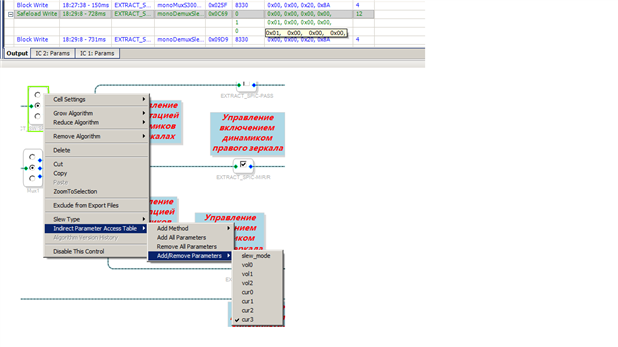
Hello ArtemGromak,
1. How fast is the data updated from an indirect address to a real address?
It depends on Samlpe Rate DSP?
I think you are asking how fast does the data transfer happen? When using this with a controller, you write the data and the address, then when you write the number of words to write that write will trigger the transfer to happen. So as soon as that I2C/SPI transmission is complete then in the next sample period the transfer will happen. It will always wait until the start of the next frame. The transfer all happens during one frame. So the latency of the change will be worst case two sample periods before you "see" the change. Realize that a lot of these objects being updated are filters with some inherent delay or if it is a slewed volume or mute then it will take some time before the change is noticed.
You can test this using a GPIO pin. As soon as the I2C message is complete then you should see the change in the GPIO output within two sample periods.
2. What order of byte is used when writing to indirect addresses? The high byte is the first (as well as when writing to direct addresses)?
It is all going to be the same, High byte first.
3. Is there any description on the use of table functions?
For example, the project uses the Mute component. He has several parametres: mute, slew_mode and gain. How to properly turn the sound on and off?
Is it enough to write 0 or 1 to an indirect address in a mute or do need to set all 3 values?
4. How to correctly control the components that used the safeload?
In project used Mono swith 1x3 (Mono HW Slew). It have parameters - vol1/vol2/vol3 and cur0/cur1/cur3/cur4.
What means volx? Volume?
What means curx?
Why are there four? There are only three channels.
Both of these questions are sort of the same answer.
You can find some info on the Wiki, :https://wiki.analog.com/resources/tools-software/sigmastudio/toolbox
using this link you can often find some documentation. Or you can highlight the cell in SigmaStudio and press <F1> and that sometimes brings you to the Wiki help file directly. Sometimes it does not point to the correct place and you get the error page.
Some of the objects have a list of the parameters and what they are used for. So that would give you the answer right away. Some you have to look at how SigmaStudio uses the objects.
To do that you use two of the tabs in the Capture Window. First you can look at what SigmaStudio sends out and do the same thing with your MCU. For a mute with the HW slew it sends out the Mute parameter and then the slew mode parameter. The slew mode parameter you will most likely never change. The gain parameter you never have to change. Basically this is a simplified volume control so you could write in some gain into the mute switch if you wanted to.
Then there is the "Params" tab in the capture window. This lists the contents of the parameter memory of DM0. You cannot see DM1 at this time with SigmaStudio. So looking at the objects you can see what is changed and what parameters it uses. Some of the parameters are internal and you should not be changing. This is why watching what SigmaStudio write out is helpful to know which one is important to include in the table.
For the 1x3 switch. You see it is like a three way mute switch. You have to write two mutes and one un-mute to select one output. These are the Volx parameters. Then it writes to the slew mode. The cur0cur1... I have no idea what they are used for. It is not in the help file and I do not see any activity on it so I would be speculating. I would have to ask the programmers. Since SigmaStudio does not write to them then you do not need to. They must be used for some internal function.
Dave T
Please log in to reply.