ADUA1452 Serial Input Ports
Hello AD,
I am wondering if you can help me configure my ADAU 1452 Eval board to accept multi-channel audio through the serial input ports for I wish to bypass the ADC?
I see from the ADAU1452 data sheet it has the capability of 4 serial input ports, 48-channel, 32-bit digital I/O. I believe 2 of the serial ports are already in use by the USBi communications header and possibly something else, correct me if I am wrong?
Let me know if you need anymore info.
Thanks
-Mike
Audio Signal Processors
adau1452
multi-channel
adau1452 sigmastudio
serial port
SigmaDSP Audio Processors
Show More
Hello Mike,
There are four serial ports and since the codec on the eval board only has four ADCs, we are only using two of the ports. The other two ports appear on the two headers J2 and J3. Those two ports are only capable of TDM8 so this gives you the ability of taking in 16 channels on two TDM-8 serial streams without having to modify the PCB.
The clocks on these ports can be setup to be master or slave by using the register settings.
One other little detail about this eval board. The master clock is generated on the PCB and there is no way to slave off of an external master clock. So it would be best to have the serial port be a master. If you make it a slave then you need to run the audio through the sample rate converters or take the CLKOUT signal and drive the external PCB with that master clock. So I guess I could use some details as to what you are hooking this up to? What does it need and what are its capabilities?
Dave T
Hi Dave
Thanks for the info. Do you have any recommendations on components/external board to stream audio through USB to TDM? I am a little unfamiliar serial capabilities.
I am trying to integrate the ADUA1452 to provide EQ, crossover & limiting to a multi speaker system. I will have anything from 2 to 8 ch. audio content as input to the ADUA1452 and routed/summed/crossed over in different combos to respective outputs. Hope that gives me context. Let me know if you need more details.
I heard you can tether 2 Eval boards to increase the input ch. count which might be a decent solution. Any project templates that configure 2 Eval boards to talk to eachother?
Thanks
-Mike
Hello Mike,
The 1452 has the capability of 48 channels in and out so the part can certainly handle what you described. There is no reason to tether two 1452 eval boards but if you want more than 8 analog outputs then it might be good to connect another DAC eval board for more outputs. The ADAU1966A eval board would give you 16 more output channels.
I think I have a project that will show you how to do the basic things you mentioned so it would be a starting point. I will look and get back to you.
Have a look at this product, it works well. https://www.minidsp.com/products/usb-audio-interface/usbstreamer
It does convert up to ten channels to and from a computer using USB. It does have the ability of providing a TDM output and input so this should do it for you. There is one available in a box but the TDM pins are not available when it is in the box unless you cut a hole in it. Out evaluation board cannot do ADAT Optical interface but it can accept SPDIF.
Thanks,
Dave T
Hi Dave
Received my USB Streamer today. Can you refer me to any guides on getting the USB streamer and ADAU1452 to communicate?
Thanks
-Mike
Hi Dave
I started trying to integrate the usb streamer with the 1452 and have a few questions.
I want to use SDATA_IN3 on the 1452 for my serial input from the USB Streamer. Using the header connector provided with the USB Streamer I am connecting the the following:
USB Streamer > 1452
TDM Out (pin1) > SDATA_IN3
BLCK (pin10) > BCLK_IN3
GND (pin11) > SDATA_IN3 (GND side)
LRCLK (pin12) > LRCKL_IN3
Since the USB Streamer can only be configured as master, I need to set 1452 to slave. In the SigmaStudio Serial Port Register Controls, I set SDATA_IN3 LRCLK source & BCLK source to SLV from CLK domain 3 and TDM Mode to 8 ch.
In the routing matrix I set serial input 40/41 to feed ASRC0, 42/43 to feed ASRC1 and so on to get my 8 channels. Heres a snapshot of ASRC3 settings.
Is this the right approach so far?
I am a little stuck on what to incorporate in my schematic as far as inputs & outputs go? A basic test schematic is here. I thought maybe to try the ASRC Out block but am not able to get audio out of 1452 from a multitrack session from Adobe Audition.
What exactly can I use to read that the two devices are talking to eachother?
Thanks - Any more insight on TDM and my setup would be helpful.
-Mike
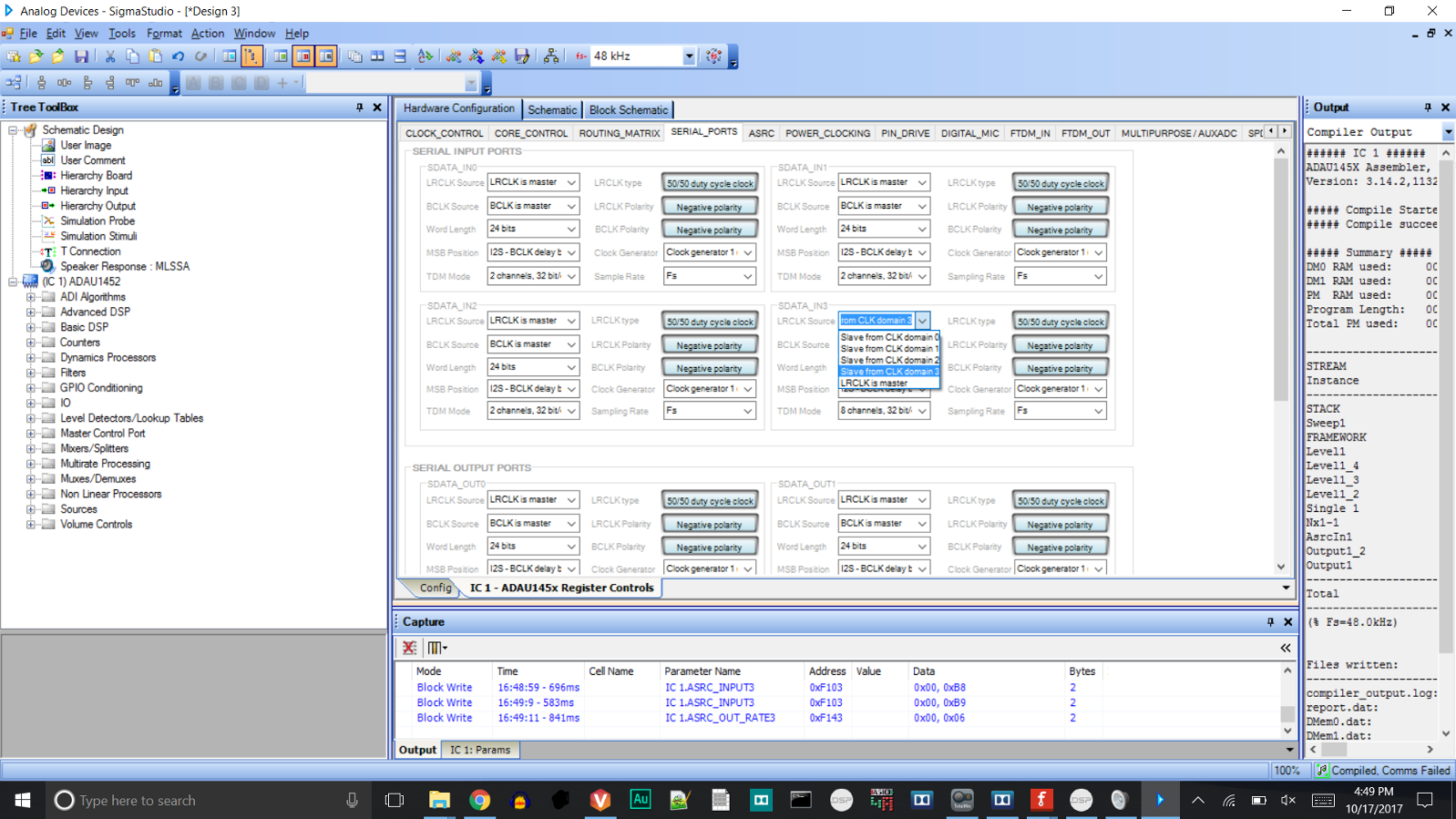
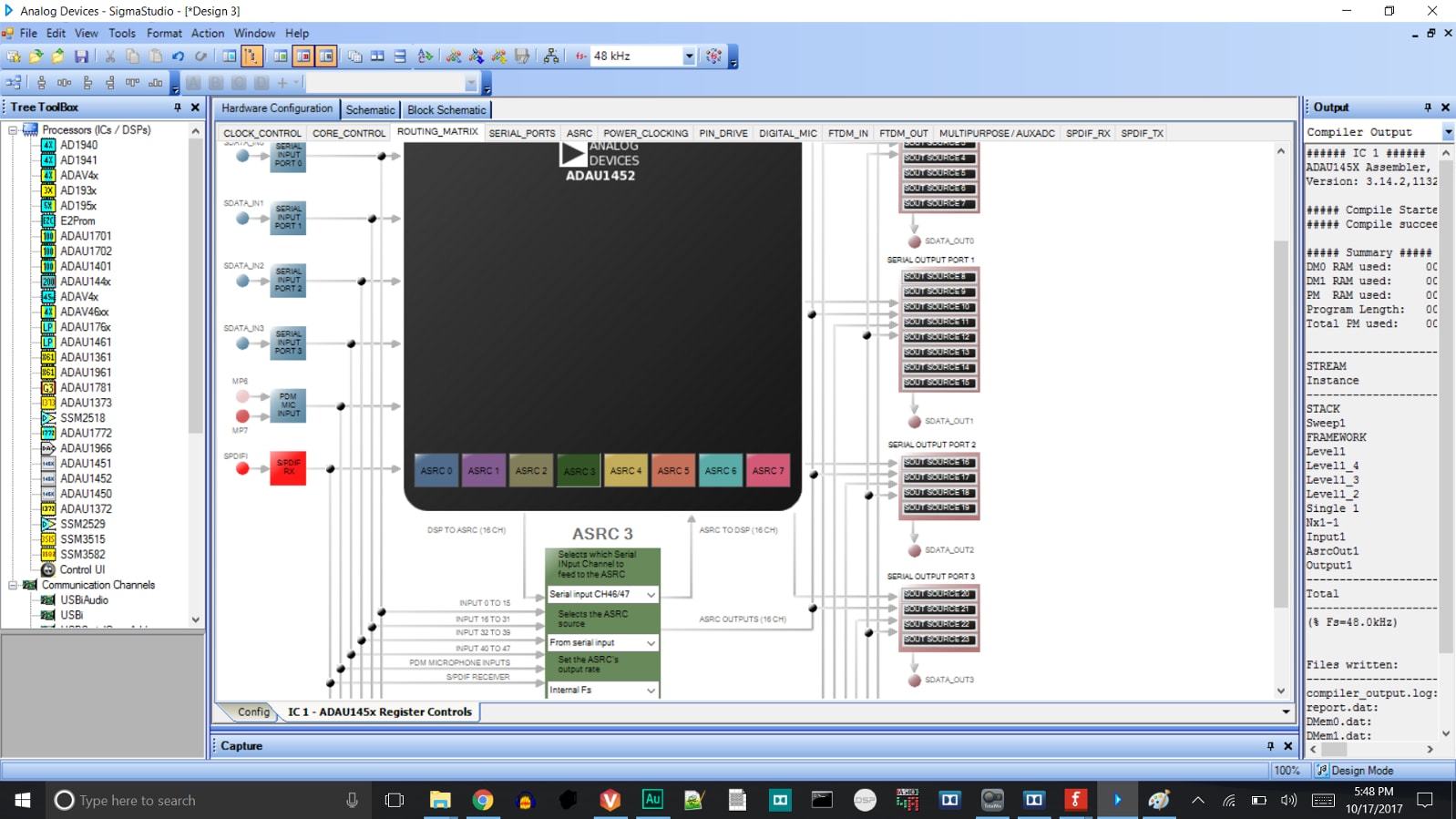
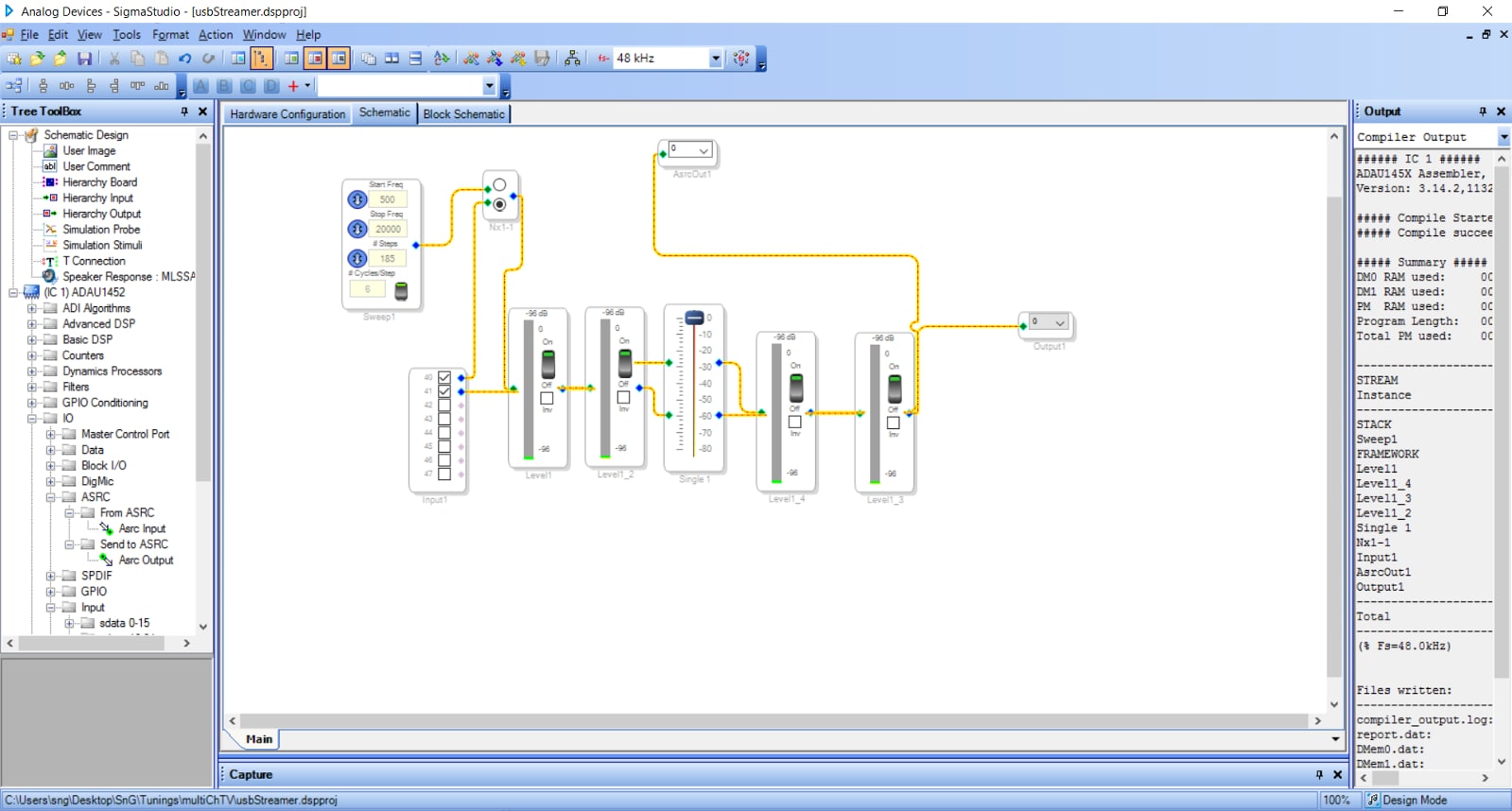
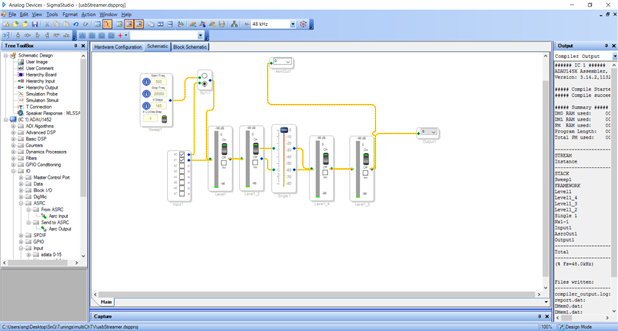
Hello Mike,
You have done a fine job of setting this all up. You just missed one small step. Use the ASRC Input cell. This is where the signal enters into the DSP core from the ASRC. I know it is a bit confusing. This label is from the Core's viewpoint so it means input from the ASRC. The ASRC output will go out from the core and go into the ASRC for the times you are using it to go out from the core to another sample rate. This is how you will get signals back to the USB streamer.
I have been busy recently and I am travelling for the rest of the week at the AES show. So responses may be delayed.
Dave T
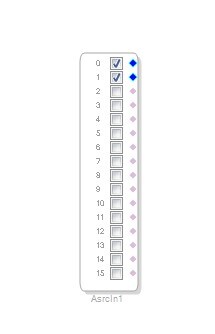
Are you saying to use the ASRC Input instead of the regular sdata 40-47 Input? Substituting the sdata Input with the ASRC Input, I am still not getting any output.
I want to use the 1452 DAC so no need to run the data back to the Usb Streamer.
What is the best way to verify the 1452 is getting the data? In this post you mention to use a read block... Can you explain a little more on set up?
USBStreamer Digital Audio Board --> ADAU1452
Thanks
Using the ASRC Input cell was correct. My problem was something to do with my header pin jumper (wires were incorrectly routed)
Glad you found the problem.
Dave T
Please log in to reply.