Adau1452 compressor calculations
Hello,
I need some explanation how the compressor table in sigma studio gets calculated for ADAU1452.
For example the Peak Compressor transfers 244 Bytes of data to the ram.
The range of the threshold slider goes from -139.9dB to +40dB. This is a range of 179.9dB.
244 Bytes of data equals 61 32Bit values. Each of these values contains a 3db step, right?
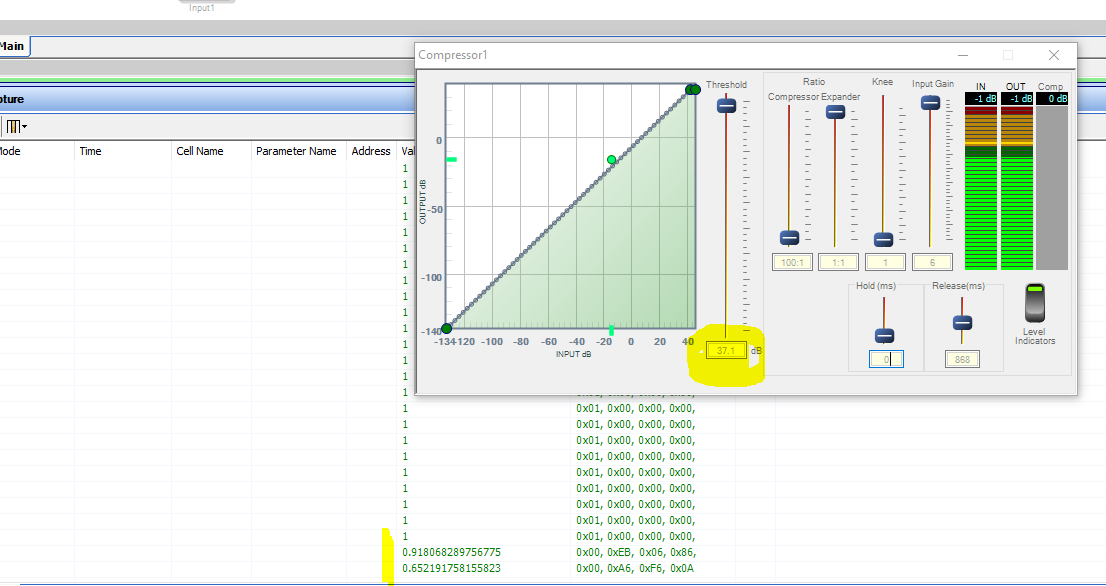
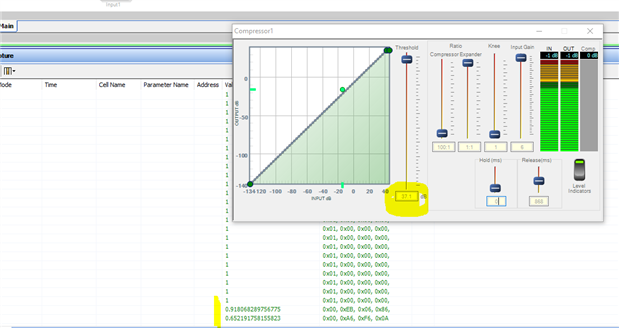
If these thoughts are correct I'm wondering about the fact that there are two values neccessary to set the threshold to 37.1dB. This is just 2.9dB and should fit into one data value, or?
Maybe you can help me out with this.
Thanks!
Regards
Bernhard
Audio Signal Processors
adau1452
SigmaDSP Audio Processors
Hello Bernhard,
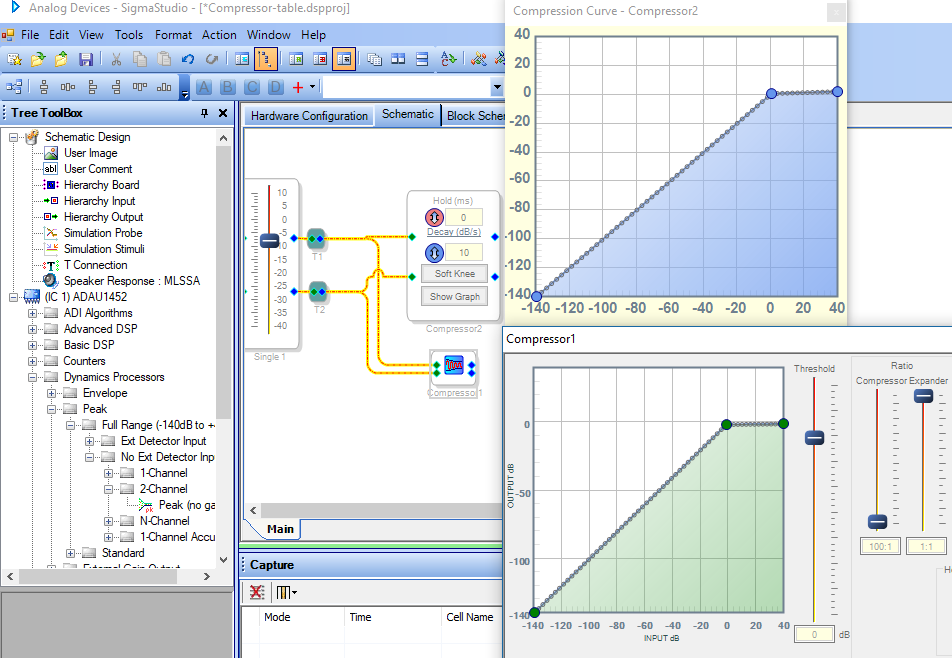
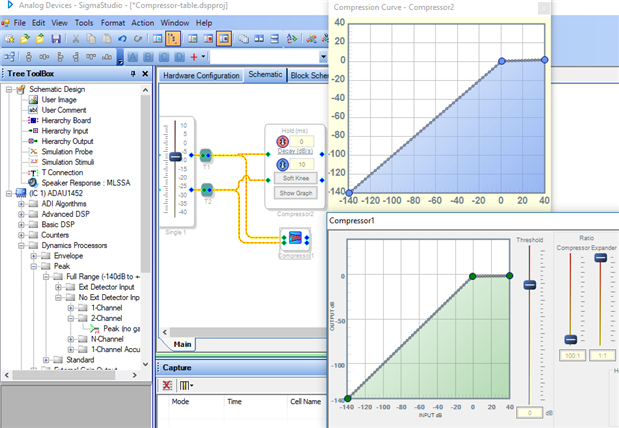
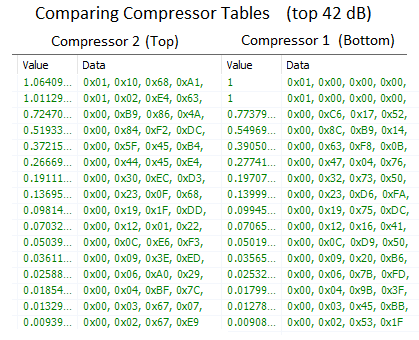
All the dynamic blocks operate similarly inside the DSP -- the running algorithm measures the input level, finds the appropriate multiplier (linear gain) from the parameters which SigmaStudio has pre-calculated, then performs this multiplication to produce its output. SigmaStudio offers several peak compressor versions -- the one you're using (below, bottom) which builds the compression curve based upon your inputs of threshold and ratios, and another (top) where you define the compressor's curve directly by dragging its points:
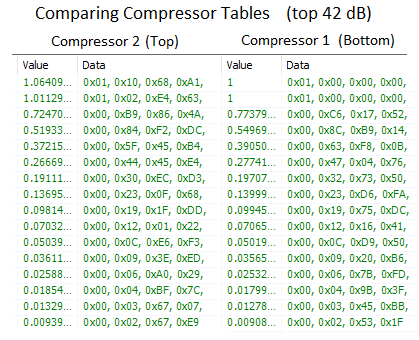
Here I've set them both for a threshold of zero dB with nearly flat limiting above threshold. Comparing the high-level portions of the two resulting compression tables shows that both compressor versions operate similarly inside the DSP-- the main difference is the the form of user input. Both compressors use 3 dB table spacing:
Some time ago I figured out how the compressor with the direct graph input calculates its table-- please see:
https://ez.analog.com/message/265593?commentID=265593#comment-265593
So if you desire, for example, to safeload the compressor's parameters from a microcontroller, the above reference should help.
When changing the threshold from 140 to 137.1, we might expect only the gain parameter for the very highest input level (the last one in the table) to change; however there could be a rounding error or perhaps some softness in the knee (even with the lowest setting) which allows the previous parameter in line to be affected. In any event, the 0.91 linear gain in this parameter (-0.8 dB) won't matter much.
Best regards,
Bob
Hi Bob,
thanks a lot for this fast and perfect answer.
You were right, I wanted to manipulate and write these values during runtime via microcontroller.
Thanks to your help! It was easy to implement and it's working perfectly.
Regards
Bernhard
Please log in to reply.