ADAU1701 Auxiliary ADC for battery monitoring not working help me
Hi team , i am using ADAU1701 sigma DSP for medical device . The DSP functions are OK . I configured MP2 as aux ADC to monitor battery voltage . This alone not working i made the ADC configuration as invert also but it is not working at all . My config is very simple i voltage divide the main rail voltage of 3.8V from battery and feed to MP2 pin ., when the voltage goes below 1.65 Volts i am making the MP1 GPIO as HIGH MP0 as LOW . It is not seems to be working . Not sure i am making any silly mistake or big mistake . Kindly advice .
attached schma and config reg setting with sigma diagram screen shot .
Thanks in advance
-pragdhees
Proud Indian
Audio Signal Processors
sigma studio adc
aux_adc
auxadc input
SigmaDSP Audio Processors
adau1701
Show More
Hello ariesprg,
BTW, you did a great job of giving me the information I needed and a short concise post!
First I would like to make sure that the ADCs are enabled. This is easily overlooked. This picture shows where to find it.
There is a problem with your implementation. I suggest you use READBACK cells to help you "see" what is happening inside the DSP. I use them all the time to make sure things are working and working like I expect them.
If you place on after the AUXADC input, you will see that it is a 10-but value that goes between 0 and almost 1 in a 5.23 format. So the highest it will ever be in 0.9999. So it will always be less than 1.65 that you are comparing it to. I would say that you could lower the battery voltage to see what the ADC produces when it is at 1.65V by using a readback cell to view the value. Then setup your DC threshold value accordingly.
Now, if AVDD for the part is using a regulator and will not change as the battery voltage goes down, then your divider off of the battery will work.
If you are not using a regulator I think you will see there is a more fundamental problem. So are you using a voltage regulator for AVDD?
Another thing I noticed in your SigmaStudio schematic, is that you are setting the GPIO outputs to either a zero or a three. Usually I just use a "1" instead of some other number but your setup will still work. I am pretty sure The GPIO will be a zero when it gets a zero as input and a 1 when it gets anything that is not a zero.
Dave T
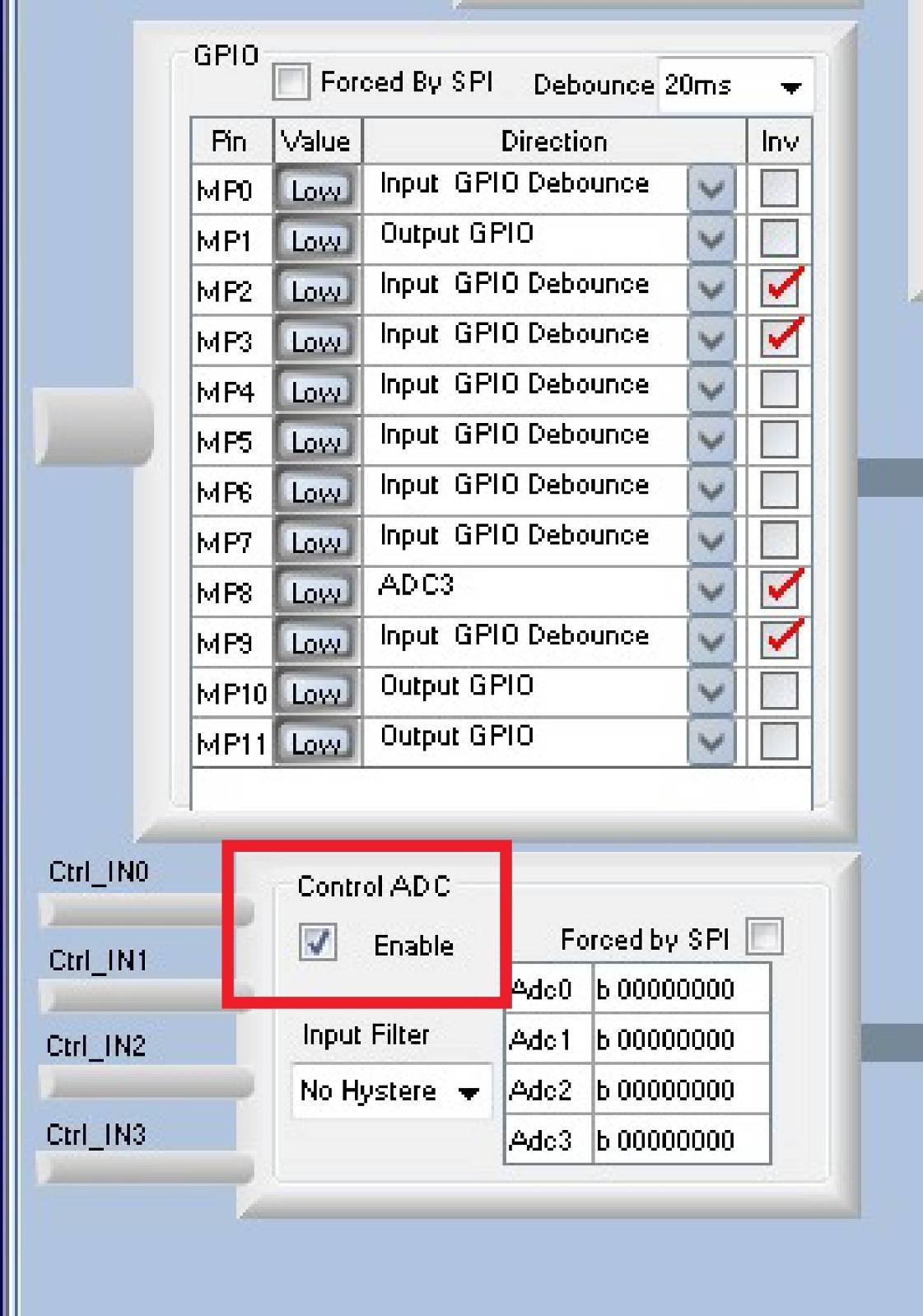
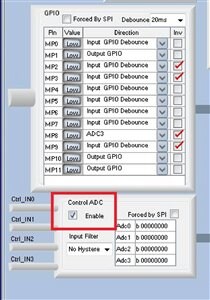
I'm too lazy to look it up, but isn't there some non-trivial ADC loading on the MPx pins? Maybe 10k-20k? That will skew your divider, especially if it's not consistent. (Probably dips during a read).
Hello Joe,
Yes, you are correct that it will skew the value especially since this is a battery operated device. If the dividers were both 1K then it would be fine but they will probably be 10K. The input impedance has a typical of 30kohms but this is not tightly controlled so it can vary from a min of 17.8K up to 42 k ohms. So this means that the value for the threshold should not be set too close.
So this all needs to go into the calculations but it still can be done.
The ADC is a SAR type so it will throw noise out of the pin when sampling. In this case it is only a divider to a battery so I don't think it will be a problem. However, if it were to be a voltage reference that is used by other devices as a reference then it would probably need to be buffered.
Dave T
Dear Mr.Dave
Sorry got sick ., i will test and get back on results . BTW thanks for help
-prag
Hi
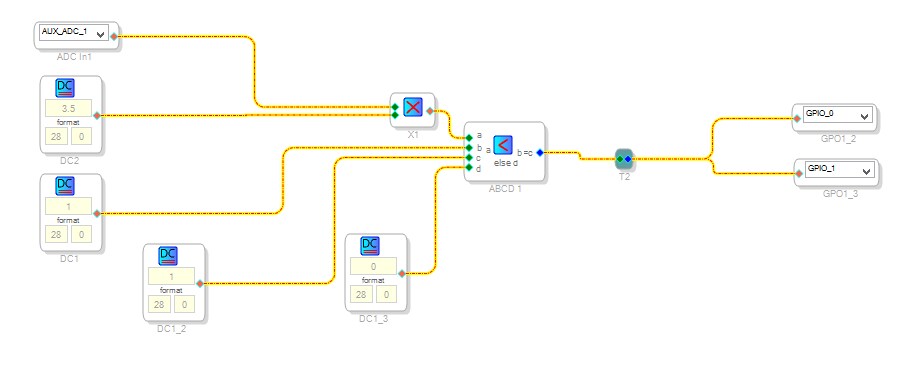
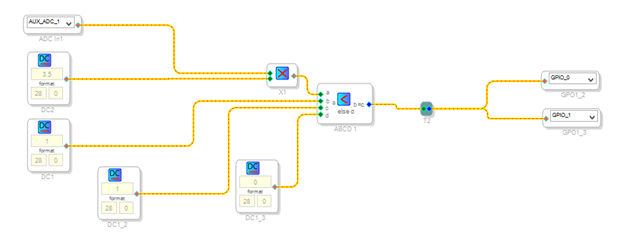
It is working after i connect the multiplier with input get multiply with 3.5 (28 Format)
shown the block diagram ., the ADC settings the same .
Of course 5.23 format is also a mistake i handled .
Thanks dear sir .
Sorry for the late update i got sick .
Pragadhees
Proud Indian
Hello Pragadhees,
Well, if this is working then I suppose you are good but there are a lot of things I see that just do not seem correct. I can argue that it is not working like you think it is.
You are using 28.0 everywhere which in some cases is acceptable but in other cases it is not correct.
The DC cells that drive the "C" and "D" inputs to the ABCD cell are set to 0 and 1 in 28.0 format. So in hex it will be 0x0000 for a zero and 0x0001 for a "1". This is OK for driving a GPIO because it is programmed to output a zero with a zero input and a "1", a high out of the pin, when the input is not zero. So it really does not matter what the number is as long as it is not zero.
However, you are not doing what you think you are doing with the AUXADC input. You are actually multiplying by 4.
There are a few things to explain first.
First, you need to get used to using readback cells so you can "see" the data inside the DSP. However, this part is an early SigmaDSP part and it has a 24 bit limitation for the readback data that is trapped in the core to send out of the I2C/SPI port to SigmaStudio. So you have to understand this and work around it.
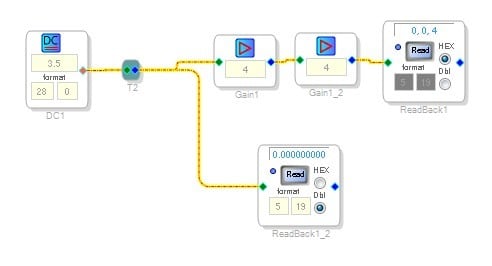
Have a look at this screenshot:
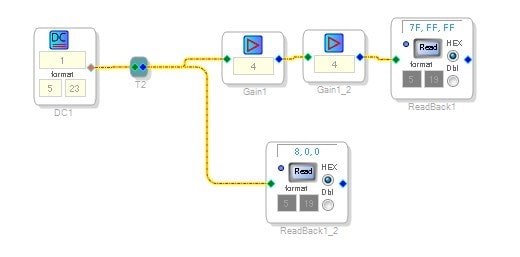
This setup is showing how to get around this 24 bit limitation.
The data inside the DSP has 28 bits. When reading back out of the DSP it only takes the upper 24 bits and sends that out. So you do not see the lower 4 bits of the data. Most of the time this is just fine unless you are using integer numbers that are small. See the readback cell 1_2 that is set to 5.19 is reading all zeros and it would do the same if it were set to Hex. This is because the DC cell is sending out a number that only has "I"s in the lower four bits.
The workaround is to amplify the signal by 16 to shift the lower four bits up four positions. This can be done by multiplying by 4 twice. (You cannot multiply by 16 because you cannot represent a positive value of 16 in 5.23 format. )
So in the upper readback cell you can see the lower four bits.
Now you are setting the DC cell to be an integer format and giving it a real number so it is rounding it up and so it is sending out a "4". So that is what you are multiplying the incoming ADC values by.
Now lets switch over to the AUX ADC inputs.
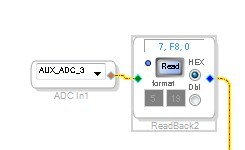
The Aux ADCs are 8-bit ADCs with the 8 bits normalized to output a 5.23 format number. This means that the 8 bits that are changing are shifted up. The AUX ADC will output a number between 0x00 and 0xFF. an 8-bit number.
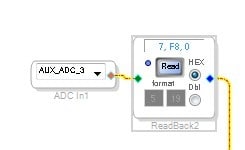
This is shifted up so that it is almost a "1" in 5.23 format. So it would be 0x07 F8 00 with the bottom four bits being all zeros. The upper 24 bits of a "1" in 5.23 would be this: 0x 08 00 00 . The AUX ADC will never reach "1".
You can see it in the lower readback cell. The upper readback cell overflowed after being multiplied by 16.
So the max the ADC will ever show is: 0x 07 F8 00 and these are only the top 24 bits of the data that is in the DSP. The lower four bits that you cannot see in the readback will always be zero.
So you are multiplying this by 4 which is shifting it up even higher in the 28 bit word. Then comparing it to a "1" in integer format. It will almost NEVER be less than a 1 in integer format and bottom 15 bits will NEVER be anything but zero unless you are using some hysteresis and filtering of the ADC data but even then it is only noise and most of the lower bits are still always zero. There is a register for setting the filtering. So in your test, "A" will only be less than "B" when the ADC is sending out all zeros and that is not easy to do. You have to shut off all filtering and Hysteresis and hope that your system does not have any noise being picked up. If the ADC is sending out one bit higher than zero then it will be a 0x00 08 00 with the last four bits being zeros.
So you need to look at the level of the data coming into the ADC and pick a more suitable number to compare to.
You certainly do not need to amplify it.
Use these readback cells, they are one of your "windows" into what is going on inside the DSP.
The newer DSPs do not have this 24 bit limitation on the readback cells so it makes this a little easier.
I hope this helps
Dave T


Thanks to indicate the mistakes ., actually i do not have read back programming tool i am using arduino to program this ., it started working so i thought it working . more things to understand from my side . very much thankful for very detailed reply . So kind of you .
-Prag
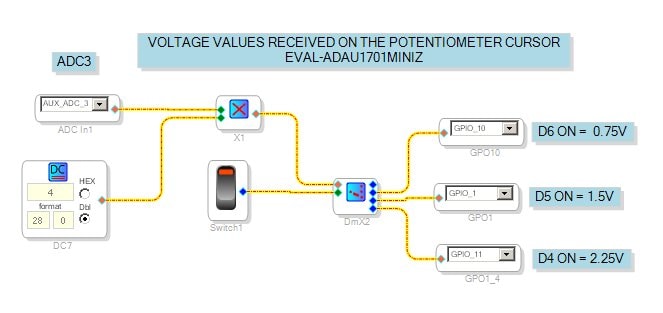
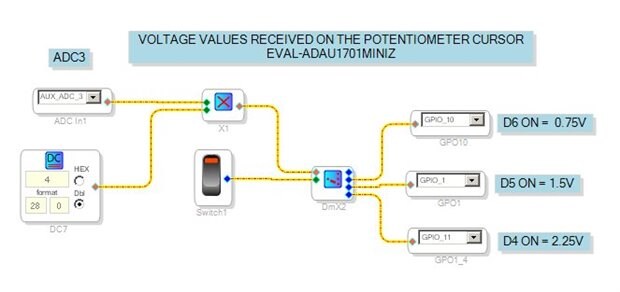
If it can be useful I have had the need to measure 3 different depths of dive and I solved it as by attached picture.
I think this system is also applicable to controlling the battery charge level
This question has been assumed as answered either offline via email or with a multi-part answer. This question has now been closed out. If you have an inquiry related to this topic please post a new question in the applicable product forum.
Thank you,
EZ Admin
Please log in to reply.