How to create a parametric EQ controlled by pots on ADAU1701?
Hi all
I have an ADAU1701 operated in selfboot mode. I wish to (among others) to create a parametric EQ, where the gain and frequency can be controlled by 2 potentiometers.
I am unable to find the correct building blocks in Sigma Studio 3.15.
The potmeters should adjust the gain from -12 to +12dB and the frequency from 30 to 120Hz respectively.
Audio Signal Processors
SigmaDSP Audio Processors
adau1701
Hello Thomas,
Each parametric filter requires a set of five coefficients (numbers which form delayed forward and feedback gains which give the filter its response). The coefficient values are based upon the desired frequency, bandwidth and boost -- but the complex formulas involved make these coefficients look nothing like their input info. If you're curious, see General 2nd-Order Filters [Analog Devices Wiki] for these calculations. In any event, the formulas are too much for a ADAU1701 to calculate on-the-fly in a self-boot situation. Thus,implementing a parametric EQ usually requires a microcontroller to lookup and/or calculate the coefficients when its user adjusts its controls. A -1701 with such external control can easily handle ten or more bands of parametric EQ.
However, your requirements are for only a limited (bass) frequency range. If you're willing to accept some compromises, you can take advantage of SigmaStudio's ability to pre-calculate the coefficients for all possible settings -- these get stored in the ADAU1701's parameter memory for recall as needed. To do this, use the General Second-Order Index Selectable Filter. It allows you to specify multiple responses which at runtime are called up by an integer number you apply to its index input pin. Set up your potentiometers to control this index, and you can pick any of these curves at runtime.
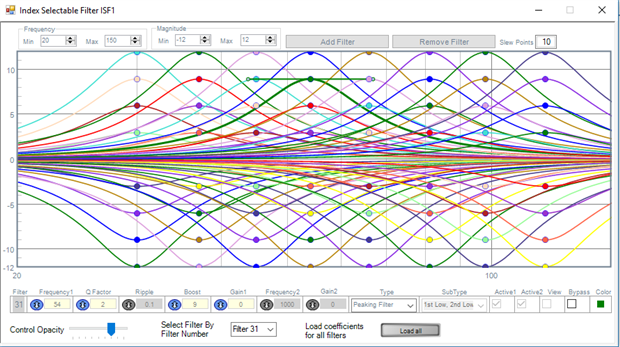
An example to show how this works: We can make 64 curves of frequencies in eight steps from 30 to 120 Hz, and 3dB boosts from -12 to +12 dB:
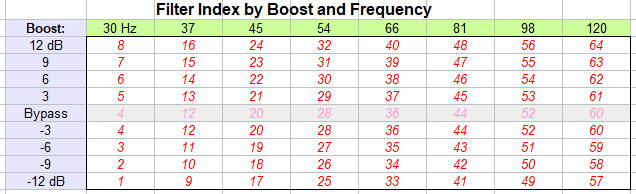
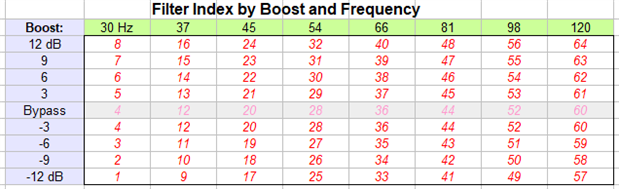
The index for each response is shown in the table below. Note there's no "flat" (zero boost) curves since we can bypass the filter instead -- this saves eight indexes in this example. Remember, this is actually just one filter with 64 pre-stored coefficient sets, any one of which the index calls up. Indexes in the flat (bypass) row simply copy their -3 dB neighbors, they are really don't-cares.
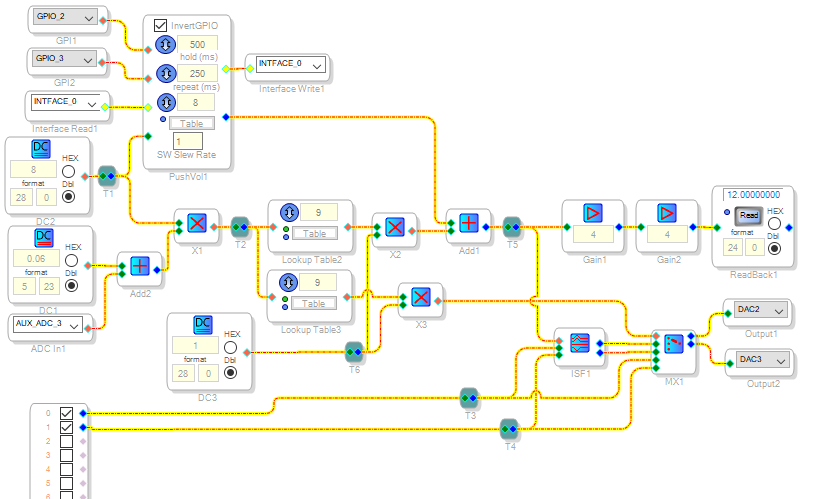
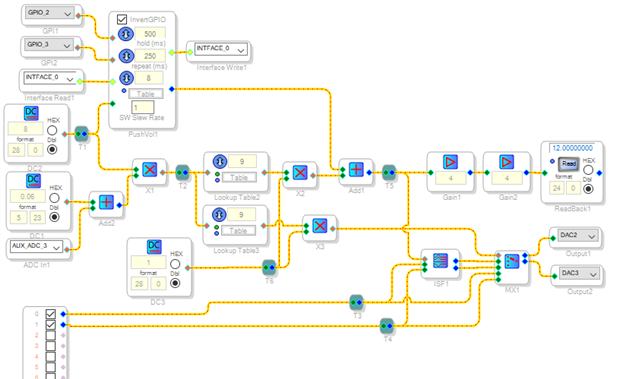
Armed with this wonderful filter, all we need to do is make your frequency and boost pots control the index appropriately, and bypass the filter when zero boost is selected. The frequency pot advances the index by eight to get to the next set of indexes -- as you turn the pot up, the associated logic needs to .output 0, 8, 16, 24... The boost pot goes from 1 to 8. Add them together to obtain the total index. The bypass should operate whenever the boost pot is centered. There's many ways to build this needed logic, the way I came up with is shown below. I tested it on the ADAU1701MINIZ eval board, which unfortunately has only one pot -- thus I substituted up-down pushbutton control for the frequency pot and let the board's lone pot adjust the boost. Whenever you get involved with pots (Aux ADC inputs), lookup tables and integer indexes, you need to convert between integer and decimal formats -- if you're unfamiliar with these formats, see What are the number formats for SigmaDSP?
Download the project file so you can see the contents of the lookup tables which take care of the boost and bypass logic. With four Aux ADCs, you can run two parametric bands each with frequency and boost adjustments -- just double the recipe. Have fun building up your EQ!
Best regards,
Bob
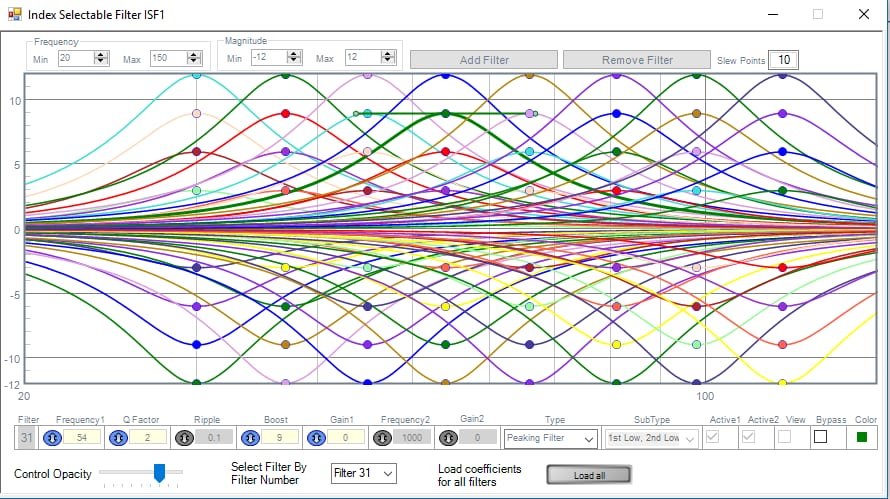
Hi Bob
First of all - a big thank you for the thorough information - this is exactly what I need.
I am familiar with the coefficients and general use of the -1701. I have previously build an MCU-based -1701 with safeload features etc. but this project is a "low cost" and should be done without the MCU.
It will be implemented in a design that uses all 4 AUX_ADC's along with 4 MPIO's.
I will look further into your design in the following days, but one question is already ready:
Which formats are going into ISF1 and MX1? When changing the potmeter and switches to get a reading on the Readback1 - I always get a reading of 0.0000 when doing a readback on the control pins of ISF1 and MX1.
Also - why are you adding 0.06 to the AUX_ADC3?
Best Regards
Thomas
Hi Thomas,
Happy to hear you've designed a uC-controlled SigmaDSP system. Since this is quite an accomplishment, I'm a bit curious as to which micro did you employ. Also, did you make use of ADI's framework described at How do I create the microcontroller code to interface to my SigmaDSP? -- or did you hard-code the various parameter addresses in your uC source? Where I work we made a mixer-EQ using several -1701s controlled by a PIC.
All SigmaStudio index inputs accept integers -- 28.0 format for the ADAU1701 and most others, 32.0 format for the ADAU1452. The index for a N-input MUX runs from 0 to (N-1). The input to a N-row lookup table also runs from 0 to (N-1). Exceeding a MUX's max index usually results in silence. Over-range input to an unprotected LUT may pick random stuff from parameter memory, of course with unpredictable results. BTW, I used index-protected LUTs in my example project, both with their default integer-in, decimal (5.23 format) out configuration. In previous SigmaStudio versions the LUTs (other than the Linear Interpolator) only operated this way. More recent LUTs include two buttons allowing you to select decimal in and/or integer out, but I have never gotten these options to work right. Thus I stay with the default integer-in and decimal-out mode, converting the input and output as needed. This always works.
The Index Selectable Filter also accepts an integer input, but this one runs from 1 to N. Oh yes, the start-at-zero / start-at-one inconsistency which is the bane of nearly everything digital. One of these days I'm going to chuck it and retire...
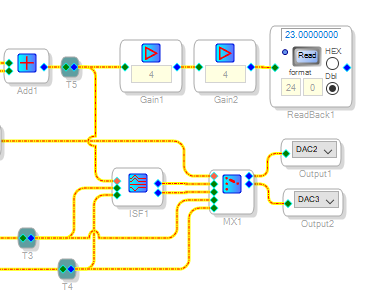
To readback an integer number from the ADAU1701 you must use the setup shown here --
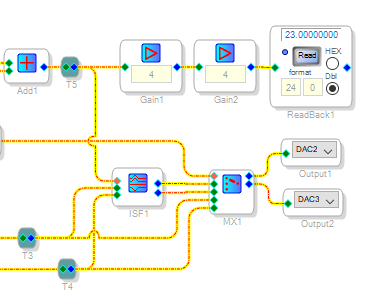
Multiply by exactly 16 and set the readback to format 24.0:
This is because the -1701's readback register is only 24 bits wide instead of 28 -- thus it truncates the lowest 4 bits, wiping out any integer below 16. If you used this setup and still can't readback, try doing another Link-Compile-Download -- you may have lost communication between your computer, the USBi and your target board.
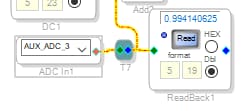
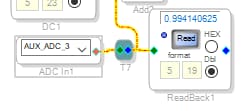
I wanted the boost pot to provide the integer series 0, 1, 2, 3, 4, 5, 6, 7, 8 to drive the two lookup tables. To convert the nominal 0.00 --1.00 decimal AuxADC level to integer 0 -- 8, we multiply by integer 8. Problem is, the AuxADC doesn't exactly reach 1.00 with the pot all the way up:
The multiplication never rounds up, only truncates. Thus such an arrangement only provides a 0 -- 7 integer result. To fix this I add a small decimal amount of about half a step's worth (1/2N) to the AuxADC signal before multiplying. You could just multiply by 9 instead and call it a day, counting on the truncation to prevent an over-range.
The boost LUT maps the boost pot's output to 1, 2, 3, 4, 4, 5, 6, 7, 8 and the bypass table to 0, 0, 0, 0, 1, 0, 0, 0, 0 in order to make the filter boost and bypass operate properly, By default the LUTs output decimal numbers. As I mentioned above I've had trouble with the LUT options, so I just leave them as decimal -- converting back to integers for use by the index MUX and filter.
Best regards,
Bob
Hi Bob
I used an Atmel 328 for the I2C commands. I did not make use of the guide, but it might have helped the speed of the project. I just started reading the -1701 datasheet, sniffing commands from USBi with a logic analyzer and used the output window in SigmaStudio. Then I could calculate my filters in Matlab, store them in the flash and have the MCU safeload them into the DSP.
Though I did have some problems with the way the DSP stored the inverted coefficients in the RAM because the core itself is unable to do subtractions.
Everything is adding up now, and in a few days the prototype boards will arrive with more pot inputs. Then I will try out the complete project I have made. Just need to convert the pushbuttons to an analog potmeter read again, but that should be fairly simple.
I managed to get all Readback to work as I wanted to, thanks to your description. And it makes sense why the 0.06 was chosen.
Best regards
Thomas
Hi again Bob
Just a question - Why are you using the DC3 and multiplying a value of 1 to the Lookup tables 2 and 3? Isn't that just multiplying with 1, or is it a conversion between formats?
Best regards
Thomas
Hi Thomas,
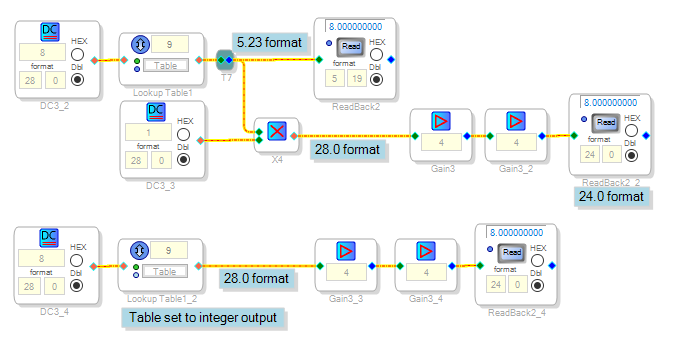
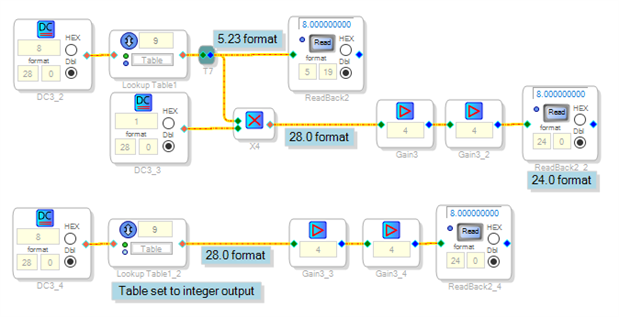
Yes it's a format conversion. The two LUTs are presently in their default decimal output mode, so for example an "8" in the table produces 8.00 x 2^23 = 67,108,864 in integer terms. This of course would blow away the MUX and index filter. Multiplying by an integer 1 converts a decimal number to integer.
As it turns out. I could have eliminated this step by using the LUTs' new integer output mode. Previously it seemed not to work for me, but I just tried it again now and it works fine. Thus the two examples below are equivalent:
Best regards,
Bob
Please log in to reply.