ADAU1452 Board Startup - Noise Source and level detector
I've setup the eval board, added a white noise source and a single level detector monitor.
Turning both on show no signal level on the level detector. BTW, the white noise source switch indicator bar is always red - whether toggled up or down.
Is the core not running? Are there register settings that need to be set?
Thank you.
TomC
Audio Signal Processors
adau1452
SigmaDSP Audio Processors
Check that the power supply is attached, the board lights up when you connect the usb card which makes you think its working.
Hello TCee,
pbthesp has a great point. I have done this many times... "Why is the DSP not working!!" only to find I did not have the power hooked up.
One thing I usually put into my projects, especially at first before the hardware is fully tested. Add a DC cell and a readback cell. If the DSP is running you will get the DC value back from the DSP core. If it is not running you will get garbage. You also can change the DC value and then read in the new value. It is a great "window" into the core to answer the basic question "Is the core running and is my program running?"
Dave T

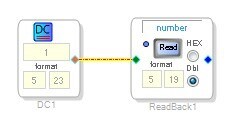
Thanks for the prompt replies.
I should have detailed in my original note that the supply is connected (yes, I've done that before too!) - the LEDs respond as expected when the supply is connected, and the RESET LED illuminates momentarily when the RESET button is pressed. I'm assuming that if the supply was not connected, the RESET LED would not respond.
Thanks for the simple 'readback' idea - along the thought process as my noise source and level detector. I've tried that and it constantly reads back something like -0.00000190. Link/compile download works fine. Thus my question about checking register settings to see deeper inside the core.
TIA
TC
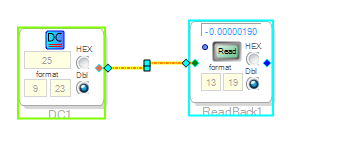
Hello TC,
OK, so you are probably not "talking" to the part at all. Are you using SPI or I2C? I assume you are using SPI since it has no way of confirming communication you will never get a communication error.
Some of our other parts have the ability to be set to different addresses in SPI mode. However, with this part there is only one chip address for SPI mode so you only have to see that the SS line is going low and you see clock and data at the pins. (well, close to the pins).
Then you have to make sure that SigmaStudio is set to the proper address and SS line.
Are you using your own hardware or are you using an evaluation board?
Dave T
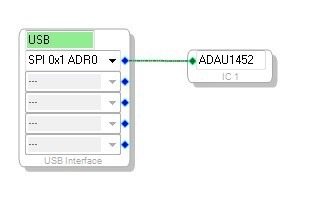
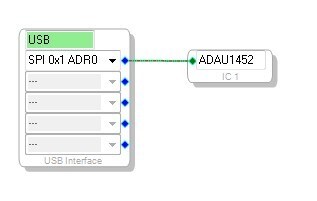
Hi Dave:
I'm using the 1452 evaluation board. The yellow LED on the USB->SPI board flickers as download occurs.
Tnx,
TC
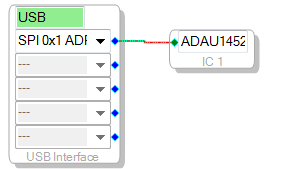
Hello TC,
Try this project.
This is known to work on the eval board.
Dave T
I do not yet have audio hooked up, but this does not look good...
TC
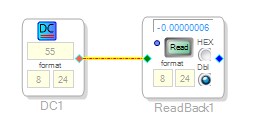
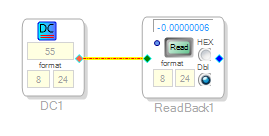
Again, download/compile works - no audio - DC readback fouled up.
TC
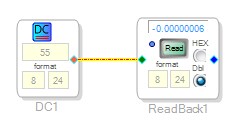
Hello Tom,
Do you mind if I call you? The number in your profile does not look to be to be a good number. If not then I will email...
Dave T
Hello TC,
No, these messages are not private. I copied the information then deleted the post so it is not up here now.
I will send you a note with contact number.
Thanks,
Dave T
Please log in to reply.